How to Write an Award-Winning Google Business Description to Elevate Local Rankings
Think of your Google Business Description as your digital handshake. It’s that crucial 750-character space on your Google Business Profile (GBP) that tells potential customers and Google's algorithm exactly what you do, who you help, and why you’re the best choice in town. Mastering how to write a google business description isn't just about filling a box—it's about crafting a powerful tool for local SEO and customer conversion.
Your Google Business Description Is Your Digital Front Door

That little text box is so much more than a simple "about us" section. In local search, it’s one of your most powerful assets for making a stellar first impression. It’s prime digital real estate, often the first thing a customer reads before deciding whether to call you, visit your website, or move on to a competitor.
A brilliant business description on Google does two critical jobs simultaneously. For Google, it signals relevance and authority, helping the algorithm understand your core services and expertise—a major ranking factor for the coveted Google Map Pack. For people, it builds an instant connection, creating trust and compelling them to take the next step.
The Real-World Impact of a Complete Profile
Leaving this field blank is one of the biggest missed opportunities for any local business. A well-crafted google my business description provides essential context that can turn a casual searcher into a paying customer before they even visit your website.
Don’t just take my word for it—the data backs this up.
A deep-dive analysis of two million profiles in the UK revealed how vital this section is. A staggering 75% of businesses that landed in the top three local search results had a fully optimised description. If you're curious, you can check out the complete rundown of these Google Business Profile statistics to see the full picture.
From Plain Text to Persuasive Pitch
Too many business owners just list their services and call it a day. The real magic happens when you tell a story and solve a problem. An effective description turns a bland summary into a compelling pitch that resonates with your ideal customer.
This is your chance to shine a spotlight on:
- Your unique selling proposition (USP): What makes you stand out from the competition down the street?
- Your core services and expertise: Be direct and use the same language your customers use when they search online.
- Your local roots: Mention the specific areas you serve or how long you’ve been part of the community to build local trust.
- Your brand’s personality: Are you a no-nonsense professional or a friendly, approachable expert? Let it shine through in your words.
Key Takeaway: Your description must be written for people first, but optimised for search engines. It needs to be clear, compelling, and persuasive enough to convince someone to choose you—all in under a minute. Get this right, and you'll drive calls and foot traffic directly from the search results page.
Getting to Grips with Google's Rules and Character Limits

Before you let your creative juices flow, you must understand the ground rules. Google is particular about what you can say, and ignoring the google business description guidelines is a surefire way to have your hard work rejected.
The most important rule is the google my business description character limit. You have a firm 750 characters to work with. While that sounds generous, it disappears quickly once you start writing compelling copy.
What's really crucial, though, is the first 250 characters. This tiny snippet is all people see in the search results before they have to click “More.” It’s your hook, your headline, and your digital handshake all in one. Nail this part, and you've won half the battle. This opening line is your elevator pitch—make it punchy and compelling enough to make a potential customer pause their scroll and learn more.
Sticking to the Policy
Beyond the character count, the google business profile description guidelines have strict content policies you cannot ignore. These are in place to ensure descriptions are helpful, not spammy sales pitches.
Here are the hard-and-fast rules you must play by:
- No Links or URLs: It’s tempting, but don't put a web address in your description. Your profile has dedicated sections for your website, booking links, and social media. Use those instead.
- No HTML Code: Forget trying to add bolding or other fancy formatting with HTML. It won't work and may cause your edit to fail. Plain text is the only way to go.
- No SHOUTING: Writing in all caps is a major no-no. It looks spammy, and Google’s guidelines forbid it. Stick to standard sentence case to maintain a professional tone.
- No Hard Sells: This is a key policy. Your description should promote your business, but Google cracks down on misleading gimmicks and overt special offers.
So what does Google consider "overly promotional"? Phrases like "50% OFF EVERYTHING!" or "LIMITED TIME OFFER!" are out. The goal is to inform and entice, not to create a loud classified ad. Focus on your unique value proposition and what makes your business special. Adhering to these rules is the foundation for a powerful and compliant business description on google.
Key Insight: Don't see the rules as a restriction. View them as a challenge to be more focused. They force you to be clear, concise, and value-driven, which almost always results in a better google my business description.
Writing a Description That Boosts Your Local Ranking
It’s one thing to have a business description on Google; it’s another to make it a powerful engine for your local SEO. Think of your description as a direct conversation with Google’s algorithm. To make a great impression, you have to speak its language. This means strategically using the keywords your ideal customers are typing into the search bar.
This isn't about keyword stuffing. It’s a delicate balance: weaving in terms that signal your local relevance while writing for people first. The goal is a natural, compelling narrative that a search engine understands and rewards.
Finding Your Local Keywords
Before you write a single word, you need to know which words matter. Start by putting yourself in your customer’s shoes. What would they search for on Google Maps to find a business like yours? It's almost always a combination of a service and a location.
- A plumber in Manchester will be found through searches like "emergency plumber Manchester," "boiler repair Stockport," or "central heating engineer Salford."
- A café in Bath could attract customers searching for "best brunch in Bath," "dog-friendly café near Royal Crescent," or "artisan coffee Bath."
List your main services and combine them with the specific towns, neighbourhoods, and postcodes you serve. This list forms the foundation of your local keyword strategy.
Weaving Keywords into Your Narrative
With your keywords in hand, the skill lies in weaving them into your description so it flows naturally. You want your most important keyword—usually your core service plus main location—to appear within the first 250 characters. This is the part that’s visible in the search preview, before a user clicks "more."
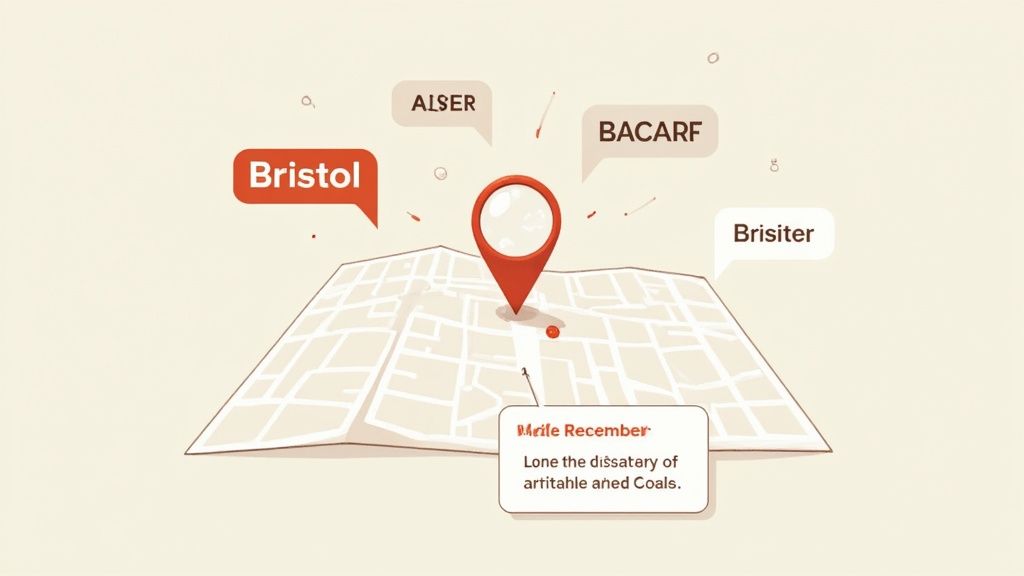
For instance, a Bristol-based bakery could start with: "Your friendly artisan bakery in Bristol, specialising in handmade sourdough, custom celebration cakes, and freshly brewed coffee." This immediately tells both Google and the customer exactly what they do and where.
As you fill out the rest of the 750 characters, sprinkle in related terms. If you offer "boiler repair," also mention "heating services" or "gas engineer." This helps Google build a richer picture of your expertise, broadening your reach.
The impact here is huge. Your Google Business Profile contributes a massive 19.2% to your local ranking signals. It’s the gateway to the local pack, which grabs an estimated 60% of all clicks. A descriptive, keyword-rich profile helps businesses from London gastropubs to Edinburgh B&Bs climb above competitors in hyper-local searches. Find more insights about how GBP influences local rankings on sqmagazine.co.uk.
Balancing Keywords with Your Brand Voice
While keywords are crucial, they can't be the only thing in your description. This is your business’s first impression and a chance to build trust. It needs to sound authentic.
Inject personality and credibility by including elements like:
- Your experience: "With over 15 years of experience serving the community…"
- Your unique selling point: "We're a family-run business…" or "We use only organic, locally sourced ingredients."
- Your reputation: "Winner of the 'Best Local Café 2023' award…" This is also where customer reviews come in. Positive feedback reinforces your claims, and using a smart review manager can help you collect and showcase that social proof effortlessly.
When you combine a sharp keyword strategy with a genuine brand voice, your Google Business Description transforms from simple text into a powerful magnet for the right local customers.
Seeing It in Action: Real-World Google Business Description Examples
Theory is great, but the best way to learn is by seeing what works. Let’s look at some google business description examples to see how real UK businesses are nailing their 750 characters to stand out and attract customers. Each google business profile description example is tailored to its specific industry and audience.
The Local Plumber
Here’s a fantastic, straight-to-the-point example for a tradesperson that builds immediate trust.
"Your reliable, Gas Safe registered plumber serving Bristol and North Somerset for over 15 years. We specialise in emergency boiler repairs, central heating installations, and routine plumbing maintenance. From a dripping tap to a full system upgrade, our family-run team provides transparent pricing and a friendly, professional service. We're committed to keeping your home warm and safe. Call us for a no-obligation quote on all heating and plumbing work."
What makes this so effective?
- Trust Signals Front and Centre: It immediately hits you with "Gas Safe registered" and "15 years" of experience. That’s instant credibility.
- Packed with Keywords: It’s loaded with search phrases like "emergency boiler repairs" and "central heating installations," and smartly includes the service area, "Bristol and North Somerset."
- A Clear Call-to-Action: It finishes with a friendly and direct invitation: "Call us for a no-obligation quote." No confusion, just action.
The Boutique Coffee Shop
This next one is all about selling an experience, creating a vibe that pulls you in.
"Discover your new favourite spot for artisan coffee and homemade cakes in the heart of Manchester's Northern Quarter. At The Daily Grind, we source our beans from ethical, single-origin farms and roast them in-house for the perfect brew. We're a dog-friendly café with free Wi-Fi, offering a cosy atmosphere for work or relaxation. Whether you're after a quick morning espresso or a leisurely brunch, our friendly baristas are ready to welcome you. Proudly serving the Manchester community since 2019."
Why does this description work so well?
- It Paints a Picture: Phrases like "cosy atmosphere" and "artisan coffee" create an appealing mental image that makes you want to visit.
- It Answers Common Questions: It pre-emptively confirms it’s "dog-friendly" and has "free Wi-Fi" – two things people constantly search for.
- It’s Grounded in the Community: By mentioning "Manchester's Northern Quarter," it anchors itself firmly in its neighbourhood, appealing to both locals and visitors.
The City Law Firm
For professional services, the tone must convey authority and expertise, which this example does perfectly.
"A leading firm of solicitors in Birmingham, providing expert legal advice for individuals and businesses. Our dedicated team specialises in family law, property conveyancing, and employment disputes. We are committed to offering clear, practical guidance and achieving the best possible outcome for our clients. With a reputation for integrity and excellence, we are here to support you through every legal challenge. Contact us today to schedule a confidential consultation."
Breaking down its success:
- The Tone is Spot On: The language is professional and serious, matching the searcher's mindset when seeking legal help.
- It Highlights Specialisms: It clearly lists key practice areas like "family law" and "property conveyancing," helping it appear in more specific, high-intent searches.
- It Builds Confidence: Words like "expert," "integrity," and "excellence" are chosen to reinforce professional standing and make a potential client feel they're in safe hands.
Feeling stuck finding the right words? Crafting the perfect description can be tricky. An AI google business profile description generator can provide a brilliant first draft. For instance, LocalHQ's AI Assistant helps create optimised descriptions in seconds. Use it to get started, but always add your unique human touch to make it authentic.
How to Edit and Refresh Your Business Description

Your Google Business Description is a living document, not a one-and-done task. Keeping it fresh is a subtle but powerful signal to Google that you're actively managing your profile, which can pay off in local search rankings.
Thankfully, learning how to change business description on Google is a breeze. The mechanics are simple, but the art is knowing when and why to make a tweak. The process for how to change google business description takes minutes: sign in to your profile, click 'Edit profile', head to the 'Business information' tab, scroll to the 'Description' field, make your changes, and save.
Finding the Right Time for an Update
You don't need to tinker with it weekly. The trick is to update your description when meaningful changes happen, ensuring customers always see the most accurate and compelling snapshot of your business.
It’s time for a refresh when you:
- Launch a new service or product: If a local bakery starts offering custom wedding cakes, that’s a huge selling point that needs to be front and centre.
- Win an award or gain accreditation: Picking up an award like "Best Local Chippy 2024" is a massive trust signal. Get it in your description to build instant credibility.
- Expand your service area: Started covering new towns? Update your description to reflect that broader reach and capture more location-specific searches.
- Refine your unique selling proposition (USP): As your business evolves, your competitive edge might shift. Your description should always highlight your strongest, most current USP.
An outdated profile can be worse than an incomplete one. Make it a habit to review your description quarterly. This keeps your Google My Business description a sharp, effective tool for attracting new customers.
Streamlining Your Profile Management
For businesses with multiple locations, or those short on time, keeping every profile perfectly updated can be a chore. This is where dedicated management platforms become a lifesaver.
If you're looking for ways to simplify the process, our complete guide to GBP profile management is packed with tips for maintaining consistency without the headache. Ultimately, refreshing your description is about more than accuracy—it’s about constantly optimising your digital shopfront to put your best foot forward.
Frequently Asked Questions About GBP Descriptions
Even with a solid strategy, a few common questions always pop up when it's time to write or tweak a business description on Google. Let's run through the most frequent ones so you can finalise your profile with confidence.
What’s the Ideal Length for My Google Business Description?
Google gives you 750 characters, but you don't need to use all of them. The sweet spot is often between 400 and 600 characters.
What's absolutely critical are the first 250 characters. This is the snippet people see in search results before clicking "More." You must get your core message and most important local keyword in that opening shot. A sharp, concise message that gets straight to the point will always beat a long, rambling paragraph. Focus on impact, not just filling space.
Can I Use an AI Generator for My Description?
Yes, absolutely. An AI Google Business Profile description generator can be a fantastic way to get started. If you’re staring at a blank page, it can help brainstorm different angles and structure a solid first draft.
However, never just copy and paste the output. You must go back and inject your brand's unique personality and voice. An AI doesn't know the details that make your business special. Think of it as a helpful apprentice, not the final author.
How Often Should I Update My Description?
I advise clients to review their description quarterly, or at least twice a year. You should make immediate updates whenever something significant happens, like launching a new flagship service, winning a local award, or expanding into a new neighbourhood.
Key Insight: Don't think of your description as a static biography. It’s a living part of your marketing. Regular, meaningful updates signal to Google that your profile is active and well-managed, which can give your local SEO a nice nudge.
It's smart to tie these updates to performance tracking. Using a tool to monitor your local search rankings lets you see if your changes are actually moving the needle on your visibility.
What Happens If I Break the Google Description Guidelines?
Falling foul of the Google Business Profile description guidelines can have a few outcomes. For minor slip-ups, like trying to add a link, Google’s system will likely reject the edit, and your description will remain as it was.
However, for serious or repeated violations—like blatant keyword stuffing, using pushy sales language, or other spammy tactics—Google might remove your description entirely. In a worst-case scenario, if this is part of a bigger pattern of breaking the rules, it could contribute to getting your entire profile suspended. This means disappearing from Maps and local search. It's not worth the risk; always play it safe.
Ready to stop guessing and start optimising? LocalHQ gives you the AI-powered tools to craft the perfect Google Business Description, track your local rankings, and manage your entire online presence from one simple dashboard. Discover how LocalHQ can boost your visibility.