Mastering Google Business Profile Management
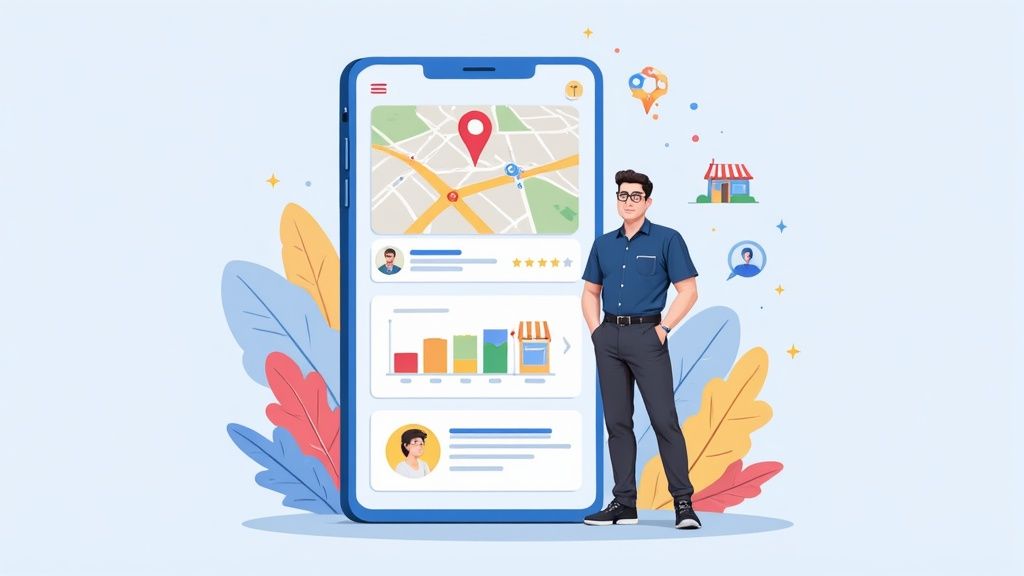
Managing your Google Business Profile is more than just a one-off task; it's the ongoing process of fine-tuning your free Google listing to attract as many local customers as possible. This isn't just about setting it up and forgetting about it. Real success comes from regular updates, keeping an eye on reviews, and posting strategic content to climb the local search rankings and stand out in the Google Map Pack.
Why a 'Set and Forget' Profile Doesn't Cut It Anymore

Let's be direct: just having a Google Business Profile (GBP) is the bare minimum. In today's competitive market, that simply isn’t enough. You need to think of your profile not as a static business card but as your digital shopfront. For many, it's the very first impression they'll have of your brand, especially during those crucial "near me" searches that often lead to immediate visits or calls.
Whether you're a plumber in Manchester or a café in Bristol, a well-managed profile is probably your most powerful tool for winning local business. People make snap decisions based on what they see in the Google Map Pack. Your photos, your average star rating, and how recently you've posted all contribute to whether they choose you or a competitor.
The Real Impact of Hands-On Management
When you actively manage your Google Business Profile, it starts working for you, 24/7. This consistent effort sends strong signals to Google's algorithm that your business is active, relevant, and worth showing to searchers. The result? A significant boost in your local search rankings.
But the benefits go much further than just being seen:
- Build Instant Credibility: A complete profile, filled with recent photos and thoughtful responses to reviews, builds trust before a potential customer even visits your website.
- Boost Customer Engagement: You can use features like Google Posts, Q&As, and direct messaging to talk with your audience, answer their questions, and share special offers right there in the search results.
- Drive More Business: Better visibility and stronger trust naturally lead to more website clicks, phone calls, and requests for directions—all of which translate into more revenue.
Across the UK, diligent GBP management has become a cornerstone of local SEO. It's telling that 75% of businesses in the top three local search spots have a fully completed GBP description. This shows a direct link between putting in the effort and getting the results.
This attention to detail is critical. With 3.84% of global GBP traffic coming from the United Kingdom, it’s clear that UK businesses are relying on it to capture local customers. You can read more about the impact of GBP on UK businesses here.
Building a Profile That Actually Ranks
Getting the foundations of your Google Business Profile right is absolutely crucial if you want to rank in local search. It’s a bit like building a house – a wobbly foundation will cause problems no matter how well you decorate later on. I’ve seen so many businesses rush through the setup, completely missing the small but critical details that Google’s algorithm really cares about.
This isn't just about ticking boxes. It’s about being strategic with the information you provide, telling both Google and potential customers exactly what you offer and why you’re the best choice in the area. Let's get past the basics and dig into the nuances that will give your profile a real competitive edge.
Choosing Categories That Capture Customers
Your primary category is, without a doubt, one of the most powerful ranking factors for your profile. It's your main signal to Google about what you do, and it directly influences the searches you show up for. For example, if you run an Italian restaurant, choosing 'Italian Restaurant' is far more effective than the generic 'Restaurant'. Always be as specific as you possibly can.
Secondary categories are your chance to cast a wider net. A coffee shop that also serves a great lunch could add categories like 'Sandwich Shop' and 'Cafe'. You can add up to nine, so use them to cover every facet of your business. This is how you start appearing for searches like "best sandwiches near me," not just "coffee shop."
Proactive management is becoming standard practice in the UK, where verification rates are high across key sectors like property management (83%), hospitality (81%), and retail (73%). This makes sense when you realise that 48% of local searches by UK customers lead to an interaction with a business profile within just 24 hours. You can get more key insights into UK Google Business Profile statistics here.
Nailing Your NAP and Business Description
Your NAP (Name, Address, Phone Number) needs to be obsessively consistent. The details on your Google Business Profile must be an exact, character-for-character match with what’s on your website, your social media, and any other online directory. Even a tiny discrepancy, like "Ltd." versus "Limited," can create confusion for search engines and dilute your local authority.
Your business description is another golden opportunity for optimisation. You’ve got 750 characters to make your elevator pitch. It needs to speak directly to your customers, explaining what you do and what makes you different. But crucially, it has to be written with local SEO in mind.
The key is to weave in relevant keywords and location-specific terms naturally. For a plumber in Leeds, this means talking about services like "boiler repair" and "emergency call-outs in Leeds." A well-crafted description is a powerful relevance signal to Google. For more on this, check out our guide on how to write an effective Google Business Profile description that actually converts.
To help you stay on track, here's a quick checklist of the core elements you need to get right from the start.
GBP Core Optimization Checklist
This table outlines the essential elements for a fully optimised profile and explains why each one is so important for your visibility in local search results.
| Optimization Element | What to Do | Why It Matters for Ranking |
|---|---|---|
| Business Name | Ensure it's your exact, real-world business name. No keyword stuffing. | Google penalises inaccurate names. Consistency builds trust and authority. |
| Primary Category | Choose the most specific category that represents your main offering. | This is a top-three ranking factor. It tells Google what you are. |
| Secondary Categories | Add up to 9 additional categories for all your other services/products. | Helps you rank for a wider range of relevant, non-primary search terms. |
| Address/Service Area | Use a precise, verifiable address or define specific service areas. | Crucial for "near me" searches and map pack visibility. |
| Phone Number | Use a local number that is consistent across all online listings. | A key part of your NAP. Inconsistencies hurt local authority. |
| Website | Link to the most relevant page on your website (often the homepage). | Drives traffic and provides Google with another source to verify your details. |
| Business Description | Write a 750-character, keyword-rich description of your business. | Reinforces your relevance for specific services and locations. |
| Business Hours | Keep them meticulously updated, including holidays and special events. | Poor user experience from incorrect hours can lead to negative reviews and lower rankings. |
Completing these elements isn't a one-and-done task; it's the solid foundation upon which all other optimisation activities are built.
Leveraging Attributes and Service Areas
Attributes are those little descriptive tags on your profile, like 'Women-led', 'Outdoor seating', or 'Free Wi-Fi'. They are incredibly useful for helping customers make decisions and filtering results. A potential diner specifically looking for a dog-friendly pub will filter their search, and if you've selected that attribute, you'll pop right up.
Finally, defining your service area correctly is a game-changer, especially if you don't have a physical storefront or you travel to your customers.
- For physical locations: Your address is everything.
- For service-area businesses (like cleaners or electricians): You can hide your physical address and instead specify the postcodes or towns you serve. This ensures you appear in "near me" searches for customers within your operational boundaries, not just near your base.
Getting these foundational pieces right from the very beginning is the most effective form of Google Business Profile management. It properly sets the stage for everything else, ensuring your profile is built to climb the local search rankings and attract the customers you actually want.
Keeping Your Profile Fresh and Engaging

A static Google Business Profile quickly becomes an invisible one. Once you’ve got the foundational information locked in, the real work of ongoing google business profile management begins. It’s all about consistently showing Google and your potential customers that your business is active, relevant, and worth their time.
Think of it as tending to your digital shop front; you have to keep it fresh to draw people in.
Leaving your profile to gather dust is a huge missed opportunity. An active, updated profile is a major ranking factor because it tells the algorithm you’re engaged and providing current information. More importantly, it keeps your audience in the loop with timely updates, offers, and a real feel for your business.
Power Up Your Profile with Google Posts
Google Posts are essentially mini-adverts that appear directly on your profile in search results and Maps. They're a brilliant way to speak directly to people at the exact moment they're searching for you, but they have a short shelf life—most expire after just seven days. This is why a consistent posting schedule is so crucial.
The trick is to treat them like social media updates but with a sharp local focus and a clear call-to-action (CTA). You’re not just sharing info; you’re trying to get someone to do something.
- What's New Posts: Perfect for sharing company news or highlighting a new service. A local bakery, for instance, could announce a new seasonal pastry.
- Offer Posts: These are fantastic for driving immediate sales. Post a compelling discount, a unique coupon code, and a clear expiry date to create a bit of urgency. Think "15% off your MOT this month" from a local garage.
- Event Posts: Use these to promote workshops, sales events, or community gatherings. A bookshop could create an event post for an upcoming author signing.
An effective Google Post strategy is more than just filler content; it's a direct line to your customers. Always use strong visuals, a clear headline, and a CTA button like "Learn More," "Call Now," or "Get Offer" to make the most of every post.
Visuals Are Your Secret Weapon
High-quality photos and videos are arguably the most powerful part of your profile. They build trust, show off your brand's personality, and give customers a genuine feel for your business before they even walk through the door.
In fact, great google business profile management makes a measurable difference. Profiles with photos get 45% more requests for directions and 31% more clicks to their websites. This is a clear signal that a complete, visually rich profile is essential for visibility.
Don't just upload a few professional shots and call it a day. Build a diverse library of images that tell a story.
- Behind-the-Scenes: Show your team at work. A chef plating a dish or a mechanic under the bonnet adds a layer of authenticity.
- Team Photos: Let customers see the friendly faces behind the business. It humanises your brand and builds a real connection.
- Product & Service Close-Ups: Get detailed shots of what you sell. If you're a florist, show off the intricate details of your arrangements.
- Your Premises: Give people a virtual tour with photos of your interior and exterior, making them feel comfortable about visiting.
Turn Your Profile into a Mini-Catalogue
Beyond photos, the Products and Services sections are incredibly useful for turning your profile into a detailed catalogue. So many businesses ignore these, which is a massive oversight. Use them to list everything you offer, complete with descriptions, prices, and even photos for each item.
A beauty salon, for example, could list every treatment from a "Cut & Finish" to "Full Head Highlights," with pricing and a brief description for each. This level of detail can help you rank for very specific, long-tail search queries that your competitors are missing.
Proactively Manage the Q&A Section
The Questions & Answers section is another goldmine that’s often overlooked. It allows anyone to ask a question about your business, and, crucially, anyone can answer. This can be a risk if left unmanaged, but it's a huge opportunity if you get in front of it.
Don't wait for questions to roll in—seed the Q&A section yourself. Think about the most common queries you get from customers, post them as questions, and then answer them immediately. This creates a valuable, self-service FAQ directly on your profile, addressing customer concerns before they even have to ask.
For businesses struggling to find the time for these ongoing tasks, an AI assistant for Google Business Profile can be a game-changer. These tools can help automate post creation and Q&A management, ensuring your profile stays consistently fresh and engaging without draining your resources.
Turning Customer Reviews into a Superpower

Reviews are the lifeblood of your local presence online. They're one of the most powerful signals you can send to both Google and your potential customers, serving as undeniable social proof that builds trust in an instant.
Getting a steady stream of positive feedback can give you a serious leg up in the local map pack rankings. But let's be honest, managing it all can feel like a full-time job.
It’s time for a reframe. Think of review management not as a chore, but as a golden opportunity. Every single review—good, bad, or indifferent—is a chance to put your customer service on display, gather priceless business intelligence, and boost your brand’s reputation right where people are searching.
Creating a System for Generating Reviews
First things first: you need to shift from passively hoping for reviews to actively encouraging them. The trick is to make it incredibly simple for happy customers to leave feedback, while always playing by Google's rules. That means you should never offer incentives for reviews, which can land your profile in hot water.
Instead, put a simple, repeatable process in place.
- Timing is everything. The absolute best time to ask is right after a positive experience. For a restaurant, that might be as the customer is paying their bill. For a plumber, it's the moment they've finished a successful job.
- Make it dead simple. Generate a direct link to your GBP review page from your profile dashboard. You can then share this link in a follow-up email, pop it on a QR code on a receipt, or even send it in a quick text message.
- Personalise the ask. A generic email blast won't cut it. A simple, personal note like, "Hi [Customer Name], we really hope you were happy with our service today. We'd be so grateful if you could share your experience on Google," works wonders.
Responding to Every Single Review
Responding to your reviews is simply non-negotiable. It proves you're engaged, that you value customer feedback, and that you’re on top of your game. This one small action can make a huge difference in how new customers see your business.
For Glowing 5-Star Reviews
Don’t just drop a quick "Thanks!". Acknowledge something specific they mentioned. If they praised your friendly staff, a reply like, "Thank you so much for the kind words! We’re thrilled you found our team so welcoming. We look forward to seeing you again soon," feels much more genuine.
For Frustrating 1-Star Critiques
Here’s where you can really shine. A thoughtful, professional response to negative feedback can actually win you more customers than another 5-star review.
- Acknowledge and Apologise. Always start by thanking them for their feedback and apologising that their experience wasn't up to scratch.
- Don't Get Defensive. Stick to the facts. The last thing you want is a public, emotional argument.
- Take it Offline. Provide a direct way to get in touch, like an email address or phone number, to sort the issue out privately. This shows everyone you're proactive.
A well-handled negative review is a public demonstration of excellent customer service. It tells everyone watching that even when things go wrong, you are committed to making it right. This builds incredible trust.
Mining Your Reviews for Business Gold
Your reviews are so much more than just stars and comments; they're a direct line into your customers' minds. If you take the time to regularly analyse what people are saying, you can uncover priceless insights to improve your entire operation.
Start looking for recurring themes and patterns:
- Are people constantly mentioning a specific team member for their amazing service? That’s someone to reward, and a model for your team training.
- Is a particular product or dish getting all the praise? You know what to feature in your next marketing push.
- Do customers consistently complain about the same issue? You’ve just found a critical flaw in your operations that needs fixing, fast.
This level of analysis is a core part of effective google business profile management. For businesses that find this process overwhelming, using a dedicated review manager for Google Business Profile can help automate responses and track sentiment over time, ensuring you never miss a chance to connect with customers and make your business better.
Making Sense of Your GBP Performance Data
A well-managed Google Business Profile churns out a ton of data, but let's be honest, raw numbers are pretty useless on their own. The real magic happens inside your GBP dashboard's Performance report. This is where those numbers start telling a story about how customers find you and what they do once they've landed on your profile.
Think of it as the control panel for your local marketing. It shows you the direct results of your optimisation work—from how many people saw your profile to the number of phone calls it actually generated. Getting a grip on these metrics is fundamental to figuring out your return on investment and making smarter decisions moving forward.
Decoding How Customers Find You
One of the most revealing parts of the Performance report is the "How people discovered you" section. It breaks down your search traffic into three key types, each telling a different part of the story about your brand's visibility and reputation in the local area.
- Direct Searches: These are the people who already know you. They searched specifically for your business name or address, like typing "The Corner Cafe Bristol" straight into Google. A high number here is a great sign of strong brand recognition and loyal customers.
- Discovery Searches: This is your new customer goldmine. A user searched for a category, product, or service you offer—like "best coffee near me"—and your profile popped up. This metric is the true test of your local SEO efforts and your ability to attract people who've never heard of you before.
- Branded Searches: This one's a bit more nuanced. It catches people who searched for your brand or a brand related to your business. It's similar to Direct but often includes variations or misspellings. It shows your brand name is becoming synonymous with the things you sell.
You're looking for a healthy mix. Strong Direct and Branded numbers mean your existing marketing is working, while a steady climb in Discovery searches proves your profile is successfully pulling in fresh leads.
Measuring What Really Matters: User Actions
Getting seen is one thing, but driving actual business is the goal. The Performance report tracks the most valuable actions users take right from your profile, giving you a crystal-clear picture of how your GBP is contributing to your bottom line.
These are the conversion metrics you need to watch like a hawk:
- Website Clicks: The number of times people clicked the website link on your profile. A simple, direct measure of how well your profile turns searchers into website visitors.
- Phone Calls: This tracks how many users tapped the "Call" button. For many service-based businesses, this is the most valuable metric of all—a direct, high-intent lead ringing your phone.
- Direction Requests: The number of people who clicked for directions to your physical location. This is a powerful indicator of foot traffic and absolutely critical for any brick-and-mortar business.
When you track these actions over time, you can start connecting the dots. Did that new batch of photos you uploaded lead to more direction requests? Did that Google Post about a special offer cause a spike in phone calls? This is how you move from guessing to a data-driven strategy.
To really get to grips with what your data is telling you, it helps to understand the key metrics inside and out.
Key GBP Insights Metrics and Their Strategic Meaning
| Metric | What It Measures | What It Means for Your Business |
|---|---|---|
| Total Searches | The total number of times your profile appeared in search results. | This is your top-level visibility. A rising number means your overall SEO and profile completeness are improving. |
| Discovery Searches | Searches for a generic product or service where your profile appeared. | This is your new customer acquisition engine. If this number is growing, you're successfully capturing local, unbranded search interest. |
| Direct Searches | Searches specifically for your business name or address. | This reflects your brand strength and customer loyalty. High numbers show people are seeking you out specifically. |
| Website Clicks | Clicks on your website link from your GBP. | Measures how effectively your profile drives traffic to your website for more information or online conversions. |
| Direction Requests | Clicks on the directions button. | A strong signal of purchase intent and a direct measure of how many people are planning to visit your physical location. |
| Phone Calls | Clicks on the call button from mobile devices. | For many businesses, this is the most important lead generation metric, representing immediate customer interest. |
By regularly reviewing these key metrics, you can spot trends, identify what's working, and pinpoint areas that need a bit more attention.
Scalable Workflows for Multi-Location Businesses
Managing performance data for one location is one thing. Doing it for 10, 50, or 100+ is a whole different ball game. The biggest challenge is keeping everything consistent across the brand while still letting local managers do what they do best. You need to spot the big-picture trends without losing sight of how an individual store is doing.
This is where a centralised dashboard goes from a "nice-to-have" to an absolute necessity. Instead of logging into dozens of individual profiles, a good management tool can pull all that data together, letting you compare performance across regions or even franchise groups. You can quickly see who your top performers are and dig into what they're doing right, while also spotting the underperforming profiles that need a helping hand.
To really make sense of this data at scale, check out a dedicated Google Business Profile analytics platform. It can cut through the noise and turn a mountain of complex data into a clear, actionable roadmap for growth across all your locations.
A solid workflow for multiple locations might look something like this:
- Centralise Your Reporting: Use a tool to pull all location data into one unified report each month. No more spreadsheet headaches.
- Hunt for Outliers: Look for the locations with crazy high or disappointingly low performance on key metrics like calls or discovery searches.
- Investigate and Act: Drill down into those specific profiles. A high-performing shop might have fantastic photos and a ton of glowing reviews—a perfect template to share. A low-performer might have an incomplete profile or a string of bad reviews that need to be addressed immediately.
- Empower Local Teams: Share location-specific performance reports with your managers on the ground. Give them the insights they need to make improvements themselves.
By putting a structured process in place for data analysis, multi-location businesses can finally get a handle on their local SEO and make sure every single profile is pulling its weight.
Answering Your Top GBP Questions
Even when you've got a solid plan, managing a Google Business Profile can throw a few curveballs your way. Let's dig into some of the most common questions that pop up for business owners and marketers, with straightforward answers to help you navigate the tricky bits.
How Often Should I Be Creating Google Posts?
There’s no magic number here. The right posting frequency really comes down to your industry and how much you’ve got going on. Consistency is what truly matters, not just sheer volume. Since most Google Posts disappear after seven days (events are the exception), you need to find a sustainable rhythm to keep your profile looking fresh and active.
Here’s a rough guide based on what I’ve seen work:
- High-Traffic Businesses (like restaurants or shops): You’re probably best off aiming for 2-3 posts per week. You've always got new offers, daily specials, or new products to shout about, which keeps your audience engaged.
- Service-Based Businesses (think plumbers or solicitors): One post a week is a great target. You can use it to share genuinely helpful tips, put a spotlight on a particular service, or show off a recent project to build credibility.
- Slower-Paced Industries (like B2B or manufacturing): Posting every 1-2 weeks is often plenty. Focus your content on company news, interesting case studies, or industry insights to maintain a professional, active presence.
What’s the Best Way to Handle a Fake Negative Review?
Getting a fake review is infuriating, but your public response is critical. The aim is twofold: get the review removed, and show potential customers watching from the sidelines that you’re a professional.
First thing's first: flag the review immediately. Find the review on your profile, click the three-dot menu, and hit "Report review." Pick the most accurate reason, whether it’s "Spam" or a "Conflict of interest."
While you're waiting on Google to act, you absolutely must respond publicly and professionally. Remember, this response isn't really for the troll who left the review; it's for every real customer who will read it later. A calm, measured reply can do wonders.
"Thank you for sharing your feedback. We’ve looked through our records but can't seem to find any customer details matching your name. We take all customer experiences very seriously, so if you have been a customer, could you please contact us directly at [your email address] so we can look into this properly?"
This kind of response shows you're on top of things and have processes in place, which builds a ton of trust with legitimate customers.
Can I Just Use the Same Photos for All My Locations?
This is a classic 'consistency vs. authenticity' problem. Using the same set of slick, corporate photos across all your locations is efficient, but it can make your individual profiles feel a bit sterile and disconnected from their local community.
I've found a hybrid approach works best:
- For brand consistency: Absolutely use a core set of approved images. This includes your logo, graphics for national campaigns, and polished product shots.
- For local flavour: Empower your local managers to upload their own unique photos. We're talking about real pictures of their team, their actual storefront, and snaps from local events they’ve sponsored or taken part in.
This strategy gives you the best of both worlds—a strong, consistent brand image combined with the local authenticity that helps each branch connect with its neighbourhood.
This decision tree helps visualise how different customers might find your business through Google Search.
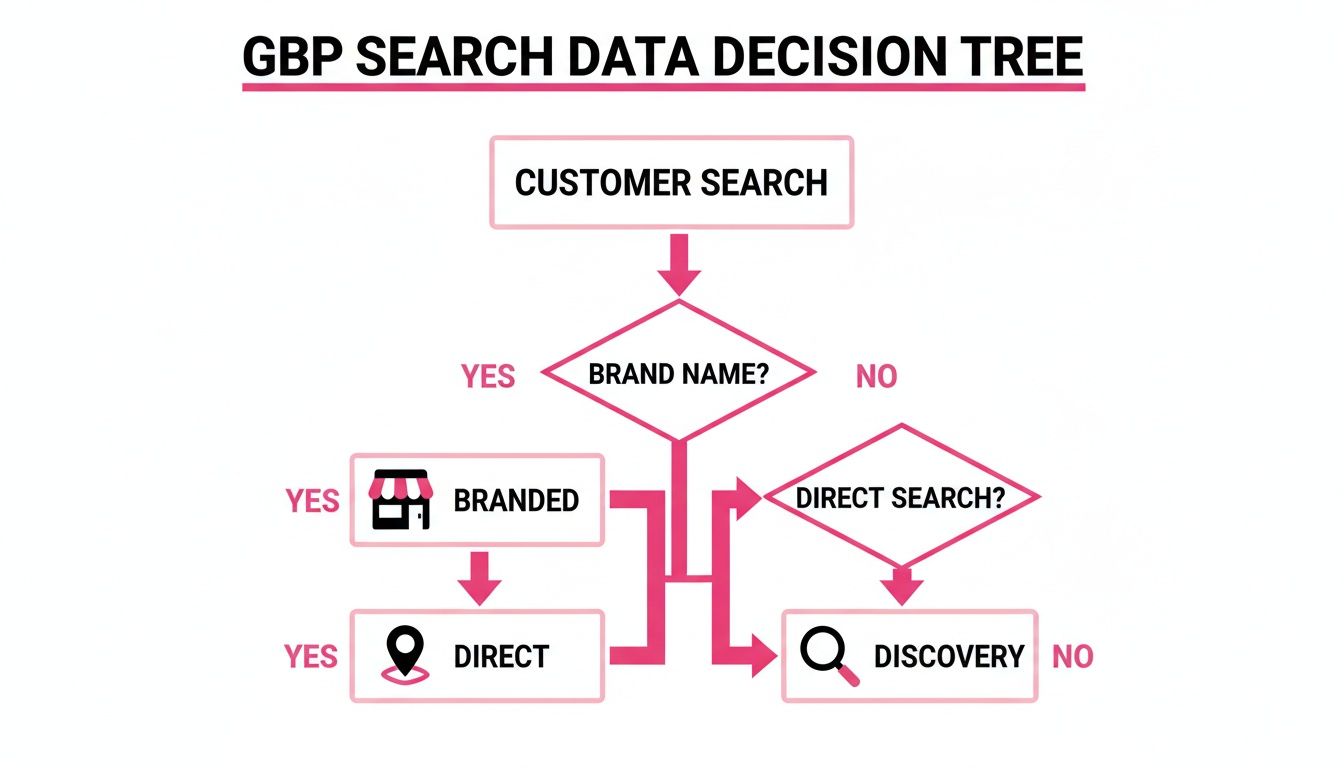
The big takeaway here is that 'Discovery' searches are your goldmine for new customers. This is precisely why a fully optimised and active profile is non-negotiable for growth.
How Long Until I Actually See Results?
Ah, the million-dollar question. The honest answer is, it varies. Proper Google Business Profile management is a marathon, not a sprint. While you might get some quick wins—like a spike in calls right after adding your phone number—the real, meaningful results take time to build.
Generally, you should expect to see tangible movement in your rankings and a noticeable increase in customer actions (like calls, website clicks, and direction requests) within 3 to 6 months of consistent, dedicated management. This means regularly posting, adding fresh photos, and actively encouraging and responding to reviews.
Patience and consistency are your two most powerful tools here.
Ready to stop guessing and start seeing real results from your Google Business Profiles? LocalHQ provides an all-in-one platform with AI-powered optimisation, review auto-responders, and multi-location workflows to help you dominate local search. Streamline your management and turn your profiles into powerful customer-generating assets.