Essential Guide To Rank Tracking For Local Keywords
Local Rank Tracking Basics
Tracking local keywords reveals exactly where UK businesses show up in Google’s Local Pack and top-three listings. A single jump—say from fourth to third—can boost click share by double-digit percentages. It’s that sensitive a metric.
Why Local Rank Tracking Matters
Local visibility drives foot traffic, phone calls and map requests. Nailing a higher spot in the Local Pack often translates directly into more customers through your door.
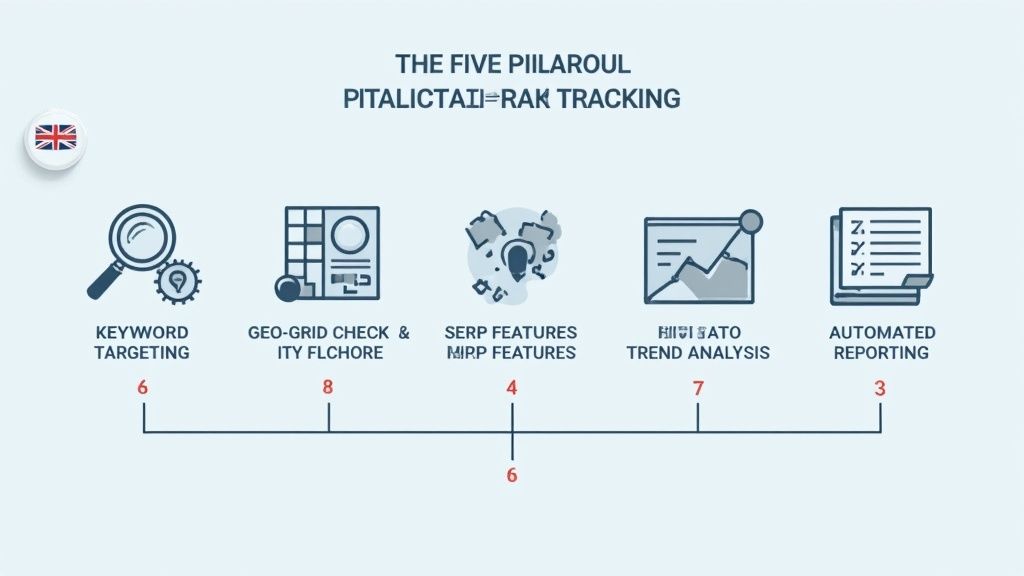
Here’s what to keep an eye on:
- Keyword Targeting: Pinpoint high-intent searches such as “plumber London EC1” to mirror real customer queries.
- Geo-Grid Checks: Track rankings across postcodes and neighbourhoods to catch subtle shifts.
- SERP Feature Monitoring: Keep tabs on Local Pack, Maps pins and Knowledge Panels for broader visibility.
- Trend Analysis: Analyse weekly or monthly fluctuations and tie them back to calls and store visits.
- Automated Reporting: Set up alerts and live dashboards so you can respond the moment positions change.
In the UK, the top three spots in local results command roughly 60% of clicks, with Local Pack listings alone driving about 60% of local search engagement. Since mobile “near me” queries surged between 2020 and 2024, weekly rank checks are crucial for connecting your SERP position to real-world outcomes. For more detail, check out this in-depth report on local SEO statistics.
Local Rank Tracking Overview
Below is a quick reference summarising the five pillars you’ll use to keep your local SEO on track.
| Pillar | Purpose | Example Metric |
|---|---|---|
| Keyword Targeting | Match search intent with local phrases | Search volume by postcode |
| Geo-Grid Checks | Detect micro-local ranking shifts | Position variance across postcodes |
| SERP Feature Monitoring | Track Local Pack and Maps appearances | Feature presence rate |
| Trend Analysis | Correlate rank movements with outcomes | CTR and call trends |
| Automated Reporting | Review alerts and automated dashboards | Report delivery accuracy |
These pillars give you a clear framework for your local rank tracking strategy. Next, let’s dive into each one step by step so you can put this roadmap into action.
Selecting Target Keywords And Locations
Tracking your local search performance begins with a robust list of terms anchored to precise places. Picture London neighbourhoods, Manchester suburbs or smaller UK towns—your keywords should mirror where real customers are typing.
Tack on modifiers like district codes or street names to capture nuanced intent. For instance, “plumber London SW1” isn’t the same as “emergency plumber Belgravia.” One aims for broad reach, the other for immediate help.
Before you dive deeper, group keywords by intent:
- Transactional Terms: strong purchase or booking intent, e.g., “book electrician Bristol BS6”
- Informational Terms: guides and how-tos, e.g., “how to fix leaky tap Oxford”
- Navigational Terms: brand- or location-specific queries, e.g., “ACME Plumbing Watford”
Plot each phrase against postcodes or neighbourhoods to see local ranking patterns. A simple Excel or Google Sheets geo-grid can reveal where you’re dominant—and where you’re invisible.
For a multi-site café chain, you might organise keywords like this:
- City Centre Phrases such as “coffee shop London EC2”
- Suburban Modifiers like “café Hatch End HA5”
- Specialised Services such as “vegan bakery Richmond TW10”
Keyword Grouping By Intent And Volume
Splitting broad and niche keywords makes resource planning straightforward. High-volume terms often demand more effort but deliver bigger traffic wins, while niche queries capture those micro-moments right around the corner.
Free tools such as Google Keyword Planner and Ubersuggest are ideal for initial volume checks. When you need deeper insights—competitor ranks or SERP feature history—platforms like Ahrefs and SEMrush step up.
“Hyperlocal modifiers can lift relevance by 23% in postcode-level searches, driving more calls and visits.”
Mapping keywords across zones also uncovers blind spots. If “plumber W1A” is underperforming while “plumber WC2” ranks well, you know exactly where to focus your next piece of content or Google Business Profile update.
Tools For Refining Local Keyword Lists
| Tool Type | Example Features | Use Case |
|---|---|---|
| Free | Volume estimates, basic filtering | Early-stage research, small budgets |
| Paid | Competitor ranks, SERP feature logs | Detailed audits, multi-location brands |
Top picks include:
- Google Keyword Planner for seed keywords
- Ubersuggest for quick list curation
- Ahrefs for competitor gap analysis
- SEMrush for local keyword suggestions
For a step-by-step on applying these terms directly to your Google Business Profile, check out our guide on GBP profile management in LocalHQ: Learn more about GBP Profile Management
Configuring A Geo Grid For Accurate Tracking
A geo grid gives you a crystal-clear view of how search rankings shift from suburb to suburb. Instead of a broad city-level check, this approach highlights micro-variations you’d otherwise miss.
Start by defining layers around your target area—city centre, district and postcode. Aim for at least three representative points in each layer to capture genuine local differences.
Building Multi-Layer Grids
For each layer, balance cost and speed by tweaking your check frequency. Desktop scans can run on a weekly cadence, while mobile checks in high-traffic zones often benefit from daily updates.
- City Centre Grid: Monitors urban core points for overall visibility.
- District Grid: Tracks keyword fluctuations across neighbourhoods.
- Postcode Grid: Zeroes in on individual postal areas for hyper-local insights.
To ensure accuracy, use rotating residential IPs or a proxy pool. This avoids geo-blocking artefacts and mirrors real user behaviour.
Integrating With SEO Platforms
Most SEO tools accept postcode inputs or geocoordinates to automate routine local checks. Once configured, you’ll see every subtle shift in your dashboard.
- Feed the geo grid into your reporting platform with LocalHQ’s geo-grid rank tracker.
- Connect daily checks directly to your team’s workflow via the LocalHQ rank tracker.
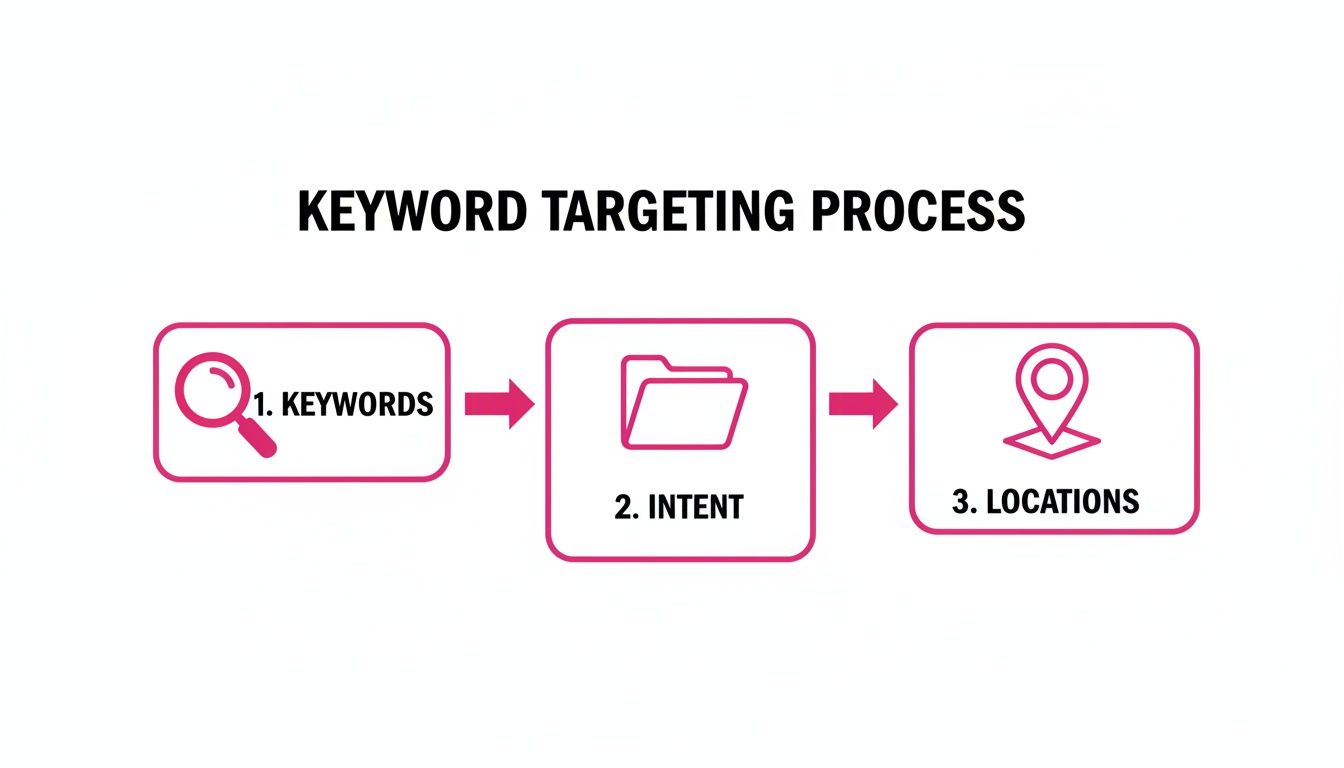
This visual lays out how keyword selection, intent mapping and location targeting feed into a three-layer grid that uncovers hidden SERP shifts.
Real-World Brand Example
A London plumbing firm noticed its ranking for “plumber SW1” tumble from position 1 to 4 in one postcode. That drop directly caused a 30% fall in driving-direction clicks and callback requests over seven days.
- They tweaked their Google Business Profile categories.
- They launched a postcode-focused review drive.
Key Takeaway
Catching postcode-level dips in real time lets you respond before the impact grows.
Comparing mobile and desktop grids also reveals device-specific quirks—from stable rural rankings to postcode-by-postcode swings in central London.
Recommended Check Cadence
High-priority zones like city centres thrive on daily mobile scans and weekly desktop sweeps. Suburban districts can settle for three checks per week on both devices. Rural areas often require just a weekly overview—unless an event or seasonal trend spikes local interest.
Below is a handy comparison to guide your scheduling.
Geo Grid Tracking Comparison
A side-by-side look at grid layers and how often to check them.
| Granularity | Description | Recommended Frequency |
|---|---|---|
| City Centre | Urban core points for broad visibility insights | Daily mobile; Weekly desktop |
| District | Neighbourhood-level variations within boroughs or wards | Three times a week on both devices |
| Postcode | Hyper-local shifts down to individual postal areas | Daily on mobile and desktop |
Use this framework to balance timely data with budget considerations. Feel free to adjust frequencies based on your market’s volatility.
Tracking Local SERP Features And Visibility
Local search now shows a mix of packs, map pins, reviews and knowledge panels that directly steer calls and footfall. Watching these elements for your target keywords uncovers which features spark the most action.
By capturing what each postcode returns, you can spot subtle shifts—from EC1’s Local Pack layout to SW1’s map pin display—without guesswork.
Visual Snapshots For Feature Tracking
Automated screenshots are your best friend here. Set up hourly or daily captures to see exactly what users encounter.
Use tools like BrightLocal or SEMrush to schedule and store timestamped images. Over time, this creates a visual timeline of each feature’s appearance.
- Save snapshots of Local Pack, Map Pin and Knowledge Panel
- Label each image with date, time and postcode
- Compare before and after profile tweaks to measure impact
Local Pack Variation Example
Here's a sample screenshot showing how the Local Pack changes across different postcodes:
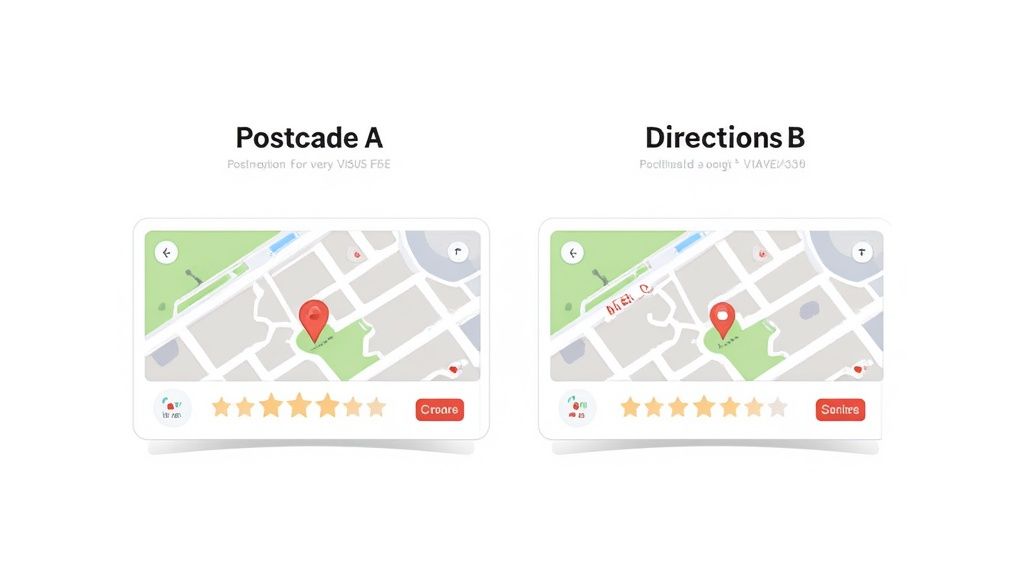
That snapshot reveals shifts in position and star ratings by area, hinting at where competitors gain ground.
Capturing visual differences in packs can uncover overlooked opportunities in specific neighbourhoods.
Log Feature Appearances By Location
Turn your screenshots into data. A simple dashboard or spreadsheet lets you track presence and absence at a glance.
- Create a grid with postcodes and keywords
- Mark each SERP feature with a ✔ or ✖
- Add notes when you roll out profile updates or new campaigns
This log highlights evolving patterns—like rising Q&A snippets or fresh “People Also Ask” entries—over weeks and months.
Correlate Feature Shifts With Engagement
Once you have feature logs, overlay them with real-world metrics: call volumes, direction requests and click-through rates.
For example, a fresh review snippet in May might line up with a 15% bump in calls for Southwark postcodes. That tells you exactly which features to prioritise in your Google Business Profile.
Learn how to improve your Knowledge Panel by optimising your Google Business descriptions in our guide Read our guide on Google Business descriptions
A weekly habit of snapping and reviewing SERP features will keep you ahead. In faster-moving markets, switch to daily checks—this balance of cost and insight ensures no opportunity slips through.
Interpreting Trends And Spotting Opportunities
Data only tells its story when you watch it evolve—and then act. Imagine comparing desktop and mobile rank charts over six months. Suddenly, you’ll know which device your neighbourhood leans on most.
Visualising Rank Movements
Drawing your keyword positions on a simple line graph makes weekly or monthly shifts leap off the page. Add dots for major Google algorithm updates or local events. Pretty soon, each postcode has its own line, revealing dips you need to address and surges you can celebrate.
- Label trend lines with the postcode or neighbourhood name
- Highlight jumps of two or more positions lasting over a week
- Colour-code by device to spot desktop versus mobile paths
Smooth out the daily static with moving averages. That way, one-off dips won’t send you down a rabbit hole of unnecessary tweaks.
Seasonal Surges And Device Comparisons
Seasonal spikes often mirror local happenings—think spring lawn care or autumn heating repairs. Overlay search volumes on your rank graph to see if interest is actually boosting your visibility or simply exposing supply gaps.
- Compare the weekly average rank around bank holidays and local festivals
- Chart desktop and mobile performance side by side to expose device biases
- Apply conditional formatting to flag rank swings beyond ±3 positions
A clear device split on rank performance guides you towards mobile optimisations or desktop-focused tweaks.
These insights feed directly into competitor gap analysis, sharpening where you focus next.
Performing Competitor Gap Analysis
Finding the phrases where rivals outshine you in specific postcodes is simple maths. Pull your top 20 competitors’ rankings against yours and build a competitive matrix. You’ll instantly see which keywords deserve fresh on-page content or a burst of local reviews.
- Create a table listing each keyword, your rank, competitor ranks and search volume
- Sort by the biggest rank difference to prioritise quick wins
- Note where rivals appear in the Local Pack but you’re missing
| Keyword | Your Rank | Top Competitor | Rank Diff |
|---|---|---|---|
| plumber SW1 | 4 | 1 | 3 |
| café EC3 | 5 | 2 | 3 |
| locksmith W1 | 2 | 1 | 1 |
This matrix becomes your shortlist—pages to refresh, GBP reviews to chase, and meta tweaks to deploy first.
Hyperlocal Review Case Study
In W2, the search term “plumber W2” slid from 2 to 5 in ten days. We asked five local customers for Google Business Profile feedback. The result? A 25% jump in calls the very next week.
Timely review drives can reverse rank dips almost immediately.
For deeper insights on turning analytics into action check out our guide on analytics at LocalHQ: Learn more about analytics in our article
Automating Reports And Establishing Action Routines
Tracking local rankings by hand eats up hours—and critical shifts can slip through the cracks. Automation solves that problem. Suddenly, your team notices when target keywords move up or down in real time.
Scheduled rank reports output daily or weekly summaries that combine key metrics such as website visits, calls and direction requests.
- Daily Summaries with postcode-level rank shifts and call data
- Weekly Dashboards that merge desktop and mobile grids
- Threshold Alerts for major drops or significant gains
When a two-position slump for “plumber SW1” coincides with a 30% fall in direction clicks, you can’t just shrug. Feeding geo-grid results into LocalHQ’s live dashboard lets you spot those patterns instantly. Colour-coded charts make it crystal clear which swings are worth chasing—and which to ignore.
Scheduling And Alert Thresholds
High-traffic urban zones demand daily checks. Quieter markets can rely on weekly scans.
Set triggers around meaningful movements:
- A drop of 2 positions on flagship keywords
- A rise of 3 positions to flag winning terms
- Alerts sent straight to email or Slack
Too many notifications will paralyse a team. Focus on shifts that truly matter, not every one-position wiggle. Then tie each alert to a quick action—refresh Google Business Profile content, request a local review or adjust on-page meta details.
“Automated thresholds helped us cut reaction time by 50%, focusing on rank changes that truly drive calls,” an agency lead reflects.
Integrating Conversion Metrics
Rank positions only tell part of the story. You get the full picture when you link them to concrete outcomes. Combine Google Business Profile insights with your web analytics to track calls, visits and direction requests.
Here’s a quick snapshot:
| Keyword | Position Change | Call Change | Direction Change |
|---|---|---|---|
| plumber SW1 | -2 | -25% | -30% |
| café EC2 | +3 | +15% | +20% |
Including these figures in regular reports highlights exactly which rank dips lead to revenue drops. Sharing them in weekly meetings ensures everyone knows which tweaks to content, categories or review strategies will move the needle.
Practitioner Tips For Agility
- Rotate focus between top keywords and long-tail phrases
- Archive older reports to keep dashboards lean
- Lean on mobile-first data in fast-moving areas
- Prioritise high-impact terms—avoid cluttering your view
Concentrate on significant swings. That way, minor shifts won’t steal your team’s attention, keeping your local SEO routine efficient and razor-sharp.
Putting It All Together
Automated reports and smart alerts free your team from tedious upkeep. Instead of getting bogged down, you zero in on growth.
Start your free trial at LocalHQ.io and make local rank tracking effortless.
FAQ
How Often Should I Check Local Keyword Rankings
No single schedule fits every situation. It all depends on how fiercely people compete in your target area and how much you’re willing to invest. City centres tend to be more aggressive. If you’re tracking your top 10 revenue-driving keywords there, a daily check on both desktop and mobile makes sense.
That said, in suburban markets you can dial things back to three checks a week. And when you’re operating in quieter towns, a weekly sweep usually confirms everything is holding steady.
Position shifts often correlate with double-digit swings in click share. Save the daily updates for your biggest earners and spread out the rest.
- High-competition urban zones: Daily scans (desktop + mobile)
- Suburban markets: Three checks per week
- Low-traffic towns: Weekly sweeps
Which Tools Work Best For Postcode Level Tracking
You’ll need a solution that accepts postcode or geocoordinate inputs and lets you split results by device. Look for:
- Postcode/geocoordinate targeting
- Mobile vs desktop segmentation
- Historical trend visualisation
My go-to platforms are:
Free tools can get you broad insights, but paid plans unlock the micro-local detail that really counts.
“Accurate postcode-level tracking uncovers micro-local gaps that generic city checks miss,” observes a local SEO specialist.
How Do I Link Rank Changes With Calls And Direction Requests
Start by exporting your rank data alongside Google Business Profile metrics and any call-tracking stats. Match up the same time frames so you’re comparing apples with apples.
Drop everything into a spreadsheet or BI tool and plug in these formulas:
| Metric | Calculation |
|---|---|
| Call change | (New calls – Old calls) / Old calls × 100 |
| Direction change | (New directions – Old directions) / Old directions × 100 |
Plot the results in simple charts. Visualising those correlations makes it much easier to explain the impact to your team.
What Should I Do When Sudden Rank Drops Occur
When you spot a sudden dip, start by checking from different postcodes and devices—sometimes it’s just a data hiccup. Next, review your Google Business Profile for any recent category or review updates.
Scan on-page changes on your site and watch for competitor moves in that area. If nothing obvious pops up, ramp up local outreach:
- Refresh citations
- Secure new local backlinks
- Update content to reflect nearby events or offers
A swift, targeted outreach can often stop a drop from turning into lost revenue.
These FAQs should give you the confidence to tighten up your local rank tracking and keep your optimisations on point.
Ready to see these insights in action? Sign up for LocalHQ and turn local keyword data into growth.