How to Get More Google Reviews A Proven UK Strategy

Getting more Google reviews really boils down to two simple things: asking happy customers for feedback at the right time and making it dead simple for them to do it. That’s the secret sauce. Get this right, and you'll turn a trickle of feedback into a steady, reputation-building stream.
Why Google Reviews Are a Game-Changer for UK Businesses
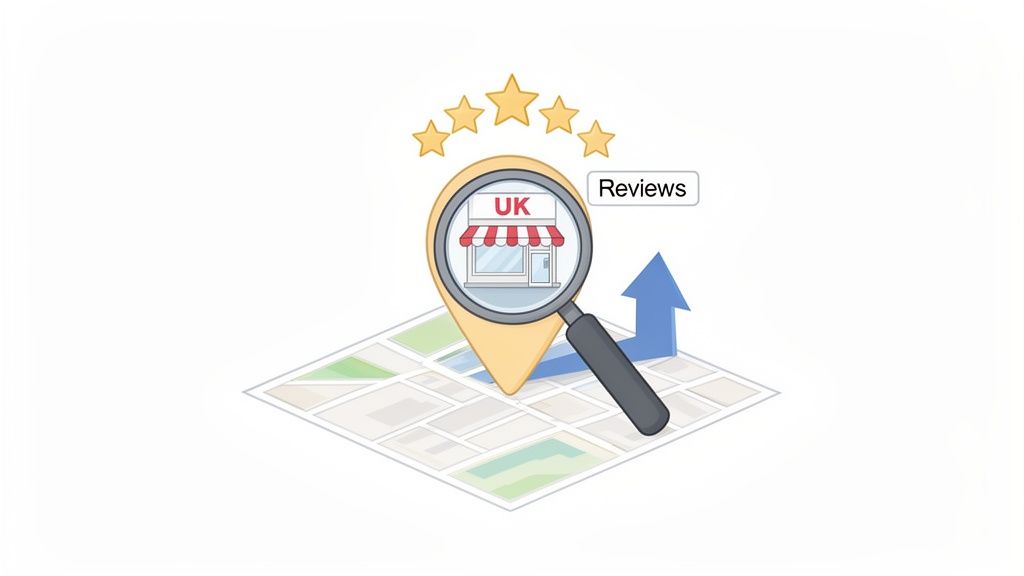
Before we get into the how, let's talk about the why. A constant flow of positive Google reviews is one of the most powerful assets any UK business can have. It goes way beyond just chasing a high star rating; it directly affects your visibility, customer trust, and ultimately, your bottom line.
Think of your Google Business Profile as your digital shopfront. For most local customers, it's the very first time they'll encounter your brand. What they find there—your rating, the number of reviews, and how you reply—creates an instant impression that sticks.
The Bedrock of Local Search Success
Google's main goal is to show people the most relevant and trustworthy local businesses. When you consistently get new reviews, you're sending a massive signal to Google that your business is active, legitimate, and that the local community values you. This is absolutely central to effective local search optimisation.
A healthy number of recent, positive reviews can directly boost your ranking in the "Local Pack"—that prime map-based section at the top of the search results. The impact is huge, especially for UK hospitality. For instance, restaurants with over 100 reviews see 82% more actions like calls and requests for directions compared to those with fewer than ten.
In short, more reviews lead to:
- Better Visibility: You’ll show up more often for searches like "plumber near me" or "best cafe in Manchester."
- More Engagement: You'll get more clicks, calls, and website visits straight from your profile.
- A Real Competitive Edge: You can start outranking competitors who are asleep at the wheel with their online reputation.
Building Unshakeable Customer Trust
With so much choice out there, UK shoppers lean heavily on social proof to feel confident about their decisions. Positive reviews are like personal recommendations from unbiased strangers, which are far more convincing than any advert you could run. They tell potential customers that real people have used your business and had a good experience.
A strong collection of genuine reviews is your best salesperson. It works 24/7, answering the single most important question on a customer’s mind: "Can I trust this business?"
This trust brings real results. Businesses holding a 4.8+ star rating get a 52% boost in direction requests compared to those with a rating below 4.0. Every single review, whether it's a detailed story or just a quick five-star tap, adds to a powerful narrative of quality and reliability that helps new customers choose you without a second thought.
Lay the Groundwork: Polish Your Google Business Profile
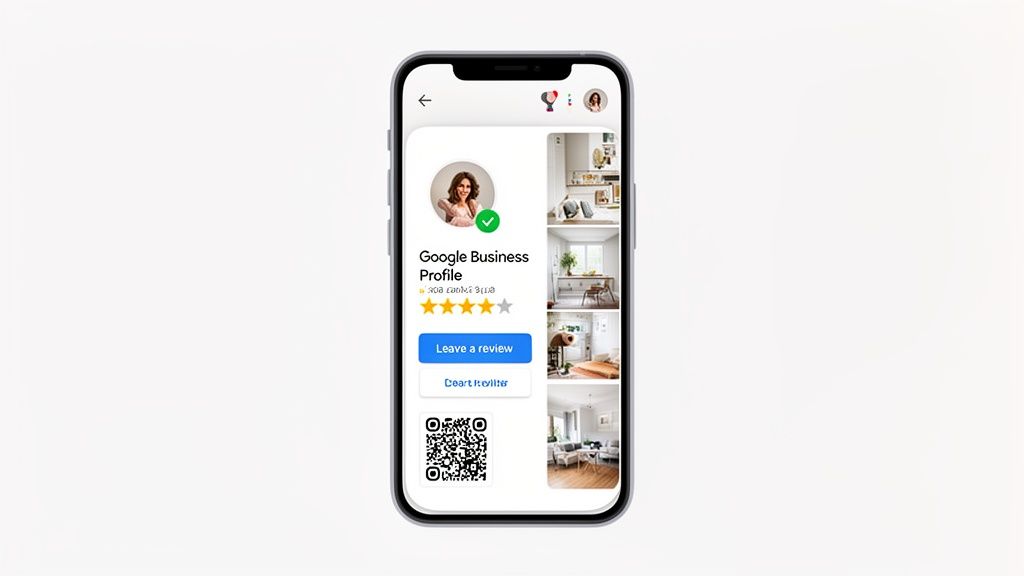
Before you even think about asking for that first review, you need to get your house in order. Your Google Business Profile (GBP) is your digital storefront. If it looks a bit neglected or half-finished, customers will assume their feedback will just disappear into the void.
A polished, complete profile sends a clear signal: you're an active business that actually cares about what customers think. It builds the confidence needed for someone to take the time to share their experience.
The very first job, if you haven't already done it, is to claim your profile. This is non-negotiable. It hands you the keys, giving you full control over your business information and the ability to engage with your customers. Once that’s done, your mission is to fill out every last field.
Get the Fundamentals Spot-On
Accuracy is everything in local search. Your business name, address, and phone number (known as NAP) must be absolutely identical everywhere online—your website, social media, local directories, you name it. A tiny difference, like using "St." on your GBP but "Street" on your website, can create confusion for both search engines and people, which hurts your visibility.
Next up, get specific with your business categories. Don't just settle for one primary category; add several relevant secondary ones. A local cafe, for instance, might list "Cafe" as its primary, but also add "Coffee Shop," "Brunch Restaurant," and "Patisserie." This level of detail helps Google show your business to people making much more specific searches—the very people who are likely to become your happiest customers.
Your business description is your one-shot elevator pitch. Keep it snappy and compelling, and make sure it's packed with the keywords that describe what you do. This is your chance to tell people what makes you different and why they should choose you.
Make Leaving a Review Ridiculously Easy
The biggest hurdle to getting more reviews is friction. If a happy customer has to hunt for your profile and then figure out where to click, you've probably lost them. The key is to remove every possible obstacle with a direct review link.
It's simpler than you might think:
- Find Your Link: Head to your Google Business Profile dashboard and look for the "Get more reviews" button. Google will generate a short, shareable link for you.
- Make It Shorter: For things like receipts or business cards, pop that link into a URL shortener like Bitly to create something cleaner and more manageable.
- Create a QR Code: This is a game-changer for any business with a physical location. Turn your short link into a QR code so customers can just point their phone camera, scan, and be taken straight to the review page.
This link is your new best friend. You'll use it in emails, on invoices, and in text messages. The goal is to shrink the entire process down to a single, effortless tap or scan.
Show You're Active with Fresh Photos and Posts
An empty profile is a silent one. You need to show that the lights are on and someone's home. The best way to do this is by regularly uploading high-quality photos and creating Google Posts. Good photos give potential customers a real feel for your products, services, and general vibe, building trust before they even walk through the door.
Google Posts are like mini-updates about offers, events, or news. Using them consistently keeps your profile looking fresh and current. This activity shows both Google and your customers that you're engaged and invested in your online presence. A vibrant, active profile is far more inviting, and it makes people feel like their review will be seen and appreciated.
For businesses that find this a struggle to keep up with, professional Google Business Profile management can be a huge help, ensuring your profile is always working hard to bring in those valuable reviews.
Mastering the Ask: How and When to Request Reviews
Let’s be honest, just waiting for reviews to trickle in is a slow, painful, and unpredictable way to build a reputation. If you want to see real movement in your Google rating, the single most effective thing you can do is start asking.
Many business owners I talk to feel a bit hesitant about this. They worry about sounding pushy or desperate. But the secret isn't just that you ask, it’s all about how and, most importantly, when you ask.
The Art of Perfect Timing
Timing your request is absolutely everything. You want to catch a customer right at the peak of their positive experience. Think about that "moment of delight"—it could be the instant they take the first sip of a perfectly made coffee, the second they see their finished home renovation, or right after they thank you for your fantastic service. That's your golden window.
Capturing that moment dramatically increases the odds they’ll channel that positive energy into a glowing review. If you wait even a few hours, life gets in the way. The initial buzz fades, and your request gets buried in their mental to-do list. The goal is to make asking a seamless, natural part of the customer journey, not some clunky afterthought.
Perfecting the In-Person Ask
For any business with a physical presence, like a shop, cafe, or clinic, the face-to-face ask is pure gold. There's a genuine power in a personal request from the very person who just delivered a great experience. It's so much harder to ignore than an anonymous email.
The trick is to train your team to listen for review "buying signals". When a customer gushes, "That was the best steak I've had all year!" or "You've been so incredibly helpful, thank you!", that's your cue.
Instead of a generic "Please leave us a review," try weaving it into the conversation:
- For a Cafe: A customer tells the barista, "This flat white is amazing!" The barista can smile and say, "I'm so glad you love it! If you have a moment, that's the kind of feedback that would be amazing to share on Google. It really helps other coffee lovers find us."
- For a Plumber: After fixing a tricky leak, the homeowner says, "You're an absolute lifesaver!" The plumber could respond, "Happy I could help! We're a small local business, and honestly, a quick review on Google about your experience today would mean the world to us."
See the difference? You're framing it around how it helps the business or future customers. It feels less like a demand and more like a small favour they'd be happy to do.
Crafting Compelling Digital Asks
When you can't ask face-to-face, email and SMS are your next best tools. But the same rules of personalisation apply. A generic email blast will get you exactly what it deserves: generic results. Segment your requests and tie them to a specific purchase or interaction.
Remember, a study found that 81% of consumers use Google to check out local businesses, so your digital requests are tapping into a deeply ingrained habit. Keep your message short, direct, and make it ridiculously easy to act on. And always, always include a direct link to your Google review page to remove any friction.
My Pro Tip: Don't just ask for a "review." Gently guide them. Instead of a flat "Leave us a review," try something like, "We'd love to hear what you thought of your new garden design." This simple tweak encourages them to leave more detailed, high-value feedback.
Here are a couple of scripts I've seen work well:
- Email for an Ecommerce Store: "Hi [Customer Name], thanks for your recent order! We hope you're loving your new [Product Name]. If you have a spare minute, could you share your experience on Google? It helps others make confident choices just like you did."
- SMS for a Hair Salon: "Hi [Client Name]! It was great seeing you today. We'd be so grateful if you could take 30 seconds to leave a review about your visit with [Stylist Name] on Google. [Direct Review Link]"
Notice how each one is personal, referencing a name, product, or team member. It's a small detail that makes the person on the other end feel seen, not spammed.
Using QR Codes to Bridge the Physical and Digital
QR codes are a brilliant, low-cost way to connect a great in-person experience with a digital review. They make it completely effortless for a happy customer to go from enjoying your service to leaving feedback on their phone in seconds.
Get creative and place them where customers will naturally see them:
- On receipts and invoices
- Tucked into menus or on table talkers
- On the back of your business cards
- Inside product packaging
- On a small sign right by your till
A simple, friendly call-to-action is all you need: "Happy with our service? Scan to share your thoughts on Google!" This passive approach works around the clock, catching feedback from people you might not have had a chance to ask directly.
Choosing Your Review Request Method
So, which method is best? It really depends on your business model and your customers. A tradesperson might find SMS is the fastest way to reach clients, while a B2B consultant will likely get a better response from a thoughtful, well-timed email. The most robust strategy often involves a smart mix of all three.
To help you decide where to focus your energy, here’s a quick breakdown of the most common methods.
Choosing Your Review Request Method
| Method | Effectiveness | Best For | Key Tip |
|---|---|---|---|
| In-Person | Very High | Retail, hospitality, and face-to-face services. Captures emotion at its peak. | Train staff to recognise "moments of delight" and make the ask feel natural and conversational. |
| Moderate | E-commerce, professional services, and businesses with a strong email marketing list. | Personalise the email with the customer's name and a reference to their recent purchase or service. | |
| SMS | High | Service-based businesses (plumbers, electricians), appointments, and quick transactions. | Keep the message extremely short and to the point. Always include the direct review link for a one-tap process. |
Ultimately, the goal is to weave "the ask" into your standard operating procedures until it's second nature. Whether it becomes part of your sales script, a step in your follow-up email sequence, or a feature on your receipts, make it consistent. This is how you turn review generation from a sporadic, hope-for-the-best activity into a reliable system that consistently builds your online reputation.
Scaling Your Strategy with Review Automation
Asking for reviews face-to-face or sending the odd email is a great way to start. But let's be realistic—as your business grows, manually chasing every single customer becomes a huge time sink. It’s just not sustainable. If you want to build a reliable engine that brings in a steady stream of Google reviews, you have to bring in automation.
This isn't about losing that personal connection; it's about scaling it. Automation makes sure every customer gets a timely, well-worded request without you having to think about it. That consistency is the real secret to shifting from random, occasional feedback to a predictable flow of social proof.
The Power of Automated Workflows
Modern review management software is built to slot right into the tools you're already using, whether that’s your CRM, point-of-sale system, or booking software. When you connect these systems, you can create smart triggers that automatically send a review request at the perfect time.
For instance, you could set up a rule so that 24 hours after a customer's order is marked as 'delivered', they get a friendly text or email asking how everything went. This timing is brilliant because you’re catching them while the positive experience is still fresh in their mind, which really boosts your chances of success.
This diagram breaks down the ideal review process, starting with the simple ask and moving towards a scalable, automated system.
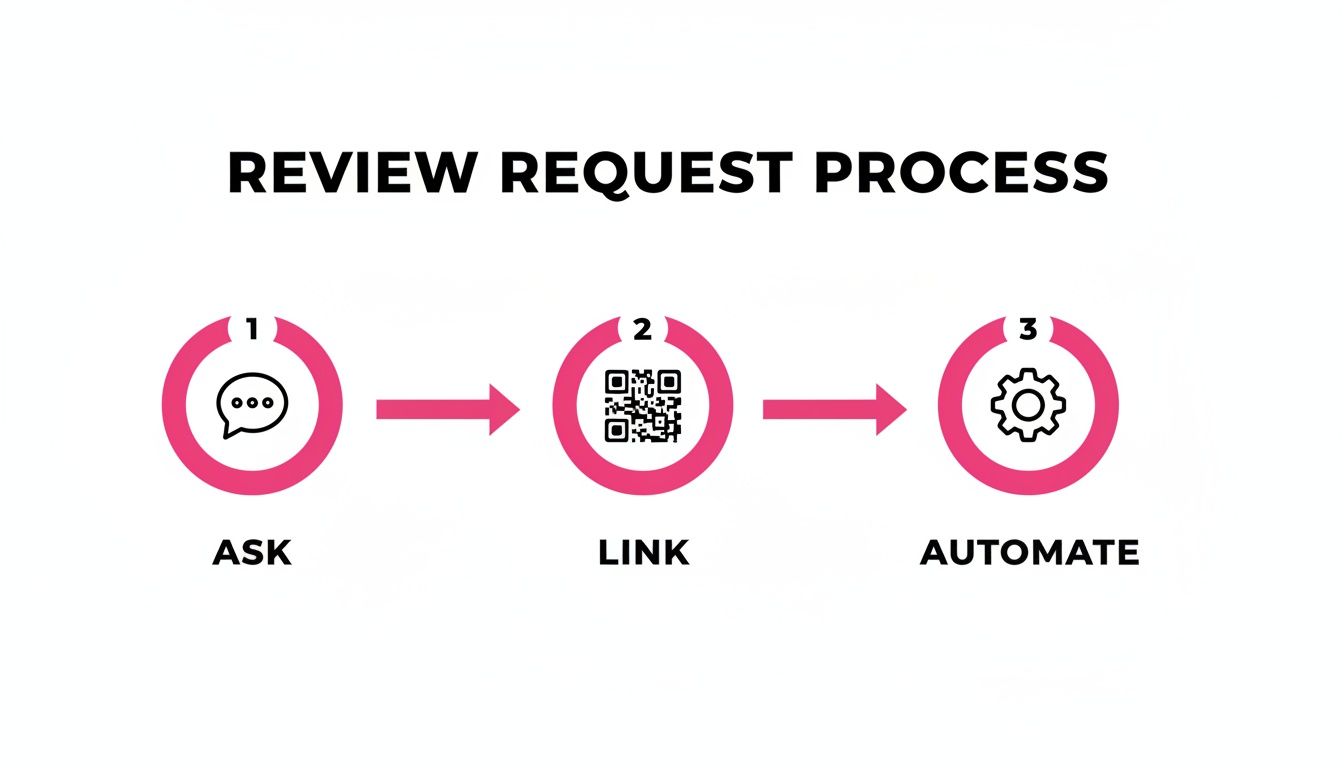
The main point here is that automation is the final piece of the puzzle. It’s what turns a tedious manual task into a self-running system for generating more reviews.
Intelligent Follow-Up Sequences
So, what happens if a customer doesn’t reply to your first request? If you’re doing everything by hand, they probably just get forgotten. Automation, on the other hand, lets you build clever follow-up sequences that give them a gentle nudge without being pushy.
You could have a workflow that looks something like this:
- Day 1: An email goes out the day after the service is finished.
- Day 4: If no review has been left, a follow-up SMS is sent with a slightly different, warmer message.
- Day 7: A final email could check in and ask if everything was okay with their experience, showing you care about their feedback, not just the star rating.
This multi-step approach can make a huge difference to your conversion rate. We’ve seen that for industries like UK home improvement, bringing in automated requests can lead to a 21% increase in total reviews within just six months. Getting a consistent flow—even just one new review a week—has also been shown to lift local search rankings by up to 25%.
By automating follow-ups, you're not just asking once. You're starting a short, polite conversation that respects your customer's time while giving you the best shot at getting that valuable feedback.
Solving the Multi-Location Puzzle
For businesses with multiple branches or franchises, trying to manage reviews can quickly turn into chaos. You end up with different locations using inconsistent messaging, response times all over the place, and no central way of seeing what's actually working.
This is where a centralised platform like LocalHQ becomes a lifesaver. With a single dashboard, you can bring all your locations under one roof. This means you can:
- Deploy Consistent Campaigns: Roll out a standard review request template to all locations in one go, keeping your brand voice consistent.
- Monitor Performance Centrally: Quickly see which branches are smashing it with reviews and which ones might need a bit more support.
- Manage Reputation Efficiently: Respond to reviews from all your profiles in one place, maintaining a professional and unified tone.
Automation also opens the door to using artificial intelligence, which can streamline things even further. For example, some platforms can suggest replies to reviews based on their tone and content, saving your team hours every week. We cover more on this in our guide on how to use AI for local SEO. Suddenly, a small team—or even just one person—can effectively manage the online reputation for a sprawling national brand.
Managing Your Reputation by Responding to Every Single Review
Getting a new review is only half the battle. The real work—and where the real opportunity lies—starts with your response. How you handle feedback, both the glowing and the critical, says a lot about your business. It shows potential customers that you’re paying attention, you're professional, and you genuinely care about their experience.
Ignoring reviews is basically like leaving a customer standing at your counter without an answer. But when you respond, you close that feedback loop and turn a simple rating into a real conversation. This small act can turn happy customers into your biggest fans and shows everyone else that you take service seriously.
The Power of Responding to Positive Reviews
It’s tempting to see a five-star review, feel that quick burst of satisfaction, and just move on. But trust me, taking a moment to reply is one of the best things you can do to amplify that positive feeling. A thoughtful response doesn’t just thank the customer; it builds a genuine connection and subtly encourages others to share their own great experiences.
When you take the time to reply, you’re actually doing a few key things:
- You reinforce good behaviour. The customer feels seen and appreciated, which makes them far more likely to come back and tell their friends about you.
- You give your local SEO a little nudge. Your replies are a great place to naturally mention keywords. For example, "We're so glad you enjoyed our emergency plumbing service in Bristol." This adds more relevant context to your profile for Google to see.
- You show prospective customers you’re engaged. People reading your reviews see a business owner who values their customers enough to say thank you.
A simple, personalised thank you is all it takes. If you can, mention the specific product or service they enjoyed—it shows you’ve actually read their comment and makes the whole interaction feel more authentic.
A Framework for Handling Negative Reviews
Getting a negative review can feel like a punch to the gut. But how you react is what really defines the moment. A defensive or angry reply will only pour petrol on the fire. A calm, professional response, on the other hand, can turn an unhappy customer into a success story and prove your commitment to doing things right.
A negative review isn’t just a problem to solve; it's a public demonstration of your customer service skills. Handle it with grace, and it can actually build more trust than a page full of five-star ratings alone.
Here’s a clear framework for managing criticism without losing your cool:
- Acknowledge and Thank Them: Always start by thanking them for their feedback, even if it stings. This simple step immediately lowers the tension. Something like, "Thank you for taking the time to share your experience with us," is a perfect opener.
- Apologise and Empathise: Offer a sincere apology that their experience wasn’t up to scratch. You're not necessarily admitting you were wrong, but you are showing empathy for their frustration. A simple, "We're sorry to hear that your visit didn't meet your expectations," goes a long way.
- Take the Conversation Offline: Whatever you do, don't get into a public argument. Provide a direct phone number or email address and invite them to discuss it privately. This shows you're serious about resolving the issue properly.
- Keep it Brief and Professional: Your public reply should be short and sweet. Address their feedback without getting bogged down in details that are better handled one-on-one.
This measured approach shows everyone reading that you're a reasonable business owner who is committed to making things right.
Dealing with Fake or Malicious Reviews
Unfortunately, not every negative review is genuine. Sometimes you’ll get hit by fake feedback from competitors or trolls trying to damage your reputation. The good news is that Google has specific policies against spam, conflicts of interest, and fake content.
If you have a strong reason to believe a review is fake, your first port of call is to flag it for removal in your Google Business Profile dashboard. While flagging it doesn’t guarantee it will be taken down, it's the official way to let Google know there's a problem. But even if you flag it, you should still post a calm, professional public reply.
Try something like this: "Thank you for the feedback. We take customer concerns very seriously, but we have no record of any customer interaction matching this description. We would appreciate the opportunity to learn more, so please contact us directly at [your email address]."
This response signals to other readers that something might be off about the review, all while you maintain a professional front. For a deeper dive into managing all this feedback, a comprehensive review manager can give you the tools and oversight needed to stay on top of your reputation without all the hassle.
Your Google Reviews Questions Answered
As you start asking for more reviews, you're bound to run into some tricky situations. It’s only natural to have questions about the specific rules, best practices, and how to handle the inevitable awkward moments. Let's tackle some of the most common questions we hear from UK businesses.
We'll clear up the grey areas around Google's policies and give you some practical advice for navigating those tough scenarios with confidence. Think of this as your go-to reference for making smart decisions that protect and build your online reputation.
Can I Offer Discounts for Google Reviews in the UK?
This is a big one, and the answer is a hard no. Offering any kind of incentive for a review—whether it's a discount, a free coffee, or a prize draw entry—is a direct violation of Google's policies. It's a risky game to play, as Google can, and will, remove all your hard-earned reviews without any warning.
It's not just Google you need to worry about, either. This practice is also a red flag for UK regulators. The new Digital Markets, Competition and Consumers (DMCC) Act gives authorities the power to issue hefty fines for misleading practices, and incentivising reviews definitely falls into that category.
The only sustainable path is to earn reviews by delivering an exceptional service and making it incredibly simple for genuinely happy customers to share their thoughts. This is how you build a foundation of authentic social proof that actually means something.
How Many Reviews Do I Actually Need?
There's no single magic number here. The real goal should be consistent progress, not hitting some arbitrary target. While some data suggests that businesses with 100+ reviews see a real lift in customer engagement, a much better starting point is simply to aim for more reviews than your closest local competitors.
What's far more important than the total count is something called review velocity. This is the rate at which you're getting new reviews. A steady, consistent flow of feedback—even just one or two new reviews a week—sends a powerful signal to Google that your business is active, relevant, and trusted right now. In the world of local search rankings, freshness is key.
What if a Negative Review Contains False Information?
It's infuriating when you see a review that you know is completely untrue. The trick is to stay calm and respond strategically to minimise its impact.
I recommend a two-pronged approach:
- Respond Publicly: Post a calm, professional, and factual reply. Whatever you do, don't get drawn into a public slanging match. A simple, effective script is: "Thank you for your feedback. We've checked our records and can't seem to find a customer interaction that matches this description. We take all feedback very seriously, so please contact us directly at [your email] so we can understand what happened."
- Flag the Review: If the review clearly violates Google's content policies (it might be spam, hate speech, or a blatant conflict of interest), you should flag it for removal. You can do this right from your Google Business Profile dashboard. While removal is never guaranteed, this is the official process to follow.
This dual approach shows potential customers that you’re professional and reasonable, while also alerting Google to a potential policy breach.
How Can I Get Customers to Write More Detailed Reviews?
Often, the difference between a simple star rating and a detailed, glowing review comes down to how you ask. Instead of a generic "Please leave us a review," you can gently guide customers with specific prompts that get them thinking.
This little tweak helps them focus their thoughts and makes it much easier for them to write something meaningful. For instance:
- For a restaurant: "We'd love to hear which dish you enjoyed most during your visit."
- For a tradesperson: "Could you share what you thought of your new kitchen installation?"
- For a retail shop: "It would be great to know what you think of your new [product name]."
By asking a specific question, you prompt the customer to recall the best parts of their experience. Not only does this give you richer, more valuable feedback, but it also adds relevant, keyword-rich content to your profile—which is brilliant for your local SEO.
Ready to stop chasing reviews and start automating your reputation management? LocalHQ gives you the tools to automatically request reviews from happy customers, respond instantly with AI, and track your local search performance—all from one simple dashboard. See how LocalHQ can help you get more Google reviews.