Schedule Google Business Posts to Win at Local SEO
Before we dive into the how, let's talk about the why. Thinking you can just set up a Google Business Profile and leave it is one of the biggest mistakes local businesses make. Scheduling posts isn't just another task to tick off your list; it's a core part of a smart local marketing strategy.
Why Scheduling Your Google Business Posts Matters
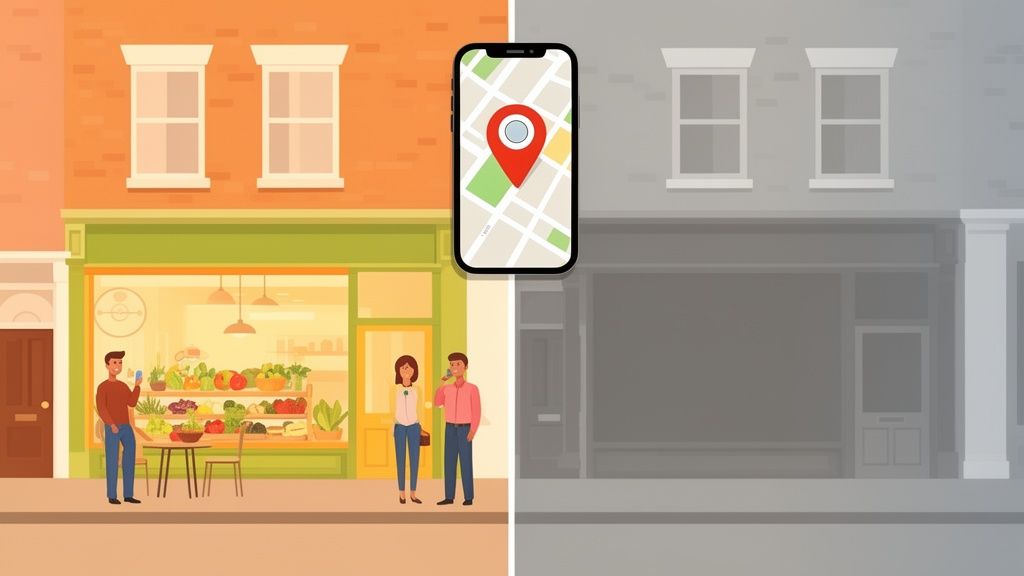
Picture your local high street. You've got two shops side-by-side. One has a fresh, inviting window display that changes with the seasons, and a clear sign showing its opening hours. The other looks a bit neglected, with a dusty display that hasn't changed in months. Which one are you more likely to walk into?
Your Google Business Profile works exactly the same way online. Every single post—whether it's a new offer, a behind-the-scenes photo, or a quick update—is a signal to Google that your business is active, engaged, and ready for customers.
This consistent activity is a massive tick in the box for Google's algorithm. It directly influences your local search ranking, massively improving your chances of landing in the all-important 'Local Pack'—that prime real estate at the top of local search results.
The Real-World Impact on British Businesses
Let's put this into a real-world context. Imagine two local pubs in Manchester. "The Brewer's Arms" schedules posts three times a week. On Monday, they announce their weekly pub quiz; on Wednesday, they showcase their new guest ale; and on Friday, they post a mouth-watering photo of their Sunday roast. Their profile is alive with fresh content.
Down the road, "The Silent Taps" has a perfectly good profile, but they haven't posted anything in six months. When a visitor searches "best pub near me," which one do you think Google will serve up first? The Brewer's Arms' constant stream of updates screams relevance and trustworthiness, leading directly to more punters through the door.
Of course, posting is just one piece of the puzzle. To really make an impact, you need to first optimise Google Business Profile for local success and ensure every part of your listing is working hard for you.
Regular posting isn't just about saving time; it's about building a dynamic digital storefront that turns casual online searchers into loyal, paying customers. It's one of the most cost-effective local marketing activities you can undertake.
Thinking about the tangible benefits can help drive the point home. Here's a quick overview of what a consistent posting schedule really means for your business.
The Real-World Impact of Scheduling GBP Posts
A quick overview of the tangible benefits your UK business gains from a consistent Google Business Profile posting schedule.
| Benefit Area | Impact on Your Business | What to Watch For |
|---|---|---|
| Visibility & SEO | Higher ranking in local search and the 'Local Pack'. | Monitor your search ranking for key local terms. |
| Customer Engagement | Builds trust and keeps your audience informed and interested. | Track post views, clicks, and incoming calls. |
| Competitive Edge | Makes your business look more active than competitors. | See how often your local rivals are posting. |
| Sales & Footfall | Directly drives online conversions and physical visits. | Use tracked links or ask customers how they found you. |
Ultimately, this proactive approach transforms your GBP from a static, forgotten listing into an active marketing channel. It's the difference between being a forgotten name in a directory and being the go-to spot in your neighbourhood.
If you want to get serious about turning your profile into a customer-generating machine, you might want to explore dedicated Google Business Profile management to handle it all for you.
Using Google's Built-In Scheduling Feature
Google gives you a way to schedule posts right inside your Business Profile, and thankfully, it's pretty straightforward to get started. Think of this built-in feature as your first step towards a more organised and consistent way of keeping your digital storefront fresh.
First things first, you need to find the scheduling tool. Head over to your Google Business Profile Manager dashboard and pick the profile you want to work on. You'll see an "Add update" or "Create post" button – click that, and it'll open up the window where the magic happens.
This is your canvas to craft your message, add photos or videos, and really start engaging with people searching for you.
Crafting and Scheduling Your First Post
Once you’re in the post creation tool, the process feels quite natural. You'll write your update – maybe you're announcing a new menu item or sharing a quick video of your team setting up for the day. The trick is to write snappy copy that gets to the point and grabs attention.
Next up, you'll add your media. This part is non-negotiable: you need high-quality images or short videos. This is what stops someone from scrolling right past your update. Make sure your photos are well-lit and actually show what you’re talking about. For a restaurant, a picture of that new, perfectly plated dish is always going to beat a generic stock photo, every single time.
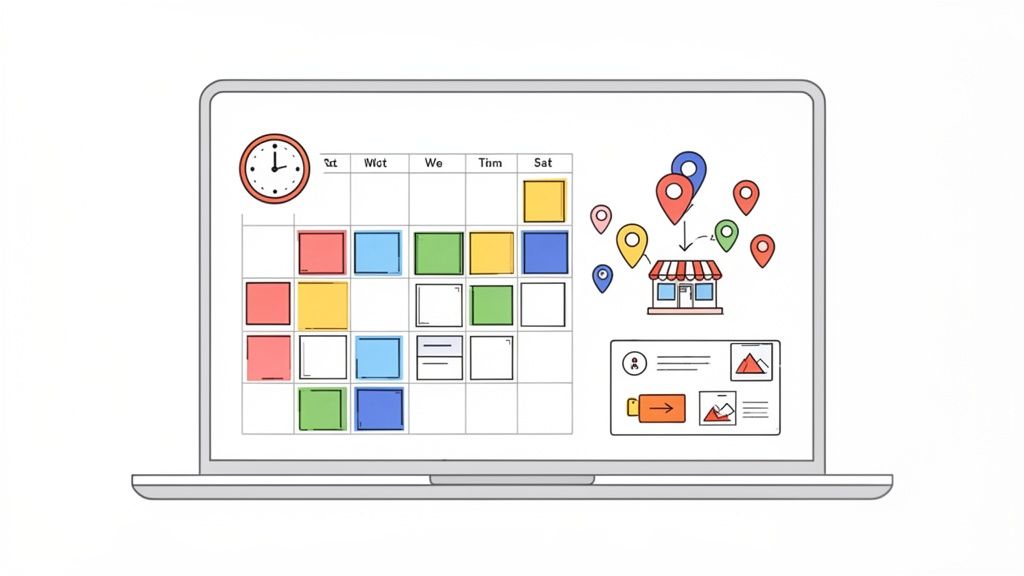
After you've got your text and image locked in, you'll spot the 'Publish' button. Right next to it, there's a small clock or calendar icon. That's your ticket. Clicking it brings up the scheduling options, letting you choose the exact date and time you want your post to go live.
The native scheduler is a solid starting point for any business wanting to get ahead on content. It shifts you from reactive, last-minute posting to a more thoughtful strategy, ensuring your profile stays active even when you're swamped.
Choosing the right Call-to-Action (CTA) is just as important. Google gives you a few to pick from, and your choice should be a direct match for what you want people to do after seeing your post.
- Book: A no-brainer for service businesses like hairdressers or consultants.
- Order online: Perfect for restaurants or shops with an e-commerce setup.
- Call now: An incredibly powerful CTA for driving immediate phone calls, especially from mobile users.
- Learn more: Great for sending traffic to a new blog post or a detailed service page on your website.
Really think about the one action you want a potential customer to take. A clear CTA makes it easy for an interested person to become a genuine lead or sale.
Understanding the Limitations
While Google's own scheduler is handy, it’s not without its drawbacks, especially if you have big plans for your marketing. The biggest single limitation is that you can only schedule one post at a time.
You have to create and schedule every single post individually. For one business posting once a week, that’s probably fine. But imagine you’re a marketing agency handling ten clients, or a retail chain with five separate locations. That manual process quickly turns into a massive time sink.
You won't find any features for bulk scheduling, no way to create reusable templates to keep your branding consistent, and no advanced analytics to see how your posts are performing across different profiles. This isn't a knock on the tool, but an honest reality check. It’s exactly why businesses serious about efficiency and growth often look to specialised platforms that turn post scheduling from a simple chore into a real strategic advantage.
How Third-Party Platforms Unlock Advanced Strategy
While Google's native scheduler is a decent starting point, it's a bit like using a hand-held screwdriver when what you really need is a full power drill. For any business ready to get serious about their local marketing, dedicated third-party platforms are a genuine game-changer. They elevate Google Posts from a simple task into a powerful strategic advantage.
These platforms are specifically built to solve the frustrations of the native tool, focusing on efficiency, scale, and much deeper insights. Imagine scheduling a month's worth of hyper-local content for ten different shop locations in the time it takes you to manually post just once. That’s the kind of efficiency we're talking about.
Supercharging Your Scheduling Workflow
The most obvious win is the ability to schedule Google Business posts in bulk. Instead of the one-by-one slog Google forces you into, you can upload and schedule dozens of posts across multiple profiles from a single, organised dashboard. This is an absolute necessity for agencies managing several clients or multi-location businesses striving for brand consistency.
Beyond just bulk actions, these tools bring a suite of features designed for professional marketers to the table:
- Reusable Post Templates: You can create and save templates for different types of updates—like weekly specials, staff spotlights, or event announcements—to keep your brand voice and visual style consistent.
- AI Content Suggestions: Many platforms, including LocalHQ, use AI to analyse your business profile and suggest relevant post topics. It's a great way to beat writer's block and keep your content fresh.
- Centralised Content Calendars: Get a bird's-eye view of your entire content strategy across all locations on one interactive calendar. This makes it incredibly easy to spot gaps and coordinate campaigns.
This flowchart shows the simplified process these platforms enable, moving you smoothly from content creation to automated posting.
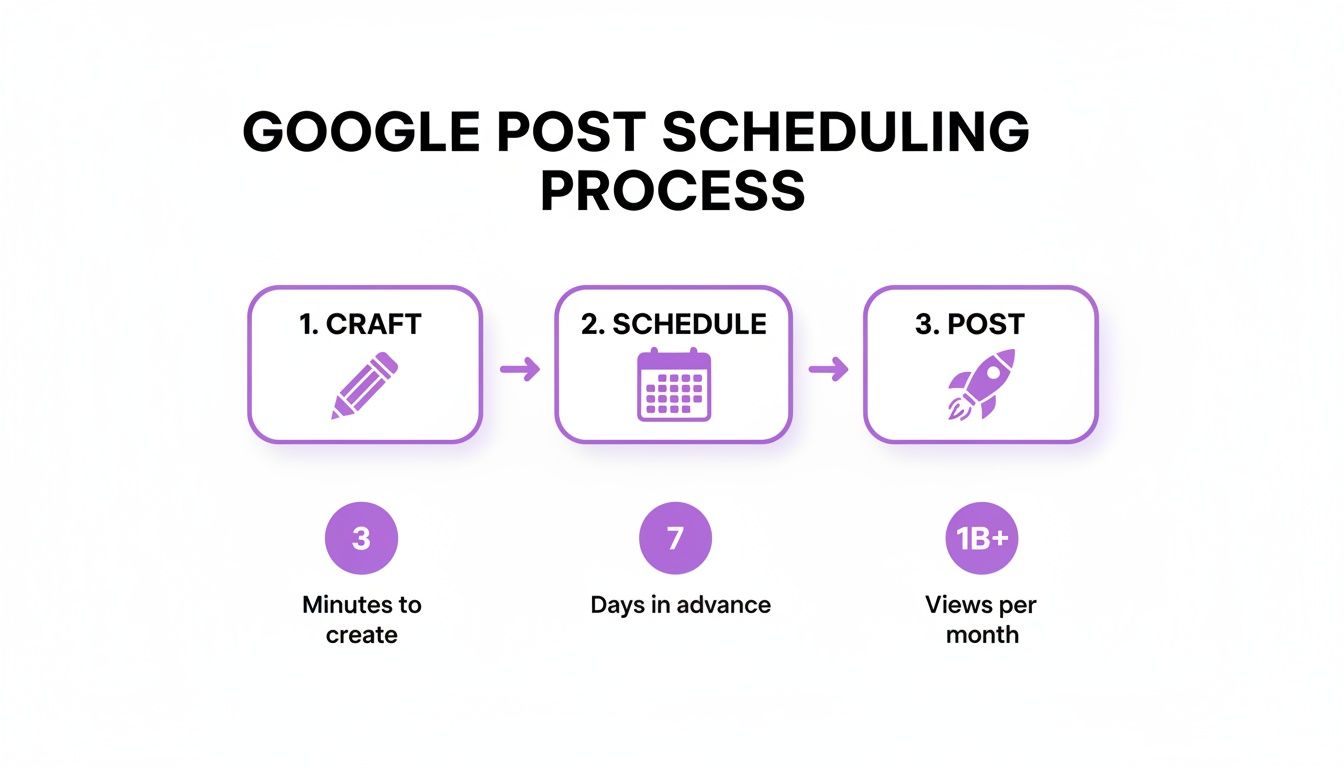
By automating the mundane scheduling and posting phases, you free up valuable time to focus on what actually matters: crafting higher-quality content that truly resonates with your audience.
From Time-Saving to Strategic Growth
The real magic of these platforms is how they connect your posting efforts to tangible business outcomes. For instance, recent data shows that UK retail businesses using scheduled posts saw a 42% surge in website clicks. Why? Because timely updates on promotions and stock kept them visible precisely when local customers were ready to buy.
A Bristol-based shop even reported 17% more calls after using AI-scheduled posts for flash sales, showing a direct line between strategic posting and customer action. With nearly half of local searches leading to an action within 24 hours, this kind of consistency is vital.
Third-party tools transform posting from a repetitive chore into a measurable marketing activity. You move from simply being 'active' to being strategically visible at the moments that matter most to your customers.
To get even more out of your scheduling, analytics, and content planning, many businesses turn to robust social media content management tools. These often integrate with Google Business Profile, allowing you to manage your entire online presence from one central hub. This integrated approach gives you a much clearer picture of your overall digital marketing performance, helping you make smarter, data-driven decisions that fuel growth across all channels.
Crafting Posts That Actually Drive Results
Simply filling your content calendar isn't the goal. The real question is whether your posts are making a difference. A great Google Business post does more than just tick a box; it sparks interest, generates enquiries, and gets people through your door. To do that, you need to understand what makes a post genuinely effective.
It really comes down to the basics: a strong opening and a great visual. That first sentence and your chosen photo act as your shop window in the search results, so make them impossible to ignore. A crisp, well-lit photo of your team at work, a new dish, or a finished project tells a much better story than a generic stock image ever could.
Choosing the Right Post for the Job
Google provides a few different post formats, each designed for a specific purpose. Getting to grips with which one to use and when is key to turning your profile into a proper conversion tool.
- 'What's New' Posts: These are your bread and butter. Think of them for general updates, sharing some behind-the-scenes glimpses, or linking to a new blog article. They're perfect for keeping your profile looking fresh and active.
- 'Offer' Posts: If you're running a sale or have a special discount, this is the one to use. You can add a start and end date, a voucher code, and a direct link, which all helps to create a sense of urgency and drive immediate sales.
- 'Event' Posts: Perfect for promoting things like a workshop, a live music night, or a special tasting menu. You can set the date and time, making it incredibly easy for customers to save the details and plan their visit.
Matching your message to the right format makes all the difference. A well-timed 'Offer' post during a quiet period will almost always outperform a simple 'What's New' update.
The Anatomy of a Perfect Post
Once you've picked the right format, a few core elements will take your post from good to great. Think of it as a simple checklist for every post you create.
First, try to include local keywords where they fit naturally. For instance, an electrician based in Manchester might mention "rewiring services in Chorlton" to catch that local search traffic.
Next, make sure the body of the post offers something of value—be informative, entertaining, or just plain helpful. You don't need to write an essay; keep it concise. I’ve found that around 100-300 words is the sweet spot.
The most critical element? A clear Call-to-Action (CTA). Don't just post for the sake of it. Tell people exactly what you want them to do next. A simple instruction like "Call us today for a free quote" or "Book your table online now" removes any doubt and makes it easy for them to take the next step.
The proof is in the numbers. In the competitive UK restaurant scene, businesses that scheduled weekly updates saw a remarkable 35% more direction requests than those who let their profiles sit idle. This shows a direct link between timely posts about specials and events and customers actually showing up. You can discover more on how post frequency impacts UK consumer behaviour and drives those all-important real-world visits.
Measuring Your Post Performance Like a Pro
Scheduling Google Business posts is a great start, but it's only half the battle. If you're not tracking performance, you're essentially guessing what works. To really get ahead, you need to dig into the data and figure out what resonates with your audience and what simply doesn't.
Google's own built-in analytics, often called 'Insights', is the first place you should look. It provides the basic metrics showing how people are finding and interacting with your profile—and most importantly, your posts.
Decoding Key Performance Metrics
When you pop into your GBP dashboard, the data tells a story. For posts, the two most important characters in that story are Views and Clicks.
- Post Views: This is straightforward—it's how many times your post has been seen on Google Search and Maps. Think of it as your post's overall reach.
- Post Clicks: This one is about action. It counts how many people clicked on your call-to-action (CTA) button, whether that's ‘Call now’, ‘Book’, or ‘Learn more’. It’s a direct measure of how compelling your content is.
Keep an eye on these numbers over time. You'll quickly start to notice patterns. Maybe posts with photos of your team get way more views than a simple product shot. Or perhaps an 'Offer' post drives a ton more clicks than a general 'What's New' update. This is how you turn raw data into smart decisions.
Connecting Posts to Business Outcomes
While Google's native insights are a decent starting point, they don't always paint the full picture. This is where dedicated third-party platforms really come into their own, helping you link post performance to actual business results.
For many UK service providers, making this connection is everything. We see it all the time—businesses in sectors like home services or healthcare achieve conversion rates of 4.5% from well-managed profiles, a huge leap from the 1.8% you see on neglected ones. Posts with photos are particularly powerful; they've been found to drive 42% more requests for directions, a game-changing metric for a local plumber or clinic trying to capture those 'near me' searches. You can learn more about how UK businesses leverage GBP for growth.
The aim isn't just to rack up views; it's to drive actions that actually grow your business. When you can track which posts lead to the most phone calls, website visits, or direction requests, you get a clear, undeniable picture of your return on investment.
More advanced tools give you a much richer breakdown, showing exactly which posts are pulling their weight and driving those valuable customer actions. If you're serious about turning data into growth, using a proper Google My Business reporting tool gives you the clarity to refine your strategy and put your energy into what truly works.
Frequently Asked Questions About Scheduling GBP Posts
Even with a solid plan, you’ll probably have a few questions once you start scheduling Google Business posts. I know I did when I first started. Getting these sorted will save you a ton of headaches down the line, so let's clear up some of the most common ones.
A big question I hear is, "How far in advance can I schedule?" If you're using Google's own tool, you can schedule posts up to a full year ahead. This is fantastic for planning around big seasonal events like Christmas or bank holidays.
The catch? Trying to manage a year's worth of content directly in the native GBP interface can get messy fast. That's where dedicated local SEO platforms really come into their own. They offer proper content calendars where you can see your entire strategy for a quarter, across dozens of locations, all on one screen. It makes long-term planning so much easier to visualise and manage.
How Long Do Scheduled Posts Last?
Your standard 'What's New' post hangs around in the main 'Updates' section of your profile for seven days. After a week, it doesn't just vanish. It gets archived, so anyone dedicated enough to scroll back through your history can still find it.
That seven-day window is exactly why keeping a consistent schedule is so important. If you let it slide, your profile can start to look stale pretty quickly.
It's worth remembering that Offer and Event posts play by different rules. They stay live right up until their expiry date, which gives them a much longer shelf life. This makes them perfect for running longer promotions or building buzz for an upcoming workshop.
Understanding this difference is key to a smart content mix. You can use weekly 'What's New' posts to keep the profile fresh, while a month-long 'Offer' post works in the background to bring in steady enquiries.
Making Changes and Avoiding Rejections
Spotted a typo right after hitting 'schedule'? We've all been there. Don't worry, you can absolutely edit a post after it's been scheduled but before it goes live. Just head into your GBP dashboard, find your scheduled posts, and you can tweak the text, swap the image, or change the CTA. Honestly, this is another area where third-party tools make life simpler, usually giving you a calendar view where you can find and edit upcoming posts in seconds.
Now and then, Google might reject a scheduled post. When this happens, it's almost always because it's fallen foul of their content policies. A few common slip-ups to watch out for:
- Don't put a phone number in the post's text. That’s what the 'Call now' CTA button is for, and Google really wants you to use it.
- Avoid low-quality images. Fuzzy or blurry photos are a big no-no. Google is all about user experience, and poor visuals are an easy way to get flagged.
- Steer clear of spammy-sounding copy. Keep your content genuinely useful and informative, not just a hard sell.
Stick to these rules, and you’ll find your posts go live without any trouble, keeping your profile active and working hard for your business.
Ready to transform your local SEO strategy with effortless, powerful scheduling? LocalHQ provides all the tools you need—from bulk scheduling and AI content suggestions to advanced performance analytics—in one simple platform. Start optimising your Google Business Profile today at https://localhq.io.