How to verify google business: A quick guide to local SEO
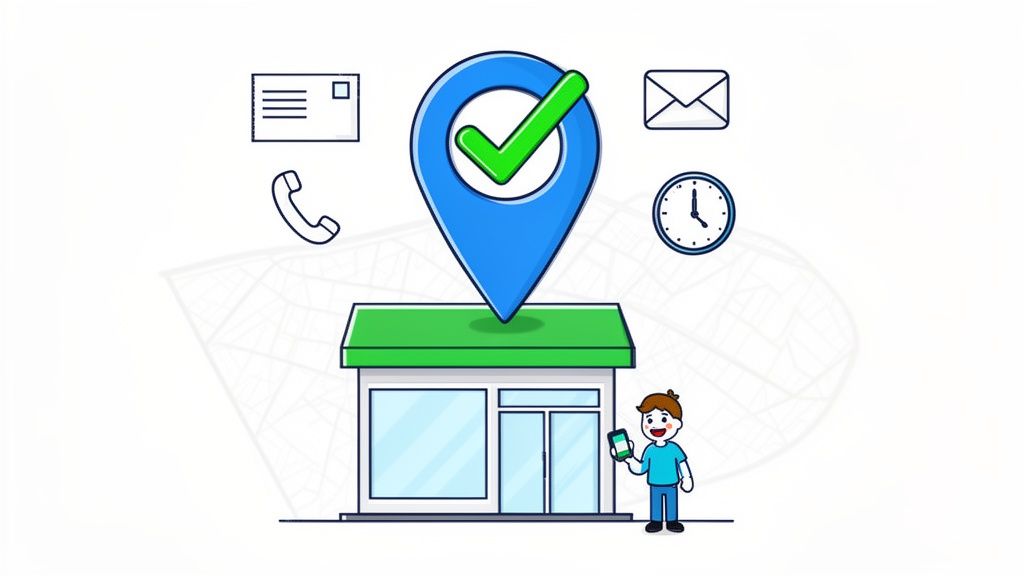
Think of verifying your Google Business Profile as the first, most essential step in claiming your digital shopfront. It's how you prove to both Google and your customers that you're a real, legitimate business. This simple act unlocks a whole suite of tools vital for any local SEO effort, usually done through a quick postcard, phone call, or email.
Why Getting Your Google Business Profile Verified is a Game-Changer
Let's be clear: getting your Google Business Profile verified isn't just a box to tick. It’s the absolute foundation of your local SEO strategy. Without that little badge of authenticity, your business is all but invisible to a massive chunk of your local customer base.
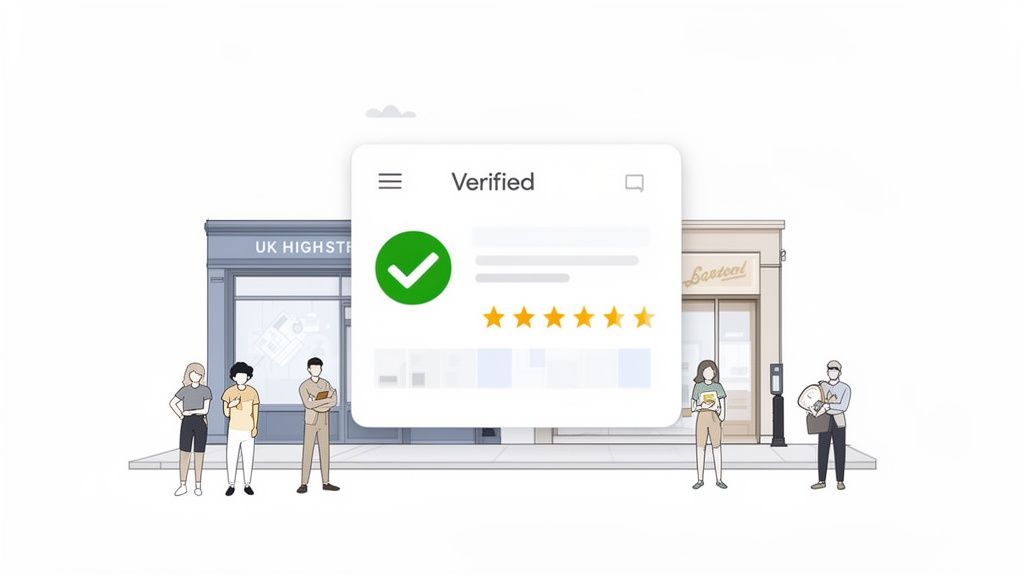
Verification is what gives you the keys to your own listing. You can suddenly control everything—updating opening hours on the fly, adding fresh photos of your latest work, and, most importantly, engaging directly with customers by responding to their reviews.
Build Instant Trust and Credibility
In a digital world where trust is gold, verification is your shortcut to credibility. When a potential customer finds you on Google Maps or in a local search, that verified status tells them you’re a real, operating business they can rely on. It’s a small detail, but it can be the very thing that makes them choose you over the unverified competitor down the road.
The numbers don't lie. With 64% of businesses now verified, it's become the standard. And the difference is staggering: fully fleshed-out, verified profiles are 80% more likely to pop up in search results. That's a massive competitive advantage you can't afford to ignore. You can dig deeper into these GBP verification stats over at Search Endurance.
A verified profile isn't just about showing up in search; it's about showing up with authority. It signals to Google's algorithm and your future customers that you’re a serious business, ready to serve them.
Unlock Powerful Management Features
Once you’re verified, you get access to a whole toolkit designed to help you connect with and attract customers right from the search page.
- Direct Customer Interaction: You can finally reply to reviews (both good and bad!), answer questions in the Q&A section, and even turn on direct messaging. Your profile transforms from a static listing into a dynamic communication hub.
- Crucial Performance Insights: Verification opens the door to Google Business Profile Insights. This is your dashboard for seeing exactly how customers are finding you. You can track key actions like how many people called you, asked for directions, or clicked through to your website.
- Total Profile Control: Now you can truly enrich your profile. Add service menus, upload product catalogues, specify accessibility options, and add all the little details that make your business stand out and help customers make a decision.
Getting Your Ducks in a Row Before You Verify
Before you even click that ‘verify’ button on your Google Business Profile, taking a little time to prepare can save you a world of pain down the line. Think of it as a pre-flight check for your business listing. Getting the fundamentals right from the start makes the whole process faster, smoother, and much less frustrating. I’ve seen countless businesses rush this part, and it's often why their verification gets stuck in a loop or fails completely.
The first thing to nail down, and arguably the most important, is your business NAP: Name, Address, and Phone number. This information needs to be identical everywhere your business appears online. That means checking your website footer, your Facebook page, and any other directories you're listed on, like Yell or Thomson Local.
Google’s systems are constantly cross-referencing this data to make sure you're a real, legitimate operation. Even tiny differences—like using "Ltd" in one place and "Limited" in another, or a slightly different postcode—can throw up a red flag and stall everything. Consistency is your best friend here; it signals trust and authenticity to Google.
Finalise Your Core Details First
Once your NAP is rock-solid and consistent, there are a few other bits and pieces to lock in. It’s crucial to get these right before starting the verification, because trying to edit your profile while you're waiting for a code can often reset the entire process.
The business address is a common stumbling block, especially for new businesses. For the classic postcard verification, Google needs a physical address where you can actually receive post.
- No PO Boxes: Don't even try it. Post office boxes are a big no-no for verification because Google needs to confirm you have a genuine, physical location. Using one is pretty much a guaranteed rejection.
- For Service-Area Businesses: What if you’re a plumber working from your home office or a consultant who visits clients? You can still get verified. You’ll use your real home address for the verification itself, but then you can choose to hide it from the public, showing only the areas you serve instead.
This is a fantastic feature that lets you get verified without having to broadcast your private address to the world.
Nailing Your Categories and Contact Info
Picking the right business category is another prep-step you can't afford to skip. Your primary category has the biggest influence on the types of searches you show up for. Be as specific as you can. For instance, instead of just "Restaurant," choose "Italian Restaurant" or "Vegan Restaurant" if that’s a better fit.
You can always add more secondary categories later, but Google's algorithm gives the most weight to your primary one. Getting this right from day one means you'll start attracting the right customers as soon as you're live.
One last practical tip: make sure you can actually get the verification code. If you’re hoping for a phone or email option, you need immediate access to that official business phone number or email address. If a receptionist manages your main line, give them a heads-up so they know to pass the code straight to you. A simple bit of internal communication can be the difference between a successful verification and a missed opportunity.
Choosing the Right Verification Method for Your Business
Okay, you’ve got all your business details lined up and consistent. Now comes the crucial part: choosing how to verify your Google Business Profile. Google offers a few different ways to prove you are who you say you are, and the options you see depend on things like your business type, how long you've been around, and what Google already knows about you.
Picking the smartest route from the get-go is the key to getting your profile live and in front of customers without unnecessary delays. Sometimes Google only gives you one option, but knowing all the possibilities helps you prepare for whatever it throws at you. The goal is always to find the quickest, most straightforward path for your specific situation, whether you're running a high-street shop in Manchester or you're a mobile dog groomer covering the Cotswolds.
This flowchart gives a great visual summary of the prep work you need to nail down before you even get to the verification stage.
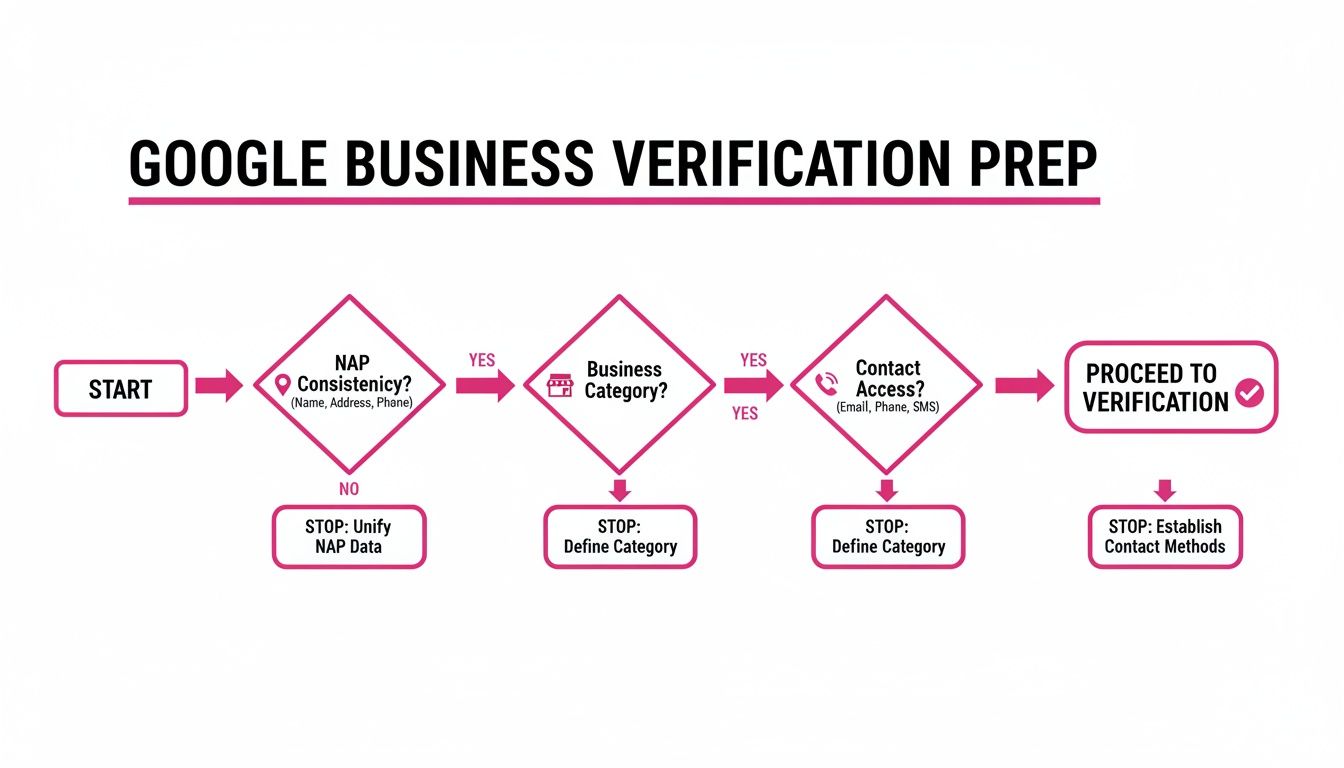
As you can see, getting your core info straight and making sure you can access your official phone or email are absolute musts. It makes the whole process so much smoother.
Postcard Verification: The Classic Route
For many UK businesses, especially those with a physical address, the postcard is still the go-to verification method. It’s exactly what it sounds like: Google pops a postcard in the mail, addressed to your business, with a unique five-digit code on it. It’s Google’s old-school, tangible way of confirming your business actually exists at that location.
The postcard itself is pretty nondescript, so it’s easy to mistake for junk mail. Make sure you, or whoever handles your post, keeps an eye out for it. You should expect it to arrive within 5-7 business days, though local post can sometimes slow things down a bit.
Crucial Tip: Once you request that postcard, don't touch your profile! Seriously. If you edit your business name, address, or category while the card is in transit, the code will be voided. You’ll have to start the entire process all over again.
Phone or SMS Verification: The Faster Option
If you're offered it, phone verification is a much quicker way to get things done. You'll see it as an option during the setup if your business is eligible. Google will either call or text your official business number with an automated message that reads out your verification code. Just punch that code into your profile, and you’re verified on the spot.
So, who gets this option? It’s usually businesses that have been around for a while and have a consistent phone number listed across the web. Google feels more confident it's dealing with a legitimate, established entity. For managing this process, some businesses find services that offer temporary phone numbers for SMS verification to be a useful tool.
Email Verification: For Select Businesses
Email verification works much like the phone option—it's another instant win, but only for certain businesses. If you qualify, Google sends the code to an official email address linked to your website's domain (think info@yourcompany.co.uk, not a Gmail address).
This method is typically reserved for businesses whose website domain is well-established and already recognised by Google's systems. It’s incredibly fast, but you absolutely must have access to that specific inbox to grab the code.
Instant Verification: The Search Console Shortcut
This is the holy grail of verification. If your business website is already set up and verified in Google Search Console, you might get to skip the codes and waiting altogether.
The magic happens when you sign into your Google Business Profile using the exact same email account that is listed as a verified owner in Search Console. If everything lines up, Google connects the dots, confirms you own the business, and verifies your profile instantly. It’s a fantastic perk for businesses that have their web presence properly sorted. If you want to learn more about connecting your online assets, our guide on how to add your business to Google Maps is a great next step.
Video Verification: The New Standard for Some
Over the past few years, video verification has become much more common. Google is using it a lot for service-area businesses (those without a physical shopfront) and for industries that tend to attract a lot of spammy listings. It’s more hands-on, but it gives Google undeniable proof that your operation is legitimate.
The process usually involves either a live video call with a Google representative or recording a video that shows specific things. You’ll likely be asked to provide:
- Proof of Location: Film your business address, maybe by showing street signs, your office space, or nearby landmarks.
- Proof of Business: Show things like business registration documents, a branded vehicle, or even marketing flyers.
- Proof of Management: This is about proving you’re in charge. You might need to unlock the front door with a key or show you have access to staff-only areas or equipment.
It can feel a bit full-on, but if you gather your "evidence" beforehand, it can be a relatively painless process. For many modern, flexible businesses in the UK, it’s often the only verification path available.
Comparing Google Business Verification Methods
To help you get a quick sense of which option might be best for your UK business, here's a simple comparison of the main methods.
| Verification Method | Typical Timeline | Best For | Key Requirement |
|---|---|---|---|
| Postcard | 5-7 business days | Businesses with a physical, mail-receiving address (shops, offices) | A reliable postal address where you can receive mail. |
| Phone/SMS | Instant | Established businesses with a consistent, public phone number | An official business phone number listed on the profile. |
| Instant | Businesses with an established website and domain-based email | Access to an email address at your business domain. | |
| Instant | Instant | Businesses with a website verified in Google Search Console | Using the same Google account for GBP and Search Console. |
| Video | 1-3 business days | Service-area businesses or those in high-spam categories | Ability to show proof of location, business, and management. |
Ultimately, the method Google offers you is the one you have to use. But understanding how each one works helps you prepare, so you can get verified and start winning new customers as quickly as possible.
How to Handle Verification for Multi-Location and Service-Area Businesses
Not every business fits neatly into the single-shopfront model. If you’re managing a UK franchise with locations scattered across the country, or you run a service-area business like a plumber or a mobile dog groomer, you’ll quickly realise the standard verification methods just don't work. These business models come with their own unique hurdles, but thankfully, Google has specialist paths to get you verified and visible.
For businesses juggling numerous physical locations, verifying each one individually would be a logistical nightmare. Just imagine trying to request and track dozens of postcards flying all over the country. This is exactly why Google created Bulk Verification, a far more sensible process designed for organisations with 10 or more locations.
This method completely bypasses individual verification codes, swapping them for a centralised, spreadsheet-based system. It's an absolute game-changer for maintaining consistency and control over a large portfolio of business profiles. To get this right, many organisations use specialist tools and strategies to streamline their local SEO for multiple locations. You can dive deeper into this with our comprehensive guide on local SEO for multiple locations.
Mastering Bulk Verification for Chains and Franchises
The entire bulk verification process hinges on a single spreadsheet you submit to Google. Think of this file as the master document, containing all the critical information for every single one of your locations. Getting this spreadsheet perfect is the key to a smooth, successful verification for your entire business group.
Your spreadsheet needs to be meticulously organised. Each location gets its own row, with specific details neatly arranged in designated columns. Accuracy here is completely non-negotiable; even small mistakes can bring the whole process to a halt.
Here’s a breakdown of the essential info you'll need to gather for each location:
- Store Code: A unique ID you create for each location. It can be a number or a short name (e.g., "MAN01" for your Manchester branch), but it must be unique and used consistently.
- Business Name: The exact, official name for that specific location (e.g., "Joe's Coffee – Piccadilly").
- Full Address: The complete and accurate street address, including the correct postcode for each site.
- Primary Phone Number: The main contact number for that specific branch.
- Website URL: Ideally, this should link to a unique location page on your main site (e.g.,
yourbrand.co.uk/bristol). - Primary Category: The main business category that describes all your locations (e.g., "Coffee Shop").
Once your spreadsheet is complete and you've checked it for errors (twice!), you submit it through your Google Business Profile account. A Google representative will then review it. Don't be surprised if they contact you to verify a random sample of your locations or ask for extra documents to prove you own the entire chain.
The most common pitfall I see with bulk verification is inconsistency. Tiny discrepancies in names or addresses between your spreadsheet and what Google finds online can cause serious delays or even outright rejection. A thorough audit of your data before you hit submit is absolutely crucial.
Navigating Verification for Service-Area Businesses
But what if you don't have a public-facing address at all? This is the daily reality for mobile mechanics, home-based consultants, and tradespeople all over the UK. Your business is completely legitimate, but you serve customers at their locations, not yours. Google gets this and has a verification path, though it's often a bit more stringent.
For these service-area businesses (SABs), the newer video verification method has become the standard. It’s a much more hands-on process designed to weed out spam and confirm that a real business operation exists, even without a traditional shopfront. This requires a lot more prep than just waiting for a postcard to drop through your letterbox.
During the video, you'll need to convincingly prove three key things to the Google team:
- Proof of Location: Even with a hidden address, you have to show you operate from a real place. This could mean showing your home office setup, company tools stored at your registered address, or even filming the street signs outside your base of operations.
- Proof of Business: This is where you show your business is a real, official entity. Get your documents in order: your business registration from Companies House, a recent utility bill in the business's name, or your public liability insurance certificate would all work well.
- Proof of Management: Finally, you must prove you’re the one in charge. This can be as simple as showing a branded company van with your logo, unlocking the door to your office or storage unit, or displaying branded marketing materials like flyers and business cards.
Honestly, preparation is everything. Before you even think about starting a video verification call or recording, have all your documents and "exhibits" laid out and ready to go. A smooth, well-prepared video submission is far more likely to get approved on the first try, getting your service-area business verified and ready to attract local clients.
Tackling Common Verification Roadblocks
Even with the best of intentions, getting your Google Business Profile verified can sometimes hit a snag. It’s a frustrating moment – you’re ready to go, but a missing postcard or a fussy error code is holding you back. This section is all about getting you unstuck. We'll walk through the most common verification issues UK businesses run into and, more importantly, how to fix them.
When you’re figuring out how to verify your Google Business Profile, a problem can feel like a huge setback. But trust me, there’s almost always a straightforward solution. Let's dive into the usual suspects, from simple delays to tricky ownership disputes.
The Postcard That Never Arrived
This is, without a doubt, the most common headache. You’ve waited the promised five to seven business days, checking the post every morning, but still nothing. Before you hit the panic button, let's run through a quick checklist.
- Check the Address Again: Seriously, is the address on your profile 100% correct? One tiny typo, a slightly wrong postcode, or a missing suite number can send it to the wrong place entirely. Go back into your profile dashboard and triple-check it.
- Give It a Little More Time: Let's be honest, Royal Mail can have its moments. It’s often worth giving it a full 14 days from when you made the request before you take the next step.
- Did You Edit Your Profile? This is a classic mistake. If you changed your business name, address, or primary category after requesting the postcard, you’ve automatically cancelled that code. The original postcard is now just a piece of cardboard.
If it's been 14 days and you're absolutely sure the details are spot on, it’s time to request a new code. You can do this right from your Google Business Profile dashboard.
My Verification Code Isn’t Working
You finally get the postcard or the SMS, you punch in the five-digit code, and… nothing. Just an unhelpful error message. It's incredibly annoying, but the cause is usually one of two simple things.
First off, these codes have a shelf life. A verification code is typically only valid for 30 days. If that postcard got lost behind the sofa for a month, the code inside is now useless.
Second, requesting a new code immediately kills the old one. If you got impatient and requested a second postcard because the first was late, you must use the code from the newest card that arrives, even if the original one finally shows up later.
Key takeaway: Always use the most recently requested code. If you’ve asked for multiple postcards or phone codes, only the latest one Google sent will work. All previous codes are automatically deactivated.
The Verification Option I Need Is Missing
Sometimes Google offers you a verification method that just won’t work for your business. It might insist on sending a postcard to an office that can't receive mail reliably, or offer a phone call to a line that routes through an automated call centre.
Unfortunately, you can't just pick another method from a dropdown menu. The options you see are what Google's algorithm has decided is the most secure fit for your business type and history. If the method they've given you is genuinely impossible, your only real option is to contact Google Business Profile support directly. You'll need to explain the situation clearly, and they'll likely ask for other proof that your business is legitimate.
Sorting Out Ownership Conflicts and Duplicate Listings
Another classic problem is finding out your business profile has already been claimed or that a duplicate listing is floating around. This often happens when a former employee, a previous owner, or even a marketing agency set it up and forgot to hand over the keys.
If a profile is already claimed, you'll see a message that lets you request ownership. Clicking this sends a request to the current owner's email. They have a few days to respond. If they grant you access or simply don't reply, you can usually take control.
But if they deny your request, you'll have to start an appeal with Google support. Be prepared to provide official documents, like a business registration certificate or a utility bill, to prove you're the rightful owner.
So, Your Profile Is Verified. Now What?
Getting that little blue tick on your Google Business Profile is a great feeling, but the real work starts now. Think of verification as being handed the keys to your new shop. The door is open, but the space is empty. It's up to you to fill it with things that will make customers want to come in and stick around.
An unoptimised profile is just that—an empty shop. It's technically on the map, but it won’t do much to bring people through the door. The goal is to turn that basic listing into a powerful tool that actively pulls in local customers.
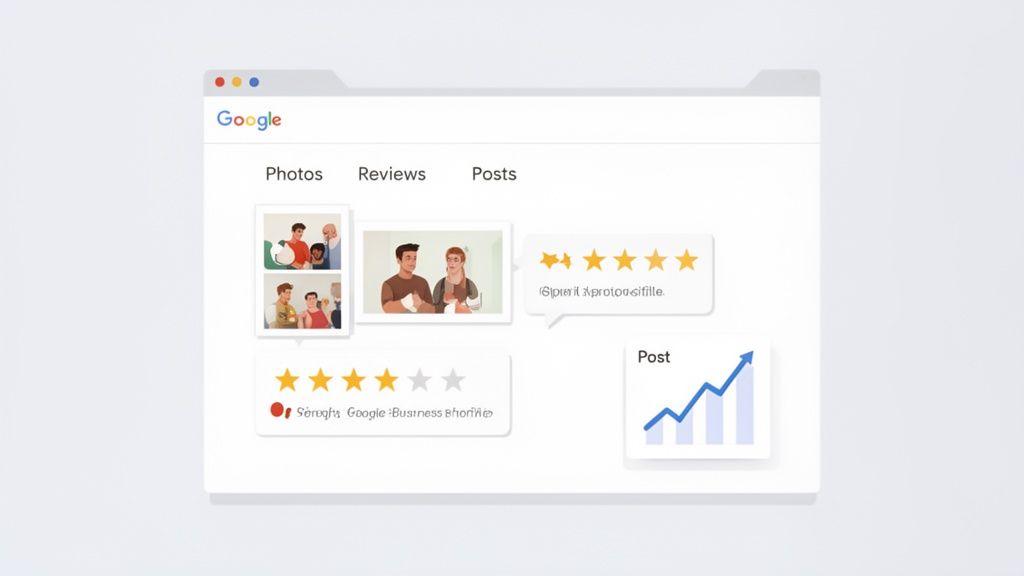
Go Through Your Profile with a Fine-Tooth Comb
Your first job is to dive into your dashboard and fill out every single section you can find. Don't skip anything. A complete profile doesn't just look more credible; Google's algorithm actively rewards it.
The numbers don't lie. Businesses that are verified and fully filled out can see up to 70% more in-person visits—a game-changer for any high street shop, café, or salon. Not only that, but they also tend to get four times as many website visits compared to profiles with missing information.
Here’s where to focus your attention first:
- Business Description: This is your elevator pitch. Write a punchy, keyword-rich summary that explains what you do and why you’re the best at it.
- Services and Products: Get specific. List out every service you offer or build a catalogue of your products. Add descriptions and prices where you can.
- Attributes: This is a goldmine for niche searches. Go through the list and tick everything that applies, from "wheelchair-accessible entrance" to "free Wi-Fi".
Show, Don’t Just Tell, with Photos and Videos
In a world of scrolling, visuals are everything. A great set of photos can be the difference between a potential customer choosing you or a competitor. Profiles with plenty of images get 42% more requests for driving directions and 35% more clicks to their websites. It’s a simple but incredibly effective tweak.
You need a good mix of high-quality pictures. Get shots of your storefront, the inside of your premises, your team hard at work, and your products or finished projects. Keep adding new ones every so often to show your profile is active and up-to-date.
Use Google Posts to Share What's Happening Now
Think of Google Posts as free mini-adverts that show up right on your profile in the search results. They’re brilliant for sharing timely updates that can catch a searcher's eye.
Google Posts are your chance to talk directly to customers before they even click on your website. Announce a last-minute sale, show off a new product, or share some company news. It's your business's personal billboard on the search page.
With a verified and optimised profile, you’re ready to start climbing the rankings. The next logical step is learning how to rank higher on Google Maps effectively to make sure all your hard work gets seen.
Make Reviews Your Secret Weapon
Customer reviews are the lifeblood of local search. They provide the social proof that new customers crave, and they're a huge ranking signal for Google. Make it a habit to ask your happy customers to leave you a review.
Just as important is responding to every single one, good or bad. A quick thank you for a positive review or a helpful, professional response to a negative one shows you're engaged and you care. It builds trust and can even rescue a poor customer experience.
Turning your verified profile into a customer-generating machine is an ongoing job. If you want to take the heavy lifting out of it, LocalHQ can help. You can automate your profile optimisation, schedule your Google Posts, manage all your reviews with an AI-powered autoresponder, and keep an eye on your local rankings from a single, easy-to-use dashboard. It’s the simplest way to turn that verification into real, tangible growth.