Google Maps Pack Ranking: Positioning Strategy for Competitive Markets
Picture this: a potential customer in your neighbourhood needs your service. They pull out their phone, type in what they’re looking for, and Google shows them a map with three businesses right at the top. This is the Google Maps Local Pack, and for a UK business, it's the most valuable piece of digital real estate you can own.
Getting your London café, Bristol plumbing service, or Manchester shop into this prime spot isn't just a nice bonus—it's a direct line to more customers, more calls, and more revenue.
Why The Google Maps Pack Is Your Most Valuable Asset
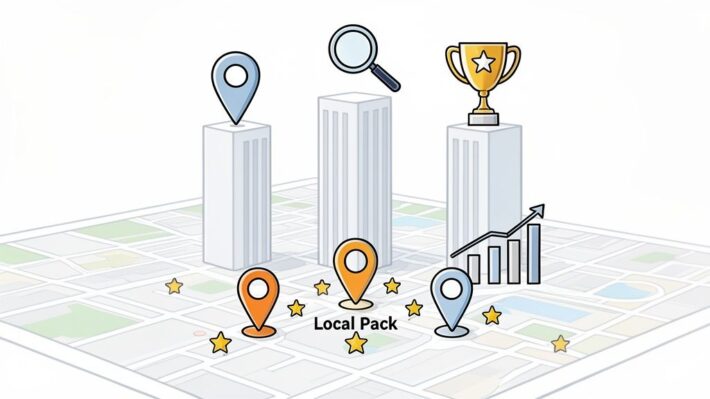
When it comes to local search, visibility is everything. While having a well-optimised website is important, the real prize is a spot in the Google Maps Pack. This is the block of three business listings, shown with a map, that appears above all other organic results for searches like "mechanic near me" or "best pub in Glasgow."
For a customer who needs something now, the Maps Pack is where they make their decision. It gives them everything they need—your location, opening times, reviews, and phone number—without ever having to click away.
If you’re not in that top three, you’re practically invisible to the majority of ready-to-buy local customers.
The Clear Link Between Ranking and Revenue
The financial impact of a top Maps Pack ranking isn't just theoretical; it's something we see in the numbers every day. This isn't a vanity metric. It's a powerful tool for driving sales.
When someone searches for a local service, Google presents the businesses in the Local Pack as the most relevant, reputable, and closest options. This placement translates directly into business.
The data for UK businesses is compelling. Businesses that secure a spot in the Local Pack get a staggering 42% of all clicks from a local search. For industries like hospitality, it's even more crucial. UK restaurants in the Local Pack see 126% more traffic and get 93% more actions (like calls, website clicks, and direction requests) than businesses ranked just below them in positions 4-10.
Key Takeaway: Ranking in the Google Maps Pack isn't about being seen; it's about being chosen. It puts your business in front of customers with immediate needs, making it the single most effective lead generator for any local company.
This is especially true for tradespeople, where a high Maps ranking is a core part of effective local SEO for home services. For a plumber or electrician, it can mean the difference between a phone that rings all day and one that stays silent.
Contrasting The Local Pack With Standard Search
It’s also important to grasp how user behaviour differs between the Maps Pack and the standard blue-link organic results. Someone clicking a standard link might just be doing research. But a person clicking a Maps Pack listing is usually ready to take action.
This distinction is fundamental to understanding its value. You can dive deeper into how this fits into a broader strategy in our guide on local SEO for businesses.
The table below really highlights the key differences and why they matter for your business.
Local Pack vs Standard Organic Results: A UK Snapshot
| Metric | Google Maps Pack (Top 3) | Top Organic Result (Position 1) | Why It Matters For UK Businesses |
|---|---|---|---|
| User Intent | Transactional (e.g., "call now," "get directions") | Informational (e.g., "learn more," "read blog") | Maps Pack clicks are from customers ready to spend money or visit you immediately. |
| Primary Actions | Phone calls, direction requests, website visits for booking | Reading content, browsing pages, comparing options | The Pack drives direct, measurable actions that lead to immediate revenue opportunities. |
| Key Information | Hours, address, reviews, photos at a glance | Requires navigating a website to find key details | It offers a frictionless path for customers to engage, reducing the chances they'll look elsewhere. |
| Click-Through Rate (CTR) | Extremely high, often capturing the majority of clicks. | Significantly lower than the Maps Pack for local queries. | Dominating the Pack means you capture the lion's share of local search attention. |
In short, while standard organic results are great for building brand awareness, the Local Pack is where conversions happen. It's built for action, and that's precisely what local businesses need.
Your Google Business Profile (GBP) is your digital shopfront. For anyone searching locally, it’s often their first point of contact with your business, and it’s the main source of truth Google uses to figure out what you do, where you are, and if you’re worth showing in the coveted Maps Pack.
Just setting up a profile and walking away won’t cut it. To really compete, you need to go far beyond the basics. The businesses that consistently own the top spots are the ones that treat their profile like a living, breathing asset. It’s about fine-tuning every single detail to prove your relevance to Google and convince a potential customer to take the next step. A well-oiled profile isn't just a listing; it's a 24/7 lead-generation machine.
The journey from a local search to a new customer is surprisingly direct, with your profile acting as the critical link in the chain.

This flow shows exactly why your profile has to be on point. When someone finds you, they need every reason to act right now, and your profile is what seals the deal.
Selecting Your Core Business Categories
Honestly, the single most critical choice you'll make for your profile is your primary category. This one setting tells Google what your business is at its core. If you get this wrong, you'll be fighting an uphill battle to rank for your most important keywords, no matter what else you do.
You have to be specific. Don't just pick "Restaurant"; if you serve pasta, choose "Italian Restaurant". Don't settle for "Contractor"; specify "Plumber" or "Roofing Contractor". Precision here is non-negotiable.
After locking in your primary category, it’s time to add relevant secondary categories. These don't have the same ranking power, but they're fantastic for casting a wider net. For instance, a pub’s primary category would be "Pub," but adding "Restaurant," "Live Music Venue," and "Function Room For Hire" helps it show up for all sorts of related searches.
Crafting a Compelling Business Description
Think of your business description as your 750-character elevator pitch. This is your chance to weave in important keywords while showing off your business's personality. Don't just rattle off a list of services—tell a story that highlights what makes you special.
Here’s an example for a coffee shop in Manchester:
"Your friendly neighbourhood coffee shop in the Northern Quarter, proudly serving single-origin espresso and homemade cakes. We offer a cosy spot for remote working with free Wi-Fi, delicious brunch options, and a dog-friendly patio. Stop by for the best flat white in Manchester!"
See how that naturally includes terms like "coffee shop Northern Quarter," "homemade cakes," "brunch," and "dog-friendly patio"? It sounds authentic because it’s helpful. You can learn more about mastering every part of your profile in our complete guide to Google Business Profile optimisation.
Leveraging Attributes and Q&A
Attributes are those little tags that give customers quick, need-to-know info, like "Outdoor seating," "Wheelchair-accessible entrance," or "Click & Collect." People genuinely use these to filter results and make quick decisions, so don't skip them. Go through the full list and tick every single one that applies to you.
The Q&A section is another goldmine that most businesses ignore. Customers can post questions right on your profile, and if you don't answer them, someone else might—and their answer may not be correct. It's crucial to monitor this space and provide official answers promptly.
Pro Tip: Don't wait for questions to roll in. Seed the Q&A section yourself by posting and answering the top five questions you get from customers. This lets you control the narrative and gives potential clients the information they need without having to ask.
For service providers across the UK, a high Google Maps ranking is the difference between a ringing phone and radio silence. A 2024 study by BrightLocal found that the primary GBP category remains the most significant ranking factor. Another analysis showed that businesses with over 100 reviews see a significant boost in rankings, while strategically adding keywords to the business name (where appropriate) can lift visibility by nearly 30% for some trades. These details aren't just for show; they directly translate into real-world customers.
Turning Customer Engagement Into Ranking Signals
Getting your Google Business Profile perfectly optimised is a fantastic first step, but the work doesn't stop there. Think of it like this: your profile is a living asset, not a "set it and forget it" business card. Google pays close attention to how customers interact with it, and a dormant profile will quickly slide into obscurity.
What you're aiming for is to create a hub of activity. By encouraging reviews, sharing regular updates, and making it dead simple for people to get in touch, you're sending a constant stream of positive signals to Google. These signals prove your business is active, popular, and a trusted choice in the local community.

Fuel Your Ranking with Customer Reviews
If there's one engagement signal that packs a serious punch, it's customer reviews. They're a massive part of the local ranking puzzle. On one hand, they provide the social proof that helps a potential customer choose you over a competitor. On the other, they feed directly into Google's algorithm.
A steady flow of fresh, positive reviews tells Google that you're not just open for business—you're a popular, high-quality operation people are happy with.
Specifically, Google's algorithm is looking at a few things:
- Quantity: The total number of reviews you have. A higher count suggests a bigger, more established customer base.
- Velocity: How quickly you're getting new reviews. A consistent trickle is far better than a sudden burst followed by silence.
- Diversity: Reviews coming from different platforms are good, but for Maps rankings, Google reviews are king.
- Owner Response: This is huge. Google wants to see you engaging with your customers, good or bad.
Sitting back and hoping reviews will just show up is not a strategy. You have to be proactive. We've put together a complete playbook on how to get more Google reviews that you can put into action today. The secret is making it incredibly easy for happy customers to leave feedback right when they're feeling most positive about their experience.
I can't stress this enough: you must respond to every single review. Replying to positive feedback builds on that good feeling, and a thoughtful, professional response to a negative review can turn a bad situation around. It shows both Google and future customers that you care and are actively managing your reputation.
Keep Your Profile Fresh with Google Posts
Think of Google Posts as free, temporary adverts that appear right on your Business Profile. They are an excellent, and often underused, way to show Google's algorithm that you're active and to give customers a reason to pay attention to your profile. Honestly, a profile with a recent post just looks more alive and appealing than one that's been gathering dust for months.
Use them to highlight things like:
- Updates: Announcing a new service, product line, or even temporary changes to your opening hours.
- Offers: Running a special discount or a time-sensitive promotion to get people in the door.
- Events: Promoting a weekend sale, a free workshop, or a community event you're hosting.
A consistent posting schedule—even just once a week—is a simple yet effective way to maintain a positive activity signal. It tells Google your business is active and gives customers a reason to check back on your profile.
Drive Conversions with Interactive Features
Your Google Business Profile is much more than a simple listing; it's an interactive storefront. When you switch on features like booking buttons and direct messaging, your profile goes from being a passive ad to an active lead-generation tool.
Booking Buttons: If your business runs on appointments—think hair salons, dental clinics, or consultants—this is a no-brainer. Integrating a booking button lets a customer schedule a visit right from the Maps interface. It's a frictionless way to capture their business the second they decide they're interested.
Messaging: This feature lets potential customers ping you a direct message from your profile. The key here is speed. A quick reply not only helps the customer but also sends a fantastic signal to Google. Get fast enough, and Google might even add a shiny "Responds in a few minutes" badge to your profile.
These tools aren't just for customer convenience. Every message sent, every appointment booked, and every tap on your "call" button is a direct signal of engagement. It reinforces your profile's relevance in Google's eyes and contributes directly to a better ranking in the Google Maps pack.
Building Authority Across The Web
While your Google Business Profile is the heart of your local SEO strategy, Google needs to see more than just what you say about yourself. To truly trust your business and rank it highly, it scans the wider web for corroborating signals.
Google has a name for this: prominence. It’s one of the three core pillars for local rankings, right alongside relevance and proximity.
Think of it like a real-world referral. If you're the only one saying you're a great plumber, it doesn't carry much weight. But if dozens of trusted online directories, local blogs, and social profiles all confirm you're a great plumber at a specific address, Google’s confidence shoots up. This digital footprint is exactly how you can compete for a top Google Maps pack ranking, even when you aren't physically the closest business to the person searching.
So, how do you build this authority? It boils down to two main efforts: creating a web of consistent business mentions (citations) and forging a rock-solid link between your website and your profile.
The Importance of Consistent Local Citations
A local citation is simply any online mention of your business's Name, Address, and Phone number (NAP). You'll find them in business directories, on social media, or even in local news sites. For Google, every consistent citation is another proof point that your business is real, active, and located exactly where you claim.
Consistency is everything here. A single typo in your business name or an old phone number lurking on a major directory can muddy the waters for Google and confuse potential customers. It weakens your authority and holds you back.
If you’re a UK business, start by getting your details perfectly aligned on these key platforms:
- Major UK Directories: Getting listed accurately on big players like Yell.com, 192.com, Thomson Local, and The Independent Business Directory is non-negotiable.
- Industry-Specific Sites: Where do your customers hang out? A restaurant must be on TripAdvisor. A tradesperson needs to be on Checkatrade or TrustATrader. These niche sites send powerful relevance signals.
- Social Media: Double-check that the business info on your Facebook, Instagram, and LinkedIn pages is a perfect match for your Google Business Profile.
A messy or inconsistent digital footprint is like having multiple, conflicting sets of directions to your shop. It confuses Google and makes it less likely to send customers your way. A clean, consistent NAP across the web is an absolute must.
Connecting Your Website to Your Profile
Your own website is the most powerful citation you have. It's your digital headquarters, and it needs to practically shout local authority. Google actively looks for a clear, strong connection between your website's content and your Google Business Profile.
A classic mistake I see all the time is a generic website that doesn't target specific service areas. For instance, a plumbing company based in London needs more than a simple homepage. To really make an impact in local search, they should be creating location-specific service pages, like "Emergency Plumber in Islington" or "Boiler Repair in Camden."
These pages achieve two critical goals. First, they give you a chance to rank in organic search for those valuable long-tail keywords. Second, they send powerful relevance signals back to your Google profile, telling Google, "I don't just serve London; I am the expert plumber right here in this neighbourhood." You can dive deeper into this and other tactics in our overview of what local citations are and how to build them.
To really cement this connection between your site and your profile, make sure you do the following:
- Embed a Google Map: Go to your contact or location page and embed the Google Map that points directly to your business. This creates an unmissable link between your site and your Maps listing.
- Display Your NAP: Your full Name, Address, and Phone number should be clearly visible in the footer of every single page on your website. Make sure it matches your GBP down to the last comma.
- Use Local Business Schema: This is a bit of code added to your website's backend that explicitly labels your business information for search engines. It's like giving Google a perfectly filled-out form about who you are, what you do, and where you're located, leaving zero room for interpretation.
How To Measure And Refine Your Maps Strategy
Getting your business to climb the Google Maps rankings isn’t a one-and-done job. Think of it as a constant cycle: you act, you measure the results, and you refine your approach. Without keeping an eye on your performance, you’re basically flying blind, guessing which efforts are actually bringing in customers and which are a waste of time. It's time to stop guessing and start making data-driven decisions.
And you can't just search for your business from the office to see how you're doing. Your ranking isn't fixed; it changes dramatically based on where the searcher is physically located. You might be number one in your own postcode but completely invisible a few streets over. To get the real picture, you need to ditch the simple spot-checks and adopt a more structured way of measuring your visibility.

Uncovering Insights With A Geo-Grid Rank Tracker
Honestly, the best way to visualise your true performance on Maps is with a geo-grid rank tracker. This kind of tool goes way beyond a single ranking number. Instead, it shows you a grid of your rankings across a specific geographical area, like a city or county. It runs searches from multiple points on a map—say, every half-mile—to show you exactly where you're strong and, more importantly, where your competitors are eating your lunch.
Imagine a restaurant in central Birmingham. They might discover they rank number one within a one-mile radius, but drop off the map completely in nearby suburbs like Edgbaston or Moseley. That insight is pure gold. It immediately points to new areas of opportunity, telling you where to focus your next marketing push or create more location-specific content. To get a better feel for how this works, it’s worth exploring the details of how local rank tracking works and the edge it can give you.
Decoding Your Google Business Profile Insights
While a geo-grid tracker shows you where you appear, your Google Business Profile (GBP) Insights tell you what people do when they find you. This data is the missing link between online visibility and real-world business results. But the numbers are useless unless you know what they mean and what to do with them.
It's so important to look past vanity metrics like total views. Focus on the actions that directly impact your bottom line—these are the clicks and taps from high-intent customers who are ready to engage.
Think of your GBP Insights as a direct line to your customers' thoughts. A spike in direction requests tells you your physical location is a draw, while a jump in calls right after publishing a new Google Post confirms your message is resonating.
The table below breaks down the key metrics you should be watching, what they signal, and how you can react to what you're seeing.
Actionable GBP Insights And What They Mean
A quick look at your GBP performance can tell you a lot about what's working and what isn't. This table will help you interpret the data and turn it into a clear action plan.
| Metric | What It Measures | High Performance Indicates… | Action To Take If Low |
|---|---|---|---|
| Discovery Searches | Searches for a category or service (e.g., "plumber in Leeds") where your profile appeared. | Your profile is well-optimised for non-branded, generic keywords and is considered relevant by Google. | Revisit your primary and secondary categories. Add more specific services and enrich your business description. |
| Direction Requests | The number of people who clicked to get directions to your business from your profile. | Strong local intent to visit. Your location, reviews, and photos are compelling enough to drive footfall. | Check your map pin is accurate. Add more high-quality, recent photos of your exterior and interior. |
| Phone Calls | Clicks on the "Call" button on your profile. This is a direct lead generation metric. | Your profile is effectively converting searchers into immediate leads. Common for service and emergency businesses. | Ensure your phone number is correct. Test call-tracking to analyse call quality. Consider using the messaging feature. |
| Website Clicks | Clicks from your GBP to your website. | Searchers want more detailed information, such as browsing a menu, service list, or booking online. | Make sure your website is mobile-friendly and loads quickly. Ensure the linked page is relevant to local customers. |
By checking these metrics regularly, you create a powerful feedback loop. You can test a change—like adding a new service or promoting a special offer with Google Posts—and see the direct impact on calls, clicks, and direction requests within days. This process turns your Google Maps pack ranking strategy from a set of best practices into a fine-tuned engine for growth.
Frequently Asked Questions
How Long Does It Take To See Google Maps Pack Ranking Improvements?
This is the question everyone asks, and the honest answer is: it depends. You can sometimes see a little bump in a few weeks from quick fixes, like choosing a more accurate primary category for your business.
But for the kind of significant, stable rankings that really move the needle, you need to be patient. For most UK businesses I've worked with, a realistic timeframe is anywhere from three to six months. This gives you enough time to build up a solid review history and earn those all-important local citations. It's the consistent, steady effort that Google rewards in the long run.
Can I Rank In The Maps Pack Without A Physical Address?
Yes, absolutely. This is exactly what Google’s "Service Area Business" (or SAB) model is for. If you’re a tradesperson, a mobile dog groomer, or a consultant who visits clients, you don't list a physical shopfront. Instead, you tell Google the specific postcodes or towns you serve.
The catch is that without a physical address, you lose a powerful proximity signal. This just means you have to work harder on everything else. Your customer reviews, local citations, and website content have to be top-notch to prove your authority and relevance in the areas you cover.
Key Insight: For service area businesses, a strong digital footprint is your virtual address. It proves your relevance and authority in the areas you serve, making up for the lack of a physical location.
Do I Need To Use Google Ads To Rank In The Maps Pack?
No, not for the organic results. The main "3-pack" listings are earned, not bought. Your position there is based purely on Google's algorithm weighing up all your SEO efforts – from your profile optimisation to your review count and local authority.
That said, you can use Google Ads to jump the queue. Local Search Ads place your business right at the top of the Maps results with a "Sponsored" tag. It's a great way to get immediate visibility while your long-term organic strategy is kicking in, but it's a separate, paid-for track.
Take Control Of Your Local Rankings
Getting to the top of the Google Maps pack isn't a one-and-done job. It's a constant balancing act of optimisation, customer engagement, and tracking what actually works. Trying to juggle every profile update, post, and new review by hand can quickly become overwhelming, especially when you're trying to figure out which of your efforts are actually moving the needle.
This is where having the right tools can make all the difference. For a deeper dive into the specific tactics involved, our complete guide on how to rank higher on Google Maps is a great resource. But combining those strategies with a dedicated platform is how you achieve real, sustained success.
The right platform does more than just save you time. It stops you from guessing and turns your local SEO into a clear, measurable strategy that connects your efforts directly to business growth.
For example, our AI Optimisation Wizard constantly analyses your profile against what your top competitors are doing, giving you clear, actionable recommendations. Combine that with a geo-grid rank tracker, and you suddenly get a crystal-clear picture of your true visibility across all the neighbourhoods you serve. This powerful combination turns your Google Business Profile into a reliable engine for generating new leads.
At LocalHQ, we built the tools to help you stop guessing and start winning in local search.
See exactly where you rank block by block and uncover your biggest opportunities with our advanced Geo-Grid Rank Tracker.