Google Maps Optimisation: Beyond the Basics (Advanced Tactics)
Optimising your Google Maps presence is about much more than just putting your pin on the map. It's about turning your Google Business Profile into a rich, detailed resource that doesn't just show customers where you are, but convinces them to visit. This means going deep into your profile's features, filling out every last detail—from specific services and business attributes to integrating direct booking options. Get this right, and your profile transforms from a simple listing into a powerful magnet for local customers.
Why Go Beyond The Basics With Google Maps Optimisation
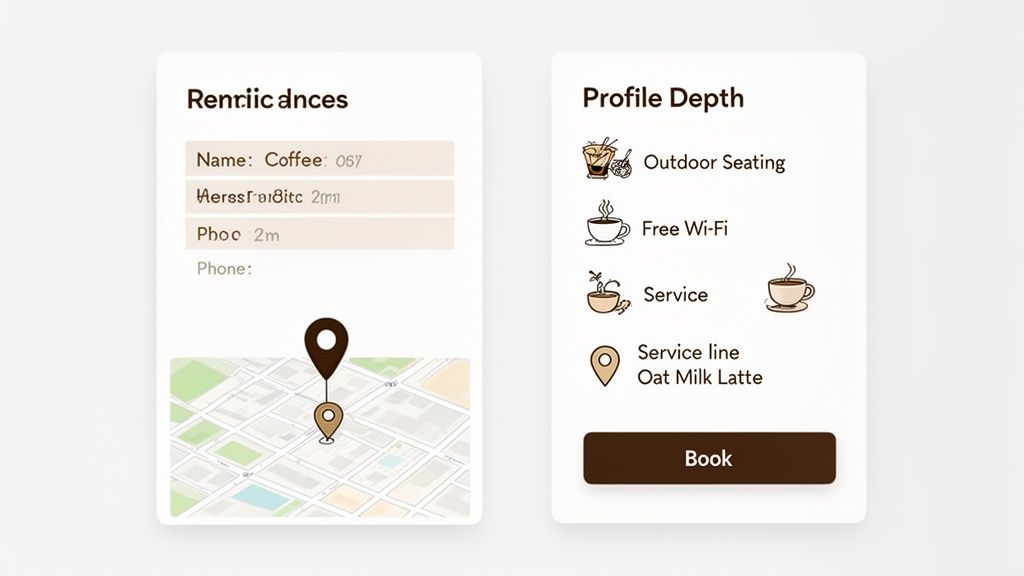
It’s no longer enough to just claim your Google Business Profile (GBP) and hope for the best, especially in the UK’s crowded local market. Sure, getting your name, address, and phone number right is the absolute bare minimum, but that's just table stakes. Real success on Google Maps now comes from what we call 'profile depth'—fleshing out your listing with granular details that prove your authority and relevance to Google.
Think about two competing coffee shops in Manchester. One has its basic hours and a phone number listed. The other has gone further, adding attributes like 'Outdoor Seating' and 'Free Wi-Fi', listing 'Oat Milk Lattes' under its specific products, and even has a booking link for its weekend coffee-tasting events. The second profile isn’t just providing information; it's actively capturing customers with high intent and driving them through the door.
Signalling Trust and Relevance to Google
Every single piece of information you add to your profile acts as a signal to Google. When you take the time to add detailed services, specific business attributes, and a library of high-quality photos, you’re essentially telling the algorithm exactly what your business is all about and who you serve. This helps Google match your business with more precise and valuable customer searches.
The impact is huge. Here in the UK, a fully optimised Google Business Profile can give you a massive boost. Businesses that take this seriously can see up to 70% more views in Google Maps. What's more, a well-managed profile will rank in the top 3 local results for relevant searches 84% of the time. That's a direct line to more footfall for your shop or more calls for your service.
A complete profile is more than a digital business card; it’s an interactive storefront. By providing answers to questions customers haven't even asked yet (like "do they have wheelchair access?"), you remove friction and build trust before they ever step through your door.
From Basic Information to a Conversion Tool
Let's look at the difference between what most businesses do and what a properly optimised profile looks like. It’s all about shifting from being a passive source of information to an active tool for engagement. To do that, you first need to understand the true potential of your Google Business Profile.
Most businesses stop at the basics, but the real value lies in the advanced details that cater directly to customer needs and search behaviour.
Basic vs Advanced Profile Optimisation
| Feature | Basic Profile (What Most Businesses Do) | Advanced Profile (What You Should Do) |
|---|---|---|
| Services | Lists a few general services (e.g., "Plumbing"). | Details every specific service with descriptions and prices (e.g., "Emergency Boiler Repair," "Leaky Tap Fix," "Gas Safety Certificate"). |
| Attributes | Adds only the most obvious attributes (e.g., "Wi-Fi"). | Selects all relevant attributes, including identity-based ones like 'Women-Led' and accessibility features like 'Step-Free Entrance'. |
| Photos | Uploads a logo and a storefront picture once. | Maintains a fresh, geotagged library of photos showing the team, work in progress, and the customer experience. |
| Bookings | No booking integration, forcing users to call or visit a separate website. | Integrates a direct booking button, allowing customers to schedule appointments or make reservations right from the Maps listing. |
The gap between a basic and an advanced profile is where you’ll find your competitive edge.
This guide will take you far beyond the simple checklists. We’re focusing on the advanced strategies that turn your profile into a customer-generating machine. To really get ahead, it helps to see how these principles apply across different sectors; for example, you can master local SEO for real estate agents and adapt those specialised tactics to your own industry. We'll start by diving into the features that most businesses completely miss.
Using Attributes and Services to Capture Niche Searches
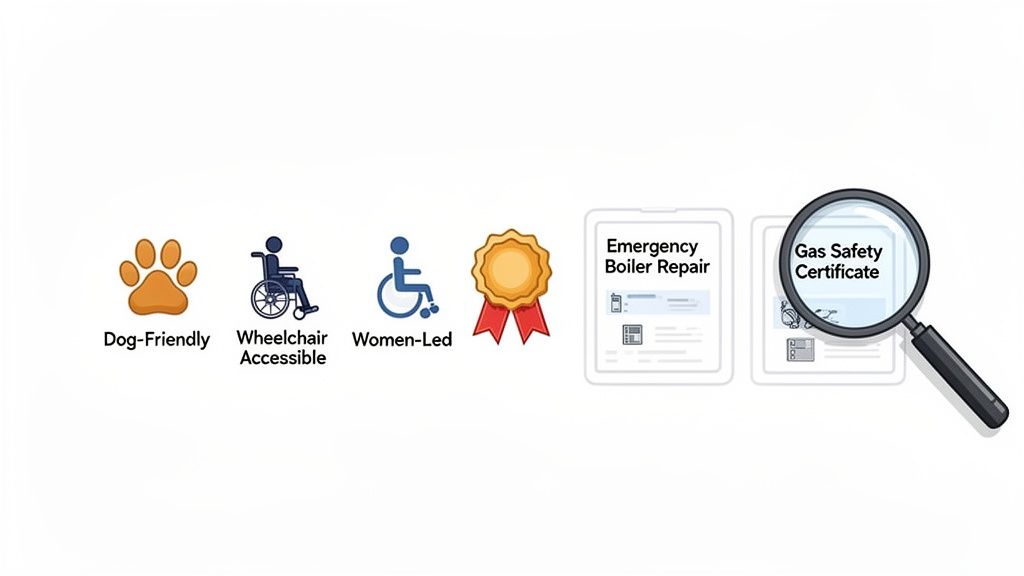
While your primary and secondary categories get you in the game, it’s the Attributes and Services sections where you really start to win. Think of these as powerful filters that connect you with customers who aren't just browsing—they're looking for something specific, and they're often ready to buy.
This is where you dominate the smaller, local search battles that add up to real growth. For example, a pub in Brighton that ticks the 'Dog-Friendly' attribute box is suddenly front and centre for anyone searching "dog friendly pubs near me." It’s a perfect example of effective Google Maps optimisation that costs nothing but a few minutes of your time.
Conduct a Deep Audit of Your Business Attributes
Attributes are the predefined tags you can add to your profile, covering everything from practical features to what your business stands for. Most business owners add one or two and call it a day, but a proper, deep audit can uncover dozens of relevant tags that make you stand out.
Don't just glance at the list. Go through every single option Google offers and seriously ask if it applies, even in a small way.
- Accessibility: Do you have a 'Wheelchair accessible entrance', 'Step-free access', or 'Accessible parking'? These aren’t just nice-to-haves; for many customers, they’re deal-breakers.
- Amenities: Go beyond the obvious 'Wi-Fi'. What about 'Outdoor seating', 'Toilets', or being a good spot for 'Working on a laptop'?
- Identity: Google now includes important attributes like 'Identifies as women-led' or 'LGBTQ+ friendly'. These build community and attract customers who actively want to support businesses that reflect their values.
- Offerings: For a café, this could be 'Serves breakfast', 'Happy-hour drinks', or 'Vegetarian options'. For a shop, it might be 'In-store collection'.
A thorough attribute selection does more than just inform; it qualifies your business for highly specific, filtered searches. Every attribute you add is another potential doorway for a customer to find you instead of a competitor.
Think of it this way: a customer searching for a "women-led coffee shop in Bristol" isn't just window shopping. They have a clear goal. If you've selected that attribute, you're one of a tiny handful of businesses that will even show up in their results. This is precision targeting, and it's incredibly powerful.
Build Out Your Services as a Mini-Catalogue
If attributes are the quick-reference tags, your Services tab is the detailed catalogue of what you actually do. For any service-based business, this is probably one of the most neglected tools for Google Maps optimisation.
Just listing "Plumber" is a huge missed opportunity. You have to get inside your customer's head. What specific problems are they searching for a solution to right now?
A plumber in Bristol doesn't just offer "plumbing." They provide specific solutions to urgent problems. Building out your Services tab means listing each one individually, often with a clear description and even a starting price.
Take this example for a plumber:
- Emergency Boiler Repair: Add a description like, "24/7 call-out for boiler breakdowns. We aim to be with you within 60 minutes."
- Landlord Gas Safety Certificates (CP12): Detail what the service includes. This makes you hyper-relevant for landlords searching for this exact legal requirement.
- Leaky Tap and Pipe Fixes: This directly targets a very common, urgent search query.
- New Bathroom Installation: This helps you capture customers with a much larger, higher-value project in mind.
Each of these detailed services essentially becomes its own little landing page right within your Google Business Profile. It makes your listing incredibly relevant for long-tail searches (those longer, more specific questions people type into Google) and frames you as a specialist, not just a generalist.
Of course, while defining services is crucial, it’s all built on a solid foundation. Make sure you have the basics right first by checking out our guide on Google Business Profile categories.
By meticulously detailing every service you offer and every attribute that applies to you, you’re feeding Google’s algorithm a rich diet of keywords and context. This is how you prove your authority in your field and local area, leading to better visibility, more qualified leads, and ultimately, a stronger business.
Building a Strategic Photo and Video Plan
Great photos and videos are no longer a bonus for your Google Business Profile; they're a non-negotiable part of winning on Google Maps. Think about it from a customer’s point of view. They’re looking for social proof, and your gallery is the first place they go. It's your chance to tell a visual story that makes them choose you over the competition.
What works is a library of images that shows your business is active, professional, and trustworthy. Long gone are the days when a single, grainy photo of your shopfront would cut it. Today's customers want to see everything before they even think about picking up the phone.
Crafting Your Essential Photo Library
A solid photo collection should be a cornerstone of your Google Maps optimisation efforts. You need to cover a few key bases to really make an impact.
First, get the absolute must-haves sorted:
- A Professional Cover Photo: This is your hero shot, the first thing people see. It needs to be a high-quality image that instantly captures the vibe of your business. Think of a perfectly plated dish from your restaurant, the welcoming reception of your dental clinic, or your team hard at work in the workshop.
- A High-Resolution Logo: This is all about brand recognition. Your logo pops up everywhere on Google, so make sure the file is crisp, clear, and easy to recognise, even when it’s shrunk down to a tiny thumbnail.
With those fundamentals in place, you can start building out a gallery that feels authentic and builds genuine trust.
Every photo you upload is a chance to answer a customer's unasked questions. A picture of a wheelchair ramp answers an accessibility question. A shot of a packed café on a Tuesday morning answers, "Is this place popular?". Your visuals sell the experience long before a customer walks through the door.
For a deeper dive into the technical specs and creative ideas, check out our detailed guide on optimising your Google Business Profile photos.
Showing Authenticity and Building Trust
Beyond the polished corporate shots, the real magic happens when you humanise your brand. This is what truly connects with local customers and makes you memorable.
- 'At Work' Shots: Show your team doing what they do best. A chef meticulously preparing a meal, a mechanic diagnosing an engine, or a designer sketching out plans—these behind-the-scenes moments tell a powerful story about your expertise.
- Team Photos: People buy from people. A relaxed, professional photo of your team makes you instantly more approachable and less like a faceless corporation. It breaks down barriers.
- Interior and Exterior Shots: Give people a virtual tour. Capture your space from different angles, at various times of day. Let them get a real feel for the atmosphere before they even set foot inside.
Here's a crucial tip I always give my clients: consistently upload fresh images. Aim for a few new photos every month. This steady stream of activity signals to Google that your profile is active and up-to-date, which can give your visibility a nice boost.
The Growing Impact of Video Content
While photos are the foundation, video is how you can really pull ahead of the pack. Competitors with static, boring listings just can't compete with a dynamic, engaging video. It makes your profile come alive.
You don't need a Hollywood budget, either. We're talking about short, effective clips that have a huge impact. The trick is to keep them brief, authentic, and focused.
Think about creating simple but powerful videos like these:
- A 30-second tour of your workshop or clinic, showing off the clean, professional space.
- A quick 'meet the owner' clip where you briefly share your passion for the business.
- A short demonstration of a product in action or a time-lapse of a service being performed.
These clips offer a much richer, more immersive experience than photos can alone. They grab attention, show off your personality, and are often the final piece of the puzzle that convinces a customer to choose you. This is one area of Google Maps optimisation that so many businesses overlook, giving you a clear path to stand out.
Integrating Bookings and Messaging to Drive Conversions
A perfectly optimised profile is more than just a digital signpost; it should be actively bringing in business. While your photos and details might catch someone's eye, the real goal of Google Maps optimisation is to make it incredibly easy for them to become a customer. This is where you turn casual interest into tangible results.
By adding a booking system directly to your Google Business Profile, you remove all the usual roadblocks, letting customers book an appointment or make a reservation right when they're most interested. At the same time, switching on Google's Messaging feature opens a direct line of communication, turning your profile into a powerful sales and support tool.
Turn Your Profile Into a Booking Engine
Put yourself in your customer's shoes. They've found your profile, they like what they see, and they're ready to commit. If their only choice is to leave Google Maps, hunt for your website, find the right page, and then fill out a form, you're giving them multiple chances to get distracted or, worse, check out a competitor.
When you connect a booking partner to your profile, you get a big, blue "Book" or "Reserve" button that customers can't miss. This instantly changes your listing from a passive source of information into an active tool for generating leads. A customer can go from discovering your business to having a confirmed appointment in just a few seconds, all without ever leaving the Google Maps interface.
When a customer is motivated enough to look you up on Google Maps, their intent to buy is at its absolute peak. Placing a booking button directly in their path is the single most effective way to capture that lead before it vanishes.
Picking the right software partner is crucial. Google works with a whole host of approved scheduling providers that are built for different types of businesses.
- For Restaurants: Look for partners that handle table reservations, like OpenTable or TheFork.
- For Salons and Spas: Systems such as Fresha or Treatwell are perfect for managing appointment slots.
- For Service-Based Businesses: Platforms designed for booking consultations or service calls will be your best bet.
Getting this set up is surprisingly simple. Just head to the "Bookings" tab in your Google Business Profile dashboard. Google will often suggest compatible partners, or you can sign up with one you like and then link your account. The result is a smooth, one-click experience that's proven to boost conversion rates.
Mastering Google's Messaging Feature
Along with bookings, Google’s Messaging feature is another fantastic tool that far too many businesses overlook. Once you enable it, a "Chat" button appears on your profile, inviting customers to send you a message directly. This isn't just for general questions; it's a real-time sales and customer service channel.
The secret to making this work is speed. Google actually tracks your average response time and can even show it on your profile, which heavily influences whether a customer decides to get in touch. A slow response doesn't just create a bad impression; over time, it can even hurt your local search performance.
To stay on top of this, the first thing you should do is set up an automated welcome message. This immediately lets the customer know you've received their query and sets their expectations. Something as simple as, "Thanks for contacting [Your Business Name]! We've got your message and one of our team will reply within the hour," offers instant reassurance.
Of course, many valuable leads still come from good old-fashioned phone calls. To make sure no potential customer ever slips through the cracks, it's worth exploring tools like missed call text back software. This sort of technology can automatically follow up with callers you couldn't get to, saving leads that might otherwise be lost.
By pairing direct booking with a speedy messaging strategy, you create a seamless journey from discovery to conversion, turning profile views into real, measurable business.
Analysing Performance with Geo-Grid Rank Tracking
So, how do you actually prove your Google Maps optimisation efforts are paying off? It's easy to get distracted by big, flashy numbers like impressions and views, but let's be honest—those metrics don't pay the bills. The real measure of success comes down to actions that generate business: direction requests, phone calls, and clicks through to your website.
This is where we need to get a bit more sophisticated in our analysis. Forget traditional rank tracking for a moment and let’s talk about geo-grids. This method gives you a visual, real-world picture of your local search performance that standard tools just can't provide. It’s the key to moving from guesswork to a truly informed strategy.
Moving Beyond Standard Rank Tracking
Traditional rank tracking tools give you a single data point. They might tell you you’re ranking #3 for “emergency plumber in Liverpool,” but that’s based on a search from one generic location. This is a fundamentally flawed way to measure local performance. Why? Because local search results are hyper-localised; they change dramatically based on where the searcher is standing.
You could be the top result for someone searching on your own doorstep, but completely invisible to a potential customer just five streets over. This is the critical blind spot most businesses have, and it’s usually where your biggest opportunities are hiding.
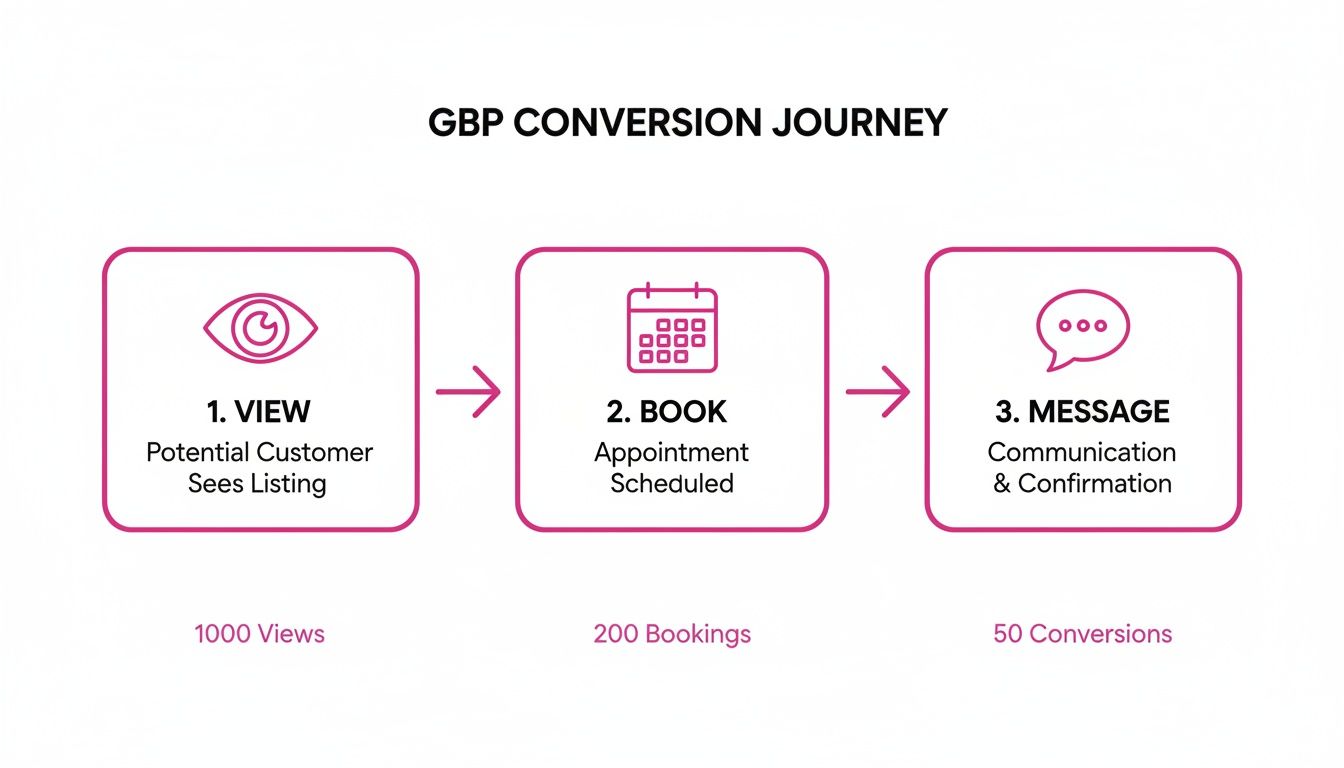
The journey from a profile view to a paying customer has several steps. Optimising for direct actions, like enabling messaging or bookings, dramatically increases your chances of converting that viewer.
What Is a Geo-Grid and How Does It Work?
A geo-grid map brilliantly solves this hyper-local problem. Think of it as placing a virtual grid over your service area. The software then performs a search for your target keyword—say, "best fish and chips in Brighton"—from the centre of every single square on that grid.
What you get back is a colour-coded map that gives you an instant, at-a-glance understanding of your search visibility across your entire patch.
- Green points show where you’re dominating the top spots (ranks 1-3).
- Yellow and orange points mean you're on the first page but have work to do.
- Red points are your 'ranking dead zones'—areas where you are effectively invisible to potential customers searching right now.
This level of detail is a game-changer. All of a sudden, you can pinpoint the exact pockets of your own city where competitors are stealing your lunch. I’ve seen this countless times with multi-location UK businesses; geo-grid data helps them spot and fix ranking issues centrally, often revealing that something as simple as inconsistent opening hours is costing them visibility.
Industry data supports this, showing that geo-grid tracking helped uncover major growth opportunities in 82% of local businesses studied, boosting their visibility for key terms by an average of 36%.
Turning Geo-Grid Insights Into Action
Once you’ve identified these ranking dead zones, the guesswork stops. Your Google Maps optimisation becomes a focused, data-driven exercise.
Let's say you spot a red zone in a particular neighbourhood. Instead of trying random tactics, you can take precise, targeted action to improve your relevance right there:
- Create location-specific content: Write a Google Post or a short blog article about a job you recently completed in that specific area. For example, "New Boiler Installation in Liverpool's Mossley Hill Neighbourhood."
- Get reviews from that zone: The next time you serve a customer in that postcode, actively encourage them to leave a review and, if it feels natural, mention their general location.
- Run targeted local ads: Use Google Ads to specifically target that postcode. This gets you immediate top-of-map visibility while your organic SEO efforts kick in.
Geo-grid tracking transforms your local SEO from a broad, city-wide guess into a precise, street-by-street campaign. It empowers you to systematically find and fix your weaknesses until you own your entire service area.
By using these advanced analytics, you can finally demonstrate a tangible return on investment. You’re no longer just reporting on vanity metrics; you’re showing exactly how your strategy is expanding your digital footprint and winning customers in areas you were previously losing. To really get a handle on this, I'd recommend exploring a dedicated local rank tracking tool that provides these crucial visual insights.
Your Advanced Optimisation Action Plan
Putting it all together, you can see that true success on Google Maps isn't just about ticking off the basic setup boxes. Where businesses really pull ahead is by diving deep into the details we've covered—comprehensive attributes, a robust photo strategy, and enabling direct bookings. This is how you build a profile that genuinely serves customers, which in turn signals real authority to Google.
This kind of advanced Google Maps optimisation is what transforms your profile from a simple listing into a powerful competitive advantage.
So, where do you go from here? The best first step is to take what you've learned and audit your own Google Business Profile. Look for those immediate opportunities and quick wins. If you want a more structured way to tackle this, our detailed local SEO checklist will walk you through everything, ensuring no stone is left unturned.
Think of it this way: your goal is to make your profile the single most complete and helpful resource for anyone searching for what you do. When you nail that, both customers and Google's algorithm will reward you.
Ready to put this on autopilot and truly dominate your local map results? Dive into our comprehensive Maps Domination pillar page to see how the right tools can give you a serious edge over the competition.
Frequently Asked Questions
As you start to get more strategic with your Google Maps optimisation, you're bound to have some questions. It’s completely normal. Let’s tackle a few of the most common ones we hear from business owners just like you.
How Often Should I Update My Profile Content?
Think of your profile attributes as a digital snapshot of your business. I'd recommend giving them a quick review every quarter, or any time you make a change to your services or operations. It keeps everything perfectly accurate for your customers.
When it comes to photos, a little and often is the name of the game. We've seen great results from adding at least 3-5 new, high-quality photos each month. This consistent activity shows Google your profile is active and cared for, which is a powerful signal for both the algorithm and the real people looking you up.
Do More Products and Services Actually Improve Rankings?
Yes, but it's not quite as direct as you might think. Adding a comprehensive list of your products and services won’t give you an instant ranking boost like, say, a flood of new 5-star reviews might. The real magic is in how it helps you show up for very specific, long-tail searches.
For instance, someone isn't just searching for a "plumber". They're searching for an "emergency plumber for burst pipes in Leeds". A detailed service list helps Google connect the dots and realise you're the perfect match for that query. This puts you in front of highly qualified customers who are ready to take action.
What Is the Real ROI on Integrating a Booking System?
The return on investment (ROI) here is twofold: you get more direct bookings and you make life easier for your customers. By letting someone book an appointment right from your Google Business Profile, you capture them at their highest point of intent. You’re removing friction and drastically reducing the chances they'll click away to check out a competitor. Most booking software lets you track where your bookings come from, giving you a clear, measurable return from Google.
But the value doesn't stop there. UK statistics show that great Google Maps optimisation, especially managing your reviews well, can lift customer engagement by up to 50%. For businesses like law firms or healthcare clinics, simply replying to reviews consistently can increase conversion rates by 29%. That’s because a staggering 88% of UK consumers now trust online reviews as much as a personal recommendation. You can explore more on how reviews impact local SEO at rankwithsiam.com.
Ready to manage your online reputation without all the hassle? With LocalHQ, you can use an AI-powered Review Autoresponder to craft on-brand replies in real-time, boosting trust and saving you hours every week.