The Google Maps Visibility Audit: 23 Checks That Reveal Hidden Opportunities
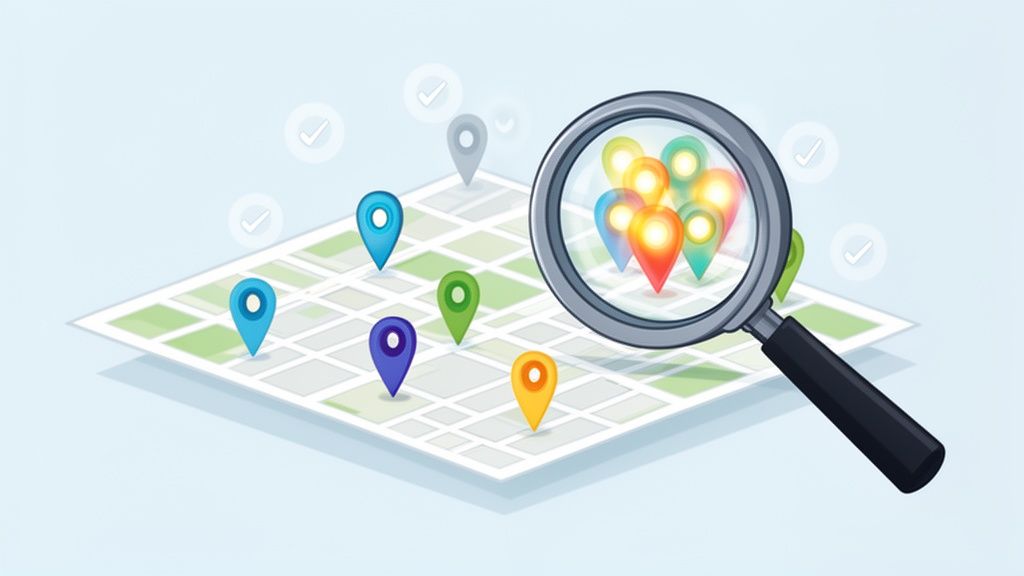
Is your business playing a frustrating game of hide-and-seek on Google Maps? It’s a common problem. You know customers are out there searching, but your locations are nowhere to be found. Getting your business to show up isn't about some secret trick; it's about systematically showing Google that you're the most prominent, relevant, and trustworthy answer for what people are looking for nearby.
This means dialling in every signal you send, from the details in your profile to how you handle customer reviews, all to climb those local rankings.
Diagnosing Your Google Maps Visibility Problem
If you've ever searched for something like "plumber near me" and been baffled when your own company doesn't appear, you're not alone. So many businesses are practically invisible to customers who are ready to spend money. The culprit usually isn't one huge mistake, but rather a death-by-a-thousand-cuts scenario—a collection of small, overlooked issues that are quietly tanking your local authority.
The goal here is to move past the frustration and build a clear, actionable plan. We're going to dig into the specific diagnostic checks that reveal the real reasons you’re being suppressed in local search results.
Why You Need to Act Now
In the UK, Google Maps is the de facto local business directory. Local searches pull up a map pack 46% of the time, putting you front and centre. The real kicker? A massive 76% of people who search for something nearby on their phone will visit a related business within 24 hours. And to top it off, 28% of those searches lead directly to a purchase.
Those numbers prove that being visible on Maps isn't just a nice-to-have. It's how you capture foot traffic from customers who have their wallets out. Before you start any advanced strategies, it's critical to check for the most common visibility killers.
Here is a quick diagnostic table to help you spot the most frequent and damaging issues I see with business profiles.
Quick Diagnostic: Your Top 5 Visibility Killers
| Issue | Impact Level | Quick Fix Hint |
|---|---|---|
| Wrong Primary Category | High | Does your category match what a customer would type into Google? Be specific. "Plumber" is better than "Home Services". |
| Inconsistent NAP | High | Your Name, Address, and Phone number must be identical everywhere online, from your website to local directories. |
| No Recent Reviews | Medium | A lack of fresh reviews (or not responding to them) signals to Google that your business might be inactive or irrelevant. |
| Missing Service Areas | Medium | For service-area businesses, not defining your specific postcodes or towns means you won't show up for "near me" searches there. |
| Incomplete Profile | Medium | A profile missing photos, services, or attributes looks untrustworthy. Fill out 100% of your Google Business Profile. |
These seemingly small mistakes can have an outsized impact on your ranking. Getting them sorted is your first priority.
The root of most visibility problems is a disconnect. It’s the gap between how you describe your business and how customers actually search for it. Google rewards clarity and consistency above all.
To get a true picture, you need to understand your performance data. You can learn more about what the numbers mean by exploring our guide to https://localhq.io/google-business-profile-insights/.
And if you want to zoom out and see how this fits into your brand's total online footprint, this Share of Visibility Guide is a great resource. By pinpointing these hidden issues, you can stop guessing and start making targeted fixes that deliver real results.
Building a Rock-Solid Profile Foundation
Alright, let's get into the nitty-gritty. The first place we need to look is the core foundation of your Google Business Profile (GBP). It’s astonishing how many businesses, big and small, get these fundamental details wrong. If this foundation is shaky, no amount of advanced strategy will make up for it later.
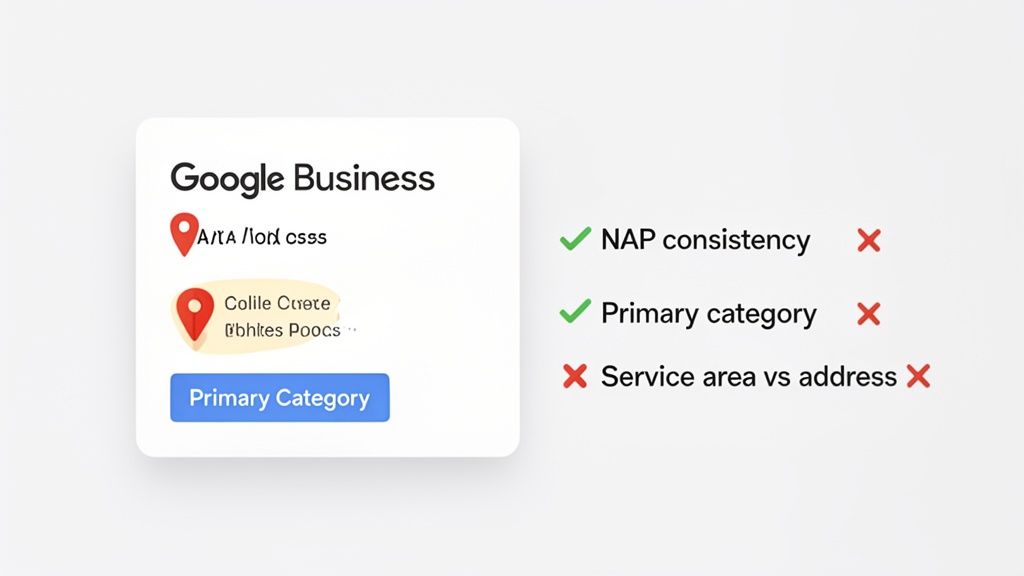
We're going to walk through the essential checks, from your business name and address right through to your category selection. The goal is to build a profile so solid and trustworthy that Google has no hesitation in recommending you.
Visibility on Google Maps in the UK isn't just a nice-to-have; for local services, it's about survival. While Maps might only account for 0.64% of total search usage, it has a massive impact with 86.94% homepage integration, fuelling 65% of SEO improvements after major updates. For key sectors like healthcare and retail, 50% of 18–34-year-olds use Maps to discover new brands, and 46% begin their product searches there.
Nailing Your NAP Consistency
Your Name, Address, and Phone number (NAP) are the three pillars of your local digital identity. When this information doesn't match up across the web, it creates confusion for Google's algorithm. For instance, if your profile lists "Plumb-Rite Ltd" but your Yell page says "PlumbRite," that tiny difference introduces doubt.
Getting this right is straightforward but absolutely critical:
- First, decide on one official version of your name, address, and phone number. This is your single source of truth.
- Next, scrutinise your GBP, your website footer, and top-tier directories (like Thomson Local) to ensure they all match exactly.
- Finally, hunt down and correct any discrepancies. Consistency builds trust, and trust is a massive currency in local search rankings.
Think of your NAP as your business's digital fingerprint. If you have multiple, slightly different fingerprints scattered online, Google can't be sure which one is the real you. A single, consistent fingerprint makes you instantly identifiable and trustworthy.
Choosing Your Categories Strategically
Your primary category is arguably the single most important ranking factor on your entire Google Business Profile. It’s your chance to tell Google precisely what your business is. Choosing the wrong one is like putting your artisan bakery in the "Supermarket" aisle—you'll get completely lost.
- Primary Category: This has to be the best possible description of your main business. Be specific. "Family Law Solicitor" is leagues better than the generic "Legal Services."
- Secondary Categories: Use these to hoover up other relevant services you offer. A pub that serves great food should have "Pub" as its primary category but add "Restaurant," "Gastropub," or "Sunday Lunch Restaurant" as secondary options to capture those searches.
Don't just guess. A great pro tip is to look at the top-ranking competitors for your most valuable keywords. What primary category are they using? That's often your biggest clue as to what Google’s algorithm wants to see. A crucial part of improving your Google Maps visibility is ensuring you have a rock-solid profile foundation, which you can build by following a comprehensive Google Business Profile optimization checklist.
Defining Your Business Location and Service Area
How you set up your location details tells Google who you're trying to reach. This is a common stumbling block that can severely limit your visibility if you get it wrong. You have to choose one of two paths:
- Physical Address (Storefront): This is for businesses where customers come to you—think cafés, retail shops, or dental surgeries. Your address is made public, and Google uses it to rank you for "near me" searches from people in your immediate vicinity.
- Service Area Business (SAB): This is for businesses that travel to their customers, like plumbers, electricians, or mobile dog groomers. With this setup, you hide your physical address (especially if it’s a home address) and instead define your service area by listing the postcodes, towns, or counties you cover.
Getting this right is non-negotiable. If you're a service-area business but list a physical address that customers can't actually visit, you're not just breaking Google's guidelines—you're creating a confusing and frustrating experience for potential customers, which ultimately damages your local authority. This all starts with gaining full control over your profile; you can find out more about this first step in our guide on https://localhq.io/google-business-profile-verification/.
Auditing Content and Customer Engagement Signals
Having a complete Google Business Profile is just table stakes. If you really want to move the needle on your local rankings, you need to look beyond the static information and focus on what brings your profile to life. This is where we audit the dynamic content that tells Google your business is active, relevant, and a genuine part of the local community.
We're going to dive into your Google Posts, your library of photos and videos, and the surprisingly powerful Questions & Answers feature.
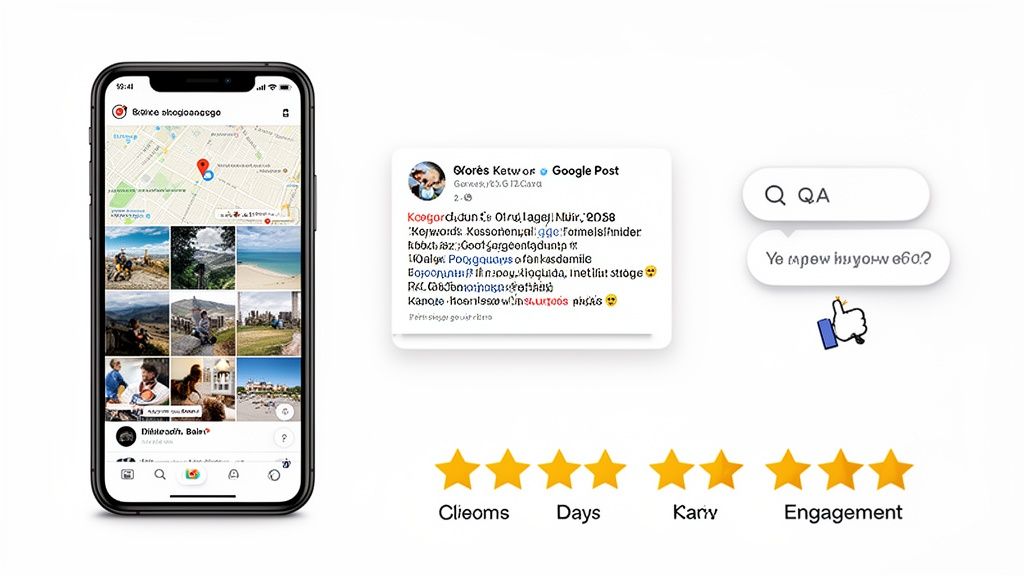
Think of these as fresh, topical signals that Google's algorithm absolutely loves. By consistently adding new content and interacting with your customers, you're actively proving your value day in and day out.
Auditing Your Google Posts Strategy
Google Posts are essentially mini-adverts or updates that show up right on your Business Profile. They are a brilliant way to flag up special offers, announce events, or highlight a particular service. One of the biggest mistakes I see is businesses posting randomly or, even worse, not at all. It's a massive missed opportunity, as a steady stream of posts is a strong signal of an active, healthy business.
When you're auditing your Posts, ask yourself:
- Posting Frequency: Are you posting at least once a week? A profile that's gone quiet sends all the wrong signals to Google.
- Keyword Relevance: Do your posts talk about what your customers are actually looking for? A post mentioning a "local emergency plumber" will perform far better than a generic "we're here to help."
- Call-to-Action (CTA): Is every post guiding the user? Make sure you’re using the "Book," "Learn more," or "Call now" buttons to drive a specific action.
- Content Type: Are you mixing it up? Cycling between 'Offer', 'Update', and 'Event' post types keeps your profile from feeling stale.
From my experience, businesses that commit to a regular posting schedule see a real, tangible improvement in both engagement and their rankings for local keywords. To get this right without it becoming a chore, our guide on crafting effective Google Business Profile Posts is a great place to build a content plan that actually works.
Conducting a Visual Audit of Photos and Videos
Photos and videos are so much more than just window dressing for your profile. They are serious conversion tools. High-quality visuals build trust and give potential customers a real sense of what it’s like to walk through your door. Auditing your visual content is non-negotiable.
Start with these questions:
- Quality vs. Quantity: Have you got at least 10-15 high-resolution, well-lit photos? A handful of blurry phone snaps can do more harm than good.
- Content Variety: Does your gallery show the full picture? You should aim for a healthy mix of exterior shots, interior views, your team at work, and your products or finished jobs.
- Freshness: When did you last add new photos? Try to upload fresh images at least once a month to show Google you’re still active.
- Geotagging: Are your images geotagged with your location’s coordinates? This is another simple but effective location signal you can send to Google.
A strong visual library acts as a virtual tour of your business. It answers questions customers might have before they even think to ask, building confidence and encouraging them to take the next step.
UK businesses that overlook Google Maps visibility are leaving a fortune on the table. A staggering 67% of smartphone users in the UK prefer Google Maps for navigation, and the top organic result captures an incredible 43.32% click-through rate. Compare that to the mere 3.17% for paid ads, and the value of organic local SEO becomes crystal clear. With 54% of UK smartphone users accessing Maps weekly in 2021, a figure set to grow, optimising your profile is indispensable. You can explore more about these trends and their impact by reviewing Google Maps usage statistics.
Seeding and Managing Your Q&A Section
The "Questions & Answers" feature is hands down one of the most underused tools for getting ahead on Google Maps. It allows anyone to ask a question about your business, and just as importantly, anyone can answer it. This is both a massive opportunity and a huge risk if you just leave it to chance.
The best approach here is to be proactive. Don't just sit back and wait for questions to roll in; you need to pre-emptively seed your own Q&A section.
Here’s how you do it:
- Identify Common Questions: First, get your team to brainstorm all the common questions you get asked. Think about parking, wheelchair access, payment methods, or specifics about a popular service.
- Ask the Question: Using a personal Google account (not your business account), go to your profile and post one of those questions.
- Answer as the Business: Now, switch back to your business login and provide a perfect, detailed, and keyword-conscious answer.
This tactic does a few things at once. It immediately positions you as a helpful authority, gives customers useful info 24/7, and lets you strategically place important keywords directly onto your profile. When you're auditing, check if this section is filled out, accurate, and actively managed. An empty or neglected Q&A is a clear sign of a disengaged business.
Strengthening Your Off-Profile Authority and Reputation
What happens on your Google Business Profile is only half the story. To really climb the local rankings, Google needs to see strong, consistent signals about your business from all across the web. This is what we call off-profile authority.
Think of it as your digital reputation. We’re moving beyond your profile to look at the two things that truly build Google’s trust in your brand: your customer reviews and your local citations. Nail these, and you're sending powerful signals that you’re a legitimate, respected local player. If they’re a mess, all that hard work you put into your profile can be seriously undermined.
Let's dig into how you can audit and improve both.
Auditing Your Review Profile and Strategy
Reviews are the lifeblood of local search. They provide powerful social proof for potential customers, of course, but they're also one of the top-three ranking factors for Google's local algorithm. A healthy stream of positive reviews tells Google that your business is relevant, active, and trustworthy.
When you're auditing your reviews, you need to look beyond just the overall star rating. I always check these key areas:
- Review Velocity: Are you getting new reviews consistently? A steady trickle is what you want. If reviews suddenly dry up, it can look to Google like your business has fallen out of favour or even closed.
- Overall Rating: While a perfect 5.0 can look a bit suspicious, you should absolutely be aiming to keep your rating at 4.0 or higher. Drop below that, and you'll not only deter customers but also find it harder to compete in the coveted Map Pack.
- Keyword Mentions: This is SEO gold. Are customers naturally mentioning your services or location in their reviews? A comment like "the best flat white in Soho" directly reinforces your relevance for that search, in that specific area.
More important than any single metric, though, is your response strategy. In my experience, responding to every single review—the good, the bad, and the neutral—is non-negotiable. It proves to potential customers that you're listening and shows Google you’re an actively managed business.
Think of your review responses as a public conversation. When you thank a happy customer or professionally resolve a complaint from an unhappy one, you're not just talking to them. You are demonstrating your customer service values to every single person who reads that review in the future.
Review Response Strategy Blueprint
Simply firing off a generic "Thanks!" won't cut it. How you respond matters. A lazy reply can be almost as damaging as no reply at all. You want your responses to be personal, helpful, and even sprinkle in some local SEO keywords where it feels natural.
Here’s a quick blueprint showing what works and what doesn't.
| Review Type | Ineffective Response Example | Effective Response Example (Using Local SEO Principles) |
|---|---|---|
| Positive | "Thanks for the review." | "Thanks so much, Sarah! We're thrilled you enjoyed the emergency boiler repair in Clapham. Our team works hard to be the most reliable engineers in SW4, so this means a lot. We look forward to helping you again!" |
| Negative | "Sorry you had a bad experience. This isn't our usual standard." | "Hi Mark. We're very sorry to read that your Sunday roast didn't meet expectations. We pride ourselves on our food quality and would appreciate the chance to make it right. Please contact our manager, David, directly so we can understand what happened." |
| Neutral | (No response) | "Thank you for the feedback, Jane. We appreciate you taking the time to share your thoughts on the new menu layout. We're always looking for ways to improve the experience for our customers in Bristol and will pass this on to the team." |
By personalising each response, you turn a simple review into a powerful marketing asset.
Auditing Your Local Citation Consistency
Now for the second piece of the off-profile puzzle: your citation profile. Local citations are simply mentions of your business's Name, Address, and Phone number (NAP) on other websites. These pop up on online directories like Yell and Thomson Local, industry-specific sites, and local blogs.
Google acts like a detective, cross-referencing this information across the web to confirm your business details are accurate. When it finds discrepancies, it creates doubt. A tiny variation, like "Unit 5, The High Street" on your GBP versus "5 High St" on a major directory, can erode Google's confidence and hurt your ranking potential.
Your citation audit needs to be meticulous. You’re looking for three things:
- Consistency: Are your NAP details 100% identical across the web? I recommend using a simple spreadsheet to track your listings on major UK directories and flag any variations that need fixing.
- Completeness: You need to be listed where it counts. This means covering the big general directories as well as any important niche sites for your industry—for example, a solicitor should absolutely be listed on The Law Society's directory.
- Accuracy: Hunt down and eliminate any ghosts. Old addresses or disconnected phone numbers from a previous location can linger online for years, causing major confusion for Google.
This might sound tedious, but getting your citation profile clean and consistent is a foundational task that reinforces all your other SEO efforts. It’s a clear signal to Google that you are an established, legitimate business that deserves a top spot on the map.
Uncovering Technical Issues and Tracking Real Performance
Once you've sorted the basics of your profile, content, and reviews, it’s time to dig a little deeper. We need to tackle two things that often get overlooked: hidden technical problems that could be holding you back, and figuring out how to measure what actually matters for local search performance.
It’s surprisingly common for a profile to be hit with a ‘soft’ penalty or suspension that quietly strangles its visibility. But the real game-changer is moving beyond vanity metrics to track your true performance on the ground.
Identifying Potential Profile Suppressions
First, a quick but crucial check. Is your profile actually live and in good standing with Google? Sometimes, Google will penalise or even suspend a profile for guideline violations, and the notification isn't always obvious. A suspended profile is the ultimate visibility killer—it completely removes you from Maps.
To check this, head into your Google Business Profile manager. Keep an eye out for any warnings or red-alert notifications at the top of your dashboard. Common triggers for these kinds of problems include:
- Keyword Stuffing: Cramming your business name with extra keywords (e.g., "Bob's Plumbing – Best Plumber in Manchester – Emergency Callouts").
- Incorrect Address: Using a P.O. Box or a virtual office address for a business that needs a genuine physical storefront.
- Misleading Categories: Choosing a business category that doesn’t truly represent what you do.
If you spot a warning, you need to act on it immediately. Fixing the violation and submitting a reinstatement request is your only way back to full visibility.
Moving Beyond Standard Analytics
The performance reports inside your Google Business Profile are a decent starting point. They show you things like total impressions, clicks for directions, and website visits. But they have one massive limitation: they don't tell you where you're ranking.
A business in South London might see a high number of impressions, but those could all be coming from users searching in a single postcode like SW4. This creates a huge blind spot; you have no idea how visible you are to potential customers searching just a few miles away in SE1 or SW11. For true Google Maps visibility, you have to measure your performance hyper-locally.
Standard analytics measure activity, but not visibility. They tell you how many people found you, but not how many people in key target areas never even saw you in the first place.
This is exactly where geo-grid rank tracking comes in. It’s a specialised way of measuring local SEO performance that completely changes the game.
Embracing Geo-Grid Rank Tracking
Imagine laying a grid over a map of your service area. A geo-grid rank tracker performs a search for your target keywords (like "MOT test centre") from the middle of each square on that grid. It then shows you precisely where you rank in each specific spot.
This gives you a powerful, visual map of your true Google Maps visibility. Instead of a single, misleading "average" rank, you get a detailed heatmap of your performance across the entire area.
Using a tool like LocalHQ’s rank tracker lets you:
- Visualise Your True Reach: See exactly which neighbourhoods and postcodes you are dominating and, more importantly, where you're invisible.
- Spot Competitor Weaknesses: Pinpoint specific areas where your main competitors are ranking poorly, revealing tactical opportunities for you to target.
- Measure Real Progress: Track how your rank changes across different locations over time as you put your optimisation plan into action.
- Prove ROI: Show tangible improvements in visibility in the areas that matter most to your business, connecting your efforts directly to potential revenue.
For any business that’s serious about local growth, this level of insight is non-negotiable. It helps you move from guesswork to a data-driven strategy. If you're keen to learn more about this approach, our comprehensive guide on tracking your Google rankings provides a deeper look into how these tools work. By tracking your real-world performance, you empower yourself to make smarter decisions and focus your resources where they will have the greatest impact on your bottom line.
Turning Your Google Maps Audit into an Action Plan
Right, you've done the hard work of auditing your profiles against all 23 checks. Now comes the important part: turning that data into a smart, prioritised plan. An audit that just sits in a spreadsheet is worthless. The goal is to move from simply knowing what's wrong to actively fixing it, starting with the changes that will give you the biggest bang for your buck.
For businesses with dozens or even hundreds of locations, trying to implement these fixes can feel like an impossible task. This is exactly where a central command centre, a dedicated platform, stops being a 'nice-to-have' and becomes absolutely essential for getting things done consistently and efficiently.
First, Tackle the Quick Wins
The best way to get moving is to focus on the easy wins first. Think of it as plugging the biggest leaks in the boat. These are often the foundational issues you uncovered during your audit that are putting a serious drag on your Google Maps visibility.
Instead of a random to-do list, I always recommend tackling tasks in a specific order:
Fix the Foundations: Start with your core profile details. Any inconsistencies in your Name, Address, and Phone number (NAP), a wrong primary category, or a poorly defined service area need to be corrected immediately. These are the bedrock of your local presence, and getting them right provides an instant lift.
Fill the Content Gaps: Next, get a rhythm going with your content. This means committing to regular Google Posts (at least once a week is a good starting point), consistently uploading new, geotagged photos, and getting ahead of customer questions by populating your Q&A section yourself.
Sharpen Your Reputation: Finally, put a system in place for your online reputation. This involves responding to every new review you receive. At the same time, you can begin the slower, more deliberate work of finding and fixing inconsistent business listings across the web.
The secret to turning your audit into real results isn't trying to do everything at once. It's about taking a measured, sequenced approach. By fixing the most critical problems first, you build momentum and start seeing measurable improvements right away.
How to Systemise Your Optimisation Work
If you're managing more than a handful of locations, a manual approach is just asking for mistakes, missed opportunities, and team burnout. Using a centralised dashboard is the only sane way to roll out changes consistently and see what’s actually working across all your business profiles.
This is the kind of workflow we use to monitor and improve local rankings. It’s a process that goes from spotting high-level problems to digging into the fine details.
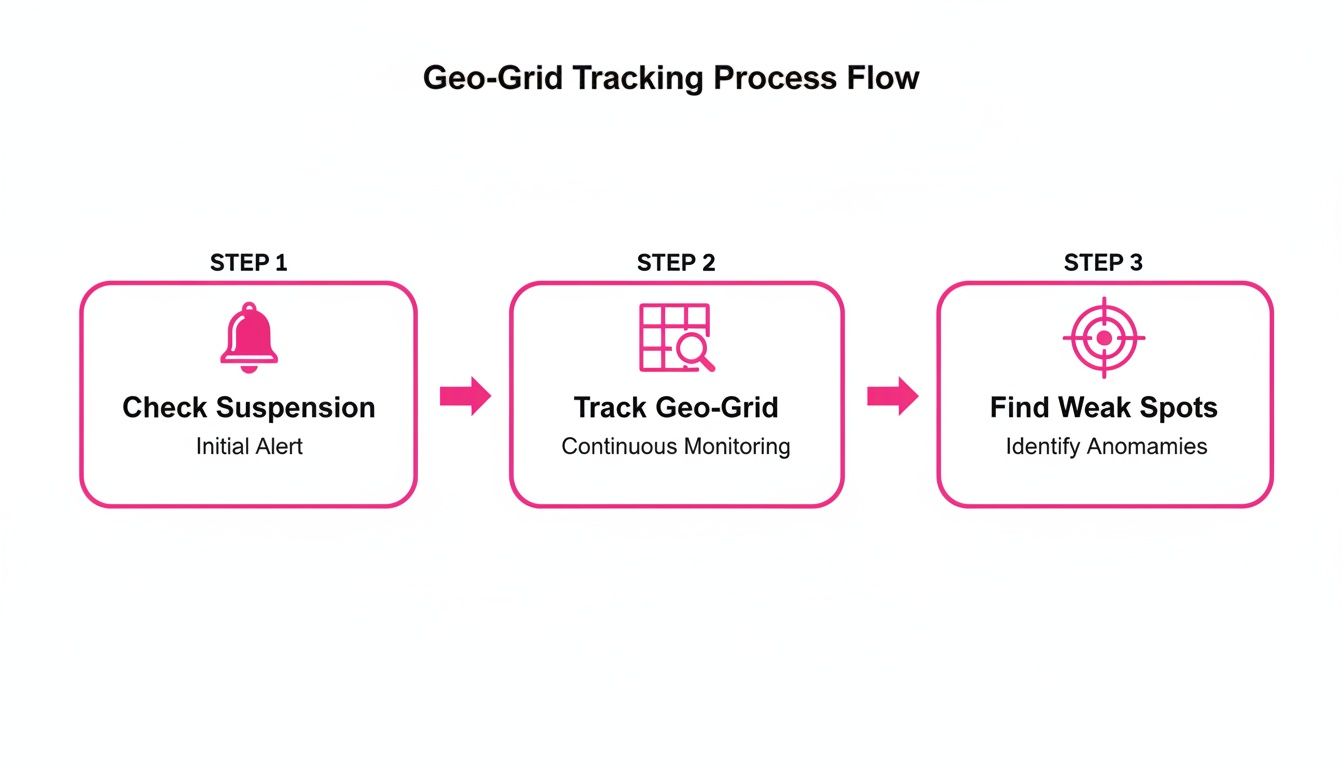
As you can see, the process starts by checking for big problems like profile suspensions, then uses geo-grid tracking to keep an eye on performance, and finally helps you identify specific weak spots that need attention.
This is where having the right tool changes the game. For example, by connecting all your profiles to a single hub, you can get smart suggestions from an AI Optimisation Wizard that compares your profiles to top competitors, pointing out better categories or keywords you might be missing.
Likewise, a Review Autoresponder can instantly acknowledge new customer feedback, ensuring no review is ignored while you craft a more personal follow-up. Imagine scheduling all your posts, photos, and videos for every single location, months in advance, from one calendar. It turns a logistical headache into a simple, automated task.
By bringing these functions together, you shift from a reactive, fire-fighting mode to a proactive, organised strategy that builds lasting growth in your Google Maps visibility.
Ready to stop guessing and start seeing your true Google Maps visibility? The LocalHQ Geo-Grid Rank Tracker visualises your rankings across your entire service area, revealing exactly where you're winning and where competitors have the edge. Stop wondering if your SEO is working—see it for yourself. Discover your hidden opportunities and track your path to local domination.