How to Rank #1 in Google Maps Without Paying for Ads: The 2026 Playbook
Ranking high on Google Maps is a strategic game. It's all about proving your business is the best answer for a local searcher. At its heart, it comes down to three core principles: being the most relevant result, showing you're a prominent and trusted name, and being in close proximity to the searcher. Get these right, and you'll turn your Maps listing into a powerful customer acquisition engine.
Your Blueprint for Google Maps Dominance
Forget guesswork. Topping the Google Maps results is about executing a deliberate strategy. This playbook unpacks the real-world methods that top UK businesses use to secure those coveted Map Pack positions, driving a constant flow of local customers without spending a single pound on ads. We’re moving beyond theory and diving straight into what Google actually rewards.
Think of it as a three-part formula for success. You need to show Google that your business is:
- Relevant: You offer exactly what the user is looking for.
- Prominent: You are well-known, trusted, and respected in your local area.
- In Proximity: You are physically close to the person searching.
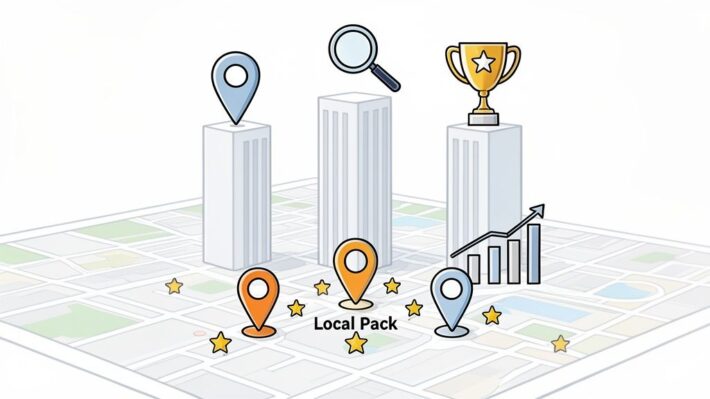
This simple diagram shows how Google weighs these three core pillars to determine your final ranking.

While proximity is a factor you can’t really change, relevance and prominence are entirely within your control. Your efforts in optimising your profile and building your local reputation directly influence how you perform against competitors—even those who are geographically closer to a searcher.
The Three Pillars of Maps Ranking
To win on Maps, you have to address each of these pillars. Mastering your Google Business Profile proves your relevance. Building a stellar reputation through reviews and citations establishes your prominence. And creating powerful local signals reinforces your authority across the board. For a deeper dive into boosting your local search visibility, it’s worth exploring how to improve local SEO for service businesses.
The key is to stop thinking about individual tactics and start building a complete system. Each optimised service, every new review, and all your local content work together. They send compounding signals to Google that your business is the number one choice.
Throughout this guide, we'll give you actionable insights to turn your Maps listing into a consistent source of new leads. If you're keen to get started with the fundamentals, our complete local SEO checklist is the perfect companion resource.
Nailing Relevance: Your Google Business Profile Is Everything
To rank well in Google Maps, Google needs to see you as the most relevant answer for a searcher's query. It's that simple. But proving that relevance? That comes down to how well you’ve optimised your Google Business Profile (GBP). Think of your profile not as a simple listing, but as your single most powerful tool for telling Google exactly what you do and who you serve.

Everything hinges on the first, and most important, choice you’ll make: your primary business category. This isn't just a small detail; it’s the bedrock of your entire local SEO strategy. Getting it wrong is like putting a crime thriller in the children's section of a library—the right people will never find you.
In the UK market, your primary category is the single biggest ranking factor for Maps visibility. In fact, GBP signals as a whole account for a massive 32% of local ranking factors. Your primary category alone determines your eligibility for up to 70% of relevant local searches. We've seen UK businesses that miscategorised themselves suffer a 45% nosedive in Map Pack appearances. On the flip side, we saw a London restaurant jump from position 12 to 2 for "best Italian near me" within a month, just by changing their primary category from the generic 'Fast Food Restaurant' to the specific 'Italian Restaurant'. It’s that powerful.
Choosing Your Categories with Pinpoint Accuracy
Your primary category has to be the most specific and accurate description of your core business. If you're a solicitor whose bread and butter is family law, your category must be 'Family Law Solicitor', not the vague 'Solicitor'. The broader term just throws you into a much bigger pond with far more competition.
Once you’ve locked that in, it’s time to think about secondary categories. These are your secret weapon for hoovering up more specific, long-tail searches.
- Primary Category Example: Imagine a pub in Manchester that's famous for its Sunday roasts. Their primary category should be 'Pub'.
- Secondary Categories: They’d then add 'Restaurant', 'Gastropub', and 'Bar'. This helps them appear for people searching for a meal or just a drink, not only those explicitly looking for a classic pub.
This layered approach casts a much wider, but still highly relevant, net. A great way to find the right categories is to simply spy on your local competitors who are already ranking well. Check their Maps listings—it’s all public information.
Fill Out Everything. No Blank Spaces.
An incomplete profile looks lazy, not just to potential customers but to Google as well. Every empty field is a missed opportunity to signal your relevance and build credibility.
This is where knowing your keywords is crucial. A practical guide to local SEO keywords can give you the right ammunition. You’ll want to weave these terms naturally throughout your profile, especially in your business description and the services you list.
Pro Tip: Your business description is prime real estate. Don't just list services; tell a story. Weave in local landmarks or the specific neighbourhoods you serve to double down on your local credentials (e.g., "Proudly serving the Leith community from our shop just off the walk for over 20 years…").
A completely filled-out profile signals to Google that you're an active, legitimate, and serious business. For a full walkthrough, our guide on complete Google Business Profile optimisation covers every last detail.
Core GBP Optimisation Checklist
To truly master relevance, you need to ensure every component of your profile is working hard for you. Here’s a quick checklist breaking down the most important fields and, crucially, why they matter for your ranking.
| GBP Feature | Optimisation Action | Why It's Critical for Ranking |
|---|---|---|
| Business Name | Use your real-world business name. Do not add keywords. | Google penalises keyword stuffing in names. Consistency builds trust. |
| Categories | Select the most specific primary category. Add relevant secondary ones. | This is the most important ranking factor for relevance. It dictates which searches you appear for. |
| Services/Products | List every individual service or product you offer with detailed descriptions. | Allows you to rank for specific service-related searches (e.g., "emergency boiler repair" not just "plumber"). |
| Attributes | Select all applicable attributes (e.g., 'Outdoor seating', 'Wheelchair-accessible'). | Helps you appear in filtered searches and answers specific user needs, improving user experience signals. |
| Photos & Videos | Add high-quality, geotagged images and videos regularly. | Fresh, authentic media boosts engagement and signals to Google that your business is active and legitimate. |
| Q&A Section | Proactively ask and answer common questions about your business. | This allows you to control the narrative and pre-emptively include valuable keywords and information. |
Getting these fundamentals right is non-negotiable. It's the foundation upon which the rest of your local SEO success will be built.
Building Prominence Through Reviews and Reputation
If getting your categories and keywords right gets you into the race, prominence is what helps you win it. In Google's eyes, prominence is simply how well-known and trusted your business is. And when it comes to Google Maps, nothing builds that authority faster than a steady stream of genuine customer reviews.

Think of reviews as votes of confidence. Every new piece of feedback tells Google that your business is active, engaging with real people, and worth recommending. It’s not about just bagging a few five-star ratings and calling it a day. It’s about creating a living, breathing record of your service quality that search engines can easily see and measure.
The Three Pillars of a Winning Review Strategy
To really build prominence, you need to focus on the three metrics Google cares about most: volume, velocity, and sentiment.
- Volume: The total number of reviews you have. More reviews make you look more established and popular.
- Velocity: The speed at which you get new reviews. A consistent flow shows you’re active and relevant right now.
- Sentiment: The overall quality of your reviews, which is reflected in your star rating and what customers are actually saying.
Getting a high volume of positive reviews is great, but it’s the velocity—that constant drumbeat of new feedback—that really tells Google your prominence isn't a thing of the past.
The data backs this up completely. In the UK, customer reviews are responsible for a whopping 20% of Google Maps ranking performance. UK businesses that push past the 50-review mark see their local pack positions jump by an average of 35%. It's even more critical in competitive fields like hospitality, where restaurants with a 4.5+ star rating getting new reviews weekly outrank their competitors by 52%. Google’s algorithm loves this "review velocity" because feedback from the last 30 days is a huge signal of trustworthiness.
How to Systematise Your Review Generation
Sitting back and waiting for reviews to trickle in is a recipe for falling behind. You need to be proactive and build a system for encouraging feedback. The secret is to ask at the right time, when the great experience is still fresh in the customer's mind.
A simple, personal request can work wonders. If you’re a service business, this might be right after you’ve finished the job. For a restaurant, it could be a follow-up email the next day. The less friction there is, the more likely customers are to follow through.
Pro Tip: Generate a direct review link from your Google Business Profile dashboard. This is a game-changer. You can share this link via email, SMS, or even pop it on a QR code on your receipts or business cards to make it dead simple for your customers.
For businesses looking to really scale their efforts, our in-depth guide explains how to get more Google reviews with some brilliant, easy-to-implement tactics.
Responding to Every Review: The Good, The Bad, and The SEO
Responding to your reviews is simply not optional anymore. It's one of the clearest signals you can send to both Google and potential customers that you’re an engaged, customer-focused business. Ignoring them makes it look like you don’t care.
Your replies are also a fantastic, often-missed, SEO opportunity. As you respond, you can naturally weave in your most important keywords and location terms.
- Positive Review Example: "Thanks so much for the fantastic feedback! We're so glad you enjoyed our deep-dish pizza here at our Bristol city centre restaurant. We look forward to seeing you again soon!"
- Negative Review Response: "We're very sorry to hear your experience with our emergency plumbing service in Bath didn't meet your expectations. We take this seriously and would appreciate the chance to make things right."
See how the service and location are seamlessly included? This reinforces your relevance for those search terms. It's a simple but powerful way to give your local SEO a boost. I saw this work for a Birmingham home services firm that used this exact strategy to get 120 reviews in six months. They shot up from page two into the Map Pack for 'emergency plumber near me' and saw a 40% increase in calls.
Yes, this process can feel time-consuming, but the return is huge. For businesses managing multiple locations or just a high volume of feedback, platforms like LocalHQ can automate this entirely. Our Review Autoresponder uses AI to draft personalised, on-brand, and keyword-rich replies in real-time, so you never miss a chance to engage. It turns what was a daily chore into a 24/7 reputation-building machine that directly improves how you rank in Google Maps.
Drive Real-World Engagement to Climb the Rankings
Think of your Google Business Profile (GBP) not as a static listing, but as a live-fire marketing tool. Just filling it out correctly is only the first step. To actually start climbing the ranks in Google Maps, you need to show Google that real people are actively engaging with your business.
This is where you prove your real-world prominence. An active, buzzing profile sends all the right signals to Google's algorithm, telling it you’re open for business and a popular choice in the community. It’s what separates the top-ranking profiles from the ones that just sit there.
Keep Your Profile Fresh and Active
An updated profile is an engaging profile. When potential customers see recent posts, timely offers, or helpful answers to their questions, they're far more likely to click, call, or visit. This is your chance to give them a reason to choose you.
A local restaurant could post its weekly specials. A plumber might run a seasonal discount on boiler servicing. A shop could announce a flash sale. All these activities create fresh content that encourages people to interact.
- Google Posts: This is your free billboard on Google. Use it to share company news, highlight a new product, or link to your latest blog post. It's prime real estate for grabbing attention.
- Offers: Got a promotion? Create an offer with a clear start and end date. The time-sensitive nature creates a bit of urgency and can directly drive customers to your door or website.
- Events: If you’re hosting a workshop, a webinar, or a special in-store event, get it listed. This puts it right in front of people searching for local activities.
- Q&A Section: Don't wait for customers to ask questions. Pre-populate this section yourself by asking and answering the most common queries you get. It's a fantastic, natural way to add helpful information and relevant keywords.
A profile that hasn't seen an update in months looks neglected—not just to Google, but to your customers too. If you need some inspiration, we have a whole playbook on creating compelling Google Business Profile posts.
Why Behavioural Signals Are Your Secret Weapon
Every single time someone interacts with your profile, it sends a positive signal to Google. We call these behavioural signals, and they are incredibly powerful for ranking higher in Google Maps. Clicks-to-call, website visits, and especially direction requests, are clear proof of genuine customer interest.
While they officially account for just 9% of UK Google Maps ranking factors, the impact of behavioural signals is massive. We've seen that high-engagement profiles can rank up to 40% higher than their less active competitors.
Direction requests are particularly golden. In the UK, a huge 65% of people using Maps request directions before they visit a business. Our own data shows that businesses managing a 15% click-through rate on their 'Get Directions' button consistently hold down top-three spots.
We saw this in action with a Manchester retail chain we tracked using LocalHQ’s geo-grid. After we helped them overhaul their photos and start posting regular updates, their direction requests shot up by 55%. This single change boosted their rankings for 'clothing store Manchester' from a mediocre position 8 all the way to position 1. This is the kind of direct engagement that proves prominence like nothing else. You can dig into the data behind this in this analysis of how profile engagement impacts local SEO in 2026.
Connect Your Website to Your Local Strategy
Engagement doesn't stop with your Google profile. Your website is the other half of the puzzle, and the two need to work together perfectly. Strong on-page local SEO reinforces all the signals you're sending from your GBP and cements your authority in a specific area.
The best way to do this is by creating dedicated location-specific pages on your site. For instance, if you're a plumber serving both Bristol and Bath, a single generic 'Services' page won't cut it. You need to get more specific with pages like:
- Emergency Plumber in Bristol
- Boiler Repair and Servicing in Bath
Each of these pages should have unique content tailored to that location. Talk about the neighbourhoods you work in, mention local landmarks, and even feature case studies or testimonials from customers in that specific city. This gives users clicking from Google a highly relevant landing page and proves to the search engine that you have a real presence there.
Finally, you need to tie it all together with local business schema. This is a small piece of code on your website's backend that acts like a digital name tag for your business. It explicitly tells search engines who you are, what you do, and where you are, leaving no room for confusion. When your schema markup perfectly matches your GBP information, you create an unbreakable link between your website and your Maps listing, amplifying all your other efforts.
How to Track Your Progress and Scale What Works
Let's be blunt: if you aren't measuring your local SEO efforts, you're just guessing. All the work you've put into optimising your profile is wasted unless you can see its real-world impact. This is how you close the loop, track what’s actually working, and scale your success.

Here's a common mistake I see all the time: a business owner Googles their main keyword from their office desk, sees they're number one, and thinks the job is done. This gives you a completely false sense of security. Your own search history and location heavily bias the results. You need to see what potential customers see.
This is where geo-grid rank tracking becomes your most honest friend.
See Your True Ranking Across Town
A geo-grid tool is simple in concept but powerful in practice. It places a grid of virtual search points all over your service area—whether that's a single neighbourhood or the entirety of Greater Manchester.
It then runs searches for your keywords (like "solicitors near me" or "emergency plumber") from each of those points. The result is a colour-coded map showing you precisely where you rank, street by street.
This visual report is incredibly actionable. It lets you:
- Pinpoint your weak spots: Instantly see the postcodes where competitors are dominating the map pack.
- Find hidden opportunities: You might discover you’re surprisingly strong in an area you hadn't focused on.
- Prove your ROI: Watch the grid turn from red to green after you’ve optimised for a specific area.
Think about it. If you’re a florist in Bristol, a geo-grid might reveal you’re top of the map in Clifton but totally invisible in Bedminster, just a short drive away. Now you know exactly where to aim your next local content push or citation campaign.
Digging into Your GBP Performance Data
While geo-grids show you where you rank, your Google Business Profile’s own ‘Performance’ dashboard (what used to be called Insights) tells you how real people are interacting with your listing.
Make a habit of checking these key metrics:
- How people discovered you: This breaks down searches into ‘Direct’ (they typed your name), ‘Discovery’ (they searched a category, like "italian restaurant"), and ‘Branded’ (they searched for a brand you sell). A high Discovery number means new customers are finding you.
- Engagement actions: This is the good stuff—the number of calls, website clicks, and requests for directions. A consistent rise here is the clearest sign your strategy is driving actual business.
Don't just give these charts a quick glance. Look for patterns. Did calls jump the week after you posted a new offer? Great, do more of that. Are direction requests flat? Maybe your photos aren't compelling enough to convince someone to visit.
Scaling Your Strategy for Multiple Locations
Managing one GBP can be time-consuming. Managing ten, or a hundred? It's a logistical nightmare. For agencies and multi-location brands, a centralised platform isn't a luxury; it's essential for anyone serious about how to rank in Google Maps at scale.
This is where a tool like LocalHQ changes the game by putting all your locations into a single dashboard. Instead of the chaos of logging in and out of different profiles, you can get things done efficiently.
Imagine being able to:
- Schedule Google Posts or new photos across all your branches in one go.
- Manage and respond to all reviews from one unified inbox.
- Compare geo-grid ranking reports for every single location side-by-side.
- Create one consolidated report showing call, click, and direction trends across the entire business.
This turns a messy, manual chore into a streamlined, repeatable system. It ensures your branding is consistent, saves an enormous amount of time, and gives you the data to lift the performance of your entire brand, not just one location at a time. For those wanting to truly understand their market position, our comprehensive guide on local rank tracking offers a deeper look into these powerful techniques.
Common Questions About Ranking on Google Maps
As you start putting these strategies into practice, you'll naturally have a few questions. I've heard them all over the years, so let's get ahead of the curve and tackle some of the most common ones I hear from business owners.
How Long Does This Actually Take?
This is always the first question, and the only honest answer is: it depends. Getting traction on Google Maps isn't an overnight fix; it's more like a long-term investment. While fixing a glaring error, like having the wrong primary category, might give you a quick boost in a few weeks, building real, lasting authority takes patience.
For a brand-new business profile or one that's been left dormant, you should budget for three to six months of consistent work to see significant, steady progress. That means consistently earning new reviews, keeping your Google Posts fresh, and building out all that great local content on your website. The results will come, but they build up over time as Google gathers more and more proof that you’re a major player in your area.
Can I Add Keywords to My Business Name?
Please don't. The straight answer is a firm no. You've probably seen competitors doing it—names like "Bristol Emergency Plumbers Ltd"—but this tactic is known as keyword stuffing, and it's a clear violation of Google's rules.
Your business name on your Google Business Profile must be your actual, registered business name. Trying to game the system by cramming in extra keywords might seem clever, but it’s a risky move that can get your profile suspended. It also just looks unprofessional and tells Google you're trying to cheat, which is the last thing you want. A much safer and more effective strategy is to focus on optimising every other part of your profile properly.
How Do Service-Area Businesses Rank Without an Address?
If you run a business without a physical shopfront—think mobile dog groomers, home-visit electricians, and the like—you can absolutely still dominate the map pack. The trick is to be very specific about where you operate within your Google Business Profile.
Instead of a single pin on the map, you’ll define your service area by listing the specific postcodes, towns, or counties you cover. This tells Google your exact turf. Since you don't have a physical address to give you that proximity boost, you have to really lean into the other two core ranking pillars.
Prominence and Relevance become your secret weapons. This means a stellar review profile, regular Google Posts, rich service descriptions, and hyper-local content on your website are no longer just 'nice to have'—they're essential. Google will always prefer a highly trusted and relevant service-area business over a mediocre competitor who just happens to have a physical address.
By clearly defining your territory and going all-in on building your reputation, you can compete and win.
Ready to put these insights into action? LocalHQ gives you the tools to dominate your local market. Stop guessing and start seeing real results with our AI-powered optimisation and geo-grid rank tracker. Discover how LocalHQ can boost your Maps visibility today.