Location Page SEO: Template and Best Practices That Rank
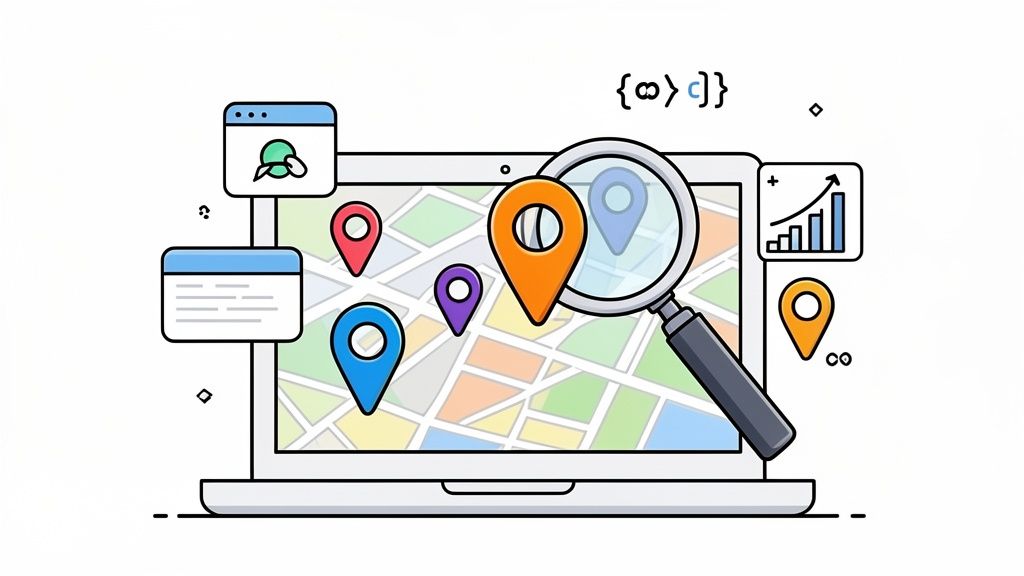
If you’re running a business with more than one physical branch, a single 'contact us' page just won't cut it. It’s a common mistake, but one that could be costing you a significant amount of local footfall and revenue. For any multi-location business in the UK—whether you’re a chain of cafés in London or a network of MOT centres across the Midlands—each individual location needs its own digital front door.
That’s where location page SEO comes into play. It’s the art of creating a dedicated, optimised webpage for every single one of your physical locations. Done right, these pages show Google you have a real-world presence in a specific community, turning "near me" searches into actual customers walking through your doors.
Why A Solid Location Page Strategy Is Essential for UK Businesses
Think about how people search today. They’re not just looking for "plumbers"; they’re searching for "emergency plumber in Bristol" or "dog-friendly pub in Manchester." They expect instant, hyper-relevant results for their immediate area. If your website only offers a generic list of addresses, you’re failing to meet that expectation and are almost certainly invisible in those crucial local searches.
Dedicated location pages are the foundation of any serious local SEO effort. They are your chance to prove your relevance to both potential customers and search engines.
Forging a True Connection with the Local Community
A great location page is much more than just an address and a phone number. It’s a dedicated hub for a specific branch, allowing you to speak directly to the local community you serve. Instead of broad corporate messaging, you can share information that matters to them.
This hyper-local focus sends a clear message to Google: your business is a genuine, established part of that neighbourhood. That's a massive factor in getting your business to show up in local search results and the all-important 'Map Pack'.
Don't underestimate the power of local intent. A huge 46% of all Google searches in the UK are for local information, and with the top local result scooping up 27.6% of all clicks, optimising these pages directly impacts your bottom line.
Moving Well Beyond the Basic Contact Us Page
Lumping all your branches onto one page creates a messy user experience and dilutes your SEO signals. A customer in Glasgow doesn't want to scroll past details for your Cardiff and London sites to find what they need. Optimised location pages, on the other hand, provide clear, distinct, and highly relevant information for each branch.
Here's a quick look at why they are so much more effective:
- Pinpoint Keyword Targeting: Each page can be optimised for specific local search terms (like "bike shop Clapham" or "hairdresser Soho") that are impossible to target effectively on a single, catch-all page.
- A Better Customer Experience: Visitors land on a page with the exact address, opening times, and contact details for the branch they're interested in. No fuss, no confusion.
- Supercharging Your Google Business Profile: Linking each location page to its corresponding Google Business Profile is a must. This creates a powerful, consistent signal of authority. You can learn more about this in our guide on what a Google Business Profile is.
- Building Local Credibility: You can feature reviews from local customers, add photos of your team at that specific branch, and even mention nearby landmarks in your directions. This makes your business feel like a trusted local fixture.
In short, a strong location page strategy is about proving your relevance at the most granular level. It tells both customers and search engines that for a particular need in a specific town or neighbourhood, you are the best possible answer.
The Anatomy of a Perfect Location Page
Alright, we’ve covered the theory. Now for the fun part: rolling up our sleeves and actually building a location page that works. Let's get practical and map out the exact elements you need to turn a standard webpage into a local ranking powerhouse.
Think of a great location page as a blend of crucial data, authentic local flavour, and signals that scream "trust us". Your job is to give a potential customer everything they could possibly need, while also proving to Google that your local branch is the best answer for their search. Every single element counts, from the title right down to the footer.
Foundational On-Page SEO Elements
Before you start writing compelling local copy, you have to nail the basics. These are the non-negotiable building blocks of any location page. Get them wrong, and search engines will struggle to understand what your page is even about, let alone where you are.
-
Page Title Tag: This is arguably the most important piece of on-page real estate. Each location needs a unique title that follows a simple, effective formula: Primary Service + City/Neighbourhood | Brand Name. For example, a title like "Emergency Plumber in Bristol | AquaFlow UK" is infinitely better than a generic "Our Locations".
-
Meta Description: This doesn't directly influence rankings, but it's your sales pitch in the search results. A good one convinces people to click. Make sure you include your main keyword, the location, and a clear call-to-action. Something like: "Need a trusted emergency plumber in Bristol? AquaFlow UK offers 24/7 service. Call us now for a fast response."
-
H1 Heading: Your main on-page heading should be a close match to your page title. A simple, reassuring H1 like: "Your Trusted Emergency Plumber in Bristol" instantly tells visitors they're in the right spot.
Crafting Unique and Compelling Local Content
This is where you separate yourself from the competition and dodge any risk of duplicate content issues. Every single location page needs to feel different and genuinely rooted in its community. If you just copy and paste the same description across all your pages, you're signalling low effort to both users and search engines.
Start by writing a detailed description of what that specific branch offers. Are there unique services available there? Any specialist team members? Talk about them.
Remember, the goal is to create a digital storefront that feels as real and local as the physical one. This means going beyond boilerplate text and adding content that proves your local presence.
One of my favourite tactics is to describe how to find your business by mentioning local landmarks. Instead of a flat "Find us on High Street," try something more vivid: "You'll find our entrance on High Street, just a two-minute walk from the Bristol Cathedral and directly opposite the new art gallery." This is incredibly helpful for a real person and sends fantastic local signals to Google.
Essential Business Information and Trust Signals
Once you've set a local scene, it's time to lay out the core business details. Absolute consistency here is non-negotiable.
Your Name, Address, and Phone Number (NAP) must be perfectly identical everywhere—on your website, on your Google Business Profile, and in any other online directory. The smallest difference, like using "St." on one page and "Street" on another, can cause confusion for search engines and chip away at your authority.
Next, you need to add these crucial trust-building elements:
- Location-Specific Opening Hours: Show the exact opening times for that branch, and don't forget to update it for public holidays.
- Embedded Google Map: Don't just provide a link. Embed an interactive map right there on the page. It keeps people on your site and makes finding you effortless.
- Unique Customer Testimonials: Pull reviews from customers who have actually been to that location. Using a review from your Manchester branch on the Birmingham page just feels inauthentic.
- High-Quality Photos: Show off the real thing. Get pictures of your storefront, the team who works there, and the inside of the shop or office. Stock photos are a huge red flag; they make your business look faceless and generic.
- Clear Calls-to-Action (CTAs): Make it obvious what you want people to do next. Have a big "Call Our Bristol Branch" button with a clickable phone number and a "Get Directions" button that links straight to your embedded map.
Structuring Your Website for Multi-Location Dominance
When you're running a business with multiple locations, how you structure your website isn't just a technical detail—it's the bedrock of your local SEO. Get it right, and you create a clear path for both customers and Google. Get it wrong, and you'll end up with a confusing mess that dilutes your ranking power and leaves potential customers stranded.
Think of it like building a house. You need a solid foundation and a logical floor plan. For your website, this means creating a clear hierarchy: a central "locations" or "store finder" page that acts as a hub, which then links out to dedicated pages for each individual branch.
Designing a Scalable URL Structure
Your URLs are one of the first clues Google gets about a page's content. A clean, logical URL is like a signpost, telling search engines and users exactly where they are. For any multi-location business, this is non-negotiable.
I’ve always found a hierarchical structure works best. It looks something like this:
yourdomain.co.uk/locations/city/branch-name
So, if you had a coffee shop in Shoreditch, the URL would be:yourcoffeeshop.co.uk/locations/london/shoreditch
This approach just makes sense.
- It’s perfectly clear. Anyone can tell what the page is about at a glance.
- It’s built for growth. Adding a new city or branch is simple; you just follow the pattern without overhauling your entire site.
- It’s great for SEO. You’re embedding crucial keywords like the city and neighbourhood right into the URL itself, which is a small but valuable ranking signal.
A well-organised URL structure is like a clear set of signposts for your website. It ensures that every page has a logical place, making your entire network of locations easier to manage and optimise for local search.
The diagram below really brings this to life, showing how the different elements of a location page should be layered for maximum impact.
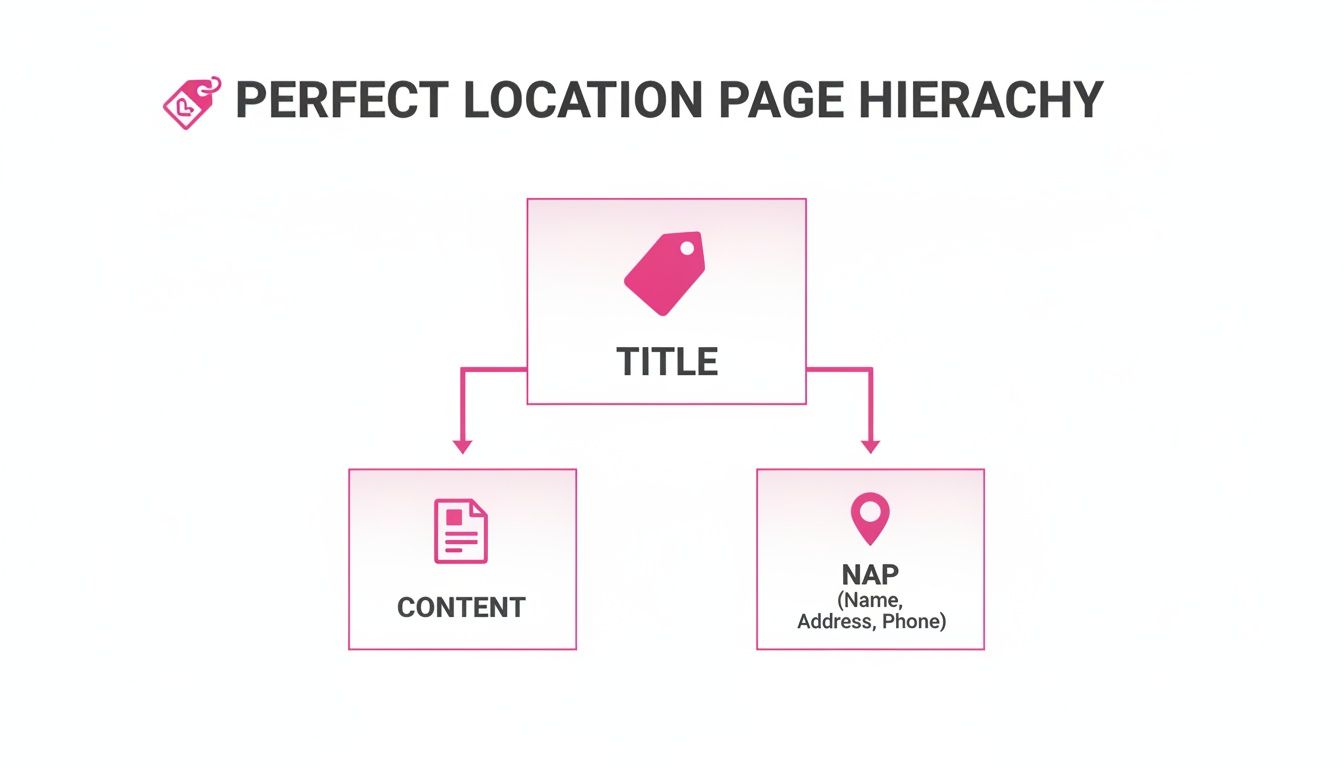
From the page title right down to the contact details, everything works together to send a strong, consistent message to Google about that specific location.
The Store Finder: The Pillar of Your Location Strategy
Your main 'store finder' or 'locations' page is the gateway to all your individual branches. For a customer, its job is simple: help them find the nearest branch, quickly. An interactive map is perfect for this.
But for SEO, this page does some heavy lifting. It acts as a central hub, passing authority (or "link equity") down to each of your individual location pages. Each listing on this page absolutely must link directly to its dedicated branch page. This is how you channel ranking power across your site.
If you’re juggling dozens of spots, figuring out how to add multiple locations Google Maps to a single, clean interface is a game-changer for user experience.
Avoiding the Duplicate Content Trap
Here’s one of the most common—and costly—mistakes I see with multi-location businesses: duplicate content. It’s so tempting to create one template, then just swap the address and phone number for each page. Don’t do it.
When Google finds dozens of pages that are 95% identical, it gets confused. It doesn't know which one is the "real" page to rank for a given search, so often, none of them rank well. You've essentially made your own locations compete against each other.
Every single location page needs to be unique. Of course, some information will be the same, but the core content must be original. Talk about the local team, mention nearby landmarks, add photos of that specific shop, and include reviews from local customers. The more you can show that each page represents a distinct, real-world entity, the more Google will reward you with better local rankings.
For a deeper dive, check out our complete guide on local SEO for multiple locations.
Speaking Google’s Language with LocalBusiness Schema
You’ve got your location-specific URLs sorted and unique content written for each page. Now it's time to translate all that great information into a language that search engines understand instantly. That’s the job of LocalBusiness schema markup.
Think of it as a direct line to Google. Instead of making the search engine guess what your address or opening hours are, schema markup explicitly tells it. This piece of code, added to the backend of your page, removes all ambiguity. Getting this right is one of the most effective things you can do to land those valuable rich results and get noticed in local search.
What Is LocalBusiness Schema, Exactly?
Schema.org is a shared vocabulary created by Google, Bing, and other search engines. The goal was to help them make sense of the content on a web page. LocalBusiness is a specific part of that vocabulary, designed for physical, brick-and-mortar businesses.
It lets you add labels to your content that tell Google, "This string of text is a phone number," or "This is our street address." When Google can verify these details with confidence, it's far more likely to reward you with a spot in the Local Pack or a Knowledge Panel. These SERP features are prime real estate, and they consistently drive higher click-through rates than standard blue links.
This screenshot from Schema.org gives you an idea of the hierarchy. LocalBusiness sits under the broader Organisation and Place types, but it has dozens of more specific sub-types you can use.
This depth allows you to give search engines an incredibly precise picture of what your business does.
Customising Schema for Your UK Business
This is where schema markup really shines. You don't have to settle for a generic "business" tag. You can, and should, choose a sub-type that accurately reflects what you do. This extra layer of context sends a powerful signal to Google about your relevance for specific local searches.
For UK businesses, some of the most useful specific types include:
RestaurantHomeAndConstructionBusiness(perfect for plumbers, electricians, and builders)Store(for any retail shop)AutomotiveBusiness(for garages, MOT centres, and dealerships)HealthAndBeautyBusiness(for hair salons, spas, and clinics)
Once you’ve picked the right type, you need to fill out its properties with your location’s details. The standard way to do this is with JSON-LD, a script you pop into the <head> section of your page’s HTML.
A well-implemented LocalBusiness schema is your direct line to Google. It transforms your page's content into a structured, machine-readable format, significantly increasing your chances of securing high-visibility rich results that capture local customers' attention.
Here's a basic JSON-LD example for a fictional plumbing business in Manchester. See how every piece of information is clearly defined?
{
  "@context": "https://schema.org",
  "@type": "HomeAndConstructionBusiness",
  "name": "Mancunian Plumbing Experts",
  "image": "https://yourdomain.co.uk/images/manchester-logo.jpg",
  "@id": "https://yourdomain.co.uk/locations/manchester",
  "url": "https://yourdomain.co.uk/locations/manchester",
  "telephone": "+441614960123",
  "address": {
    "@type": "PostalAddress",
    "streetAddress": "123 Canal Street",
    "addressLocality": "Manchester",
    "postalCode": "M1 3HE",
    "addressCountry": "GB"
  },
  "geo": {
    "@type": "GeoCoordinates",
    "latitude": 53.4752,
    "longitude": -2.2343
  },
  "openingHoursSpecification": {
    "@type": "OpeningHoursSpecification",
    "dayOfWeek": [
      "Monday",
      "Tuesday",
      "Wednesday",
      "Thursday",
      "Friday"
    ],
    "opens": "08:00",
    "closes": "17:00"
  }
}
The goal is to be as precise as you can. Make sure addressCountry is set to "GB" and that your geo coordinates are spot on. Writing this code by hand for every single location can be tedious and prone to error. To make this much easier, you can use our free LocalBusiness schema markup generator to create clean, error-free code for all your UK locations.
Measuring Performance and Optimising for Growth
You’ve invested time and resources into building brilliant location pages. So, how do you prove it was all worth it? The answer lies in tracking the right things—moving past vanity metrics like page views and zeroing in on data that connects directly to your bottom line.
Good local SEO should translate into more phone calls, more people asking for directions, and more customers walking through your doors. By setting up solid tracking, you can draw a straight line from your optimisation work to genuine business growth.
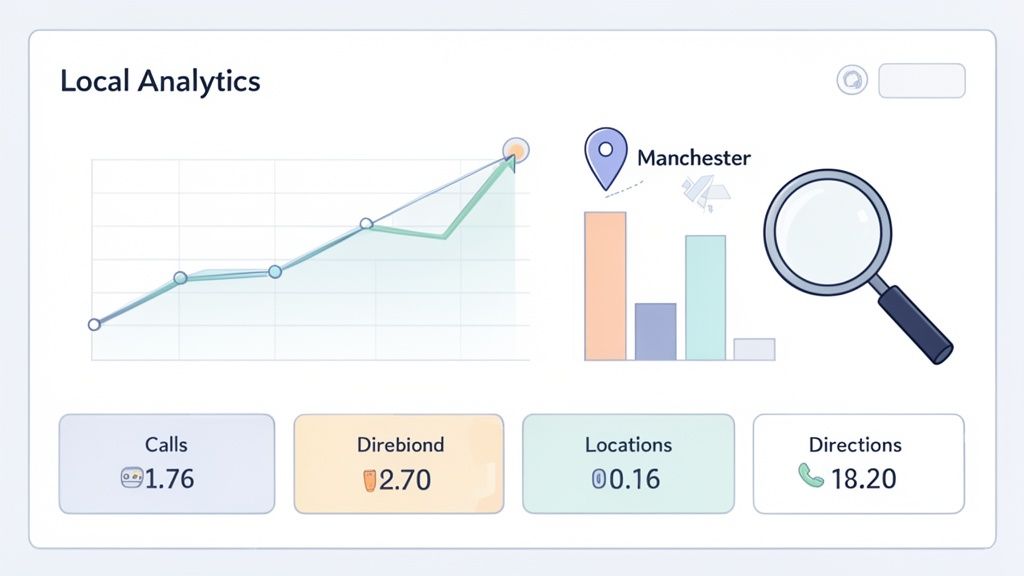
Core Metrics to Track for Each Location
To really understand what’s working, you'll need to pull together data from a couple of essential (and free) tools: Google Analytics 4 (GA4) and Google Search Console. These will give you a clear view of how each individual location is performing.
Here's what you should be keeping a close eye on for every location page:
-
Organic Traffic to Specific Pages: Jump into your GA4 reports and filter by landing page. Are your newly launched pages for Bristol or Leeds actually pulling in visitors from organic search? A steady climb in sessions for those specific URLs is the first green flag.
-
Local Keyword Rankings: Over in Google Search Console, check which search terms are sending impressions and clicks to each page. You’re looking for evidence that you're ranking for high-intent queries like "best brunch in Shoreditch" or "24-hour plumber in Birmingham."
-
Conversion Actions: This is where you measure what truly matters. In GA4, set up event tracking to monitor the actions that signal a potential customer. Think clicks on your phone number (
tel:links), contact form completions, and, crucially, taps on the "Get Directions" button.
A sudden jump in 'Get Directions' clicks for your Manchester page a few weeks after optimisation isn't just a happy accident. It's proof that your SEO efforts are successfully turning online searches into real-world footfall.
Turning Data Into Actionable Insights
Data is only useful if you act on it. Your metrics should tell you a story. For instance, if your Glasgow location page is attracting plenty of traffic but the phone isn't ringing, that could point to a problem with your call-to-action or even a broken telephone link.
When optimised correctly, your location pages directly influence how users interact with your Google Business Profile. For UK businesses, tracking these phone calls and direction requests shows the real power of local search. Consider this: 76% of people who search for something local on their phone visit a business within 24 hours. Even better, 28% of those visits result in a purchase. That’s how your page views become revenue.
We saw this firsthand with a Birmingham restaurant chain. After optimising their 15 location pages, direction requests shot up by 40% and phone calls by 25% in just three months.
This kind of analysis lets you continually refine your approach. It’s not just about the on-page elements; it's also about mastering local search with a Google Map SEO service to amplify your visibility even further.
Scaling Your Tracking and Optimisation
For businesses with a handful of locations, tracking these metrics in a spreadsheet is manageable. But if you have dozens—or hundreds—of branches, that manual approach quickly becomes impossible.
This is where a dedicated platform like LocalHQ becomes a game-changer. It automates the data collection, giving you one central dashboard to monitor all your locations.
A must-have feature to look for is geo-grid rank tracking. Instead of just checking your ranking from one spot, it shows you how you rank for keywords across an entire service area. This visual map immediately highlights your strong and weak spots with incredible accuracy. Our guide on mastering local rank tracking for UK businesses dives deeper into this technique.
By automating the reporting, you free up your time to focus on what really drives the business forward: making smart, strategic decisions that fuel growth across your entire network.
Your Location Page SEO Questions, Answered
Even with the best strategy in hand, a few tricky questions always seem to pop up when you get into the nitty-gritty of location page SEO. Honestly, it’s these small details that often make the difference between a page that ranks and one that just… sits there. Here are the answers to some of the most common queries we get from businesses trying to get a grip on their local search performance.
How Many Location Pages Do I Actually Need?
It’s a straightforward rule of thumb: one physical address, one unique location page. If your business has five shops dotted across London, from Kensington to Canary Wharf, you need five distinct, fully built-out location pages. Each page needs to function as the digital front door for that specific branch.
Whatever you do, don't fall into the trap of creating pages for towns or postcodes where you don't have a physical base. Google sees this for what it is—a spammy tactic known as creating "doorway pages"—and it can do real damage to your rankings.
Things are a bit different for service-area businesses, like a mobile mechanic or a cleaning company. Your focus should be on building pages for the main cities or regions you serve, all backed by a solid Google Business Profile that clearly maps out your entire service area.
Can I Just Use the Same Content Across My Location Pages?
This is a trap many multi-location businesses fall into, and the short answer is a hard no. Copying and pasting content is one of the biggest mistakes you can make, leading straight to duplicate content penalties and dismal search rankings. Sure, "boilerplate" info like your company's origin story can be reused, but the heart of each page has to be original.
Using the same templated content across your locations tells search engines you've put in minimal effort. It suggests there's no unique value at each spot, which can lead Google to devalue all of those similar pages.
To sidestep this common pitfall, make sure every page features:
- A unique description of the local neighbourhood and that specific branch.
- Directions that mention nearby, recognisable landmarks.
- Real testimonials and reviews from customers who have visited that exact location.
- Fresh photos of the storefront, the team inside, and your products or services in that setting.
The more you can infuse each page with its own local character, the stronger the signal you send to Google that this branch is a distinct, valuable entity that deserves to rank.
How Does My Google Business Profile Link Up with My Location Page?
Think of your Google Business Profile (GBP) and your location page as a powerful duo that needs to be perfectly in sync. Your GBP is the quick summary; your location page is the detailed story.
In your Google Business Profile settings, there’s a field for your "Website." This is where you must link directly to the specific location page for that branch. Never, ever link all your GBP listings to your homepage. Doing so dilutes the authority and confuses Google. A direct link creates a clear, authoritative connection that says, "This specific Maps listing belongs to this specific webpage."
Consistency here is everything. Your Name, Address, and Phone number (NAP) must be identical—down to the last character—across both your GBP and the corresponding location page. Even a tiny difference, like using "Ltd" on one and "Limited" on the other, can create doubt in Google's eyes and hurt your chances of appearing in the Local Pack.
What's the Single Most Important Thing on a Location Page?
If I had to pick just one thing, it would be your NAP (Name, Address, Phone number) information, ensuring it's both consistent and accurately marked up with LocalBusiness schema. This is the bedrock data Google uses to verify you exist in the real world and to feel confident showing you in local search results. Without it, you’re basically invisible.
Once your NAP and schema are flawless, the next vital pieces are the unique, locally-flavoured content and genuine customer reviews for that branch. The NAP proves where you are, while the unique content and reviews prove why a local searcher should choose you over the competition. Get those two things right, and you've built the foundation for truly effective location page SEO.
Take Control of Your Multi-Location SEO
So, you have the playbook for creating brilliant, high-ranking location pages. The real challenge, of course, isn't building one or two – it's managing dozens, or even hundreds, of them without letting things get out of hand.
This is where having a single source of truth becomes non-negotiable. When you centralise your location data, review management, and performance analytics, the chaos of multi-location SEO starts to feel a lot more organised. Suddenly, scaling up your efforts doesn't mean sacrificing quality or consistency.
For many businesses, especially those with a growing footprint, adopting clear franchise SEO strategies is what provides the essential framework for getting this right across every single branch. It’s how you turn complex data into measurable growth, location by location.
Ready to stop juggling spreadsheets and start seeing real results? Explore how LocalHQ helps you manage all your locations from a single, powerful dashboard. Learn more about our Multi-Location SEO features.