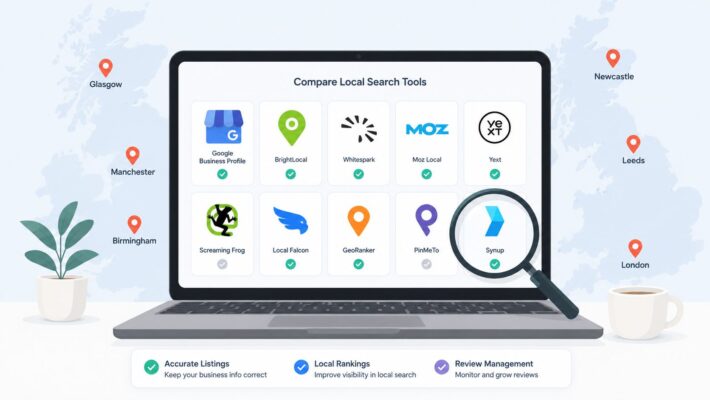
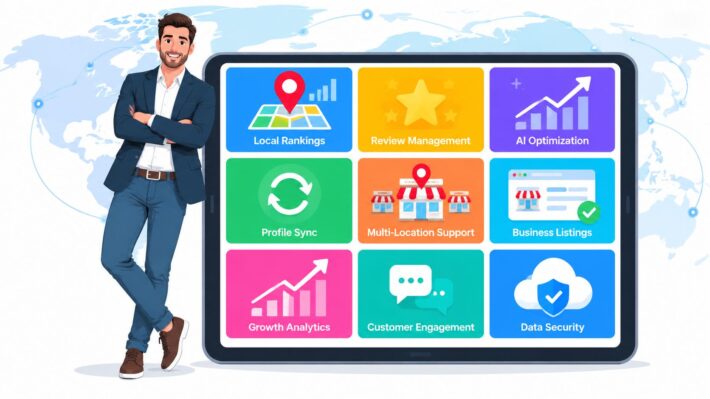
What Is Google Business Profile and How Does It Work
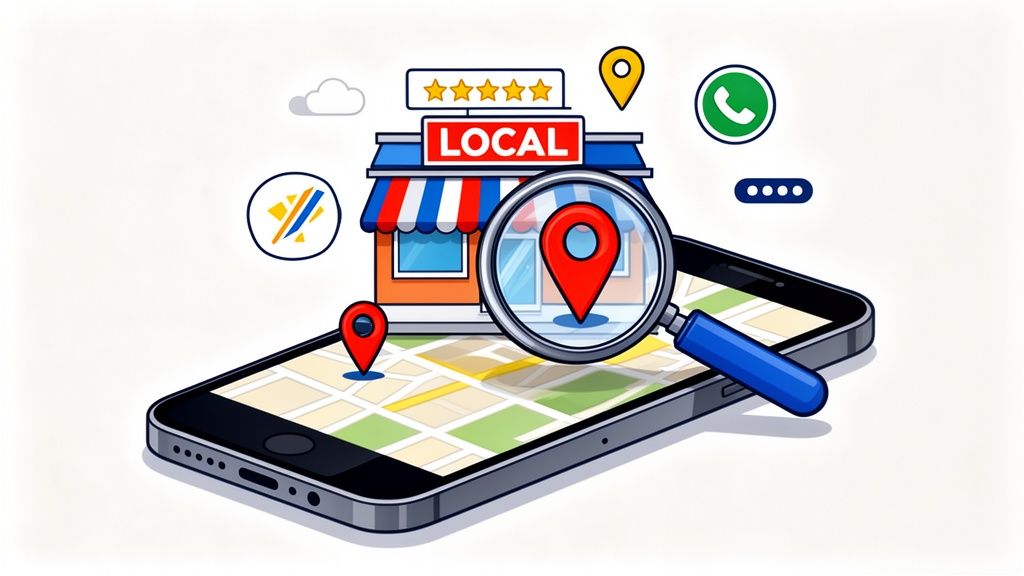
Think of a Google Business Profile (GBP) as your business’s digital front door. It’s a completely free tool from Google that lets you control how your business shows up on Google Search and Maps. Gone are the days of the Yellow Pages; this is its dynamic, interactive replacement.

Your Digital Welcome Mat
Imagine someone nearby searches for "best fish and chips in Brighton" or "emergency plumber near me." If that’s you, your Google Business Profile is often the very first thing they’ll see.
It’s much more than a simple listing. It's a rich, visual snapshot of your business, designed to give potential customers everything they need to choose you over the competition, right there on the search results page.
The Essential Details Customers See
At its heart, your profile is a hub for all the crucial information a customer needs. A well-maintained profile puts these details front and centre:
- Your Core Info: Business name, address, and phone number (often called NAP data). This is the absolute bedrock for local search.
- Opening Hours: Your standard operating hours, plus any changes for bank holidays or special events. Nothing frustrates a customer more than turning up to a closed shop!
- Photos and Videos: Show, don't just tell. High-quality images of your shopfront, products, services, or your team in action build immediate trust.
- Customer Reviews: Star ratings and written reviews are modern-day word-of-mouth. They're a massive factor in a customer's decision-making process.
- Interactive Features: Let customers engage directly with a Q&A section, direct messaging, or even book an appointment straight from your profile.
In simple terms, your Google Business Profile is your direct line to Google. It tells the search engine who you are, what you do, and why you’re a great choice for local customers. A complete, active profile is one of the strongest signals you can send to outrank your competitors.
To get started, let's break down the key components into a simple table.
Your Google Business Profile at a Glance
This table summarises the essential parts of your profile and explains why each one is so important for attracting local customers here in the UK.
| Feature | What It Is | Why It's Critical for Your Business |
|---|---|---|
| Business Information | Your name, address, phone number (NAP), website, and business category. | This is the foundation. It ensures Google shows your business for relevant searches in the right area. |
| Photos & Videos | Visuals of your premises, products, team, and work. | Builds trust and gives customers a real feel for your business before they even visit. |
| Customer Reviews | Star ratings and written feedback from people who have used your service. | Social proof is incredibly powerful. Good reviews directly influence new customers to choose you. |
| Google Posts | Mini-updates about offers, events, or news, like a social media post. | Keeps your profile looking fresh and active, signalling to Google that your business is current. |
| Q&A Section | A public forum where anyone can ask questions and you can answer them. | Allows you to address common customer queries upfront and showcase your expertise. |
Understanding these elements is the first step.
This powerful free tool is the cornerstone of any good local SEO strategy. By keeping it accurate and up-to-date, you're not just feeding information to the public; you're actively telling Google that your business is relevant, active, and trustworthy.
The first, non-negotiable step is getting your profile verified. If you're not sure how, you can learn more about how to verify your Google Business Profile in our detailed guide.
The Real-World Benefits of Optimising Your Profile
Claiming your Google Business Profile is a good start, but the real magic happens when you actively manage and optimise it. Think of your profile like a prime high-street shop. You wouldn’t just unlock the door and walk away, right? You’d create an inviting window display, keep your shelves stocked, and make sure your sign is clean and brightly lit. Your GBP needs that same level of care to turn it from a basic listing into your hardest-working local marketing tool.
A fully optimised profile is your best shot at getting into Google’s coveted ‘Map Pack’—that block of three local businesses shown right at the top of the search results. Landing a spot here is huge. It means you grab the lion's share of local customer attention, turning a simple online search into someone walking through your door.
Building Trust and Credibility
In a crowded market, trust is everything. A detailed and active Google Business Profile builds that trust for you, almost on autopilot. When a potential customer finds your profile and sees recent photos, fresh posts about what’s happening, and a steady flow of positive reviews, it sends a powerful message: this business is legitimate, professional, and cares about its community.
On the flip side, outdated information, a pile of unanswered questions, or a lack of recent reviews can plant a seed of doubt. A well-managed profile reassures customers they’re making the right choice, often before they’ve even clicked through to your website. It’s the digital equivalent of a glowing, personal recommendation from a friend.
Driving Direct Customer Actions
The whole point of being visible online is to get real-world results, and this is where an optimised GBP really delivers. Every feature on your profile is designed to make it incredibly easy for a customer to take that next step and engage with you directly.
A well-optimised Google Business Profile is a cornerstone for local visibility and customer engagement, serving as an essential part of a comprehensive marketing strategy. For further insights, explore this comprehensive guide to marketing for a moving company, which details strategies including local SEO and reviews.
These direct actions are what turn online interest into actual revenue. Your profile becomes a frictionless path for new business, guiding people from discovery to conversion in just a few clicks.
Turning Clicks into Customers
An optimised GBP isn't just a placeholder; it's a powerful lead-generation machine that drives actions you can actually measure. It’s not about just being seen; it’s about being chosen.
Think about the direct impact it has on these key metrics:
- Phone Calls: With one tap, customers can call your business straight from the search results, giving you instant sales enquiries.
- Website Visits: A compelling profile gives people a reason to click through to your website to learn more, browse products, or book an appointment.
- Direction Requests: This is one of the strongest buying signals you can get. It means someone is actively planning a trip to your physical location.
- Direct Messaging: Customers can send you a quick message right from your profile, opening the door for you to provide fast, personal service.
Each of these interactions is a hot lead. By focusing on keeping your profile fresh and complete, you’re not just managing an online listing—you’re investing in one of the most effective and direct ways to grow your local business.
Essential Features Every UK Business Should Master
Right, let’s move from the what to the how. Knowing what a Google Business Profile is doesn't do you much good unless you roll up your sleeves and get to grips with its features. Think of it like this: just having a shop window is one thing, but actively arranging the display to attract passers-by is what brings people inside. By consistently using these tools, you're sending strong signals to Google that your business is active, relevant, and deserves to be at the top of the list.
It all starts with the basics: your Name, Address, and Phone Number (NAP). This isn't just a bit of admin; it's the digital fingerprint of your business. Getting this perfectly consistent across your website, social media, and every other online directory is non-negotiable. It’s the foundation of trust, both for Google and for your customers.
Core Information and Business Categories
With your NAP locked in, your next critical move is choosing the right business categories. This is your chance to tell Google exactly what you do. You get to pick one primary category and then add several secondary ones to fill in the details.
Don't be vague. If you run a café in Bristol that’s famous for its vegetarian brunch, choosing "Vegetarian Restaurant" as your primary category is miles better than the generic "Restaurant." This single decision has a massive impact on the searches you show up for.
This simple hierarchy shows how mastering your profile features builds towards real business growth, starting with that all-important visibility.

As you can see, everything starts with being seen. From there, you build trust, which encourages customers to actually get in touch or walk through your door.
Dynamic Features That Drive Engagement
Beyond the static details, it's the dynamic features that truly bring your profile to life and keep customers engaged. They're proof that there's a real, active business behind the listing.
- Google Posts: These are like mini-adverts that appear directly on your profile. Use them to share a special offer, announce a new product, or highlight a seasonal event. A London electrician, for instance, could create a timely post about "Winter Boiler Checks" to attract customers searching for that exact service.
- Q&A Section: This is a goldmine for heading off common questions before they’re even asked. You can even seed it yourself by posting and answering your own FAQs. Think about what people always ask: "Do you offer emergency call-outs?" or "Is there parking nearby?" Get that information out there.
- Product/Service Listings: Don’t just tell people you're a plumber. List out your specific services like "leak detection," "boiler installation," and "drain unblocking." This feature lets you add details, prices, and descriptions, giving customers the clarity they need and stuffing your profile with valuable keywords.
Key takeaway: Every time you use features like Posts and Q&A, you're spoon-feeding Google fresh, relevant content about your business. This activity is a powerful ranking signal that shows you’re committed to helping your customers.
To make this even more practical, here’s a checklist to help you get the most out of your profile. Focusing on these actions will give you a real edge over the local competition.
GBP Feature Checklist for Maximum Local Impact
| Feature | Optimisation Action | Impact on Your Local Ranking |
|---|---|---|
| Primary Category | Choose the most specific and accurate category that describes your main business. Be a "Vegan Bakery," not just a "Bakery." | Very High. This is one of the most powerful signals you can send to Google about what you do. |
| Services/Products | List every single service you offer with keyword-rich descriptions and, if possible, prices. Don't leave it blank. | High. It provides detailed context, helps you rank for long-tail searches, and improves customer experience. |
| Business Description | Write a compelling, 750-character summary. Naturally include keywords related to your services and location. | Medium. A great way to add relevant keywords and tell customers what makes you different. |
| Photos & Videos | Upload high-quality, recent photos of your premises, team, and work. Aim for at least 10 photos and add new ones regularly. | High. Visuals increase engagement significantly and signal to Google that your listing is active and authentic. |
| Customer Reviews | Actively ask happy customers for reviews and respond to every single one—good or bad—in a professional and timely manner. | Very High. Reviews and your responses to them are a massive trust signal for both customers and Google. |
| Google Posts | Publish a new Post at least once a week. Use them for offers, events, updates, or to highlight a specific service. | Medium. Keeps your profile fresh and shows Google you are an active business. Great for short-term promotions. |
| Q&A Section | Proactively add and answer your own Frequently Asked Questions. Monitor and answer any new questions from customers quickly. | Medium. Addresses customer pain points upfront and allows you to control the narrative around your business. |
| NAP Consistency | Double-check that your Name, Address, and Phone number are identical across your website and all other online directories. | High. Inconsistency erodes trust with search engines and can seriously harm your local ranking. |
By systematically working through this checklist, you're not just filling out a profile; you're building a powerful local marketing asset.
For service professionals, the opportunity is huge. Consider that GBP verification still lags at just 45% for home services and 75% for healthcare. That gap is your chance to get ahead. In the UK, the highest-ranking businesses nail their primary GBP category—a factor that can be worth as much as 193 ranking points. This is followed by proximity and having keywords in the business name. It's also worth noting that review signals now account for 20% of your local pack influence, even as Google's stricter rules have led to more reviews being removed. You can find more Google Business Profile statistics on sqmagazine.co.uk.
How Real UK Businesses Win with Google Business Profile
Theory is one thing, but seeing how a Google Business Profile plays out in the real world is where it really clicks. To bring these ideas to life, let’s look at how different businesses across the UK are using their profiles to pull in local customers, boost sales, and build a fantastic reputation in their own backyards.

These examples aren't just hypotheticals; they're practical blueprints you can adapt for your own business, whatever you do.
The Manchester Restaurant Driving Bookings
Picture a busy restaurant in Manchester where every single table booking matters. In the UK, hospitality is leading the pack, with businesses boasting an impressive 81% verification rate for their Google Business Profiles. This isn't just a random statistic—it's a game-changer. A verified profile tells Google you're a legitimate, active business, massively improving your chances of showing up in the map pack when someone searches for 'best Italian near me.' You can dig deeper into UK industry verification rates on levelupleads.co.uk.
This particular restaurant uses Google Posts every Friday to shout about its "Weekend Roast Special," complete with mouth-watering photos and a direct link to book a table. They also keep their profile filled with high-quality pictures of their cosy dining room and sunny beer garden, giving potential customers a real feel for the place. This constant stream of updates keeps their profile fresh and turns casual browsers into confirmed bookings.
The Brighton Boutique Building Loyalty
Head down to the south coast, and you’ll find a small, independent boutique in Brighton using its profile to stand out from the big high-street chains. The owner knows that local charm is their secret weapon.
By actively managing their profile, they’ve created a digital extension of their friendly, in-store experience. This builds a loyal customer base that returns again and again.
Here’s their playbook:
- Product Listings: They regularly upload photos and descriptions of new arrivals, from handmade jewellery to unique homeware. It means customers know what's in stock before they even step through the door.
- Review Management: Every single review, good or bad, gets a thoughtful, personal reply. It’s a simple way to show they care about what customers think and are committed to great service.
This approach builds a powerful sense of community and trust—something you just can't buy as a small retailer.
The Glasgow Plumber Generating Leads
Finally, let’s go up to Glasgow, where a local plumber has turned their profile into a lead-generating machine. As a service-area business, they don’t have a shopfront for people to pop into.
Their strategy is all about clarity and proving their expertise. They’ve carefully defined their service areas, from Bearsden to East Kilbride, ensuring they only show up in searches from relevant postcodes. Crucially, they use the Q&A feature to their advantage. They’ve proactively added and answered common questions like, "Do you offer 24/7 emergency call-outs?" and "What are your typical call-out fees?"
This simple tactic pre-qualifies their leads. By the time the phone rings, it’s usually a serious customer who already knows what they offer and is ready to book a job.
Common Mistakes That Could Be Sinking Your Profile
Getting your Google Business Profile set up is a great first step, but it's surprisingly easy to make a few common mistakes that can undo all that good work and leave you invisible to potential customers. Avoiding these traps is just as crucial as getting the optimisation right in the first place.
Many businesses fall into simple errors that, over time, can quietly sabotage their local ranking and reputation.
One of the biggest culprits? Inconsistent NAP (Name, Address, Phone number) information. Think about it from Google's perspective: if your profile says "Smith & Sons Plumbing Ltd." but another directory lists you as "Smith and Sons Plumbers," it creates confusion. That tiny bit of inconsistency chips away at the search engine's trust in your data, which can directly hurt how well you rank.
Another classic mistake is the "set it and forget it" approach. A Google Business Profile isn't a one-and-done task; it's a living, breathing part of your online presence that needs regular attention. If you're ignoring reviews (both the good and the bad) or never bother to add fresh photos and posts, you're sending a signal to Google that your business might not be active or engaged.
The Dangers of an Outdated Profile
Letting your profile go stale is a huge missed opportunity. For UK retail shops, the average listing pulls in around 1,260 views a month, and more than half of those come from people just searching for a category, not a specific business. The profiles you see at the top? They're the ones with tons of reviews and detailed descriptions. Google now sees regular activity, like responding to reviews, as a major ranking factor. You can find more Google Business Profile performance statistics on bloggingwizard.com.
A stagnant profile doesn't just look neglected to customers. It also tells Google that your competitors, who are actively updating their information, are a better, more relevant answer for searchers. That’s a fast track to the bottom of the rankings.
Finally, resist the urge to "keyword stuff" your business name. Changing "Brighton Bakes" to "Brighton Bakes – Best Cakes, Pastries & Bread in Brighton" might feel like a savvy SEO move, but Google is wise to this. It views it as a spammy tactic and can penalise your listing for it.
Here’s a quick rundown of what to watch out for:
- Keep Your NAP Consistent: Your business name, address, and phone number need to be a perfect match everywhere they appear online. No exceptions.
- Don't Let It Stagnate: Make a habit of adding posts, uploading new photos, and answering questions in the Q&A section.
- Reply to Every Review: Show customers (and Google) that you're listening by responding to all feedback, good or bad, in a timely and professional manner.
- Use Your Real Business Name: Stick to your actual, registered business name. Don't add extra keywords or location names.
Managing Multiple Locations with Ease
For any business with more than one branch—think a chain of coffee shops or a national estate agency—juggling individual Google Business Profiles can quickly spiral into a monumental task. The real challenge isn't just setting them up; it's keeping the brand consistent, rolling out updates, and optimising each location for its own local market.
When you're dealing with tens or even hundreds of listings, trying to update everything by hand just isn't realistic. This is where specialised platforms step in, turning a logistical nightmare into a serious strategic advantage by offering tools built specifically for the chaos of multi-location management.
Centralised Control and Scaled Optimisation
Instead of the tedious process of logging into each profile one by one, these tools give you a central dashboard. From this single command centre, you can push out bulk updates for things like bank holiday hours or new service announcements, making sure every single location is perfectly in sync.
Imagine a national franchise. Maintaining a uniform brand identity is non-negotiable. A dedicated platform ensures every location—from Aberdeen to Cornwall—accurately reflects the brand, safeguarding its reputation and building customer trust on a local level.
But it goes beyond simple updates. Advanced features offer powerful optimisation tools to give every single branch a competitive edge. This includes things like:
- AI-Powered Recommendations: These clever systems analyse what your competitors are doing and what locals are searching for, then suggest the best categories and keywords for each specific branch.
- Geo-Grid Rank Tracking: Get a visual map showing exactly where each branch ranks on Google Maps for key search terms across different postcodes, instantly highlighting performance gaps and opportunities.
- Bulk Post Scheduling: You can plan and schedule promotional posts for all your locations well in advance. This saves countless hours while ensuring every profile stays active and engaging.
Using tools like these lets you execute a sophisticated local SEO strategy for multiple locations with incredible efficiency. It’s how multi-location businesses can ensure every single one of their digital shop windows is perfectly polished to attract nearby customers.
Frequently Asked Questions
It's completely normal to have a few questions when you're getting to grips with local search. Here are some clear, straightforward answers to the queries we hear most often from UK businesses about Google Business Profile.
Is a Google Business Profile Really Free to Use?
Yes, it really is. Creating, managing, and optimising your Google Business Profile is 100% free. In fact, it's one of the most powerful and cost-effective marketing tools out there for any local business.
While the profile itself costs nothing, you might later decide to invest in paid options like Google Ads to give your listing an extra boost. Some businesses also use management platforms to help them stay on top of things, but the core service remains completely free.
What Is the Difference Between Google Business Profile and Google My Business?
Think of it as a simple name change. Google Business Profile (GBP) is just the new name for what used to be called Google My Business (GMB).
Google rebranded the service to make it simpler, allowing businesses to manage their profiles directly from Google Search and Maps. All the features and benefits you knew from GMB are still there, so if you've used it before, you'll feel right at home with GBP.
How Long Does It Take to See Results After Optimisation?
That’s a great question, and the honest answer is: it varies. Small tweaks, like updating your opening hours or phone number, show up almost instantly. But if you’re looking for a real impact on your local search rankings, it takes a little more patience.
Consistency is your best friend here. Generally, you can expect to see a measurable lift in things like phone calls and website clicks within a few weeks to a couple of months. For businesses in really competitive markets, sticking with it for 90 days or more is where you’ll see the most significant, lasting improvements.
Can I Have a Profile Without a Physical Shopfront?
Absolutely. Google Business Profile is built for service-area businesses (SABs) too. So, if you're a plumber, a mobile dog groomer, or a consultant visiting clients, you're covered.
When you set up your profile, you simply tell Google which towns, cities, or postcodes you serve instead of listing a physical shop address.
This means your business will still show up on Google Maps for local searches in your service area, but your home or office address stays private. It's the perfect way to attract local customers without compromising your privacy.
Managing one, ten, or even a hundred profiles doesn't have to be a headache. LocalHQ brings everything into a single, AI-powered dashboard. You can schedule posts, handle reviews, and track your local rankings effortlessly, turning complex tasks into simple, automated workflows. Discover how you can save time and drive more local traffic by visiting https://localhq.io.