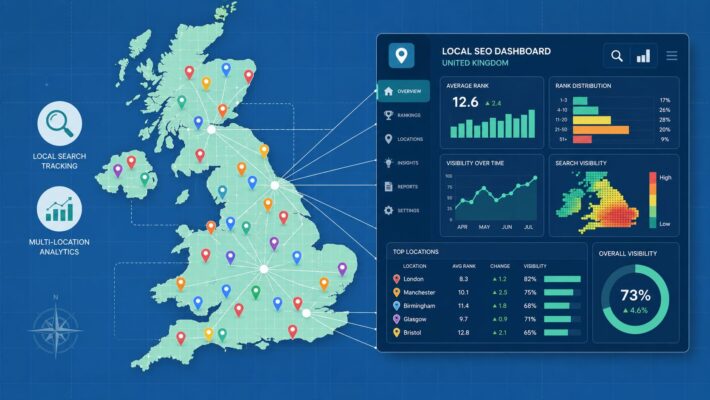
Review Automation Software: Features & Compliance Guide
If you're managing reviews for a restaurant group, a dental chain, a home services brand, or a portfolio of client locations, the same problem keeps showing up. Reviews land at awkward times, different staff reply in different tones, and the backlog builds faster than anyone wants to admit. One poor response can create a brand issue. No response can be just as costly.
That’s why review automation software has moved from “nice to have” to operational necessity for many UK businesses. The value isn’t only speed. It’s control. The right setup helps teams reply faster, keep messaging consistent, reduce compliance mistakes, and turn review management into something that supports visibility and revenue rather than draining staff time. For businesses already investing in automation workflows for local marketing, review response is often one of the first places where the gains become obvious.
The Unending Challenge of Modern Customer Reviews
A typical multi-location review workflow looks tidy on paper and messy in practice.
A customer leaves a glowing Google review after Sunday lunch. Another leaves a frustrated one about delayed service. A regional manager spots one of them on Monday morning. A location manager sees the other later that afternoon. Someone drafts a reply. Someone else edits it. Half the time, the response goes out late or not at all.
For agencies, it’s even more fragile. One account executive may be handling hospitality clients, trades, clinics, and retailers at the same time. They’re expected to monitor volume, spot reputational risk, keep brand tone consistent, and still report on results. Manual review handling turns into repetitive triage.
Where manual handling breaks down
The problem usually isn’t that teams don’t care. It’s that manual review management creates bottlenecks:
- Monitoring gets scattered: Reviews sit across dashboards, emails, spreadsheets, and app notifications.
- Replies become inconsistent: One branch sounds warm and helpful, another sounds robotic, another says nothing.
- Escalation happens too late: Negative feedback often reaches the right person after the customer has already moved on.
- Insight gets lost: Staff read reviews one by one, but no one pulls out recurring service issues, location trends, or staff praise in a usable way.
Slow review handling rarely fails because of strategy. It fails because busy teams can't maintain the same standard every day across every location.
That’s where review automation software earns its place. It doesn’t remove judgement from the process. Done properly, it removes avoidable admin. The software gathers reviews in one place, applies rules, helps draft replies, flags risk, and gives managers a more reliable operating model.
Why the pressure has increased
Google reviews now influence more than reputation alone. They affect trust, local visibility, and conversion behaviour. For local businesses, that means review management sits closer to demand generation than many teams realise.
The challenge isn’t going away. More locations, more review volume, and higher customer expectations all push in the same direction. Teams need a system that scales without creating new risk.
What Exactly Is Review Automation Software
At its core, review automation software is a system that helps businesses collect, organise, analyse, and respond to online reviews without relying on a fully manual process. It usually sits between your review sources and your operating team, turning a stream of customer feedback into a manageable workflow.

Collection and aggregation
The first job is consolidation. Instead of logging into separate platforms or waiting for email alerts, the software pulls reviews into a central dashboard. For most local businesses, Google Business Profile is the main source, but the operational point is the same. One inbox is easier to manage than scattered monitoring.
That matters most when a business has multiple branches or when an agency has shared responsibility across clients. A central view lets teams assign ownership, filter by location, and avoid duplicate replies.
Analysis and insight generation
Basic review tools stop at alerts. Proper review automation software goes further by analysing language, sentiment, and recurring themes. That helps teams separate a routine thank-you response from feedback that needs managerial attention.
A good platform doesn’t just tell you a review exists. It helps answer questions such as:
- Is the review positive, negative, or mixed
- Does it mention staff, waiting time, pricing, cleanliness, or service quality
- Does it need an apology, a clarification, or escalation
- Is this part of a wider pattern at one site
If you're comparing categories of tools more broadly, this roundup of reputation management software platforms is useful because it shows how review response fits into the wider reputation stack rather than existing as a standalone task.
Response and workflow management
At this stage, automation performs its core functions. The software can generate draft responses based on rating, sentiment, location, or pre-set brand rules. Some tools can publish low-risk replies automatically. Others route drafts to a human for approval.
Practical rule: If a tool only gives you templates, that isn't review automation. It's a shortcut. Automation needs rules, routing, and oversight.
The better systems also include permissions and escalation logic. A three-star review might go to a location manager. A complaint involving service failure, billing, or sensitive personal detail might be held for review before anything is published.
What it is not
Review automation software isn’t just an alerting app. It also isn’t a licence to let AI post unchecked replies to every customer comment. In practice, the strongest setups combine automation with controlled human review, especially for negative or complex feedback.
That combination is what makes the category useful. Teams keep speed, but they also keep judgement.
The Tangible Business Case for Automating Reviews
Businesses usually buy review automation software because the manual process is painful. They keep it because the numbers and workflow improvements are hard to ignore.
In UK-based local SEO platforms, review automation benchmarks show cycle time reduction of 85-92% for responding to Google Business Profile reviews, with error rate reductions of 78%, 95% on-brand reply alignment, and breakeven in 4-6 weeks for agencies managing SMB franchises, according to automation benchmarking for UK service providers.

Time saved turns into service capacity
The most immediate gain is operational. When teams no longer write every reply from scratch, review management stops consuming hours that should be spent on service delivery, staff support, or client work.
That matters in restaurants, clinics, salons, legal practices, and home services because reviews don’t arrive in neat batches. They arrive all day, all week. Automation reduces the drag of constant context switching.
The practical effect is usually one of these:
- Managers recover time: They approve exceptions rather than drafting every message.
- Agencies increase account capacity: Teams can support more locations without matching headcount increases.
- Brands respond while reviews are still fresh: The reply feels more attentive because it happens within the customer’s window of relevance.
Consistency protects the brand
A review reply is public-facing copy. It tells future customers how the business communicates under pressure. If one location sounds polished and another sounds dismissive, the inconsistency becomes visible.
That’s where automation helps beyond speed. On-brand drafting and approval rules create a more stable tone across the estate. For businesses already focused on Google review response workflows, this is often the difference between “we reply sometimes” and “we manage reputation systematically”.
Businesses don’t scale review response well by asking more people to improvise. They scale it by standardising the parts that should never vary.
Faster response supports local growth
Review handling also affects commercial outcomes. Faster replies improve the customer experience around the review itself, but they also support trust signals that influence future action. For local businesses, that can mean more calls, more direction requests, and stronger engagement from people comparing nearby options.
The local SEO angle is practical rather than theoretical. Searchers often read the latest reviews and the owner responses before deciding whether to book, call, or visit. Active management shows the business is open, engaged, and accountable.
What doesn’t work
Not every automation setup creates value. A few common mistakes usually undo the benefit:
- Publishing generic replies everywhere: Customers notice copy-and-paste patterns immediately.
- Ignoring escalation rules: Negative reviews shouldn’t be treated like simple thank-you notes.
- Leaving brand voice undefined: AI can only draft within the standards you set.
- Measuring volume instead of outcome: More replies aren’t useful if they create compliance or reputation risk.
The strongest business case comes from disciplined implementation. Automation should reduce manual effort while improving judgement where it matters.
Essential Features for Your Selection Shortlist
Buying review automation software gets easier once you stop looking at marketing claims and start checking workflow fit. Most platforms promise speed. Fewer handle governance, brand control, and multi-location reality properly.
A strong shortlist should focus on how the system behaves under daily operational pressure.
Response quality and brand control
The first thing to test is reply quality. Some tools produce rigid templates with a few variable fields. Others generate more contextual drafts based on review content, rating, and tone.
That distinction matters. If the output sounds repetitive, staff will stop trusting it and customers will notice. If you want to see what modern AI reply functionality looks like in practice, compare whether the system inserts names and star ratings or whether it adapts language to the actual review.
Ask vendors to show how the tool handles:
- Positive praise with specific details
- Mixed reviews that mention one good point and one poor point
- Negative feedback requiring empathy without admitting the wrong thing
- Location-specific language and service context
A useful system should also let you define voice standards. Formal, warm, concise, service-led, premium, clinical. Whatever fits the brand, the software needs to reflect it consistently.
Approval workflows and risk routing
At this stage, many comparisons get shallow. Teams often look at automation depth and miss decision control.
The platform should let you separate low-risk replies from high-risk ones. A simple compliment can often be auto-drafted and approved quickly. A complaint involving personal data, alleged discrimination, refunds, legal disputes, or safeguarding concerns should be routed to a human reviewer.
For businesses evaluating Google review autoresponder options, the practical question is whether the software supports human approval as a workflow choice rather than forcing either full automation or full manual handling.
Multi-location operations
Single-site tools often struggle once a business adds more branches. The selection criteria change quickly when ten, fifty, or hundreds of locations are involved.
Look for:
- Centralised inboxes: Teams need one place to monitor and triage.
- User permissions: Head office, regional managers, and branch staff shouldn’t all have identical access.
- Location-level rules: A healthcare clinic and a restaurant within the same group may need different reply logic.
- Reporting by branch: Managers need to see patterns without wading through irrelevant data.
If a platform can't reflect your actual operating structure, it will create workarounds. Workarounds are where missed reviews and risky replies usually start.
Integration and reporting depth
Review automation software is more useful when it connects with the rest of your local marketing stack. At minimum, it should sit cleanly alongside your Google Business Profile workflow and reporting.
The analytics side should answer operational questions, not just display vanity charts. Can you see unresolved negatives, recurring complaint themes, review trends by site, and response performance by team? Can you identify where service issues are building before they become a visible reputation problem?
What to deprioritise
Some features sound impressive in demos and matter very little in production. Fancy dashboards with weak routing logic. Bulk actions that make every reply look identical. AI writing controls without any audit visibility. Those usually add noise, not value.
Selection gets easier when you focus on four things. Response quality, approvals, multi-location fit, and reporting that supports decisions.
Comparing Leading Review Automation Platforms for UK Businesses
The UK market has no shortage of review tools, but they don't all solve the same problem. Some focus on review collection. Some on broad reputation monitoring. Some offer response drafting with limited control. For UK operators, the key question is which platform handles local SEO workflow, multi-location scale, and compliance expectations without creating extra admin.
Here’s a practical comparison table to frame the shortlist early.
| Feature | LocalHQ | Competitor A | Competitor B |
|---|---|---|---|
| Google review aggregation | Yes | Yes | Yes |
| AI-generated draft replies | Yes | Yes | Yes |
| Human approval workflow | Yes | Partial | Partial |
| Multi-location management | Yes | Yes | Partial |
| Custom rating scales | Yes | Partial | Partial |
| Multi-type parallel reviews | Yes | Partial | No |
| UK local SEO workflow fit | Strong | Moderate | Moderate |
| Geo-grid related review context | Yes | No | No |
| White-label suitability for agencies | Yes | Partial | Yes |
| GDPR-focused operating controls | Strong | Varies | Varies |
LocalHQ
For UK local SEO teams, LocalHQ is built around Google visibility, location management, and review operations in the same environment. That matters because review response doesn’t happen in isolation. Teams usually need to connect feedback handling with map performance, location-level reporting, and multi-site oversight.
Based on UK review automation benchmarking, LocalHQ shows 100% native support for custom rating scales and multi-type parallel reviews, plus a 28% uplift in direction requests, 41% uplift in calls, and 99.2% adherence tied to GDPR review data processing in the benchmark cited by UK automation feature analysis.
Local teams often need review response tied to place-based visibility, not just message drafting. That’s where geo-grid context changes the usefulness of automation.
That position is particularly relevant for agencies and brands handling multiple Google Business Profiles at scale. Instead of treating reviews as a standalone inbox, the platform can sit inside the broader local search workflow.
Strengths include native support for operational complexity, especially where brand consistency and local performance need to be managed together. The trade-off is that businesses looking only for a very simple single-location review inbox may not need the wider local SEO layer.
Competitor A
Competitor A represents the broad reputation management category. These platforms often handle listings, review monitoring, and reporting across multiple sources. They can be suitable for organisations that want a wide reputational view rather than a local search-specific toolset.
Their strength is breadth. A marketing team can often monitor multiple channels from one interface and generate centralised reports for stakeholders. For enterprise groups, that can be useful.
The weakness tends to appear in response quality and local workflow depth. Some broad platforms feel built for dashboards first and action second. Drafting tools can be generic, and location-specific escalation often needs more manual supervision.
Competitor B
Competitor B reflects the lighter review-response category. These tools usually focus on collection, templates, and basic automation. They can work for small operators that want something better than checking reviews by hand.
The upside is simplicity. Setup can be quicker, and staff may find the learning curve lower. For a single-site business with modest review volume, that may be enough.
The downside is ceiling. Once a business needs stronger brand rules, nuanced AI drafting, branch-level control, or reporting across a larger estate, these platforms start showing their limits. Partial workflow coverage often means staff end up stitching together manual processes again.
Where the differences show up in practice
The main selection gap isn’t whether a platform can send or draft a reply. Most can. The gap is whether the software keeps working when review volume rises and risk gets more complicated.
A useful way to compare vendors is to pressure-test five scenarios:
- A simple five-star review
- A three-star review with mixed sentiment
- A one-star complaint that names a staff member
- A sudden spike in reviews across multiple branches
- An agency managing different voice guidelines across clients
If the tool handles only the first scenario elegantly, it isn't mature enough for serious operational use.
Which type of business fits which platform
A broad reputation platform can suit a business that wants central visibility across many channels and is willing to trade some local SEO specificity for coverage.
A lighter review tool can suit a small operator with low volume and simple approval needs.
A platform built around local search operations makes more sense for businesses where Google visibility, branch management, and review handling are tightly connected. That tends to include restaurants, retail chains, service-area businesses, healthcare groups, and agencies serving local clients.
The right choice depends less on label and more on operating model. If review response is part of how your business earns calls, visits, and map visibility, the software needs to reflect that reality.
Navigating UK Compliance and Data Privacy Risks
Many review software comparisons ignore the issue that should make UK buyers pause first. Not all automation is safe solely because it saves time.
Reviews often contain personal data, names, location references, details about appointments, and context that can become sensitive quickly. When software processes that information and publishes responses automatically, the compliance question stops being theoretical.
Why full automation can create risk
A common assumption is that if AI can write a polite reply, the safest setup is to automate everything. In UK practice, that’s often the wrong conclusion.
The issue isn’t only tone. It’s transparency, oversight, and how decisions are made when personal data is involved. A fully automated responder that publishes every reply without human review can create problems if it mishandles sensitive context or produces language that shouldn’t be posted publicly.
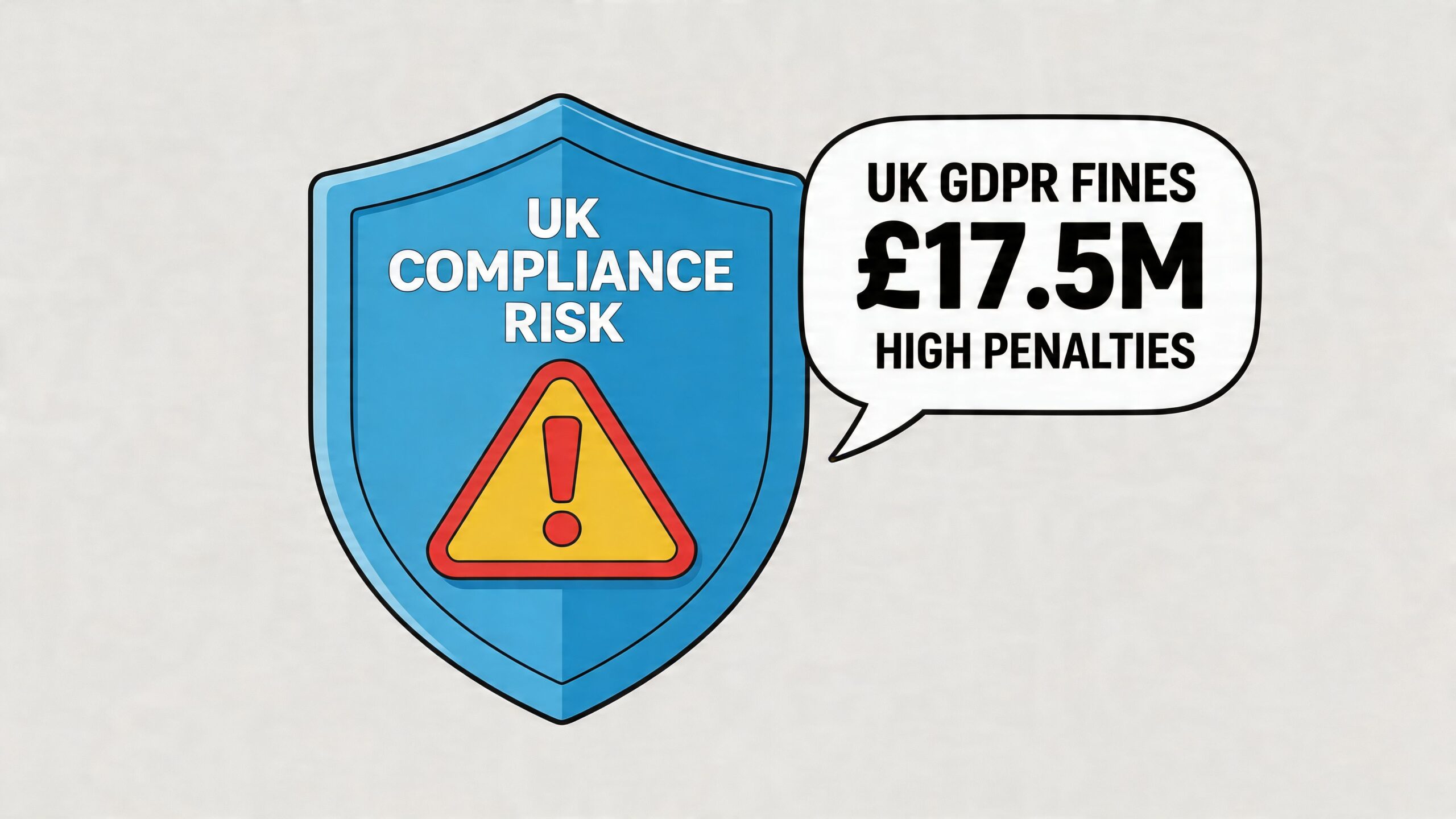
UK-specific data referenced in this area shows 15% of SME fines (£2.1 million total) stemmed from automated marketing and feedback tools lacking transparency, while only 22% of UK multi-location businesses use compliant semi-automation, leaving businesses exposed to average fines of £17.5 million for serious GDPR breaches, according to the UK review software compliance discussion.
What safer automation looks like
For most UK businesses, the safer model is semi-automated rather than fully autonomous. The software drafts or routes. A person approves where needed. Auditability matters. So does control over when automation is allowed to publish and when it must stop and escalate.
That matters even more when the review touches on disputed events, health-related experiences, legal complaints, staff allegations, or anything that could identify an individual beyond what should reasonably be repeated in public.
Compliance isn't a side setting. It's a workflow design choice.
A practical governance model usually includes:
- Human approval for negative or sensitive reviews
- Clear rules for what the AI may draft but not publish automatically
- Audit trails showing what was generated, edited, approved, and posted
- Defined ownership for escalations
- Regular checks for risky patterns and poor outputs
Risk doesn't only come from your own replies
There’s also a reputational overlap with authenticity and manipulation concerns. Businesses that automate responses poorly often discover a second issue. Weak controls make it harder to spot suspicious or misleading review activity at the same time.
That’s one reason teams reviewing their automation setup should also understand the operational risk around fake reviews on Google. The workflows intersect more than people think. The same businesses that need better response controls often need sharper review scrutiny as well.
The selection question UK buyers should ask first
Before asking how fast a platform can respond, ask this instead. What happens when the tool encounters something sensitive?
If the answer is vague, or if the software assumes automatic publication is always acceptable, keep looking. In the UK, the safest review automation software isn't the one that removes humans entirely. It's the one that uses automation to reduce workload while preserving judgement and accountability.
Implementing Your Review Automation Strategy
The software matters, but implementation decides whether the rollout helps or creates a new mess. Teams get the strongest results when they treat review automation software as an operating process, not just a feature switch.
A phased setup usually works better than trying to automate every review type on day one.
Start with response rules, not the tool
Before any drafts go live, define the basics your team will use to judge them.
Write down your tone standards. Decide how formal or conversational replies should be. Set rules for apology language, refund references, escalation wording, and when to take a conversation offline. If you skip this step, the software will reflect whatever inconsistent habits already exist in the business.
A practical starting framework looks like this:
- Approve automatically: Low-risk positive reviews with no sensitive detail
- Draft for review: Mixed reviews, complaints, location-specific service issues
- Escalate immediately: Legal threats, discrimination claims, safeguarding concerns, personal data, health matters
Pilot one group before scaling
Don’t launch across every branch at once unless your process is already mature. Start with one region, one client cluster, or one review type.
That pilot shows where the friction is. Maybe the AI drafts too formally. Maybe negative review routing goes to the wrong manager. Maybe branch staff need simpler approval permissions. Those problems are easier to fix in a controlled rollout than across the whole business.
Rollouts fail when businesses automate chaos. Clean up ownership and approval logic first.
Train the people who will actually use it
Review automation doesn’t remove staff involvement. It changes where their attention goes.
Managers need to know when to approve, edit, or escalate. Agency teams need to know how to switch voice rules between clients. Head office needs to know how to audit patterns rather than reading every individual review.
Training should focus on judgement calls, including:
- When to accept the AI draft as written
- When to personalise
- When to avoid replying publicly at all
- How to spot recurring operational problems in review themes
Monitor output and refine
Once the workflow is live, review the responses regularly. Look for repeated phrasing, missed sentiment, over-apology, under-reaction, or cases where the business voice doesn’t match the service experience.
This is also where broader reputation oversight becomes important. Teams running review automation should keep it connected to their wider online reputation monitoring process so review handling, escalation, and reporting don’t split into separate silos.
The strongest teams treat automation like an ongoing tuning exercise. They adjust prompts, permissions, escalation logic, and approval thresholds as patterns emerge.
What good implementation looks like
A well-run setup has a few obvious signs. Reviews don’t sit unanswered for long. Managers aren’t stuck writing every response. Negative feedback reaches the right person quickly. Public replies sound like the brand, not like a machine.
That’s the point of review automation software in the first place. It should reduce effort, tighten control, and help the business respond at the pace customers now expect.
If your team wants a cleaner way to manage Google reviews without losing control over tone, approvals, or visibility, take a look at LocalHQ. Its review-focused tools are built for businesses that need one place to monitor feedback, draft on-brand responses, and keep review workflows manageable across single or multiple locations.