

Local Listing Management: Automation for NAP at Scale
A customer phones your Bristol branch, asks for a service your team doesn’t offer there, then mentions the number came from “Google”. They found an old directory profile showing your Manchester phone number, a retired opening-hours field, and a duplicate listing with the wrong postcode. Nobody on your team created that version. Nobody noticed it either.
That’s how local listing problems usually show up. Not as a neat SEO ticket. As lost calls, misrouted leads, annoyed reception staff, poor review sentiment, and branch managers asking why head office “changed something online” again.
For a single site, you can sometimes get away with manual fixes. For a growing business, that approach collapses fast. Listings spread across Google, Apple Maps, Yelp, vertical directories, data aggregators, and scraped profiles you didn’t even know existed. One update to a phone number or holiday hour can become a chain reaction of mismatches.
From Manual Fixes to Automated Strategy
The old way of handling listings was simple enough. Claim the Google profile, fill in the basics, and correct problems when someone complains. That worked when local search was less crowded and fewer platforms mattered. It doesn’t work now.
A major turning point came with the UK launch of Google My Business in 2012. By 2016, consistent NAP data had become a core ranking factor, and BrightLocal reported that 87% of UK consumers read online reviews for local businesses in 2017, up from earlier years. Their local search research also shows 76% of UK respondents used Google Maps weekly for local searches in 2023, which tells you how often customers rely on profile data before they ever reach your website (BrightLocal local SEO statistics).
Why firefighting fails
Manual listing work creates three recurring problems.
- Updates happen too late because someone waits for a customer complaint.
- Different teams change different profiles so the brand drifts by location.
- Nobody owns the full ecosystem beyond the main Google profile.
That’s why “local listing management” shouldn’t be treated as admin. It’s an operating system for local discovery. It controls whether search platforms trust your location data, whether customers can reach the right branch, and whether expansion creates advantage or chaos.
Practical rule: if a location update starts in email, spreadsheets, and branch WhatsApp messages, the business hasn’t built a listing system yet.
For multi-location operators, the shift is strategic. The job isn’t just to fix wrong citations. It’s to create a repeatable method for publishing, monitoring, correcting, and improving location data from one place. That includes ownership of categories, attributes, opening hours, duplicate suppression, review flows, and escalation rules for edits made by third parties.
Businesses trying to manage dozens of profiles often start by tightening Google profile governance. If you’re dealing with multiple branches, permissions, and profile ownership issues, this guide to managing multiple Google Business Profiles is a practical place to start.
The difference between reactive and scalable local listing management is simple. Reactive teams fix what breaks. Scalable teams design a system that makes breakage less likely in the first place.
The Foundations of Flawless Local Listings
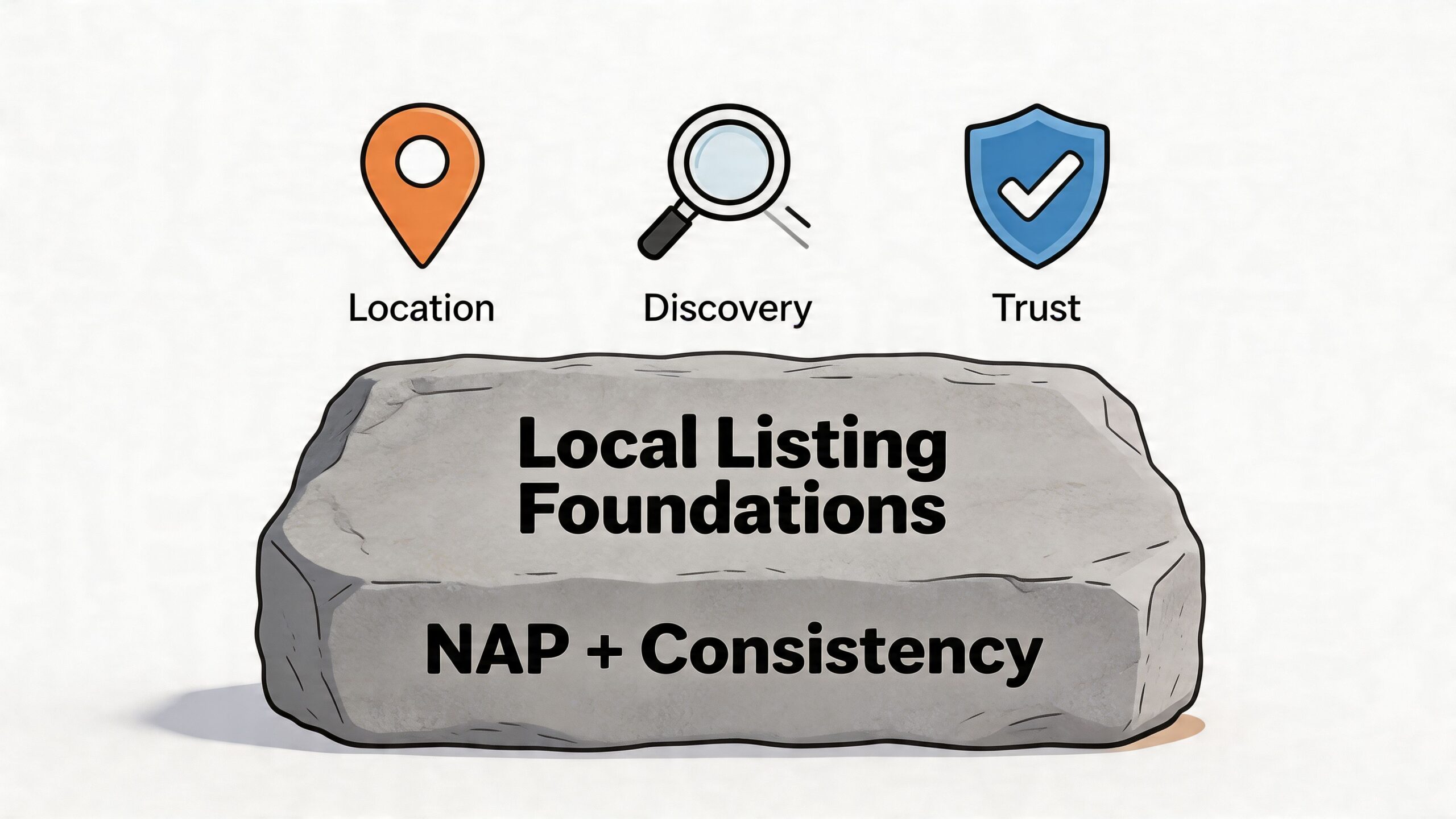
A local listing is any online profile that displays your business name, address, phone number, hours, categories, services, and other public details. A citation is any mention of that business information on external platforms, directories, apps, or map services. Search engines compare those signals to decide whether your business is real, relevant, and trustworthy in a specific place.
If the same branch appears with two phone numbers, two postcode formats, and three category variations, you create doubt. Customers feel it first. Search engines follow.
What actually needs to stay consistent
While many teams understand NAP in theory, fewer run it as a controlled standard.
Your Name, Address, and Phone number must match the canonical version you want the market to see. That means more than avoiding obvious errors. It includes branch naming format, suite or unit details, local phone usage, abbreviations, and trading-name logic.
A solid source of truth usually includes:
- Official location name used across every public profile
- Address format including unit, floor, or retail park detail where relevant
- Primary local phone number for that branch
- Opening hours and special hours controlled centrally
- Primary and secondary categories approved by marketing or operations
- Attributes and service data specific to each location where needed
If any of that lives in separate spreadsheets owned by different people, consistency won’t last.
The cost of getting the basics wrong
The financial case for proper listing control is stronger than often perceived. One UK-focused summary notes that 68% of UK SMBs have outdated data, with a 25% revenue loss risk for sectors like restaurants. The same source states that optimised UK profiles can improve average Google position from 15+ to 9.7, that managed listings drive 37% of informational local search results, and that 75% of new UK business stems from top directories (Uberall on local listings management).
That’s why listing hygiene isn’t a side task for interns. It affects discovery, trust, and conversion.
A wrong phone number wastes more than a lead. It trains customers not to trust the next detail they see.
Google matters most for many brands, but it isn’t the whole job. Apple Maps, Yelp, Bing, sector-specific platforms, booking platforms, and major UK directories all contribute to visibility and trust. If you only manage one profile well, you still leave room for errors elsewhere to spread back into the ecosystem.
For businesses auditing this broader footprint, a modern geo audit playbook for local SEO is useful because it forces you to inspect location accuracy, competitive gaps, and search visibility at market level rather than profile by profile.
Build the source of truth first
Before any automation platform can help, you need one approved dataset. No exceptions.
Use a simple control table like this:
| Field | Canonical rule | Common failure |
|---|---|---|
| Business name | Approved naming convention by branch type | Extra keywords added by local teams |
| Address | Royal Mail-aligned public format | Inconsistent abbreviations or missing unit |
| Phone | Direct local branch number | Call centre or legacy number reused |
| Hours | Central ownership plus local approval path | Holiday hours left stale |
| Categories | Controlled primary and secondary set | Different categories by platform without reason |
That source of truth becomes the reference point for every publication, correction, and quality check. If you need a primer on how citations fit into that process, this explainer on what local citations are gives the framework.
Your Playbook for Optimising a Core Profile
Before you automate anything, build one excellent profile manually. That profile becomes the operating template for every future location. If your benchmark is weak, automation only spreads weak data faster.
Google Business Profile is still the clearest place to define that gold standard because it combines discovery, map visibility, customer actions, reviews, and profile content in one place.
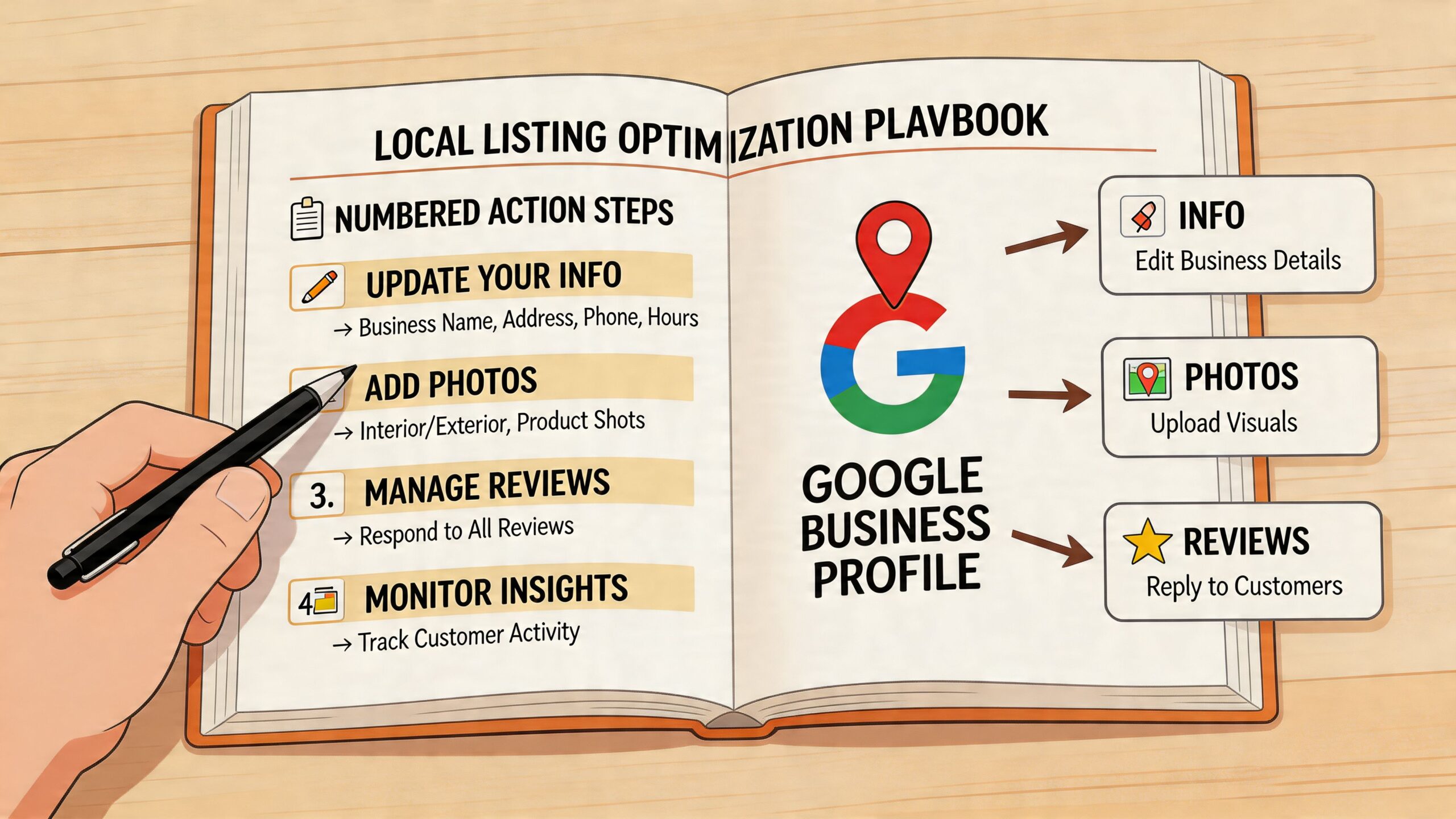
Claim and verify before doing anything else
If a location isn’t claimed and verified, you don’t control the profile. That means Google users, third-party platforms, or old agency accounts may still influence what customers see.
Verification isn’t glamorous, but it sets the rules of ownership. For growing businesses, profile access should be tied to role, not personal email addresses. Marketing should own the framework. Branch managers can contribute updates through a process, not by editing live fields ad hoc.
When claiming a profile, check for these issues first:
- Duplicate entries for the same branch under old names or addresses
- Merged profiles caused by similar names in the same area
- Legacy practitioner or department listings that should be treated separately
- Old agency ownership that blocks access and slows changes
A clean ownership structure prevents future disputes when locations move, rebrand, or change phone numbers.
Complete the fields most businesses ignore
A verified profile with basic data isn’t an optimised profile. Too many brands stop after name, category, hours, and phone. That leaves visibility and conversion on the table.
Focus on the fields that shape both relevance and customer confidence:
- Primary category should reflect the main commercial intent of the branch, not the broadest possible term.
- Secondary categories should expand coverage without muddying the main identity.
- Business description should explain what the location does, where it serves, and what distinguishes it.
- Attributes should be accurate and location-specific. Don’t bulk-apply them if the branch can’t support them.
- Services or product details should reflect real offering differences between locations.
The reason this matters is simple. Good category and attribute choices help platforms match your listing to the right searches. Good descriptions and services help customers decide whether to call, visit, or keep scrolling.
Don’t optimise for what head office wishes every branch offered. Optimise for what that branch can actually deliver today.
Use images like operational proof
Photos do more than make a profile look complete. They reduce uncertainty. Customers want to know what the entrance looks like, whether parking is obvious, whether the premises feel credible, and whether the space matches the service they need.
A practical image set for one location usually includes:
- Exterior shots from approach routes
- Interior images showing reception, seating, displays, or treatment areas
- Team or service imagery that feels current and authentic
- Logo and cover image aligned to brand standards
- Short videos where useful, especially for hospitality, retail, and venues
Keep them current. Outdated imagery is a trust leak. It creates the same friction as outdated hours, only in visual form.
Write for both search intent and real people
Businesses often get the description field wrong in two ways. They either stuff it with generic keywords or write brand language so polished that it says nothing useful.
A better approach is to answer practical customer questions in natural language:
- What does this location do?
- Who is it for?
- Which local area does it serve?
- Are there any branch-specific strengths?
- What would make someone choose this branch confidently?
For service-area businesses, clarity matters even more. Be precise about service coverage and contact expectations. For hospitality and retail, use branch-specific details that help someone decide whether to visit.
Treat one profile as your reference build
Once one branch is complete, document it. Not casually. Properly.
Create a reusable profile standard covering:
| Profile element | Standard | Customisable by location |
|---|---|---|
| Primary category | Approved by central team | Only with approval |
| Secondary categories | Predefined options | Yes |
| Description format | Shared structure | Yes |
| Images required | Minimum asset list | Yes |
| Attributes | Controlled list | Yes |
| Review response tone | Brand-approved | Limited |
This becomes your branch launch pack. New locations inherit the structure. Existing ones get audited against it.
If your team needs a practical reference for deeper field-by-field work, this guide to Google Business Profile optimisation is a useful benchmark.
A well-built single profile teaches an important lesson. The work isn’t difficult because any one field is complex. It’s difficult because consistency across many fields and many locations breaks down without process.
Scaling Your Management with an Automation Engine
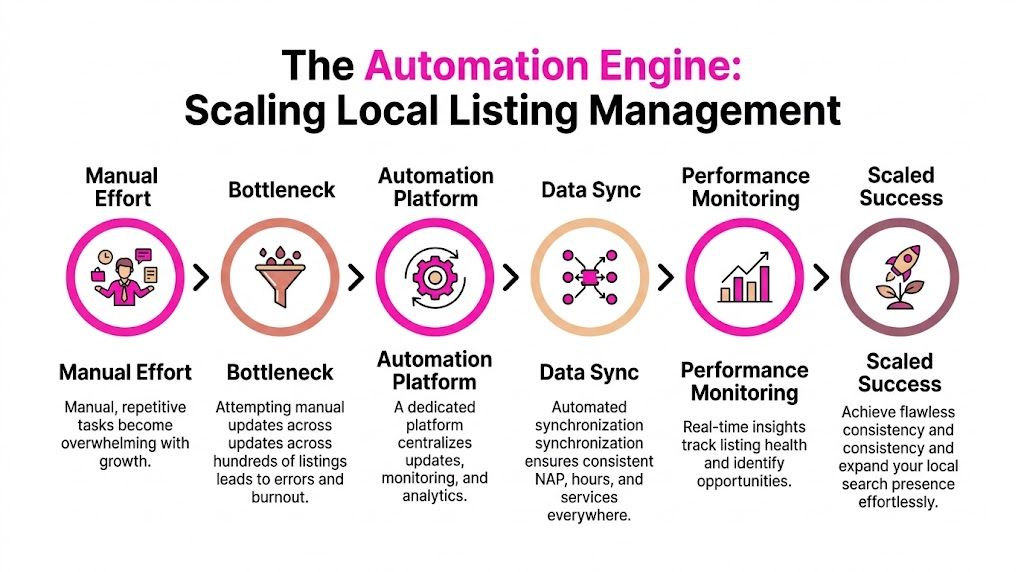
The manual playbook works for one branch. It becomes a burden at ten, and a liability at fifty.
At that point, local listing management stops being a profile task and becomes an operations problem. Teams spend hours updating holiday hours, correcting rogue edits, checking duplicate listings, reformatting addresses, and chasing branch managers for confirmations. The more locations you add, the more those small tasks multiply.
What breaks when you scale manually
Most multi-location teams hit the same wall. They think publication is the hard part. It isn’t. Maintenance is.
Common failure points look like this:
- Hours updates stall because every directory has a separate login or workflow.
- Duplicates resurface after data gets pulled from older sources.
- Branch edits go unreviewed and create naming drift or wrong categories.
- Central teams lose visibility into which profiles are healthy and which are compromised.
- Quality control becomes random because nobody can check every location often enough.
This is exactly why enterprise-style listing operations need a tiered model. Guidance on large-scale listing operations recommends focusing on 4 to 6 core channels in the first 60 days, then scaling only to channels that show stable quality and useful contribution. It also stresses that ongoing QA matters more than first-wave publication speed (ListingBott local business listing management guidance).
Build your operating model by location tier
Not every branch needs the same workflow.
A city-centre flagship in a competitive market deserves more QA than a low-change site with stable details and limited local competition. That’s the core trade-off many businesses miss. They either over-manage everything or under-manage the locations where errors are most expensive.
A practical tiering model usually looks like this:
| Tier | Typical profile | Management style |
|---|---|---|
| Tier A | High-volume, high-risk markets | Frequent QA, faster corrections, tighter approval |
| Tier B | Stable commercial locations | Standard update cadence |
| Tier C | Low-change branches | Lighter maintenance with monitoring |
That structure helps you assign effort where it has the most value. It also prevents head office from wasting time treating every branch as equally volatile.
The goal isn’t to automate everything blindly. The goal is to automate the repeatable work and keep human review for the changes that carry brand or revenue risk.
What a central platform should actually do
A proper automation engine needs more than bulk publishing. If that’s all a platform offers, your team still ends up firefighting.
The useful capabilities are operational:
- Single dashboard control for core location data
- Location-level customisation for descriptions, categories, and attributes
- Monitoring for third-party edits before they linger
- Duplicate detection and suppression workflows
- Channel-by-channel sync for hours, services, and contact changes
- Performance reporting across locations without manual spreadsheet merges
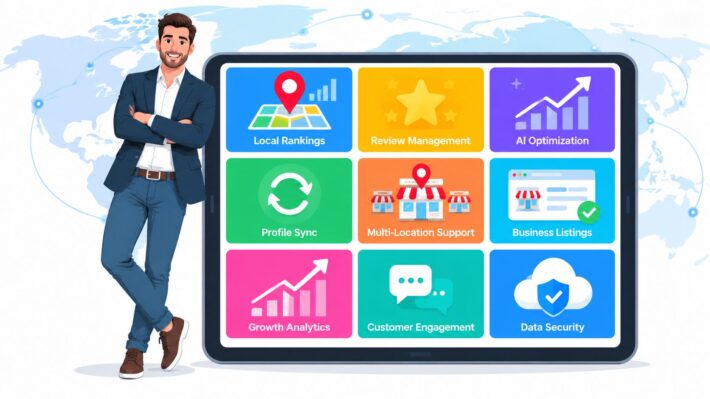
Several platforms address parts of this problem. BrightLocal, Yext, Uberall and similar tools are often part of the shortlist. LocalHQ’s multi-location SEO tools also focus on central management for location data, profile updates, and reporting from one dashboard.
The key selection criterion isn’t who can publish fastest on day one. It’s who helps you maintain accuracy month after month without drowning your team in exception handling.
Roll out in stages, not all at once
A messy rollout usually comes from trying to fix every listing, every branch, every platform at the same time. That creates noise and hides whether the process itself works.
A stronger rollout sequence is:
- Lock the source of truth
- Choose core channels
- Audit existing profile quality
- Publish and correct priority listings
- Set recurring QA rules
- Track exceptions and duplicate cases separately
- Expand only where data quality holds
As scale magnifies process flaws, if your approval model is unclear, automation makes confusion faster. If your branch naming is inconsistent, central sync will spread that inconsistency everywhere.
The businesses that win with local listing management don’t just buy software. They pair automation with governance, escalation paths, and branch-level accountability.
Advanced Strategies to Dominate Local Search
Once your listings are stable, you can start using them as active growth assets rather than static business cards. That’s the shift many brands never make. They spend all their energy on fixing errors and leave the offensive work untouched.
At this stage, the question changes from “Are our details correct?” to “How do we turn these profiles into stronger demand capture across every location?”
Use reviews as an operations signal
Review management isn’t separate from local listing management. It sits inside it.
AI-powered listing systems can flag discrepancies in real time and also analyse review sentiment across large location sets. The same guidance notes that businesses with complete listing information receive 2.7 times more clicks, and that using local phone numbers rather than toll-free alternatives can triple customer trust ratings (Channel Fusion guide for review and local listing management).
That creates a practical workflow:
- Monitor review themes by location
- Separate reputation issues from operational issues
- Respond quickly with approved brand tone
- Escalate recurring complaints to branch or regional managers
- Use sentiment patterns to refine attributes, content, and customer messaging
If one branch repeatedly gets complaints about wait times, that isn’t just a review problem. It’s a signal that should change staffing, scheduling, or expectation-setting in the profile itself.
Publish local content without losing control
Google Posts, event updates, and location media give you a way to keep profiles fresh, but random branch posting causes inconsistency fast.
The better model is controlled flexibility. Give locations a content framework, not a blank page.
For example:
- Central campaigns for seasonal offers, national promotions, or service launches
- Local customisation for branch events, community activity, or stock-specific pushes
- Pre-approved templates so descriptions, CTAs, and imagery stay on-brand
- Publishing calendars that match real business cycles, not arbitrary posting quotas
This is especially effective for hospitality, fitness, clinics, and retailers with location-specific inventory or events. The point isn’t posting for the sake of activity. It’s removing hesitation for a nearby customer who’s choosing between you and another listing.
A quiet profile often signals a neglected location, even when the business itself is strong.
Turn profile data into competitive decisions
Once profiles are connected to reporting, local search becomes a useful business intelligence layer. You can spot branch-level issues that standard analytics often miss.
Useful questions include:
- Which locations generate direction requests but weak call volume?
- Which branches receive strong visibility but poor review sentiment?
- Which service categories appear underused in one region and overused in another?
- Where do competitor profiles look more complete or more active?
That’s where broader Local SEO strategies become relevant. Listings perform best when they’re aligned with review generation, local landing pages, content, and branch-level conversion goals.
Use automation carefully, not lazily
Automation can improve speed and consistency, but it can also spread poor decisions if the rules are weak. The fix is to separate what should be standardised from what should stay local.
Good candidates for automation:
| Best automated | Keep under human review |
|---|---|
| Hours sync | Rebrand naming changes |
| Core NAP updates | Category changes in sensitive sectors |
| Duplicate alerts | Review responses for escalated complaints |
| Routine media scheduling | Crisis or incident messaging |
| Basic sentiment tagging | Multi-branch merger clean-up |
Strong local listing management balances machine efficiency with human judgement. That balance is what allows a business to move faster without making the customer experience feel generic or careless.
Monitoring Performance and Proving ROI
Most local listing reports stop at surface metrics. Accuracy score. Review response rate. Number of profiles synced. Those are useful operational indicators, but they don’t answer the question a regional director or finance lead will ask. What did this change for the business?
That’s the weak point across much of the market. There’s still a gap between local SEO reporting and commercial reporting.
Research on this gap points out that many platforms track listing KPIs without offering UK-specific attribution models or ROI calculations. The same analysis highlights the financial impact of poor data management, noting that inaccurate listings contribute to an estimated £1.2 billion in missed revenue annually in the UK hospitality sector alone (Arc4 on local listing management ROI gaps).
Track actions, not just profile health
The most useful local listing KPIs are the ones closest to customer intent. For most businesses, that means:
- Website clicks from local profiles
- Direction requests
- Call volume
- Search impressions
- Review trends and response handling
- Visibility patterns by location or region
These metrics matter because they connect profile quality to behaviour. A corrected listing isn’t valuable because the spreadsheet turns green. It’s valuable because more people can call the right branch, get directions, and convert.
Build a practical ROI model
You don’t need a perfect attribution system to prove value. You need a credible one that the business can understand and repeat.
A simple working model looks like this:
- Establish a baseline for calls, clicks, direction requests, and impressions by location.
- Record operational changes such as NAP correction, duplicate suppression, category refinement, review response rollout, or hours updates.
- Compare movement over time by location tier, not just in aggregate.
- Overlay branch context including seasonality, refurbishments, staffing issues, or local campaigns.
- Translate actions into business outcomes using known internal conversion assumptions rather than generic SEO claims.
Many teams fail in this particular aspect. They report output, not impact. They’ll say they fixed listings across a region, but they won’t connect that to improved enquiry quality, fewer misrouted calls, or stronger performance at branches that previously suffered from data drift.
If reporting can’t help you decide where to invest next, it’s only describing activity.
Compare locations properly
A multi-location report should help you answer three questions quickly:
| Question | Why it matters | What to inspect |
|---|---|---|
| Which branches improved after clean-up? | Finds real winners | Calls, directions, clicks, review trend |
| Which branches stayed flat? | Reveals hidden blockers | Category fit, duplicate issues, market competition |
| Which branches slipped? | Catches emerging problems | Third-party edits, closures, local operations issues |
Branch comparison is where local listing management becomes commercially useful. It helps you avoid a false average. One city may be growing because profile quality improved. Another may be stalled because the branch still has duplicate listings or weak category alignment.
For teams improving their reporting framework, this ultimate guide to local SEO reports is helpful because it focuses on presenting local performance in a way stakeholders can practically use.
Use reporting tools that remove spreadsheet labour
The reporting layer matters almost as much as the listing layer. If analysts still have to pull profile data manually, clean exports, and build branch comparisons by hand, the team won’t report often enough to stay proactive.
A useful reporting setup should show trends across impressions, calls, directions, and engagement by location, region, and time period. It should also make exception spotting easy. For businesses managing Google visibility across several branches, a Google Business Profile reporting tool is one way to consolidate that view and reduce manual reporting overhead.
The point of ROI reporting isn’t to make local SEO look fancy. It’s to help leadership decide where local search investment deserves more budget, where branch support is needed, and which fixes are paying for themselves.
Conclusion Your Automated Future in Local Search
Most businesses don’t struggle with local listing management because the work is mysterious. They struggle because the work is repetitive, spread across too many platforms, and too easy to leave until a customer complains.
That’s why manual fixes eventually stop working. They create delay, inconsistency, and constant rework. A scalable system does the opposite. It gives you one source of truth, controlled publication, recurring quality checks, duplicate clean-up, and reporting that ties profile activity to business outcomes.
For growing multi-location brands, automation isn’t a nice extra. It’s the only practical way to maintain NAP consistency, protect trust, and keep local search from turning into a branch-by-branch support queue.
Good local listing management also changes how teams operate. Instead of spending their week chasing wrong phone numbers and stale hours, they can focus on category strategy, review handling, market-level opportunities, and better customer journeys.
If you’re tired of fixing the same listing issues over and over, take a look at LocalHQ. Its platform is built to centralise updates, monitor profile changes, support citation and listing automation, and turn location data into reporting your team can use across one branch or hundreds.