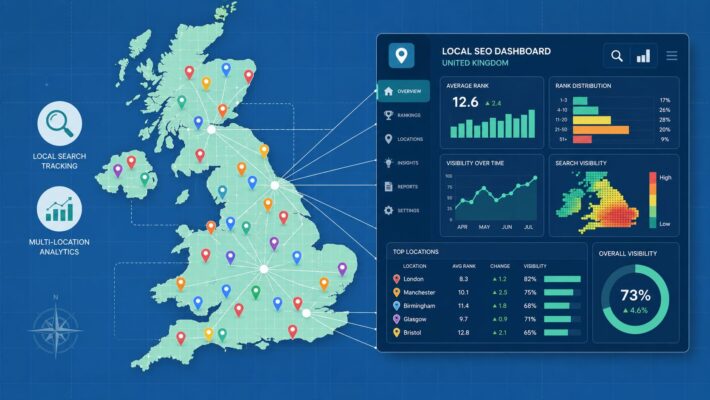
Google Posts Automation: Scheduling, Content, and Engagement
Teams often don’t struggle with Google Posts because they lack ideas. They struggle because posting sits in the awkward middle ground between “important enough to matter” and “urgent enough to get done”. A promotion needs updating, a seasonal service needs pushing, an event needs publishing, and somehow the profile goes quiet for weeks.
That inconsistency costs visibility. It also creates a messy workflow where someone remembers Google Posts only when rankings dip, calls slow down, or a location manager asks why a competitor looks more active in Maps.
A better approach is to build a system. Good Google Posts automation isn’t about flooding a profile with AI-written updates. It’s about creating a repeatable process for planning, approving, scheduling, measuring, and refining posts so they keep supporting local discovery without eating the team’s week.
The High Cost of Inconsistent Google Posts
An inactive Google Business Profile sends the wrong signal. If your profile sits unchanged while nearby competitors keep publishing offers, events, and updates, you don’t just look less engaged. You become easier to overlook.
For local businesses in the UK, regular activity on Google Business Profile has a direct operational impact. Businesses that maintain regular updates through automation average 200 clicks per month and 105 website visits directly from their listings, according to ALM Corp’s guide to automating Google Business Profile management. That makes Google Posts automation less of a convenience feature and more of a visibility system.
What inconsistency looks like in practice
The problem usually isn’t complete neglect. It’s uneven effort:
- One busy month, then silence: A team launches a campaign, posts several updates, then stops.
- Only reactive posting: Updates go live when there’s a sale, staffing issue, or seasonal rush.
- No ownership: Head office thinks location teams are posting. Location teams assume marketing handles it.
- Manual bottlenecks: Every post needs a new image, fresh copy, and last-minute approval.
That pattern creates stale profiles. It also makes reporting nearly useless because there’s no consistent cadence to compare.
Google Posts work best when they become part of routine local operations, not a once-in-a-while marketing task.
Why automation solves the right problem
The biggest win isn’t that software can publish on a schedule. The primary benefit is that automation removes the friction that causes profiles to go dormant in the first place.
A reliable workflow keeps core post types moving, even when the team is buried in service delivery, stock issues, rota changes, or campaign work. That matters most in sectors where local intent is immediate, such as restaurants, retail, hospitality, home services, and healthcare.
Done properly, automation supports consistency without making the profile feel robotic. Done badly, it produces bland, repetitive content that nobody clicks. That trade-off matters, and it’s why the system behind the posts matters as much as the schedule itself.
Building Your Google Posts Strategy and Cadence
Posting more often won’t fix a weak plan. If the content has no structure, automation just scales inconsistency. The strongest Google Posts automation setups start with a simple editorial model that tells the team what to publish, when to publish it, and why each post exists.
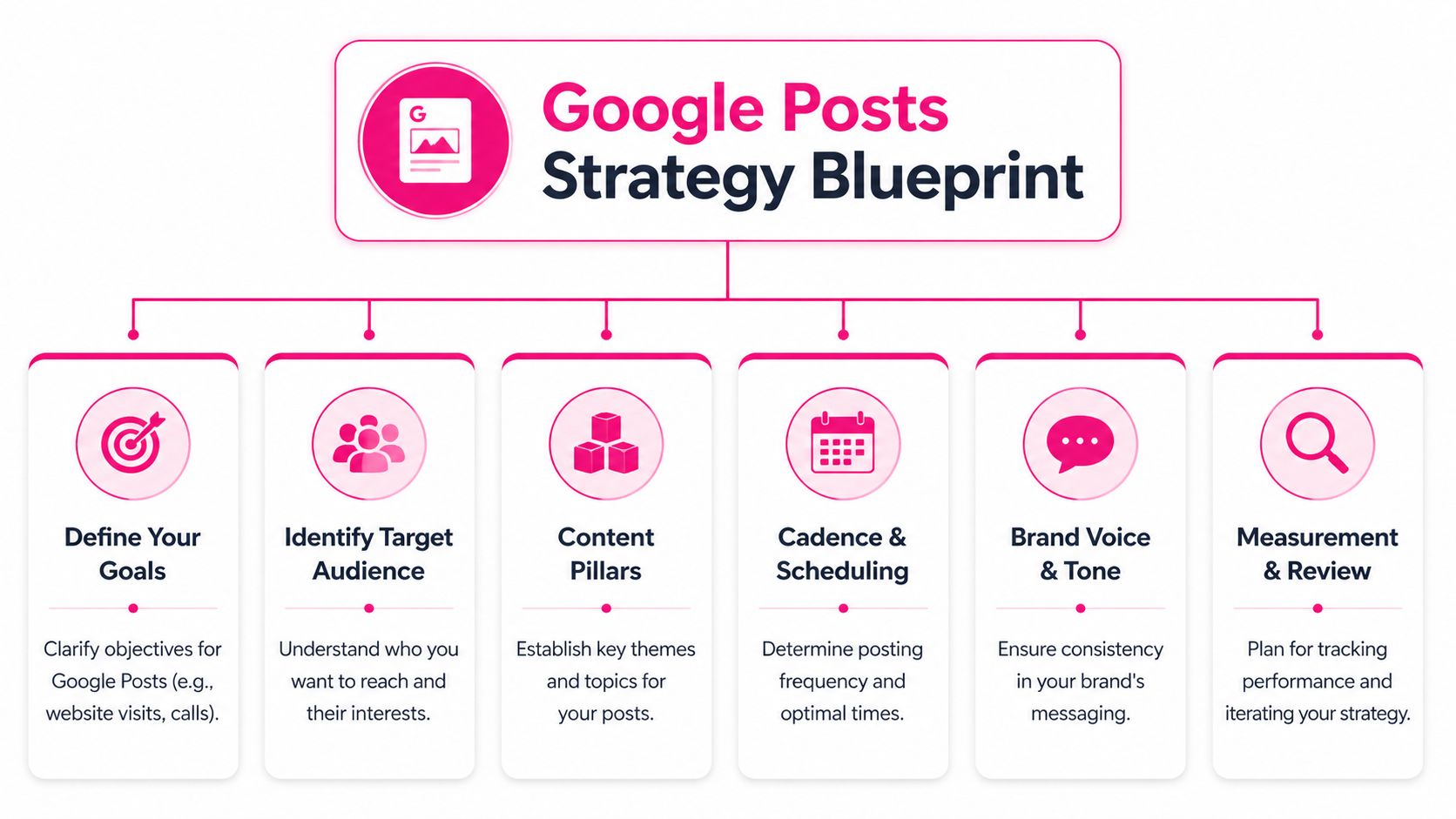
A well-planned Google Business Profile workflow can save 5 to 10 hours per month per location and support a 15 to 30% increase in profile engagement within the first three months. That’s why the planning stage is worth doing properly, even if you’re keen to jump straight into scheduling.
Start with content pillars
Most businesses only need three to five pillars. Any more than that and the calendar gets bloated. Any fewer and the profile starts to feel repetitive.
A practical setup looks like this:
- Commercial posts: Offers, limited-time promotions, new products, seasonal packages.
- Trust-building posts: Team spotlights, accreditations, customer service standards, process updates.
- Local relevance posts: Bank Holiday opening times, local events, community involvement, area-specific services.
- Proof posts: Before-and-after imagery, menu highlights, newly completed work, popular treatments or services.
- Operational posts: Booking reminders, service availability, delivery areas, appointment windows.
If you run multiple locations, keep the pillars centralised but allow local variation in examples, imagery, and wording.
Match the post type to the intent
Google gives you different post formats for a reason. Use them deliberately.
| Post type | Best use | Common mistake |
|---|---|---|
| What’s New | Routine updates, announcements, evergreen visibility | Using it for every single message |
| Event | Time-bound launches, in-store activity, seasonal dates | Forgetting to remove or refresh expired details |
| Offer | Promotions with a clear action | Writing a vague sales message without a clear benefit |
That decision matters because each format sets a different expectation for the user. An event should feel timely. An offer should feel specific. A standard update should still give the searcher a reason to act.
Set a cadence your team can actually maintain
The best schedule is the one that survives busy weeks. For many local businesses, that means a modest but dependable calendar rather than an ambitious plan that collapses after ten days.
Use a cadence that fits your operating reality:
- Single-location service business: Keep a light rhythm with recurring service-led updates and seasonal reminders.
- Retail or hospitality brand: Mix regular offers with event-led posts and visual product highlights.
- Agency or franchise operation: Create a central calendar with approved templates and local customisation windows.
Practical rule: Build a posting cadence around approval speed, asset availability, and who owns the final sign-off. Strategy fails faster on process than on ideas.
If you want a clearer view of how this can work in a real publishing flow, LocalHQ’s Google Business Profile Posts tool shows the kind of structure teams need when they’re managing recurring posts across locations.
Creating Reusable Templates for Efficient Content Creation
Most Google Posts don’t need to be written from scratch. In fact, writing every post from a blank page is one of the fastest ways to make automation fail, because the schedule quickly outruns the team’s ability to produce decent content.
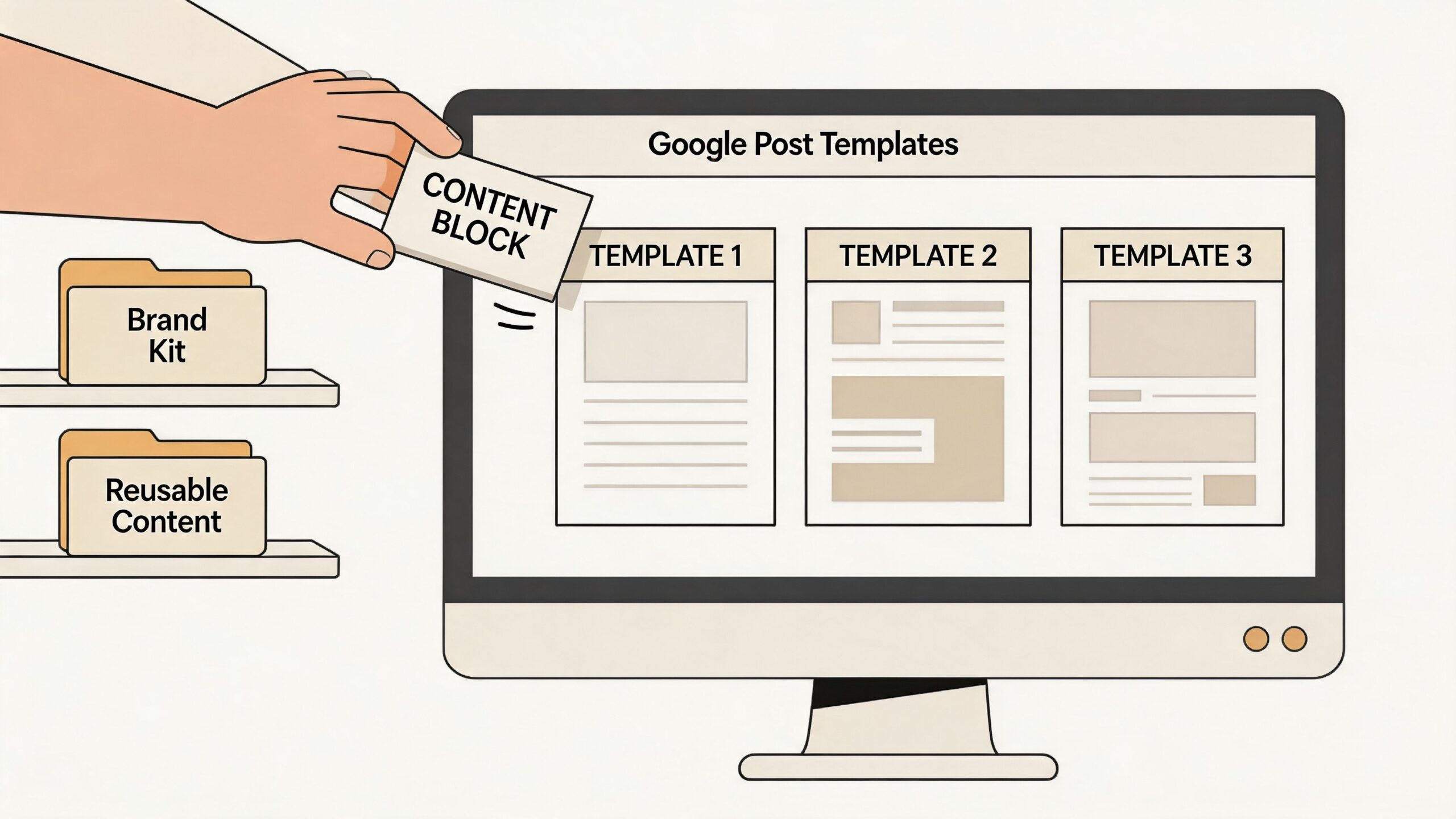
Templates solve two problems at once. They speed up content creation, and they reduce the brand drift that often appears when different people write for different locations.
Build templates with fixed and flexible parts
A good template has a stable structure and swappable details. That means the framework stays consistent while the specifics change by location, season, offer, or service line.
Use this basic framework:
- Headline hook: Short, direct, relevant to the searcher’s need.
- Core message: What’s changing, launching, available, or worth noticing.
- Local detail: Area served, branch context, seasonal relevance, or event tie-in.
- Call to action: Book, call, order, visit, learn more.
- Asset slot: One image set, short video, or approved visual category.
For example, a restaurant might use:
- “This week’s special is now on”
- “[Dish name] available until [day]”
- “Book your table for [location]”
- “Tap to reserve”
A heating engineer might use:
- “Get your boiler ready for colder weather”
- “Appointments now open in [service area]”
- “Fast local call-outs available”
- “Book today”
Keep a template library by scenario
Don’t organise templates by department. Organise them by use case. That makes them easier to pick up and publish quickly.
A practical library might include:
- Seasonal offer templates: Christmas menus, summer services, Bank Holiday promotions
- Availability templates: Emergency slots, weekend bookings, same-day collections
- Trust templates: Staff credentials, business milestones, customer care updates
- Event templates: Launches, in-store demos, open days, pop-ups
The copy should stay concise enough for Google Posts, but detailed enough to avoid generic filler. If a post could be published by any business in any town without changing anything, it’s too broad.
The best templates don’t sound automated. They sound prepared.
For teams that want to centralise this process, a dedicated content publishing workflow helps keep templates, approvals, and asset variations in one place rather than scattered across documents, email chains, and message threads.
Setting Up Your Google Posts Automation Workflow
Once the strategy and templates are in place, the technical setup becomes much simpler. You’re no longer trying to automate creativity from scratch. You’re automating a repeatable publishing process.

At a practical level, most workflows need five parts: content source, approval step, scheduling rule, publishing method, and reporting loop.
A working setup for most teams
A dependable Google Posts automation workflow usually looks like this:
Prepare the calendar
Build one planning sheet or dashboard with post date, location, post type, image asset, CTA, and approval status.
Map templates to campaigns
Assign each planned post to a reusable template instead of writing freehand copy every time.
Add an approval checkpoint
Someone should review wording, dates, and offer details before the post enters the queue.
Schedule in batches
Bulk scheduling is far more efficient than daily manual posting. It also reduces the chance of gaps.
Track live status
Confirm the post published, displayed correctly, and didn’t fail due to asset or API issues.
Timing matters more than people think
In the UK, peak engagement windows for automated posting are typically between 10am and 2pm GMT from Tuesday to Thursday, based on Acuto’s workflow guidance for automation timing. That doesn’t mean every business should publish only in that slot, but it’s a strong default if you need a starting point.
For local campaigns, I’d use that range as the baseline, then adjust after reviewing post engagement by category, location type, and audience intent. A dentist and a brunch venue won’t always behave the same way.
Tool choices and technical trade-offs
If you want the simplest route, use a platform built for scheduled Google Business Profile publishing. If you need custom workflows, there are a few other options:
- Spreadsheet plus automation layer: Useful for teams already planning content in Sheets and routing approvals externally.
- Zapier or similar connectors: Fine for light workflows, but they can become brittle with exceptions and multi-location logic.
- Direct API integration: Better for larger businesses, agencies, and franchise systems that need central control and custom rules.
- Custom scheduling stack: Best when engineering teams need rate control, queueing, and deeper system integration.
If you’re building a more technical pipeline or evaluating API-first approaches, this guide to Mallary.ai for social media API development is a useful reference point for thinking through scheduling architecture and integration design.
For teams that want a simpler route into operational scheduling, a dedicated Google Business Profile post scheduler keeps the workflow tighter than juggling a patchwork of documents, zaps, and manual checks.
Keep the automation path boring. The cleverer the workflow looks on a whiteboard, the more likely it is to break when a location changes opening hours, an image is missing, or an offer expires early.
Monitoring Performance and Optimising Your Approach
Publishing on schedule is only half the job. Google Posts automation works when it creates a feedback loop. You post, measure, adjust, and improve. Without that loop, even a tidy automation setup becomes a content treadmill.
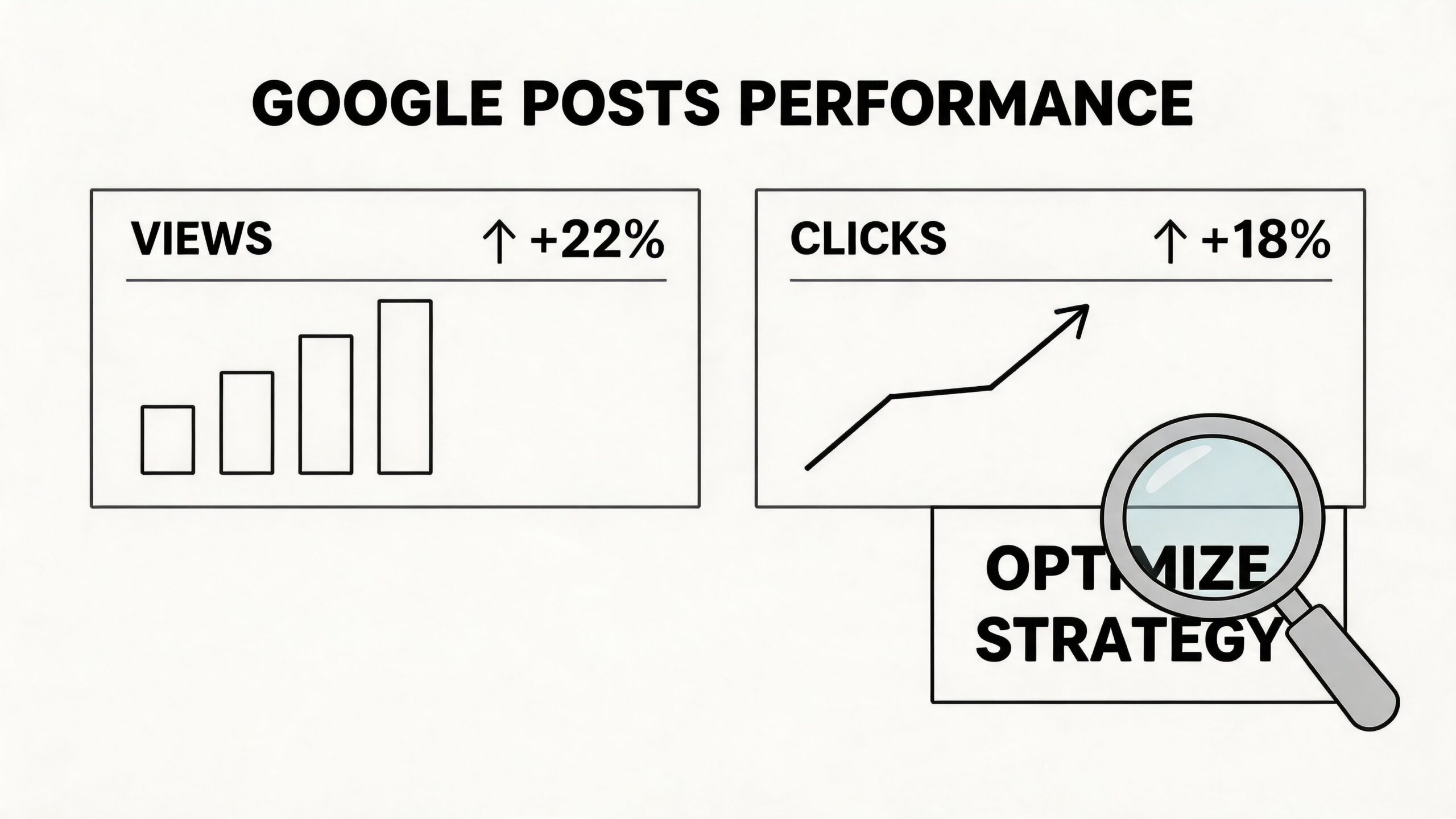
The easiest mistake here is tracking activity instead of impact. “We published twelve posts this month” isn’t useful if none of them drove calls, visits, or direction requests.
What to review after posts go live
Start with the metrics that connect to local action:
- Post views: Useful for checking whether the content is getting seen
- Clicks through to site pages: Helpful when the post supports bookings, menus, or service pages
- Calls and direction requests: Strong signals for high-intent local searches
- Offer and update performance by type: Important for comparing formats, not just individual posts
If one post category gets attention but no action, the issue usually isn’t the schedule. It’s often the offer, CTA, or mismatch between post intent and landing page.
Use A/B testing to refine the system
Automation proves to be valuable. When scheduling is organised, you can compare post types, messages, visuals, and CTAs without creating chaos.
Businesses that A/B test automated post types such as Offers versus Updates can see a 15 to 25% increase in calls and direction requests, and successful tests show a 27% correlation with ranking boosts in the Google Map Pack. Those figures come from the same workflow guidance used for setup earlier, but the important lesson is practical: test one variable at a time.
A sensible testing plan might compare:
| Element to test | Version A | Version B |
|---|---|---|
| CTA | Call now | Learn more |
| Post type | Offer | What’s New |
| Visual style | Product image | Team or location image |
| Message angle | Price-led | Convenience-led |
Don’t test five changes in one go. If headline, image, CTA, and landing page all change at once, you won’t know what caused the result.
Use a simple review rhythm. Monthly is enough for many smaller businesses. Larger multi-location accounts often need weekly checks because small issues scale fast across dozens of profiles.
If you want cleaner reporting on calls, clicks, and profile actions, a dedicated Google Business Profile insights dashboard makes trend analysis far easier than pulling fragmented data into spreadsheets by hand.
Common Pitfalls and How to Troubleshoot Them
Automation can save a lot of time, but it also makes mistakes travel faster. If one weak post goes live manually, the damage is limited. If a broken template or bad rule goes into an automated queue, the same problem can hit every location.
That’s why the biggest risk in Google Posts automation isn’t speed. It’s over-confidence.
Where systems usually break
The most common problems are operational, not creative:
- Expired offers still publishing: The schedule was built once and never checked against changing dates.
- Wrong location details: A template field pulls old branch information or generic copy.
- Weak asset quality: The image technically fits, but it doesn’t help the post stand out.
- Policy rejections: Promotional wording, formatting, or missing review steps trigger problems.
- API failures: Posts stay stuck in queue while the team assumes they’re live.
For UK multi-location businesses, ignoring API rate limits and downtime is a serious issue. A better approach is to keep a manual review layer and cap automation at 80% of posting volume, which can reduce penalties and preserve the human touch that 52% of UK consumers prefer, according to Virtuoso QA’s discussion of automation project success and failure.
A safer operating model
The strongest setups don’t automate everything. They automate the predictable parts and keep human review for the pieces most likely to go wrong.
Use a short quality check before publishing:
- Check the dates: Offers, event windows, and seasonal references need validating every cycle.
- Check the branch details: Location names, service areas, and links should match the selected profile.
- Check the tone: If the post sounds generic, rewrite it before it scales.
- Check the landing experience: Don’t send users to a mismatched page.
- Check live output: Review what appeared on the profile, not just what sat in the scheduler.
Automation should handle repetition. People should handle judgement.
If your posts are being rejected or underperforming, don’t rebuild the whole system immediately. Check the basics first: the template, the asset, the post type, the schedule, and the approval path. Most issues sit there.
Start Automating Your Google Posts Today
The businesses that get the most from Google Posts automation rarely treat it as a publishing shortcut. They treat it as an operating system for local visibility. That means clear content pillars, reusable templates, a schedule that survives busy weeks, and a review process that keeps quality high.
When that system is in place, posting becomes easier to maintain and easier to improve. The team spends less time scrambling for copy, less time chasing approvals, and less time wondering why one location looks active while another sits silent.
For single-location businesses, the win is control. For multi-location brands, it’s consistency at scale. For agencies, it’s the difference between a messy recurring task and a service that can be delivered reliably.
If you’re managing several branches or client listings, it also helps to centralise the operational side of profile management. A platform for managing multiple Google Business Profiles gives you a cleaner way to keep posts, updates, and location-level execution aligned.
LocalHQ brings the parts of Google Posts automation together in one place, from scheduling and content publishing to visibility tracking across locations. If you want a faster way to build a repeatable posting system without juggling spreadsheets, approval chains, and manual uploads, explore LocalHQ.