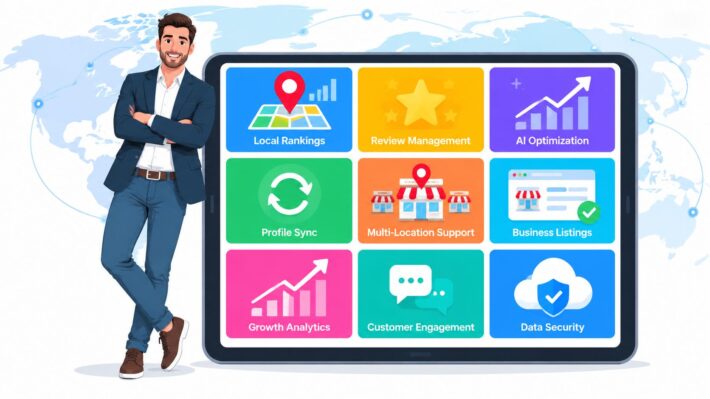
Multi-Location Marketing Automation: Scale Your Enterprise
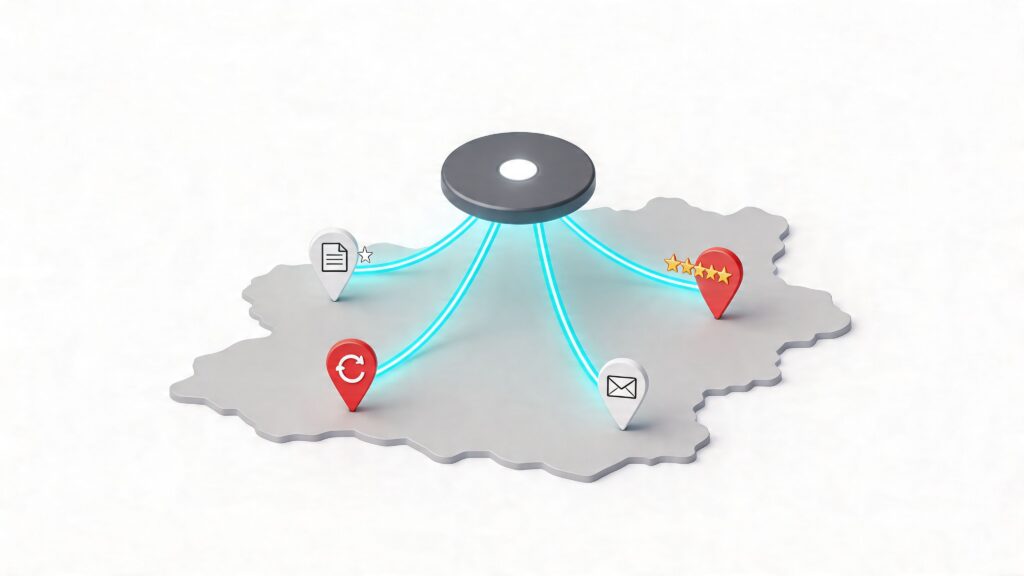
If you're running marketing for a franchise or any business with a national footprint, the same pattern keeps showing up. Head office wants consistency. Local teams want flexibility. Customers expect accurate hours, relevant posts, fast review replies, and the same standard of experience whether they find your brand in Leeds, Glasgow or Brighton.
Without a proper operating model, the work falls into spreadsheets, email chains and one-off fixes. One location updates bank holiday hours. Another forgets. One branch posts useful local content. Another publishes something off-brand. Reporting arrives late, with half the data missing and no clean way to connect marketing activity to calls, bookings, footfall or revenue.
That’s where multi-location marketing automation stops being a nice-to-have and becomes an operational requirement. The challenge isn't merely buying software. It’s designing a rollout that gives central teams control over standards while still leaving room for local relevance.
The Modern Challenge of Marketing at Scale
Most multi-location teams don’t struggle because they lack ideas. They struggle because execution breaks as the location count rises. What works for ten sites often fails at one hundred. The failure point is rarely strategy. It’s process.
A single campaign can expose every weakness at once. Head office approves the creative. Regional managers request edits. Local managers need location details swapped in. Listings need updating. Review volumes spike after launch. Reporting then sits in separate systems, so nobody can see which locations moved the needle.
That complexity is why automation has become mainstream rather than experimental. In the UK, 95% of enterprises were using marketing automation platforms as of 2026, and multi-location businesses have seen 23% attribution of marketing-sourced revenue to automated workflows, alongside an average revenue lift of 17% in the first 12 months, according to Digital Applied’s marketing automation statistics.
Why manual coordination stops working
The pressure comes from three directions at once:
- More channels to manage: Google Business Profile, email, social, SMS, paid media and review platforms all need coordinated updates.
- Higher accuracy expectations: Customers don’t forgive wrong opening hours, duplicate listings or unanswered reviews.
- Stronger demand for proof: Finance teams want clear ROI, not a dashboard full of impressions with no business context.
That’s also why the conversation has to move beyond isolated tools. A bulk posting tool isn’t enough. A review tool on its own isn’t enough. A CRM automation stack that ignores local discovery isn’t enough either. Teams need a joined-up operating model that supports local acquisition and local experience together.
A useful reference point is this guide to the master omnichannel customer experience. It explains the bigger commercial reality well. Customers don’t separate channels the way marketing teams do. They move between search, maps, social, messaging and in-person interactions as one journey.
Practical rule: If your local marketing system needs staff to copy the same update into multiple places, it isn’t scaled. It’s just manual work wearing a software label.
The businesses that get this right don’t automate everything blindly. They automate the repeatable parts, standardise the risky parts, and keep human judgement where local nuance matters. That’s the core enterprise challenge.
Unifying Your Brand Voice Across Every Location
Multi-location marketing automation is easiest to understand if you think about an orchestra. The central team is trying to produce one recognisable performance, but each location still has its own audience, timing and local conditions. If every musician plays a different tune, the brand fragments. If nobody is allowed to adjust to the room, the performance falls flat.

The three parts that matter
At enterprise level, the setup usually rests on three connected layers.
| Layer | What it does | What goes wrong without it |
|---|---|---|
| Central platform | Gives head office one place to control standards, permissions and rollout | Teams end up using disconnected point tools |
| Data synchronisation | Keeps location details, assets and status updates aligned across channels | Customers see conflicting information |
| Rule-based workflows | Automates repeated tasks such as publishing, alerts and responses | Staff spend time on low-value admin |
That’s very different from merely using an email tool across lots of branches. Sending campaigns to 100 stores isn’t the same as managing 100 public-facing local presences with different opening hours, service availability, review histories, postcode coverage and competitor sets.
Standardisation isn’t the same as centralisation
Many rollouts encounter issues when senior teams often hear “standardisation” and assume every location should publish the same content and follow the same cadence. That approach protects the brand on paper, but it often produces generic local marketing.
The better model is closer to a central recipe book. Head office defines the ingredients that can’t change. Brand voice, offer rules, image standards, category logic, escalation paths and reporting definitions should all be fixed centrally. Local teams can then adapt within those guardrails. That might include local event references, regional offers, service variations or manager-approved messaging.
A strong framework for this kind of balance sits inside a documented multi-location content strategy. The detail matters. You need rules for what is mandatory, what is editable, who approves exceptions and how changes are logged.
Standardise the system, not every sentence.
What good governance looks like in practice
The cleanest enterprise setups usually include:
- Locked brand elements: Logos, disclaimers, legal lines, naming conventions and approved categories.
- Editable local fields: Opening hours, local imagery, event references, service availability and location-specific copy blocks.
- Tiered permissions: Head office controls templates and escalations. Regional teams review. Local teams customise approved fields.
- Audit trails: Every meaningful change should be attributable to a user, workflow or system rule.
That mix is what allows scale without chaos. You don’t want local teams rewriting brand policy. You also don’t want head office trying to micromanage every branch update. Multi-location marketing automation works when the platform acts as the conductor, the data acts as the score, and workflows cue the performance at the right moment.
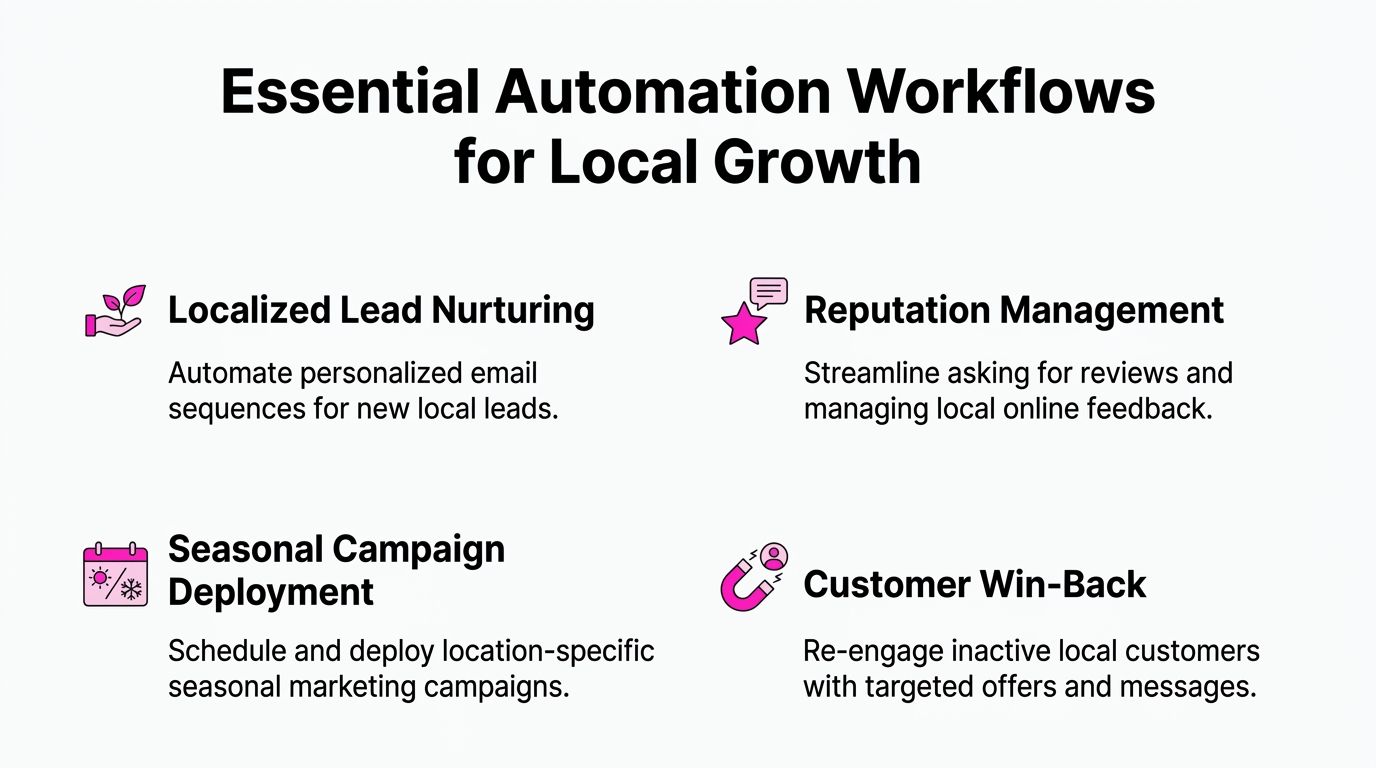
Essential Automation Workflows for Local Growth
The fastest way to assess a platform is to ignore the feature list and look at the workflows. If a workflow saves time, reduces errors and improves a commercial outcome, it matters. If it just adds another dashboard, it doesn’t.
Listings synchronisation
This is usually the first point of failure in a growing estate. A location changes its Saturday hours. Another adds a seasonal service. A third moves entrance access during a refurbishment. If those updates rely on email requests and manual edits, accuracy slips quickly.
The operational issue isn’t glamorous, but it’s expensive. Customers act on the information they find first, not the information your internal systems intended to publish. That makes listings synchronisation foundational.
The practical requirement is a single process for updating business details across your network. The central team should define naming standards, category rules and mandatory profile fields. Local teams should only be allowed to edit approved fields. If a branch manager can overwrite core brand data whenever they like, inconsistency becomes inevitable.
For teams dealing with scale, a specialist workflow for managing multiple Google Business Profiles is more useful than a generic local SEO checklist because the primary work is governance, not theory.
What works
- One source of truth: Location data should feed outward, not be reconciled after the fact.
- Approval thresholds: High-risk profile edits need review. Routine changes should flow faster.
- Scheduled checks: Even a good system needs exception monitoring for duplicates, missing fields and stale content.
What doesn’t
- Email-based update requests: These get missed, duplicated or actioned late.
- Local free-for-all editing: It creates data drift across the estate.
- Quarterly cleanup projects: By then the damage is already customer-facing.
Localised post scheduling
A common mistake is treating local content as either fully central or fully local. Neither model scales well. Fully central content feels generic. Fully local content drifts off-brand.
A better workflow starts with centrally approved templates. Campaign objectives, visual standards and mandatory claims come from head office. Local teams can then personalise pre-approved fields. That could mean naming a local event, highlighting a branch-specific service, or adjusting a call to action around local capacity.
In practice, this stops the content calendar becoming a bottleneck. Corporate teams set the structure. Local teams supply relevance. The workflow should also handle review dates, expiry dates, asset version control and fallback content when a location misses a deadline.
A location doesn’t need total creative freedom. It needs enough freedom to sound local without breaking the brand.
This matters beyond posting efficiency. A location-specific campaign often touches stock, staffing and fulfilment. If your local marketing automation isn’t tied to operational reality, promotions will create complaints rather than demand. For brands working across service delivery and fulfilment complexity, this explainer on OrderOut order management is worth reading because it shows how badly customer experience suffers when promotional messaging and operational execution aren’t aligned.
AI review response workflows
Review management is one of the strongest use cases for automation because the volume is high, the task is repetitive, and speed matters. It also carries risk. Poor automation sounds robotic. Unchecked local responses can create legal or reputational problems.
The right setup uses AI within clear guardrails. Tone, escalation rules and sensitive topic handling should be defined centrally. Low-risk reviews can be answered automatically with personalised details drawn from location context. High-risk complaints should route to a human queue.
That’s not just a labour-saving argument. In the UK, AI-driven review response automation in multi-location setups has been associated with Google Business Profile ranking improvements of 18-22%, cutting response times from 48 hours to under 5 minutes and generating 2.5x higher engagement rates, according to Birdeye’s analysis of marketing automation workflows.
The trade-off is obvious. If you automate too cautiously, response backlogs return. If you automate too aggressively, your brand voice degrades and sensitive cases get mishandled.
A sensible review workflow usually includes:
- Auto-response for standard positives with approved tone and location references.
- Conditional response logic based on sentiment or keywords.
- Escalation to staff for legal, safeguarding or serious service issues.
- Trend monitoring so recurring complaints trigger operational action, not just more replies.
Geo-grid rank tracking and local visibility monitoring
Many enterprise teams still evaluate local search performance too broadly. They look at aggregate rankings or total impressions and assume that tells them enough. It doesn’t.
A large estate needs visibility data that reflects actual geography. A branch can appear strong in one part of its catchment and weak a few postcodes away. That’s where geo-grid rank tracking becomes operationally useful. It shows where coverage is holding, where competitors are outranking you, and where profile, content or category work needs prioritising.
The workflow value isn’t just SEO reporting. It’s resource allocation. If one region is losing map pack visibility around high-intent zones, the central team can act before the problem spreads across campaign performance, calls and direction requests.
The workflow test I use
When teams are choosing what to automate first, I use a simple filter.
| Workflow | Automate first if… | Keep more manual if… |
|---|---|---|
| Listings updates | Data changes often across many locations | You have very few locations and low change volume |
| Content scheduling | Campaigns repeat with local variants | Every location genuinely needs bespoke editorial control |
| Review responses | Volume is high and tone rules are clear | Your category has frequent high-risk complaints |
| Visibility tracking | You need postcode-level decision making | Local search isn’t a meaningful acquisition channel |
The best automation programmes start with high-volume, repeatable, low-creativity tasks. That’s where teams get confidence, reduce friction and build a stronger business case for broader rollout.
Your Four-Phase Enterprise Implementation Roadmap
Large-scale rollout fails when teams treat implementation as software onboarding. It’s not. It’s a business change project with technical, operational and political dependencies. The safest rollouts move in phases, with governance built in from the start.
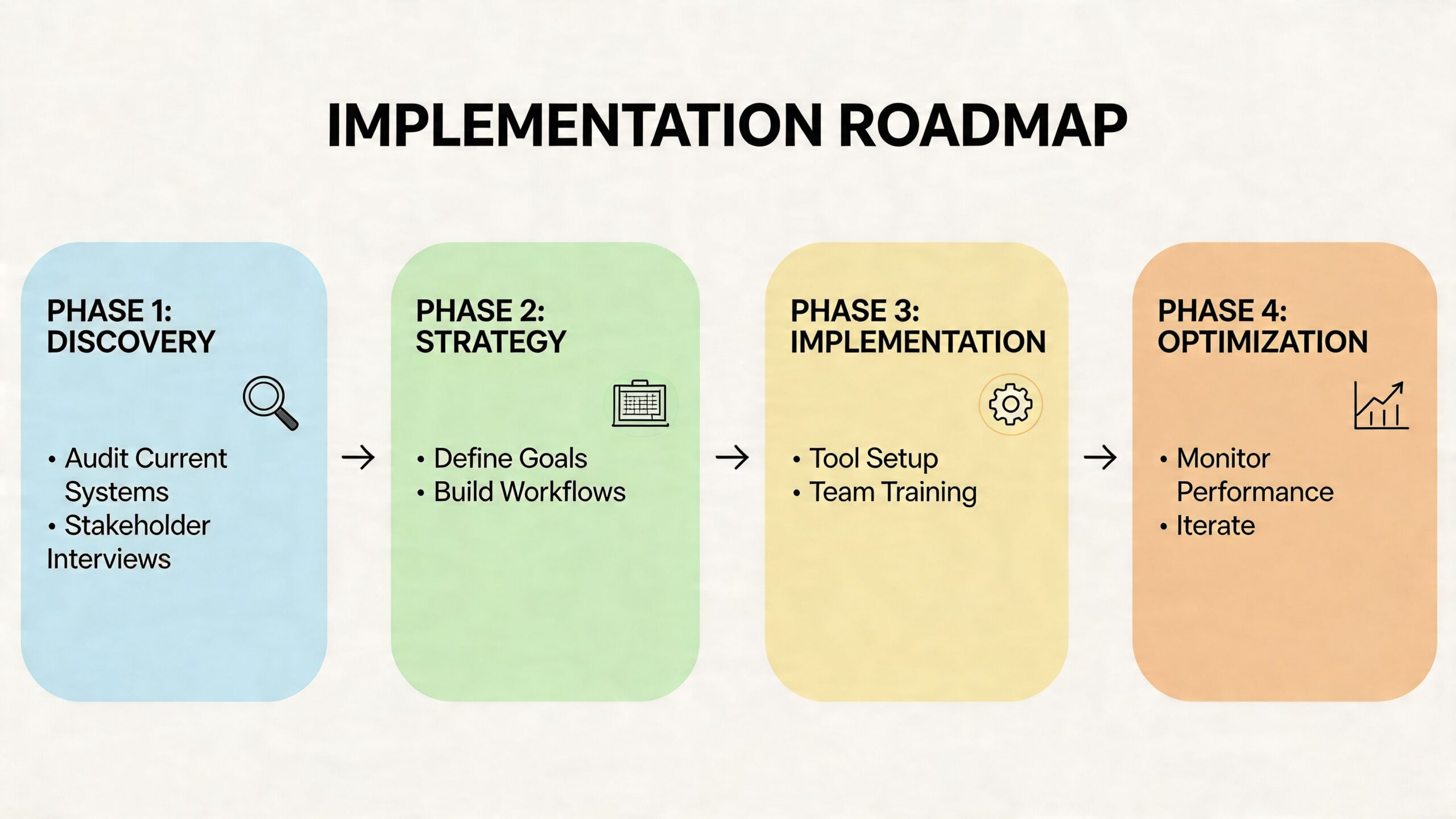
Phase one audit and strategy
Start with an audit that is brutally practical. Inventory every location, profile, ownership issue, user role, reporting source and current workflow. You’re not just counting assets. You’re identifying where control is unclear.
At this stage, define a short set of commercial outcomes. Most programmes become messy because they launch with too many competing objectives. Pick the outcomes that matter most to the board and to local operators. That usually means a combination of consistency, efficiency, lead quality, local visibility and attributed revenue.
Questions worth settling early include:
- Which systems are authoritative for location data
- Which channels are in scope for phase one
- Which edits require approval
- Which stakeholders sign off KPI definitions
- Which locations should join the pilot first
Phase two foundational setup and governance
This is the phase people try to rush, and it’s the phase that decides whether the rollout survives. You need naming conventions, permission models, template structures, escalation paths and a written standard for what local teams can customise.
If this work feels slow, that’s a good sign. It means people are confronting the actual operating model rather than pretending the software will solve it for them.
A strong governance layer usually covers three things.
Permissions
Not every user should be able to edit every field. Corporate, regional and local roles should each have clear boundaries.
Templates
Approved copy blocks, response styles, image standards and campaign formats need to be documented before rollout.
Exceptions
There must be a clean path for locations that legitimately need a variance, such as a local sponsorship, regional service restriction or temporary opening pattern.
Governance check: If two managers would answer the same customer-facing scenario differently, your automation rules aren’t ready.
Phase three pilot programme and workflow rollout
Don’t launch across the full estate first. Pick a pilot group with enough variation to expose issues early. Include high-performing locations, average performers and at least one difficult operating environment. A pilot made up only of cooperative flagship sites gives false confidence.
This phase is where you test workflow logic in live scenarios. Review replies, listing updates, posting permissions, escalation routing and reporting outputs all need pressure-testing. You’ll find edge cases quickly. That’s the point.
The pilot should answer practical questions, not abstract ones:
| Pilot question | Why it matters |
|---|---|
| Can local teams use it correctly without constant support | Measures operational fit |
| Are approvals slowing execution too much | Reveals governance friction |
| Do reports answer stakeholder questions | Tests board-level usefulness |
| Are exceptions manageable at scale | Prevents rollout chaos |
There’s also a channel question here. A strategic rollout should support joined-up execution across touchpoints, not isolated automation. Campaigns using three or more channels have delivered 287% higher purchase rates than single-channel efforts, and 76% of UK businesses have seen ROI gains within 12 months, according to Landbase’s summary of multi-channel outreach statistics. That’s why pilot planning should include cross-channel journeys where relevant, not just a single feature test.
Teams also benefit from aligning the rollout to a broader local search plan, especially where hundreds of branches are involved. For these situations, an enterprise view of local SEO for multi-site brands becomes useful, because implementation decisions affect visibility, governance and reporting at the same time.
Phase four full deployment and optimisation
Once the pilot proves the model, scale in waves. Don’t push every region live at once unless your training, support and exception handling are unusually mature.
The rollout sequence should follow operational readiness, not internal politics. Locations with clean data and engaged local managers often go first. Problem cases can follow after the main model is stable.
Optimisation then becomes a rhythm rather than a rescue project. Review the workflows that save the most time. Identify where local teams still need manual intervention. Tighten templates that are too rigid. Loosen rules that slow down harmless edits. The point isn’t to create a fixed machine. It’s to create a governed system that keeps improving without becoming chaotic again.
Measuring What Matters KPIs for Multi-Location Marketing
If your reporting deck still leads with likes, impressions and total post volume, you’re going to lose stakeholder confidence. Those metrics can be useful diagnostics, but they aren’t enough to defend budget at enterprise level.
The KPI model has to connect local activity to commercial outcomes. That means measuring performance at three levels rather than one.
Three KPI layers that actually help decision-making
- Aggregate brand health: Overall profile completeness, review coverage, response compliance and visibility trends across the estate.
- Per-location performance: Calls, direction requests, booking actions, review sentiment and conversion behaviour by branch.
- Business outcomes: Regional revenue contribution, lead quality, store visit trends and return by channel or catchment.
That structure matters because aggregate success can hide local weakness. A national average may look fine while a region underperforms due to profile issues, weak local content or unrealistic targets.
Benchmark by geography, not ideology
The most common reporting error in multi-location marketing automation is forcing every branch into the same target model. That’s tidy for dashboards and wrong for decision-making.
In the UK, urban stores achieve 25-35% higher conversion rates, and failing to apply geography-specific benchmarks leads to a 15-20% misallocation of marketing budgets. The same source reports that top franchises have seen a 3.2x ROI uplift by using unified data to forecast performance, based on Ironmark’s review of location-aware KPI benchmarking.
That should change how you report immediately. A central team comparing a city-centre branch with a rural catchment on the same benchmark is likely to underfund one and overcorrect the other.
Measure each location against its market reality, not against the median branch in your portfolio.
A more useful reporting conversation
Instead of asking, “Which location got the most visibility?”, ask:
- Which locations converted strongest relative to their market type
- Where are we over-investing against weak local intent
- Which profile actions correlate with higher-value outcomes
- Where do local managers need support rather than scrutiny
That’s also why unified reporting matters. If calls sit in one tool, listing performance in another and sales in a separate reporting layer, nobody can prove causation with confidence. For teams refining attribution models, this guide on how to improve campaign measurement is a helpful companion because it focuses on linking marketing activity to business outcomes rather than vanity reporting.
A practical reporting stack should let you compare estate-wide performance while still drilling into local variance. Tools built for multi-location SEO reporting and analysis are useful here because they reduce the spreadsheet work that usually blocks proper benchmarking.
Avoiding Common Pitfalls in Enterprise Automation
Most enterprise automation failures aren’t software failures. They’re operating model failures. The platform gets blamed, but the underlying issue is usually poor governance, weak adoption, bad data or unrealistic expectations.
Pitfall one buying software before defining control
If central teams don’t decide who owns templates, profile edits, review escalations and reporting standards, the rollout will drift. Local managers will fill the vacuum with their own habits. That creates inconsistency quickly.
The fix is simple, but not easy. Document decision rights before rollout. Make the rules visible. Train managers on what they can change and what they can’t.
Pitfall two excluding local teams from the design
A head-office-only implementation often looks neat in the project plan and gets resisted in practice. Local managers know where customer friction appears. They know when opening hours are likely to change, what language sounds natural in their area, and which complaints need faster escalation.
If they only see the system after launch, they’ll treat it as imposed admin. If they help shape workflows early, they’re more likely to use it properly.
Pitfall three believing every AI claim
This is the issue more buyers need to challenge. Plenty of vendors say they offer autonomy when they really offer templates, alerts or hidden service labour. In a 2025 UK Franchise Survey, 68% of multi-location brands reported dependency on vendors without verifying claims of autonomy, and only 22% audited AI execution logs. The same source notes a 40% year-on-year rise in AI-washing complaints to the CMA for martech vendors in 2025, as summarised by TechIntelPro’s analysis of the multi-location marketing problem buyers overlook.
That means procurement and marketing ops teams need to ask harder questions.
Questions worth putting to vendors
- What actions are genuinely automated and what still relies on human service teams
- Can we review execution logs for automated changes
- How are sensitive review cases escalated
- Which fields can local users edit without approval
- How is exception handling managed across large estates
If a vendor can’t show how the system makes and records decisions, you’re not evaluating automation. You’re evaluating marketing theatre.
Pitfall four automating bad data
Automation scales whatever you feed into it. If your location data is wrong, your automated system will spread the problem faster. If your naming conventions are inconsistent, reporting will stay messy. If your review routing is unclear, AI responses will create confusion rather than speed.
That’s why the unglamorous work matters. Clean data. Clear permissions. Stable templates. Explicit escalation. Then automation.
For teams placing review operations at the centre of rollout, it’s worth examining how a dedicated Google review autoresponder workflow should be governed before turning it on broadly. The workflow can be powerful, but only when the rules are mature enough to protect the brand.
From Manual Chaos to Automated Growth
The difference between struggling estates and high-performing ones is rarely effort. It’s system design. Manual teams work hard and still lose control because every local update, campaign change and review spike depends on people chasing tasks.
Well-run multi-location marketing automation changes that. It gives head office a framework for consistency, gives local teams room for relevant execution, and gives leadership a cleaner line of sight into ROI. The work doesn’t disappear. It shifts upward. Fewer hours go into repetitive updates. More time goes into prioritisation, forecasting and fixing the locations that need intervention.
That’s the main prize. Not more dashboards. Better operating control.
If your estate still runs local marketing through spreadsheets, inboxes and ad hoc edits, the cost isn’t just inefficiency. It’s slower response, weaker visibility, patchy customer experience and reporting that won’t stand up in a budget review.
If you’re ready to move from manual coordination to a system that can manage listings, reviews, local content and reporting from one place, take a look at LocalHQ. It’s built for brands that need to manage one location or hundreds without losing control of brand standards, local relevance or ROI visibility.