Google Maps SEO: The Technical Playbook for Service Area Businesses
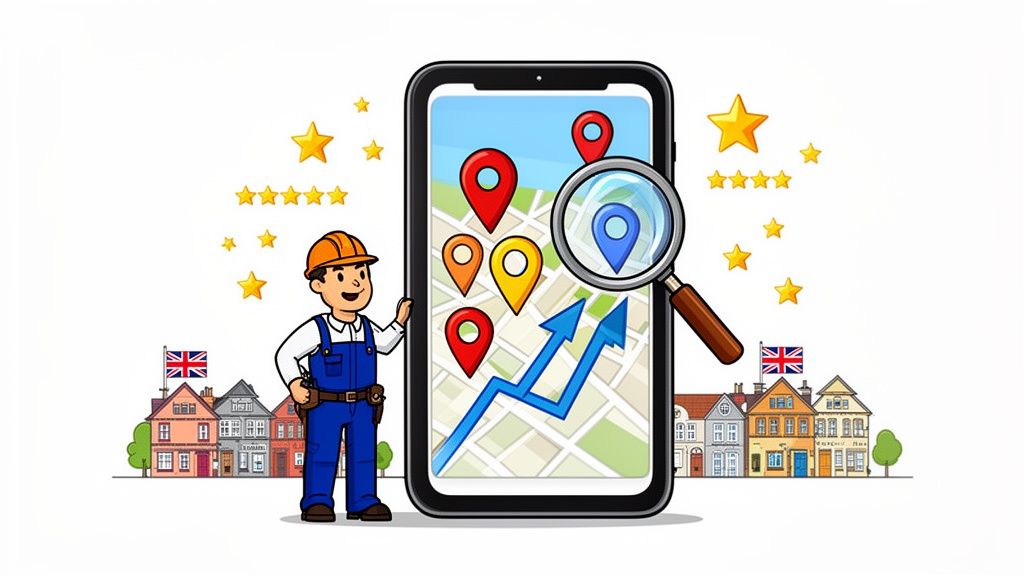
Google Maps SEO is all about optimising your business's online footprint to climb the rankings in Google’s local search results and, most importantly, land a coveted spot in the "Map Pack." For UK service businesses that travel to customers—think plumbers, mobile beauticians, or electricians—getting this right means showing up at the exact moment a local customer needs you. It’s the most direct path from a map search to a phone call.
Why Google Maps SEO is a Game-Changer for UK Service Businesses
Let's be blunt: if you run a service area business in the UK, your visibility on Google Maps isn't just a bonus—it's your lifeline. Whether you're a plumber in Bristol, a mobile therapist in Manchester, or a landscape gardener in Glasgow, the way customers find you has completely changed. Their first move is almost always a map search.

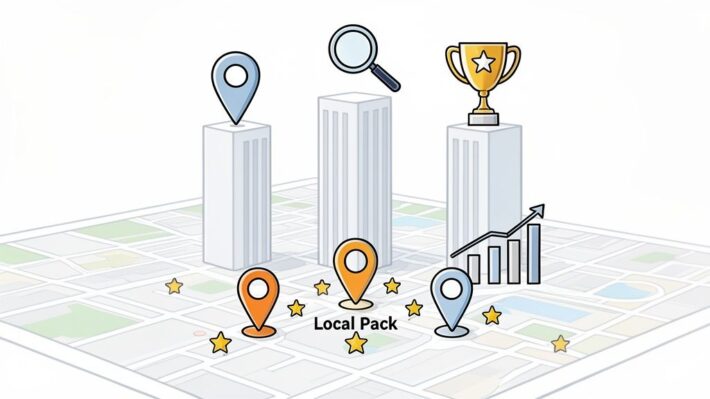
This isn't just about general 'local SEO'. It's about winning the battle for the 'Map Pack'—that prominent box at the top of the search results showing the top three local businesses. These spots are prime digital real estate, grabbing the lion's share of attention and clicks.
The Power of the Map Pack
The data tells a compelling story. Multiple studies have shown that a staggering 42% of people click on a result within the Google Map Pack when they're looking for something local. That’s a huge slice of the pie, far more than the 27.6% who click the first traditional organic result sitting just below it.
The reality is stark: if your business isn't in that top-three Map Pack, you're invisible to almost half of your potential customers. This is especially true for service area businesses (SABs) that don't have a physical shopfront. Customers can't just wander past your location. Your digital presence is your shopfront, and Google Maps is the busiest high street you can be on.
Key Takeaway: For a service business, ranking on Google Maps isn't a vanity metric; it's a direct driver of growth. It puts you in front of customers with an immediate need, levelling the playing field against bigger competitors with huge marketing budgets.
More Than Just a Listing
Just setting up a Google Business Profile (GBP) and hoping for the best is a strategy for being ignored. I see it all the time. Your competitors are actively optimising their profiles, and if you stand still, you're effectively moving backwards. A well-managed profile builds trust and signals professionalism to both Google’s algorithm and potential clients. If you're new to this, we cover the essentials in our detailed guide on what a Google Business Profile is and why it's so important.
Truly effective Google Maps SEO comes down to a few core activities:
- Strategic Profile Setup: This means choosing the right categories, properly defining your service areas, and filling out every single relevant section.
- Building Trust Signals: You need a consistent flow of positive reviews, and just as importantly, you need to be responding to them professionally.
- Demonstrating Local Relevance: This involves creating content and building signals that prove you are an active, authoritative expert in the specific areas you serve.
This playbook is your guide to mastering these tactics. We'll move beyond the basics and show you how to turn your Google Business Profile into a reliable machine for generating qualified leads, ensuring you're the first person customers call.
Building Your Foundation as a Service Area Business
Getting your Google Business Profile (GBP) set up correctly is the single most important thing you can do for your Google Maps SEO. It’s also where so many service area businesses fall at the first hurdle. If you get this foundation right, you’re making it crystal clear to Google and your customers who you are, what you do, and—most importantly for a Service Area Business (SAB)—where you operate.
A huge part of this is effective local presence management, which just means keeping your business info accurate everywhere online. For an SAB, that all starts with how you handle your address.

Hiding Your Address The Right Way
Let’s be direct: if you work from home and don’t see customers at your address, you must hide it on your profile. Showing a residential address is a fast track to getting your profile suspended because it violates Google's guidelines. It also just confuses potential customers who might try to show up on your doorstep.
The process is simple. When setting up or editing your profile, you need to clear the physical address fields. This is what signals to Google that you're an SAB and unlocks the 'Service Areas' feature. You’ll still need to verify the business, which usually means getting a postcard sent to that address (even though it stays hidden from the public). We cover this from start to finish in our guide to Google Business Profile verification.
Strategically Defining Your Service Areas
Once your address is hidden, defining your service areas becomes your secret weapon for telling Google where you want to show up. You can add up to 20 different areas, using postcodes, cities, or even counties.
Whatever you do, don't just set one huge radius around your hidden location. That's a rookie mistake.
Think like your customers. If you’re a plumber based in London, just listing "London" is far too broad. You need to get granular. For example:
- List specific postcodes: SW1, SW3, W8, W11
- Name individual boroughs or towns: "Kensington", "Chelsea", "Notting Hill"
This targeted approach builds powerful relevance signals for those exact locations. So when someone in Chelsea searches "plumber near me," your profile, which explicitly names "Chelsea" as a service area, has a much stronger chance of landing in the coveted Map Pack.
Pro Tip: Think of your service areas as your digital battleground. If you don't list a town or postcode, you’re essentially telling Google you don’t work there, handing that territory straight to your competitors.
Choosing Your Business Categories
Your primary category is one of the heaviest-hitting ranking factors in Google Maps. It’s your main signal to Google about what you do, so you have to get it right. For instance, if you specialise in boiler repairs, "Plumber" is a bit generic. A much better choice would be "Heating Contractor."
After you’ve nailed your primary category, don't forget about the secondary ones. These are your opportunity to rank for all the other services you offer. An electrician might set "Electrician" as their primary category, but then add others like:
- "Security System Installer"
- "Fire Alarm Supplier"
- "Lighting Contractor"
By detailing your categories this way, you cast a much wider net and can show up for a broader range of customer searches.
Completing Every Section of Your Profile
An incomplete profile just looks lazy. Put yourself in a customer's shoes for a moment: if you see a profile with no services listed or hours from two years ago, you’re not going to feel confident. A complete profile builds instant trust.
It's not just a gut feeling; the data backs this up. Google’s own research found that businesses with a complete profile are 70% more likely to attract location visits and 50% more likely to lead to a sale. When a potential customer in the UK lands on a profile with missing info, it signals that the business might be unreliable.
Go through every single field and fill it out properly. That means adding high-quality photos, writing detailed service descriptions, and ensuring your opening hours, phone number, and website are all present and correct. This isn't optional—it's foundational work for any business that's serious about winning on Google Maps.
Advanced Optimisation Tactics for Your Profile
Alright, you’ve got the basics of your profile sorted. Now it’s time to get into the good stuff—the tactics that push service businesses from page two obscurity right into the top three on the map. This isn't about some secret handshake or black-hat trick. It's about wringing every last drop of value out of the features Google gives you.
Getting your foundation right is step one, but mastering these next-level optimisations is what really moves the needle. While there are some great overviews out there on how to optimize your Google Business Profile for local success, we're going to dive deep into specific strategies that turn a static profile into a powerful lead-generation machine.
Turn Your Services and Products into Keyword Goldmines
So many businesses just list their services as a single word: "Plumbing," "Electrics," "Landscaping." Honestly, that's a massive missed opportunity. Your Services section is prime real estate for spelling out exactly what you do, and just as importantly, where you do it.
Instead of a lazy, one-word entry, get granular. For example, if you're a heating engineer based in Liverpool, don't just put "Boiler Repair." Create detailed, individual service entries that speak directly to a customer's search.
- Boiler Repair in Liverpool City Centre: Here, you can describe your rapid-response service and even mention key postcodes you cover, like L1 and L2.
- Emergency Call-Out Plumber in Sefton: Talk about your 24/7 availability for burst pipes and leaks, specifically targeting the Sefton area.
- New Boiler Installation in Wirral: Go into the boiler brands you work with (like Vaillant or Worcester Bosch) and outline the typical installation process for homes in the Wirral.
Each of these essentially acts as a keyword-rich mini-page right on your Google profile. The same logic applies to the Products section. Even if you don't sell physical goods, you can "productise" your services. A landscaper could list "Patio Design & Installation" or "Full Garden Makeover" as products, complete with pricing and, crucially, photos of past projects.
Use Google Posts to Build Geographical Relevance
Think of Google Posts as your business's live-feed or micro-blog. They are absolutely perfect for showing off your recent work while constantly reinforcing your geographical footprint. Get into the habit of creating a Post every time you finish a job in one of your target towns or neighbourhoods.
Pro Tip: A picture with the caption "Another happy customer" is a waste of a post. You need to be specific. A post titled "Just finished a full house rewire in Chester" along with photos of the new consumer unit and clean wiring instantly builds relevance for anyone searching "electrician in Chester." This is a huge, ongoing signal for your Google Maps SEO.
Every Post you create should have a few key ingredients:
- A high-quality image of the finished work.
- The specific service you provided (e.g., "driveway pressure washing").
- The location (town, village, or even a well-known local estate).
- A clear call-to-action button, like "Get a Free Quote" or "Learn More."
This steady stream of location-specific activity proves to Google that you’re an active, relevant provider in the areas you claim to serve. And while you're at it, it never hurts to double-check that you've chosen the most effective business categories from the start. Our complete guide on choosing Google Business Profile categories can help you lock that in.
Make Your Business Hours a Competitive Advantage
Your opening hours aren't just a bit of static information; they are a live ranking factor. It's become clear that Google’s local algorithm processes business hours in real-time, meaning rankings can shift throughout the day. When a business is marked as 'closed,' Google will often demote it to avoid sending users to a dead end. This opens up a huge opportunity for anyone who's still open for business.
This is a game-changer for tradespeople offering emergency or out-of-hours support. If you're an emergency plumber available 24/7, your profile must reflect that. When someone has a burst pipe at 10 PM, their search results will show your profile as "Open" while your 9-to-5 competitors are flagged as "Closed." At that critical moment, you get a massive leg-up and are far more likely to get the call.
Building Authority Through Reviews and Local Signals
With the technical groundwork laid, it's time to shift gears and focus on building genuine authority. When it comes to Google Maps, authority really boils down to two things: your reputation (what customers think of you) and your relevance (proving you’re the real deal in a specific area). This is where you look beyond just the settings in your profile and start influencing what Google sees across the web.

Think of it this way: Google wants to recommend businesses that are trusted, active, and a genuine part of the local community. It’s not just about ticking boxes; it’s about earning that trust through your customer reviews and your presence in the local digital ecosystem.
The Art of Generating Powerful Reviews
Let’s be clear: your first 10 reviews are probably more important than your first 10 blog posts. Reviews are social proof on steroids, sending powerful trust signals directly to Google. The secret isn't just to get a few reviews; it's to build a consistent flow of them.
A steady stream of recent, positive feedback tells Google that your business is not just active but also currently popular. What’s more, your customers often do the SEO work for you. When a happy client writes, "The best emergency plumber in Nottingham, they fixed our burst pipe in under an hour," they’ve just handed you a perfect, user-generated piece of content packed with keywords.
Key Insight: The moment a job is finished and your customer is smiling is the golden window. Make it incredibly simple for them to leave a review by sending a direct link via SMS or WhatsApp right then and there. Timing is everything.
A simple, "So glad we could sort that out for you today! It would mean the world to us if you had a moment to share your experience online," is often all it takes. For a deeper look at the exact scripts and methods we use, check out our complete guide on how to get more Google reviews for your business.
Responding to Every Single Review
Trust me on this one: responding to every review is non-negotiable. It shows prospective customers you’re engaged and value feedback, but more importantly, it's another chance to reinforce your local relevance.
When you reply, don’t just say thanks. Try to naturally mention the service and the location. It’s a subtle but powerful touch.
- Customer Review: "Fantastic job, highly recommended!"
- A Standard Reply: "Thanks so much!"
- An Optimised Reply: "Thank you, Sarah! We're delighted you're happy with your new boiler installation in Reading. It was a pleasure working with you."
That optimised reply just reinforced both the service ("boiler installation") and the location ("Reading"), adding another small but valuable signal that builds your profile's authority.
Building Relevance with Geo-Targeted Website Content
Your Google Business Profile and your website need to be telling the same story. Google constantly cross-references the two, which is a huge opportunity that most service-area businesses completely overlook.
Instead of one generic "Services" page, create dedicated landing pages for each core service you offer in each primary town or city you serve. For example, a landscape gardener based in Surrey could build out pages like these:
- Patio Laying in Guildford
- Garden Design in Woking
- Fencing Installation in Farnham
Each of these pages should have unique content, photos of jobs you’ve completed in that area, and even testimonials from local clients. This strategy turns your website into a powerful echo chamber, screaming local relevance and directly backing up your Google Maps ranking efforts.
Maintaining Consistent Local Citations
Beyond your own website, Google scans the web for other mentions of your business to confirm you are who you say you are. These mentions are called citations, and they are essentially listings of your Name, Address, and Phone number (NAP).
Consistency here is absolutely critical. Your NAP details must be identical everywhere they appear. Even a tiny variation like "Ltd." versus "Limited" can confuse search engines and water down your authority.
Your goal should be to get listed accurately in high-quality, relevant UK directories. Don't fall for services that promise hundreds of listings on obscure sites. A handful of strong, accurate citations is far more valuable.
- Yell
- Thomson Local
- Your local Chamber of Commerce
- Industry-specific directories (like Checkatrade for tradespeople)
When you combine these off-profile signals with a perfectly optimised profile, you build a fortress of local authority that makes it crystal clear to Google that you’re the top provider in your service area.
Measuring Your Performance and Scaling Your Efforts
All the optimisation work you’ve been doing is great, but without measuring the results, you’re just flying blind. To really get ahead with Google Maps SEO, you have to know what's working, what's falling flat, and where your next big opportunity lies. This is how you shift from making random tweaks to building a real strategy for growth.
Ultimately, tracking performance isn't just about watching numbers go up. It’s about connecting your actions to real-world results, like more phone calls and genuine leads. This is the feedback loop that fuels your strategy and helps you scale your success.
Seeing Your Rankings Like a Customer with Geo-Grid Tools
For any service-area business, a single ranking number is almost meaningless. You might be #1 for "emergency plumber" when someone searches from one postcode, but drop to #12 just a few miles down the road. This is precisely why geo-grid rank tracking tools are so essential.
These tools show you your rankings across your entire service area on a map. Each point on the grid represents a specific search location—like a neighbourhood or postcode—and displays your exact rank in that spot. Suddenly, you have a clear, actionable picture of your visibility.
This lets you instantly pinpoint:
- Your strongholds: Areas where you’re consistently in the top three.
- Weak spots: Postcodes where you’re stuck on page two or three and need to focus your efforts.
- Competitor territories: Locations where a rival is dominating the Map Pack.
Armed with this intelligence, your strategy becomes laser-focused. You can create Google Posts targeting those weaker areas or build out a service page for a town where a competitor is winning. It turns Google Maps SEO from a guessing game into a targeted campaign.
Making Sense of Google Business Profile Insights
Your Google Business Profile comes with a free goldmine of data in its Insights (or Performance) section. This is your direct line to understanding exactly how potential customers interact with your profile. To avoid getting overwhelmed, you need to focus on the metrics that actually drive your business forward.
When you dive into your GBP performance, don't just look at impressions. Focus on the high-intent actions: phone calls, website clicks, and direction requests. These are the metrics that show a customer is moving from awareness to action.
It's crucial to understand what each key metric is telling you. For a deeper dive into all the available data, you can learn more about making sense of your Google Business Profile Insights in our dedicated guide.
The table below breaks down the most important metrics you'll find and what they really mean for your service business.
Key GBP Metrics and Their Business Impact
| Metric | What It Measures | Actionable Insight for Your Business |
|---|---|---|
| Phone Calls | The number of times users clicked the 'Call' button directly from your profile. | This is your most valuable metric—a direct lead. If this number is high, your profile is effectively converting searchers into potential customers. |
| Website Clicks | The number of clicks on your website link from your GBP. | Shows that users want more detailed information. A high click-through rate means your profile is compelling enough to encourage further investigation. |
| Direction Requests | The number of users who requested directions to your (hidden) business address. | For SABs, this often indicates a user trying to gauge your service radius. It's a strong signal of local interest, even if they aren't visiting. |
| Search Queries | The actual keywords customers used to find your profile. | A goldmine of information. It shows you exactly what your customers are searching for, helping you refine your service descriptions, posts, and website content. |
By monitoring these metrics over time, you’ll see the direct impact of your optimisation efforts. Did that new set of service descriptions lead to a spike in calls? Did your geo-targeted posts boost your visibility for specific search terms? The answers are right there in your Insights.
Bridging Manual Tactics with Smart Automation
Manually tracking rankings, responding to every single review, and constantly brainstorming new posts can become overwhelming, especially as you grow. This is where you can combine your hands-on efforts with smart automation to scale your Google Maps SEO without burning out.
Platforms like LocalHQ are designed to streamline these repetitive tasks. For example, an AI Optimisation Wizard can analyse your profile and suggest better primary or secondary categories you might have missed. A Review Autoresponder can be set up to manage your reputation at scale, ensuring every customer gets a prompt, on-brand reply.
This blend of human strategy and automated execution is the key to dominating your local market. It frees you from the daily grind, allowing you to focus on high-level strategy and delivering excellent service, confident that your Google Maps presence is always working for you.
Putting It All Together: Your Ongoing Maps Strategy
We've walked through the entire playbook for turning your Google Business Profile into a customer-generating machine. From locking down the fundamentals of your setup and diving deep into on-profile optimisation, to building real authority with reviews and tracking what actually works.
But the real work starts now. Think of Google Maps SEO not as a one-off project, but as a continuous cycle of improvement. It’s the consistent, ongoing effort that truly separates the businesses at the top of the map pack from everyone else.
To make this sustainable, I've seen a simple three-part process work time and again: measure your performance, analyse what the data tells you, and then automate the repetitive grunt work so you can focus on strategy.

This loop of measuring, analysing, and automating is the engine that will drive your local rankings higher over time.
Key Takeaway: The businesses that win on Google Maps are the ones that are relentless about tracking their performance, adapting their strategy based on what they learn, and using smart tools to handle the day-to-day workload.
Speaking of time-consuming tasks, managing your online reputation is easily one of the biggest. Getting a steady flow of positive reviews is vital, but so is responding to every single one—good or bad—to show potential customers you're actively engaged.
If you want to put one of this playbook's most critical tactics on autopilot, take a look at the LocalHQ Review Autoresponder. It’s designed to ensure you never miss a chance to engage with a customer, helping you build trust and win more business without lifting a finger.
Answering Your Google Maps SEO Questions
As you start putting these strategies into action, a few common questions always seem to pop up, especially for anyone running a service area business. Let's tackle some of the most frequent sticking points we see and clear up any confusion.
How Many Service Areas Should I Really Add?
Google gives you space for up to 20 service areas, but don't fall into the trap of just filling them all for the sake of it. The key here is precision, not just quantity.
Think about it from a customer's perspective. A plumber based in Manchester will get far better results by listing specific, targeted neighbourhoods like "Didsbury," "Chorlton," and "Salford Quays" rather than one massive entry for "Greater Manchester." This granular approach tells Google exactly where you work, making you much more relevant for those "plumber near me" searches happening in those specific postcodes. Think like a surgeon, not a sledgehammer.
Can I Rank in a City Where I Don't Have a Physical Address?
The short answer is yes, but it’s an uphill battle that requires a dedicated, long-term effort. Your hidden physical address still gives Google a strong signal for proximity, making it your primary ranking area.
If you want to appear for searches in a neighbouring city, you have to prove to Google that you genuinely do business there. This isn't a quick fix; it's about building a body of evidence over time.
Your game plan should include:
- Geo-targeted website pages: Create dedicated pages on your site for that city. For example, if you're an electrician in Slough trying to rank in Reading, you need a page specifically about your "Emergency Electrician Services in Reading."
- Customer reviews from that area: Actively encourage and gather reviews from customers you've served in the target city. Their location adds a powerful layer of proof.
- Showcasing your work: Use Google Posts to share photos of completed jobs in that city, mentioning the location in the description.
It's a slow burn, but consistently building these signals is the only way to establish your authority outside of your home base.
Will Hiding My Address Hurt My Rankings?
Absolutely not. For a true service area business—one where you travel to your customers and don't have a physical storefront—hiding your address is not only safe, it's what you're supposed to do.
In fact, showing your home address or an unstaffed office is a direct violation of Google's guidelines and a fast track to getting your profile suspended. By correctly hiding your address, you signal to Google that you're an SAB. This is what unlocks the ability to set your service areas, which is the cornerstone of ranking where your customers actually are.
Juggling all of this—responding to every single review, tracking your rank across different postcodes, and constantly updating your profile—can feel like a full-time job in itself. If you're looking to automate the process and ensure your reputation is consistently working for you, the tools at LocalHQ are designed to put your Google Maps SEO on autopilot.
See how our AI-powered Review Autoresponder can free up hours of your week while building invaluable customer trust.