Boost Your Google Business Profile CTR with Proven Tactics
Your Google Business Profile (GBP) Click-Through Rate tells you a simple but crucial story: are local searchers just seeing you, or are they actually engaging? It's the percentage of people who, after finding your profile on Google Search or Maps, take that next step—whether it's calling you, visiting your website, or asking for directions.
A healthy Google Business Profile CTR is a powerful signal to Google. It shows your listing isn’t just present, but it's genuinely useful and appealing to people in your area.
Why Your GBP CTR Is a Local SEO Game Changer
Think of your Google Business Profile as your digital shopfront on the busiest high street in the UK. Thousands of potential customers are walking by every single day. Your CTR measures how many of them you’re actually persuading to pop in. This isn't just some vanity metric; it’s a core indicator of your local search performance.
A strong CTR means your profile is doing its job. Your star rating, reviews, photos, and business description are all working together to grab attention and build trust. When someone in Bristol searches for "best brunch near me" and clicks on your cafe's profile instead of the three others listed, you've just won a small but significant battle. Google pays attention to these wins. A consistently high CTR can feed into better local rankings, creating a positive feedback loop of visibility and engagement.
The Connection Between Clicks and Customers
Every click on your GBP profile is a window into a potential customer's mind. A click for directions means something very different from a click to your website. Understanding what these actions signify is the key to figuring out what’s working and where you can improve.
Here's a breakdown of what those clicks are really telling you.
Decoding User Clicks and Customer Intent
This table breaks down the primary ways users interact with a Google Business Profile, revealing what each click type signifies about their journey.
| Interaction Type | What It Reveals About Customer Intent | Your Optimisation Priority |
|---|---|---|
| Directions Clicks | High-intent, ready to visit. This person is likely on their way to you now. | Ensure your address and map pin are 100% accurate. Keep opening hours updated. |
| Website Clicks | Consideration phase. They're researching your services, products, or menu before deciding. | Make sure your website is mobile-friendly and key information is easy to find on landing pages. |
| Phone Calls | Direct lead. This user is ready to book, ask a specific question, or make a purchase. | Answer calls professionally. Ensure your listed phone number is correct and tracked, if possible. |
This data turns abstract search behaviour into real-world leads. For service-based businesses like local tradespeople, mastering this is essential. If you want to dive deeper, check out a comprehensive guide to local SEO for contractors.
How Rankings Directly Impact Your Clicks
Getting into the "local pack"—that prime block of three business listings at the top of local search results—is the goal for a reason. The numbers don't lie.
In the UK, where you rank in that 3-pack has a massive impact on your click-through rate. The business in the number one spot grabs an average CTR of 17.6%. Positions two and three are still valuable, but see a noticeable drop to 15.4% and 15.1% respectively. That difference highlights just how much is at stake in chasing that top position. You can see more on these local search statistics and their impact.
Your Google Business Profile isn't a passive listing in a directory. It’s an active, dynamic tool for winning new customers. When you optimise for a higher CTR, you're actively pulling local searchers away from your competitors and pointing them straight to your door, your phone line, or your website.
Finding and Understanding Your Performance Data
Before you can start improving your Google Business Profile CTR, you first need to get a handle on where you stand right now. It's like a doctor diagnosing a patient before writing a prescription; you need to understand the symptoms first. Your GBP Performance dashboard holds all the vital signs, telling a detailed story about how potential customers in the UK are finding and interacting with your business.
Getting to this data is simple. Just search for your business name on Google while logged into the account that manages it. You'll spot a private management panel right there in the search results. Click on 'Performance' to open up your command centre for local search intelligence.
Navigating Your Performance Dashboard
Once you're in, you’ll see a lot of information. It can feel a bit overwhelming at first, but for our purposes, we need to zero in on the core interactions that make up your CTR. These are the clicks that signal real customer interest—the foundation of everything we're about to do.
Focus your attention on these key metrics:
- Profile interactions: This is the total number of actions people took on your profile.
- Calls: How many people tapped the 'Call' button straight from your listing.
- Messages: The number of direct messages started from your profile.
- Bookings: Clicks on your booking link (if you have one).
- Directions: How many users asked Google Maps for a route to your physical location.
- Website clicks: The number of people who clicked through to your website.
This data gives you a clear picture of what people do once they find you. For instance, a high number of direction requests tells you there's strong local intent to visit. A surge in website clicks, on the other hand, suggests people are after more detailed information before they commit.
Interpreting the Story Your Data Tells
The raw numbers are just the beginning; the real magic happens when you interpret what they mean for your business. The most common red flag I see is a profile with high search impressions but a disappointingly low number of interactions. This is the classic sign of a low Google Business Profile CTR.
A high impression count is a good thing—it means Google is showing your profile to plenty of people. But if they aren't clicking, it means your digital shopfront isn't compelling enough to draw them in. Your photos, reviews, or business description are falling flat.
This gap between visibility and engagement is exactly what we're here to fix. It often points to a profile that’s incomplete, has blurry or unappealing images, lacks recent reviews, or isn't properly categorised to match what searchers are actually looking for.
Benchmarking Against UK Industry Averages
So, what’s a ‘good’ CTR? Honestly, there's no single magic number. Performance varies massively across different sectors here in the UK, so context is everything when it comes to setting realistic goals.
- Hospitality (Restaurants, Cafes, Pubs): Competition is fierce. A CTR between 8-12% is solid, usually driven by people checking menus, clicking to book, and looking for directions at mealtimes.
- Retail (Shops, Boutiques): For retailers, aiming for 10-15% is a good target. Clicks are often a mix of website visits for browsing stock and direction requests for popping in.
- Trades & Home Services (Plumbers, Electricians): These businesses often see much higher CTRs, sometimes pushing past 20%. When your pipe bursts, you’re not window shopping—you’re calling the first reputable person you see. The user intent is urgent and direct.
- Professional Services (Solicitors, Accountants): CTRs here tend to be lower, maybe in the 5-10% range, because the decision-making process is longer. People are more likely to click through to the website for deep research rather than call straight away.
Use these figures as a rough guide, not a strict rule. Your main goal should always be to improve on your own past performance, month by month. By keeping a regular eye on your data, you can spot trends, diagnose problems, and make the smart decisions that turn more searchers into paying customers.
Your Playbook for Immediate CTR Improvement
Knowing your numbers is one thing; actually changing them is something else entirely. Let's move from diagnosis to action. Think of this as your hands-on playbook for overhauling your Google Business Profile to pull in more clicks, turning people who are just browsing into active customers.
We'll break this down into a few core areas. It starts with the fundamentals that build trust and then moves into the active tactics that create a bit of urgency. Each step is a small, achievable win on its own, but together, they create a powerful snowball effect that can seriously lift your Google Business Profile CTR.
Nailing the Profile Fundamentals
Before you start getting creative with posts and offers, you have to make sure your digital foundation is solid. So many businesses leave easy clicks on the table by simply not filling out the basic fields properly. It’s like opening a shop for the day with a half-painted sign and empty shelves – it just doesn’t make a good first impression.
Your first stop should be your business categories. The primary category you choose is the single most important signal you can send to Google about what you do. Be specific. A cafe shouldn't just list itself as a 'Restaurant'; it needs to be a 'Cafe' or 'Coffee Shop'. You can then add secondary categories to cover other parts of your business, maybe 'Sandwich Shop' or 'Bakery'.
Next, give your business description some serious attention. You’ve got 750 characters to make your pitch. Weave in relevant, local keywords that a potential customer might actually search for, but keep it natural. Nobody wants to read a list of stuffed keywords. Instead, talk about your unique services or what makes you different, maybe mentioning something location-specific like "artisan coffee in Manchester's Northern Quarter". For a deeper dive, our guide on crafting a compelling Google Business Description is packed with tips.
Finally, just complete every single field you can. This seems obvious, but it’s often overlooked. Attributes are especially powerful for CTR because they give people quick, scannable info that helps them decide if you're a good fit. If you offer "Wi-Fi," have "Outdoor Seating," or are "Wheelchair Accessible," tick those boxes. A complete profile looks far more trustworthy and helpful, which directly encourages that click. A solid Google Business Profile optimisation checklist can be a lifesaver here.
The Power of Visuals and Social Proof
Let's be honest, we're all visual creatures. When you’re scrolling through a list of local businesses, your eye is almost always drawn to the one with sharp, appealing photos. It will win the click over a profile with no images—or worse, just a blurry, old Street View picture. Good visuals build instant trust and give customers a peek into the experience they can expect.
The numbers back this up. Businesses that include photos in their Google Business Profile see, on average, a 45% increase in direction requests and a 31% increase in website clicks. These aren't just minor bumps; they show a direct line between good photos and better performance. Focus on uploading high-quality, well-lit shots of:
- Your Exterior: Show people what your building looks like from the street.
- Your Interior: Create an inviting vibe that makes them want to step inside.
- Your Products/Services: Showcase your best work, whether it’s a perfectly poured latte or a finished plumbing job.
- Your Team: Putting a face to the business name adds a human touch and starts building rapport before they even contact you.
Right alongside visuals, your reviews are the most critical form of social proof you have. A high star rating is a magnet for clicks. Make a habit of actively encouraging happy customers to leave you a review. And—this is crucial—respond to every single one, good or bad. A thoughtful response shows you’re engaged and that you actually care about customer feedback.
Driving Clicks with Active Engagement
A complete, visually rich profile is your baseline. To really stand out and drive up your CTR, you need to give people a reason to click right now. This is where active engagement strategies like Google Posts, Offers, and Events really shine.
Think of Google Posts as free, mini-adverts that pop up right on your profile in the search results. They're perfect for announcing:
- New products or services
- Special promotions or limited-time discounts
- Upcoming events or workshops
- Company news or updates from your blog
The real key here is consistency. A profile with a recent post signals that the business is active and open for business. Always use a compelling image, a clear headline, and a strong call-to-action (CTA) like "Learn More," "Book Now," or "Call Us" to tell the user what to do next.
Offers are even more direct. A post that says "20% off all main courses this Tuesday" is far more powerful than a static profile. It creates urgency and gives someone a real financial reason to click and book. In the same way, promoting an event with a specific date and time can drive immediate interest.
The whole process of finding, interpreting, and acting on this data is a continuous loop. This chart breaks down the simple but powerful cycle of turning your GBP data into genuine CTR improvements.
By regularly looking at your performance data, figuring out what it means for your business, and using those insights to shape your strategy, you create a feedback loop that fuels sustained growth.
In the UK, data shows that website visits are the top action people take from a GBP listing, making up 48% of all interactions. This is followed by calls at 21% and direction requests at 9%. What this tells us is that nearly half the people who click are looking for more information before they commit. That makes a compelling profile and an easy-to-use website absolutely essential.
Key Takeaway: Don't treat your Google Business Profile like a static entry in a phone book. Treat it like a social media channel. Keep it fresh with new photos, always be asking for new reviews, and use Posts and Offers to give your audience a reason to engage with you today.
High-Impact CTR Optimisation Checklist
To bring all these points together, here’s a scannable checklist. It breaks down the most impactful actions by which part of your profile they affect, making it easier to systematically work through the improvements.
| Profile Element | Action Item | Direct Impact on CTR |
|---|---|---|
| Categories | Select the most specific Primary Category. Add 3-5 relevant Secondary Categories. | Ranks you for more relevant searches, attracting qualified clicks. |
| Description | Write a compelling 750-character summary. Weave in local and service keywords naturally. | Informs users at a glance and uses keywords to match search intent. |
| Attributes | Complete all relevant attributes (e.g., Wi-Fi, Accessibility, Outdoor Seating). | Helps users self-qualify, increasing clicks from the right audience. |
| Photos & Videos | Upload high-quality, recent images of your exterior, interior, team, and products/services. | Visually appealing profiles get significantly more clicks than those without. |
| Reviews | Actively request reviews. Respond to all new reviews (positive and negative). | High ratings and active engagement build trust and act as a magnet for clicks. |
| Google Posts | Publish at least one post per week with a clear image and call-to-action (CTA). | Keeps your profile looking active and provides timely reasons for users to click. |
| Offers & Events | Create time-sensitive offers or promote upcoming events directly on your profile. | Creates urgency and a strong incentive to click for a specific benefit. |
| Q&A | Proactively add and answer common questions in the Q&A section. | Addresses customer friction points directly in the search results, encouraging a click. |
By working through this checklist, you’re not just ticking boxes; you’re actively building a more engaging, trustworthy, and clickable profile that turns searchers into customers.
Digging Deeper: Advanced Tactics to Outsmart Your Local Rivals
Once you’ve nailed the fundamentals, it’s time to pull ahead of the pack. Most of your local competitors will fill out their profile, upload a few photos, and call it a day. This is where you can gain a real, measurable edge.
Let's get into the strategies they almost certainly overlook. These aren't just about ticking boxes; they’re about actively shaping how customers see you and making your profile the most compelling choice in local search results.
Master Tactical Local Keyword Research
To really connect with local customers, you have to speak their language. That means getting to grips with the exact phrases people in your area are typing into Google. It's rarely as simple as "plumber in Leeds". Think about the specific, high-intent searches like "emergency boiler repair West Yorkshire" or "best coffee shop with outdoor seating near Hyde Park".
Start by putting yourself in your customers' shoes. What problem are they trying to solve right now? They don't just search for "solicitor"; they search for a "conveyancing solicitor for a first-time buyer". That's the level of detail you need.
Use these insights to fine-tune the copy across your entire profile:
- Services Section: Don't just list "Roofing." Get specific. Create detailed entries for "Slate Roof Repair," "Flat Roof Installation," and "Gutter Cleaning Services." Each service you add is another opportunity to rank.
- Google Posts: When you share an update, weave these phrases in naturally. For instance, "Just completed a full garden landscaping project in the Roundhay area, specialising in bespoke patio designs."
- Photo Descriptions: Even your image file names matter. Before uploading, rename them to be descriptive, like
bespoke-oak-kitchen-installation-harrogate.jpg.
This isn't about awkwardly stuffing keywords in everywhere. It’s about clearly demonstrating your relevance for the specific needs of your community, making your profile a magnet for the right kind of clicks.
Proactively Manage Your Q&A Section
The Questions and Answers section is probably the most neglected piece of real estate on a Google Business Profile. Most businesses either leave it empty or wait for questions to trickle in. The smart move? Seeding it yourself.
Think about it: you already know the top five or ten questions new customers ask on the phone or via email. These are your friction points—the little doubts that can stop someone from taking the next step.
By proactively adding these questions yourself and posting clear, helpful answers, you can dismantle those barriers before a customer even has to ask. You're building trust and giving them a reason to click, right there in the search results.
This is also a brilliant way to highlight your key selling points. A restaurant could add, "Do you have gluten-free options?" and answer with, "Absolutely! We have a dedicated gluten-free menu featuring pasta, pizzas, and desserts. Just ask your server for details!" A simple Q&A just turned a potential roadblock into a compelling reason to visit.
A/B Test Your Google Posts for Maximum Impact
Why leave your post performance to guesswork? You can apply the same A/B testing principles used for high-budget ad campaigns to your Google Posts to find out what truly grabs your audience's attention.
The process is pretty straightforward. Say you want to test a headline. You'd create two posts about the same offer but with different titles.
- Post A (Benefit-driven): "Enjoy a Warmer Home This Winter with Our Loft Insulation Offer."
- Post B (Direct Offer): "Get 20% Off All Loft Insulation Services Until 31st January."
Run them a week or two apart and then dive into your GBP Performance dashboard to compare the views and clicks. You’ll quickly see whether your audience responds better to emotional benefits or a straight-up discount. The same logic works for images. Pit a photo of your friendly team against a polished shot of your work and see which one drives more engagement.
These small, ongoing experiments will eventually give you a data-backed formula for creating posts that consistently earn that click.
Measuring What Matters and Refining Your Approach
A great local SEO strategy is never a ‘set it and forget it’ deal. Improving your Google Business Profile CTR is an ongoing process—a constant loop of measuring what's working, tweaking what isn't, and optimising for better results. This is how you stop guessing and start making data-backed decisions that actually grow the business.
Your CTR is a brilliant health check for your profile's appeal, but it's really just one piece of the puzzle. To see the full picture, you have to look beyond that initial click and connect your efforts to the Key Performance Indicators (KPIs) that really matter to your bottom line.
Beyond Clicks: Tying GBP to Real Business Outcomes
Let's be honest, the goal isn't just to get clicks; it's to get customers. A click is a great first step, a sign of interest, but it's what happens after the click that counts. Your focus should be on the actions that signal genuine intent and lead directly to revenue.
Start by getting a tight grip on these crucial metrics:
- Call Volume Trends: Are more people calling your business month after month? This is one of the clearest signals that your GBP work is generating direct, high-intent leads.
- Booking Conversions: If you have a booking link on your profile, how many appointments or reservations are coming through it? This is a direct measure of your return on investment.
- Direction Requests: Seeing a steady rise in people asking for directions? That’s proof your profile is successfully driving real-world footfall to your location.
- Website Goal Completions: Use UTM parameters on your GBP website link to see what people do once they land on your site. In Google Analytics, you can track how many visitors from your profile go on to fill out a contact form, make a purchase, or download a guide.
When you track these outcomes, you can draw a straight line from a well-optimised profile to a new customer. It’s the difference between saying "we got more clicks" and proving "we generated an extra £2,000 in bookings." For a much deeper dive, a specialised Google Business Profile reporting tool can automate this tracking and uncover insights you might otherwise miss.
Tracking clicks tells you if your marketing is being seen. Tracking conversions tells you if your marketing is working. The most successful local businesses obsess over the latter.
Visualising Your Local Search Footprint
A high overall CTR is fantastic, but local search is incredibly specific. Your visibility can vary wildly from one street to the next. A potential customer searching for your services just a mile away could see a completely different set of results than someone searching from right outside your door.
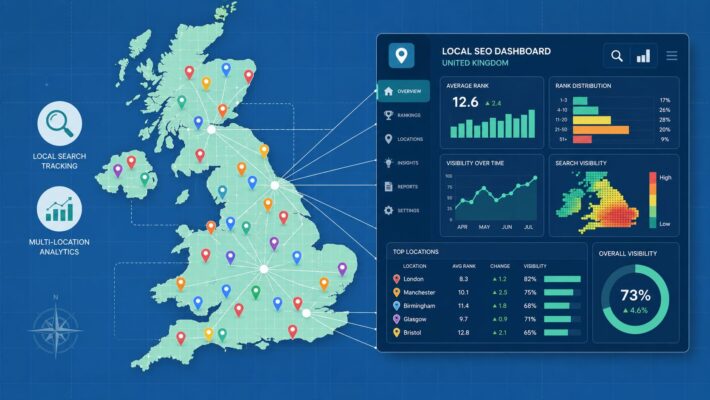
This is where geo-grid ranking tools become essential. These tools show you what Google's results look like from hundreds of different points across your service area, creating a visual map of your rankings. Instead of one misleading metric like "you rank number 2," you get a detailed grid showing exactly where you stand in every part of town.
This level of insight completely changes the game. It allows you to:
- Pinpoint Weak Spots: See precisely where competitors are outranking you, allowing you to focus your content and keyword strategy on those specific neighbourhoods.
- Connect Rankings to CTR: Noticed a sudden drop in your click-through rate? A geo-grid report might reveal you've lost visibility in a key, high-population area.
- Prove Your ROI: Show stakeholders a clear visual map of how your optimisation work has improved rankings across the entire service area over time.
This kind of detailed measurement proves the value of what you're doing. It connects the dots between optimising your profile, improving your visibility for the keywords that matter, and achieving the healthier CTR that ultimately drives business growth.
Your GBP CTR Questions Answered
We've walked through a lot of tactics for improving your Google Business Profile CTR. To tie it all together, let's tackle some of the most common questions I hear from UK business owners about this crucial metric.
What Is a Good Google Business Profile CTR?
There's no single "magic number" here, I'm afraid. Performance really does depend on your industry and how fierce the competition is in your local area. A pub in central Manchester is playing a different game to a plumber in a small Somerset village.
That said, a great target is to beat the average for the local pack. We know from industry data that the top three spots in Google's local results typically get a CTR between 15.1% and 17.6%. If you're anywhere in that ballpark, you're doing a fantastic job.
The real key, though, is to focus on your own progress. Benchmark against your past performance and aim for steady, consistent improvement month after month.
How Long Does It Take to See Improvements?
Some changes can make a difference almost immediately. If you publish a really compelling Google Post or upload a new batch of high-quality photos, you might see a little bump in engagement within a few days.
For more foundational work, like a full profile optimisation where you fill out every last detail, you can often see the needle start to move within a few weeks. But the big, sustainable gains in CTR—the kind that come from building an amazing review profile and climbing the local search rankings—usually take a solid two to three months of dedicated, consistent effort. It's a marathon, not a sprint.
The most important thing is consistency. A huge burst of activity for one week followed by radio silence for two months just won't cut it. It’s the steady drumbeat of updates, new reviews, and fresh content that really builds momentum and delivers lasting results.
Can I Improve CTR Without Paying for Ads?
Yes, one hundred percent. In fact, everything we’ve talked about in this guide is focused on organic optimisation—tactics that only cost your time and effort, not your money. A fully optimised organic profile is the bedrock of any local search strategy.
The organic actions that give you the most bang for your buck are:
- Profile Completeness: Filling out every single section is a massive trust signal to Google and customers.
- Active Content: Regular Google Posts show your business is active and engaged.
- Review Generation: Proactively asking for and responding to reviews builds powerful social proof.
- Keyword Optimisation: Weaving relevant local search terms into your profile helps you show up for the right queries.
While running Google Ads can be a great way to get more visibility, it's no replacement for a well-managed, engaging organic profile that earns clicks all on its own.
Ready to stop guessing and start seeing real results from your local SEO? LocalHQ provides the AI-powered tools you need to optimise your profile, track your rankings with geo-grid reports, and turn more local searchers into paying customers. Discover how LocalHQ can boost your Google Business Profile CTR today.