How to Manage 50+ Google Business Profiles Without Losing Your Mind (Or Rankings)
Trying to keep dozens of Google Business Profiles in check can feel like you're constantly putting out fires. To get it right—to keep your data accurate, respond to every customer, and actually prove your local marketing is working—you need more than a messy spreadsheet. You need a centralised, dashboard-first strategy. This isn't just a 'nice-to-have' anymore; it's fundamental to growth.
The Reality of Managing Google Business Profiles at Scale
If you're running a multi-location business or an agency, you've probably realised that managing Google Business Profiles (GBP) manually just doesn't scale. It’s a recipe for disaster. One simple mistake—an incorrect opening hour for your Manchester branch, a missed negative review in Bristol, or mismatched branding across your London locations—can seriously damage your local search rankings and undo all your hard work building customer trust. You end up stuck in a reactive loop, just trying to keep your head above water.
This guide cuts through the generic advice to tackle the very real frustrations that come with managing a large portfolio of profiles. Getting this right is a big deal. In the UK, where over 80% of consumers search for local businesses online every week and 46% of all Google searches have local intent, your GBP listing is your digital shopfront.
What's more, the data shows that fully optimised profiles convert customers at a rate of 4.5%. That's more than double the 1.8% conversion rate for incomplete ones. The bottom line is that poor management costs you real money.
Core Challenges of Manual Management
Once you’re overseeing 50+ locations, the daily grind of manual updates introduces huge risks and drains your time. The problems don't just add up; they multiply, turning a powerful marketing tool into a massive administrative headache.
Here are the pain points I see time and time again:
- Data Inaccuracy: Manually changing hours, services, or attributes across dozens of profiles is a surefire way to make mistakes. One outdated holiday schedule can lead directly to angry customers and a string of one-star reviews.
- Inconsistent Branding: Without a central hub, making sure every single profile has the right logo, cover photo, and brand voice is almost impossible. This kind of inconsistency just weakens your brand's impact.
- Reputation Damage: Staying on top of reviews and Q&As across a sprawling portfolio is a monumental task. When responses are slow or missed altogether, it makes your business look like it doesn't care, which can sink your local reputation fast. Seeing how specific industries handle this, like in this guide for Google My Business for restaurants, highlights just how critical timely engagement is.
- Wasted Time and Resources: Think of all the hours spent logging in and out of individual profiles, uploading photos one by one, and trying to patch together performance reports. That's time you could be spending on high-level strategy and actual growth.
To illustrate the difference, let's compare the daily reality of managing a 50-location portfolio the old way versus with a more strategic, automated approach.
Manual vs Automated GBP Management for 50+ Locations
| Task | The Manual Approach (The Daily Grind) | The Automated Approach (The Strategic Solution) |
|---|---|---|
| Holiday Hours Update | Log in to 50 individual profiles. Manually enter new hours for each. Time spent: 2-3 hours. | Set new hours in a central dashboard. Apply to all 50 locations in one click. Time spent: 5 minutes. |
| Respond to Reviews | Check 50 profiles daily for new reviews. Manually draft and post individual replies. Missed reviews are common. | All reviews feed into one inbox. Use templates for common feedback and reply instantly. Time spent: 30-45 minutes daily. |
| Publish a Local Post | Log in to each profile. Copy, paste, and upload the same post 50 times, with minor tweaks. Time spent: 1-2 hours. | Create one post, use dynamic fields for location names, and schedule it to publish across all 50 profiles at once. Time spent: 10 minutes. |
| Track Performance | Export data from each of the 50 profiles into a spreadsheet. Manually build charts to spot trends. Time spent: 4-5 hours monthly. | View a consolidated dashboard with automated reports showing performance across all locations. Time spent: Zero (it's always on). |
The table makes it obvious: the manual method is a constant time sink that only grows as you do. The automated, centralised solution frees up your team to focus on what actually moves the needle—strategy, analysis, and growth.
The goal is to move from a decentralised, chaotic process to a streamlined, strategic framework. This is your playbook for turning multi-location chaos into an effective local marketing machine.
Get Your House in Order: Building Your Command Centre
Before you even touch optimisation, you have to get organised. If managing dozens of Google Business Profiles feels like pure chaos, that’s because it probably is. Without a central system, you’re just firefighting. The very first thing you need to do is tame that sprawling digital footprint and bring it all into a single, manageable ecosystem. This is the bedrock of any successful multi-location strategy.
Your starting point is right inside Google’s own Business Profile Manager. The tool lets you create location groups, which are basically just folders for your profiles. This simple act of sorting is your first real step out of the mess of individual logins and disconnected listings.
Structure Your Hierarchy for Success
Think of these location groups as the digital filing cabinet for your entire brand. The key is to structure them in a way that actually mirrors how your business operates. For instance, a national retail chain wouldn’t just lump all 100 stores together; they’d break it down.
- By Region: You could create groups like ‘Scotland’, ‘North England’, ‘London’, and ‘Wales’. This empowers regional managers to see only what’s relevant to them.
- By Brand: If you’re a hospitality group with separate hotel and restaurant chains under one parent company, give each brand its own group.
- By Type: A business with different kinds of locations might create groups for ‘Retail Showrooms’ and ‘Service Centres’.
This isn’t just about being tidy—it’s a strategic move. A good structure lets you push out updates, analyse performance, and delegate access with precision. It stops the costly mistakes and inconsistencies that are almost guaranteed when everyone is working in a disorganised free-for-all.
Without this foundation, things quickly fall apart. The chaos of poor management creates a domino effect that ultimately damages customer trust.
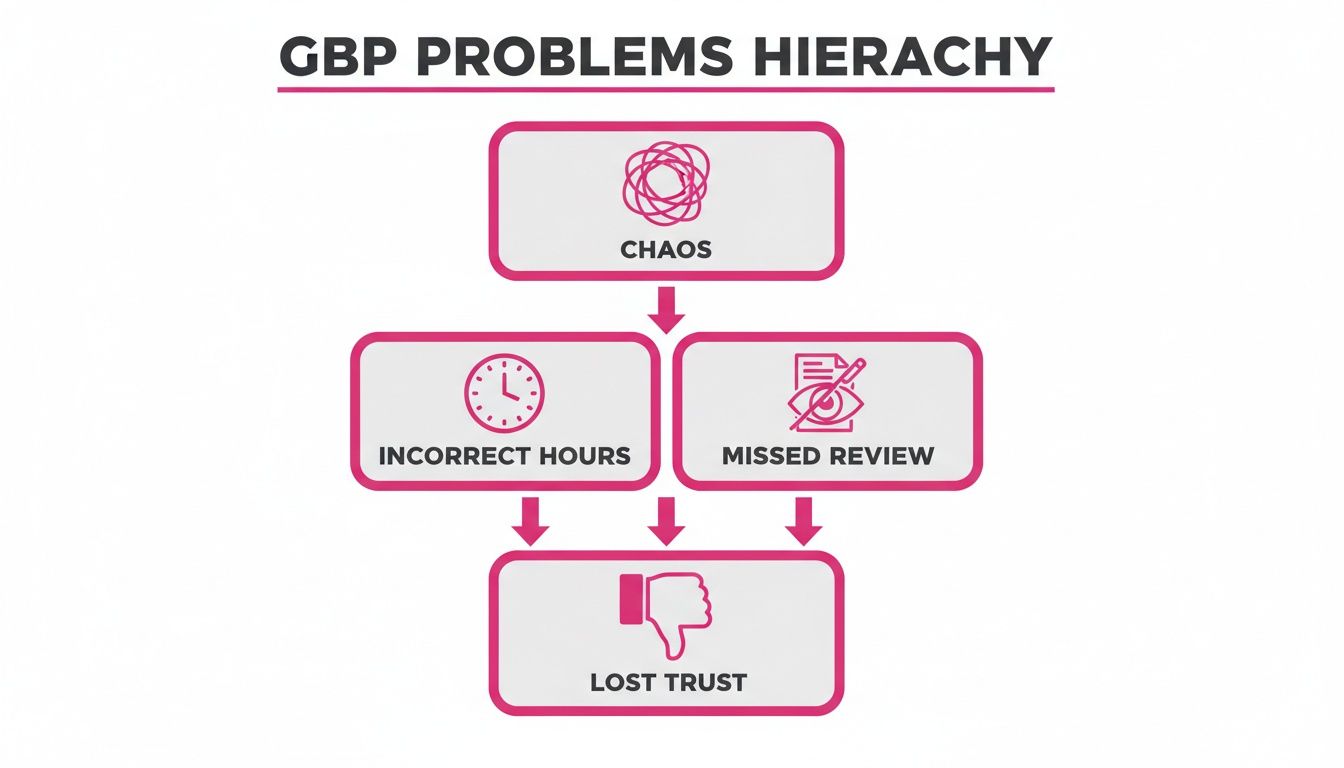
As you can see, what starts as an internal organisational headache quickly turns into real-world business problems, chipping away at the very trust you’ve worked so hard to build.
Master User Roles and Permissions
Once your profiles are neatly sorted into groups, the next piece of the puzzle is controlling who can do what. Handing out full admin access to all 50+ of your profiles to every member of the team is a certified recipe for disaster. It’s a question of when, not if, someone makes an unauthorised change, accidentally deletes crucial information, or goes off-brand.
Getting your permissions strategy right is non-negotiable. Google gives you a few different user roles, each with a specific level of access.
My Core Philosophy: Grant the absolute minimum level of access a person needs to do their job. This ‘principle of least privilege’ isn’t just jargon; it’s the cornerstone of protecting your brand and data.
Here’s how this looks in practice for a typical multi-location business:
- Primary Owner: This should be a central, corporate-level account—never an individual employee’s email. This account has ultimate control and is the only one that can transfer ownership. Think of it as the master key.
- Owner: This is for senior marketing leaders at head office. They get full control to add users, remove locations, and manage everything.
- Manager: Perfect for your central marketing team. They can handle all the day-to-day work—editing info, publishing posts, responding to reviews—but they can’t add new users or delete profiles.
- Site Manager: Give this role to your local branch managers. You can grant them access to only their specific location or location group. This empowers them to handle local reviews and update their own hours without the risk of them meddling with any other profile.
This tiered system creates a workflow that is both efficient and secure. Corporate marketing maintains brand consistency and rolls out national campaigns, while local managers are empowered to deal with what’s happening on the ground. It prevents rogue updates and ensures every person on your team has exactly the access they need—and nothing more.
With this framework in place, your command centre is officially operational. From here, you can start looking at some of the best local SEO tools to build on this newly organised foundation and automate your workflows.
Automate Bulk Updates Without Losing Local Relevance
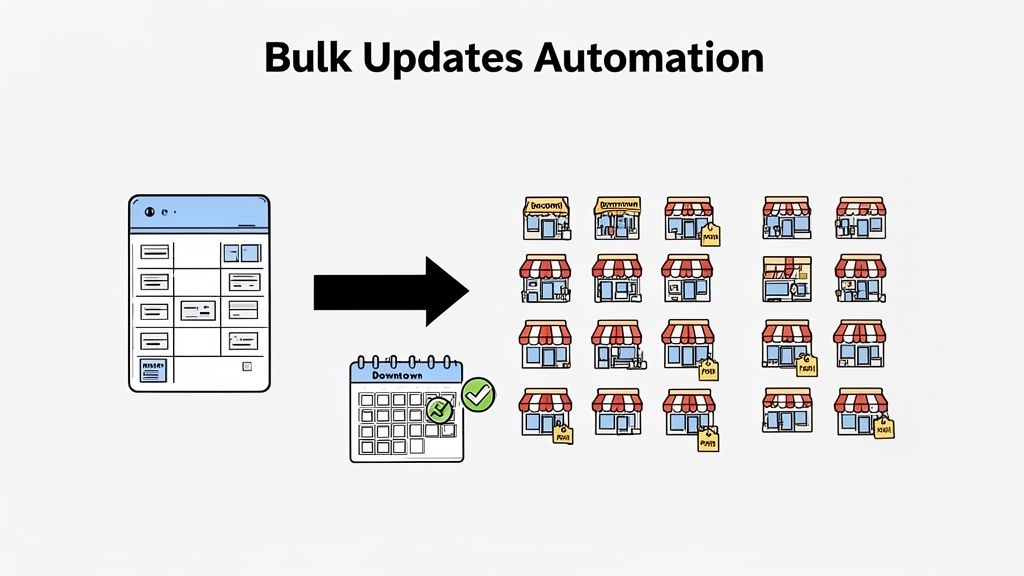
Once you’ve organised all your profiles, you can finally move beyond the slog of manual data entry and into smarter, automated workflows. This is where you start to reclaim countless hours and actually drive strategic value. We’re talking about making one change that correctly populates across 100 profiles, or scheduling a month of unique, local content in a single afternoon.
This shift frees up your team from mind-numbing, repetitive tasks. Instead of fixing addresses, they can focus on analysing performance, engaging with customers, and thinking about the bigger picture. Let’s dig into the practical tactics that make this happen.
Getting to Grips With Google’s Bulk Upload Spreadsheet
Google’s own bulk upload feature is your entry point into large-scale management. It’s a powerful—if slightly temperamental—tool for updating core information across all your locations at once. The process involves downloading a spreadsheet of your current profiles, making your changes in the file, and then re-uploading it to your Business Profile Manager.
It’s especially handy for synchronising essential data that must be consistent across the entire brand.
I’ve found it’s best used for things like:
- Special Hours: Instantly update every location for an upcoming bank holiday or seasonal closure.
- Service Lists: Add a new service or remove an old one across your whole portfolio in one go.
- Business Attributes: Roll out new attributes like “Kerbside pickup” or “Contactless payments” to every relevant profile simultaneously.
But be warned, this process can be frustrating. A single formatting mistake in one cell can cause the entire upload to fail, and Google’s error messages are often cryptic. It’s a solid tool for periodic, brand-wide updates, but it lacks the finesse needed for daily management or subtle local adjustments.
Go Beyond Spreadsheets With a Centralised Platform
While bulk uploads are a good starting point, true efficiency comes from a dedicated platform like LocalHQ. These tools connect directly to Google’s API, letting you skip the spreadsheet chaos altogether. Instead of fiddling with CSV files, you manage everything from a single, intuitive dashboard.
Think of it as your “single source of truth.” You make a change in one place, and the platform automatically pushes that update to all your chosen Google Business Profiles. This massively reduces the risk of human error and guarantees consistency. For instance, if you need to update your brand’s primary category, a platform can push that change to 200 profiles in seconds—a task that would take hours to do manually and would almost certainly contain mistakes.
A centralised platform turns bulk management from a high-risk, time-consuming chore into a simple, reliable process. It gives you the confidence that your core business information is correct everywhere, all the time.
Scheduling Localised Content at Scale
Automation isn’t just about your core data; it’s also your secret weapon for creating relevant, localised content. We all know Google Posts and photos are vital for engagement, but publishing unique content for 50+ locations is a monumental task. This is where a smart scheduling workflow becomes essential.
A proper management tool allows you to schedule a high volume of content while still giving it a local feel. Here’s a workflow we use all the time:
First, create a brand-wide template for a post, maybe promoting a national campaign or a seasonal offer. Then, use dynamic placeholders like [Location Name] or [City] within the text. The platform will automatically populate these fields for each profile.
You can even take it a step further. For a specific group of locations—say, all your London branches—you could tweak the message to mention a local event or landmark. Finally, select all the relevant profiles and schedule the posts to go live at the best time for engagement.
This approach perfectly balances brand consistency with local relevance. Your main message is the same, but the small customisations help the content connect with local customers. The rise of AI-powered writing assistants opens up even more doors here, and you can learn more about how to use AI for local SEO to generate interesting post variations.
The result? You can plan and schedule an entire month’s worth of unique, localised content for every single one of your locations in just one afternoon. That’s a level of efficiency you simply can’t achieve by hand.
Build a Reputation Management Workflow That Actually Scales
Reviews are the lifeblood of your local search presence, but let’s be honest—manually handling them across 50+ locations is a recipe for burnout. We’ve seen it time and again. Without a solid system, response times lag, consistency flies out the window, and potential customers get a clear message: you’re not paying attention. It’s vital to understand the crucial role of reviews in local SEO to appreciate what’s at stake.
This is where a smart, scalable workflow stops being a “nice-to-have” and becomes absolutely essential. Building one helps you engage with customers reliably, defend your brand’s reputation, and even turn raw feedback into a marketing goldmine, all without burying your team in busywork.
Triage Your Reviews with a Tiered Response System
The secret to managing a high volume of reviews isn’t to give every single one the same five-star treatment. A simple five-star rating with no comment just doesn’t need the same hands-on approach as a detailed, one-star complaint. A tiered system is your best bet for allocating your team’s time and energy where it truly counts.
Here’s a two-tier system we’ve seen work wonders for multi-location brands:
-
Tier 1: The Automated First Pass. Use an AI-powered tool to handle the low-hanging fruit. Think four and five-star reviews that don’t include any text. A good tool can be trained on your brand’s specific voice to post instant, personalised-sounding thank you notes, reinforcing that positive customer experience.
-
Tier 2: The Human Touch. The system should automatically flag the tricky stuff for a real person to handle. This means all negative reviews (one or two stars) and any positive reviews that have detailed comments or questions. This frees your team from the repetitive stuff and lets them focus on what they do best: solving problems and winning back unhappy customers.
This hybrid model gives you the best of both worlds—the speed of automation for simple acknowledgements and the empathy of a human for more sensitive situations. With the average GBP listing getting 1,260 monthly views and 72% of consumers preferring businesses with complete profiles, a quick and consistent response strategy is non-negotiable. For more context, check out how GBP statistics shape customer perception on sqmagazine.co.uk.
Don’t Forget the Q&A Section
The Google Business Profile Q&A section is a goldmine for reputation management, but it’s so often overlooked. This is where your prospects go to ask direct questions, and if you’re not the one answering them, someone else will be—and their answer might be completely wrong.
Treat your Q&A workflow with the same importance as your review management.
Instead of firefighting every new question that pops up, get proactive. Build a central library of pre-approved, on-brand answers to common questions. This saves countless hours and prevents inconsistent or inaccurate information from slipping through.
This can be as simple as a shared document or a feature within your management platform. Start by gathering your most frequently asked questions.
Common Questions to Add to Your Answer Library:
- Is there free parking available?
- Are you dog-friendly?
- What are your hours on bank holidays?
- Do I need to book in advance?
- Do you have any vegetarian or vegan options?
By giving local managers a “playbook” of approved answers, you empower them to respond quickly and correctly. This simple bit of organisation transforms your Q&A section from a potential minefield into a genuinely helpful resource for your customers. To really get this working like a well-oiled machine, see how a dedicated Google Review Autoresponder can be set up to manage reviews and provide insights for your Q&A strategy.
Ditch the Spreadsheets: How to Track Performance and Prove ROI
Let’s be honest, if you can’t measure your local SEO efforts, you can’t improve them. This simple truth becomes a massive headache when you’re juggling dozens of Google Business Profiles. I’ve seen countless teams get bogged down in the soul-crushing task of manually exporting performance data from 50 different profiles, trying to wrestle it all into a single, coherent spreadsheet.
It’s not just tedious; it’s a completely outdated way of working that gives you no real picture of what’s actually driving results. To show your value to stakeholders, you need to stop presenting raw data and start telling a compelling story about your return on investment (ROI).
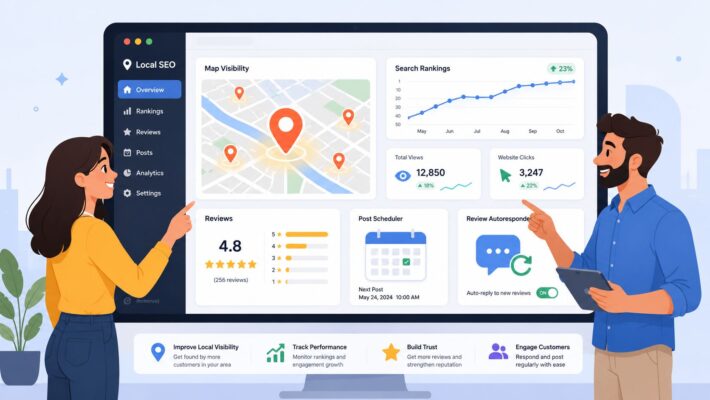
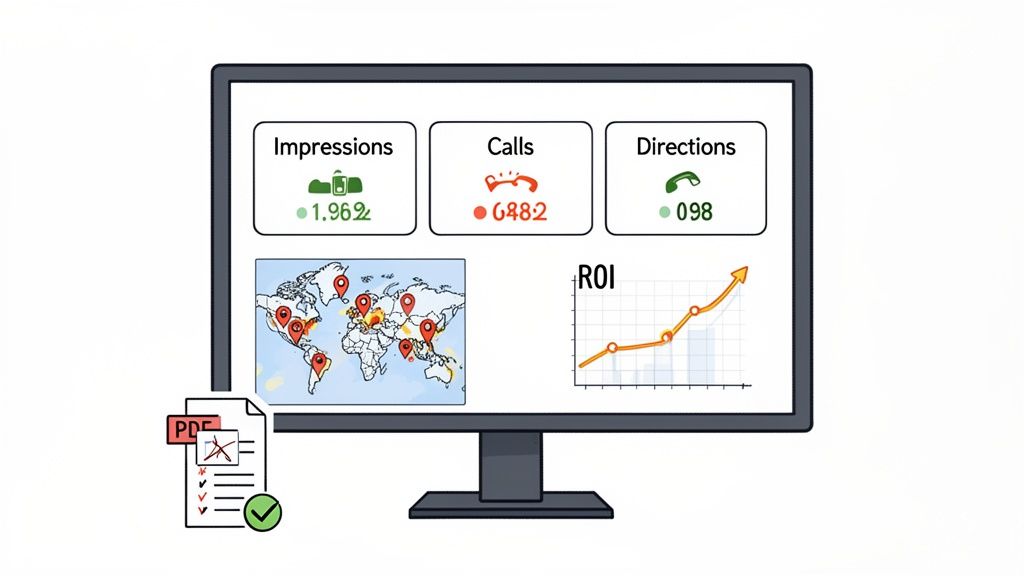
This is where a centralised dashboard completely changes the game. It’s the difference between being a data collector and a strategic analyst. Instead of wasting hours pulling numbers, you can log in and instantly see a real-time, bird’s-eye view of your entire portfolio’s performance. It’s all about having the right information at your fingertips to make smarter, faster decisions.
Centralise Your Key Performance Metrics
A proper, unified dashboard pulls in the most important metrics from every single one of your locations and presents them in a way you can actually understand. This is how you spot trends, identify outliers, and get a feel for performance at a glance. Forget logging in and out of individual profiles; everything you need should be in one place.
From a central dashboard, you absolutely need to be tracking:
- Total Impressions: Get a clear view of your overall search visibility across all locations. Are you being seen more or less this month compared to the last?
- Clicks to Call: This is a direct lead generation metric. It tells you exactly how many potential customers are ringing your locations straight from their Google profiles.
- Direction Requests: This is a powerful proxy for footfall. Tracking how many people ask Google Maps for directions to your physical premises is invaluable.
- Website Clicks: See how much traffic your GBP listings are driving to your website, connecting your local search presence directly to your online assets.
By looking at these metrics together, you can quickly diagnose what’s happening on the ground. For instance, if direction requests are down across all your Manchester branches but surging in Birmingham, you have a clear starting point for an investigation.
Visualise Your Rankings with Geo-Grid Tracking
Here’s the thing about standard GBP Insights: they tell you what search terms people used to find you, but they don’t tell you where you actually rank for those terms. This is a critical blind spot, especially for any business with more than one location. Your ranking for “plumber in Leeds” can be on page one for someone in the city centre but non-existent for a potential customer in a suburb just two miles away.
This is why geo-grid rank tracking is such a game-changer. Good platforms will have this feature, which overlays a grid on a map around each of your business locations. It then runs a search for your target keywords from each point on that grid, giving you a visual heat map of your search rankings.
Geo-grid tracking takes you from vague assumptions to precise, actionable intelligence. It shows you, postcode by postcode, exactly where you are winning in local search and, more importantly, where your competitors are eating your lunch.
Imagine you’re managing a chain of coffee shops. A geo-grid report might show that one of your shops completely dominates the search results within a half-mile radius but is totally invisible to potential customers just a few streets further out. That single insight tells you exactly where to focus your optimisation efforts, whether it’s building local citations or running geo-targeted Google Posts.
Turn Data into a Compelling ROI Story
At the end of the day, stakeholders and clients want to see how your local SEO work is impacting the bottom line. A spreadsheet full of raw numbers just makes their eyes glaze over; it doesn’t communicate value. The real goal is to turn all that performance data into an automated report that clearly connects your efforts to business outcomes.
A powerful reporting tool lets you build custom dashboards that tell this story for you. You can create reports that highlight the growth in phone calls and direction requests right after you ran a sustained review management campaign. Better yet, you could show how a series of localised Google Posts led to a 15% uplift in website clicks for a specific group of underperforming stores.
This is how you move from being reactive to proactive. The insights you gain from a centralised dashboard are what separate the amateurs from the pros, and a comprehensive Google My Business reporting tool is the key to unlocking them. It’s how you prove that managing multiple Google Business Profiles effectively isn’t just an admin task—it’s a powerful engine for growth.
Putting It All Together: Mastering Your Multi-Location Strategy
We’ve walked through the nitty-gritty of organising your profiles, the tactics for making bulk changes, and the workflows that keep your reputation and reporting on track. The truth is, effectively managing 50+ Google Business Profiles isn’t about brute force anymore. It’s about having smart, repeatable systems in place.
By bringing everything under one roof with a dedicated platform, you achieve that brand consistency you’ve been chasing, watch your local rankings improve, and genuinely turn your online presence into a reliable source of new customers. You’ll finally stop playing whack-a-mole with individual listings and start conducting your entire local marketing strategy from a single point of control.
From Reactive Firefighting to Proactive Growth
The real game-changer is shifting your mindset. Stop reacting to problems as they pop up—an incorrect phone number here, a negative review there—and start getting ahead of them. This is only possible when you have the right setup.
- Centralised Control: Imagine having one dashboard instead of juggling dozens of logins and trying to remember who has access to what. That chaos simply disappears.
- Systemised Workflows: When you have a clear process for everything—from posting weekly updates to responding to reviews—nothing gets missed. It becomes second nature.
- Data-Driven Decisions: Consolidated reporting lets you see the bigger picture. You can finally make strategic choices based on how your entire portfolio is performing, not just a few random data points.
Adopting this kind of structured approach is non-negotiable for any business serious about scaling its local footprint. For a deeper dive into taking this to the next level, have a look at these proven franchise SEO strategies that build on these very principles.
Ultimately, the goal is to transform that messy collection of individual Google profiles into a coordinated, high-performing network that drives real growth and delivers a return you can actually measure.
Ready to see what a purpose-built Bulk Editor can do for you? It’s time to find out how you can update hundreds of profiles in a few clicks and get your valuable time back.
A Few Common Questions
When you’re juggling multiple Google Business Profiles, a few common questions always seem to pop up. Let’s tackle some of the ones we hear most often from brands trying to get their multi-location strategy right.
How Can I Keep My Branding Consistent Across Every Single Profile?
Brand consistency is everything, but it’s a real challenge at scale. The key is to establish a “single source of truth” for all your core business information.
Using a centralised dashboard is non-negotiable here. It allows you to lock down the essentials—your official business name, primary category, and website URL—across every single location. This simple step prevents well-meaning local managers from making accidental edits that dilute your brand.
For the things that should be local, like GBP Posts or photos, your job is to provide guardrails. Give your teams clear guidelines and a library of pre-approved templates to work from. Then, make it a habit to regularly audit your profiles. A quick scan from a central platform will help you spot and fix inconsistencies before they become a real problem.
What’s the Best Way to Add a New Location When I Already Have 50+?
Manually adding a new location to a large group is a recipe for a headache. The most direct method within Google’s own tools is the “Import businesses” feature in your GBP Manager account. You’ll need to add the new location’s details as a new row in your bulk upload spreadsheet and then upload it for processing. It works, but it can be fiddly.
A much smoother way is to use a dedicated platform like LocalHQ. You simply add the new location through a clear, straightforward form. The platform then handles all the complicated API work in the background, syncing the data directly to Google. Best of all, the new profile automatically inherits all the correct group settings and brand data from the get-go, saving you a ton of manual work.
Is It Actually Possible to Track Keyword Rankings for Each Individual Location?
Yes, and honestly, you have to. If you’re not tracking rankings at a local level, you’re flying blind. The standard GBP Insights won’t give you this, so you’ll need a specialised tool that provides geo-grid rank tracking.
This is a game-changer. Geo-grid tracking shows you exactly how you rank for your most important keywords in the specific geographic area around each of your locations. It paints a picture on a map, showing you precisely where you’re visible and where competitors are winning.
Think about it this way: you could see that your Manchester branch ranks in the top three for “emergency plumber” within a one-mile radius, but two miles out, you’ve dropped to the fourth page. That’s incredibly powerful data. It tells you exactly which locations are underperforming and where you should focus your optimisation efforts next.
Ready to stop guessing and start making decisions based on real data? With LocalHQ, you can centralise your profile management, automate your updates, and get the deep insights needed to truly dominate local search across all your locations. Take a look at our powerful Google Business Profile management tools and see how you can transform your multi-location strategy.
For more information on multi-location SEO, read our Multi-Location SEO Blueprint!