Google Maps Reviews: The Complete Generation and Management Strategy
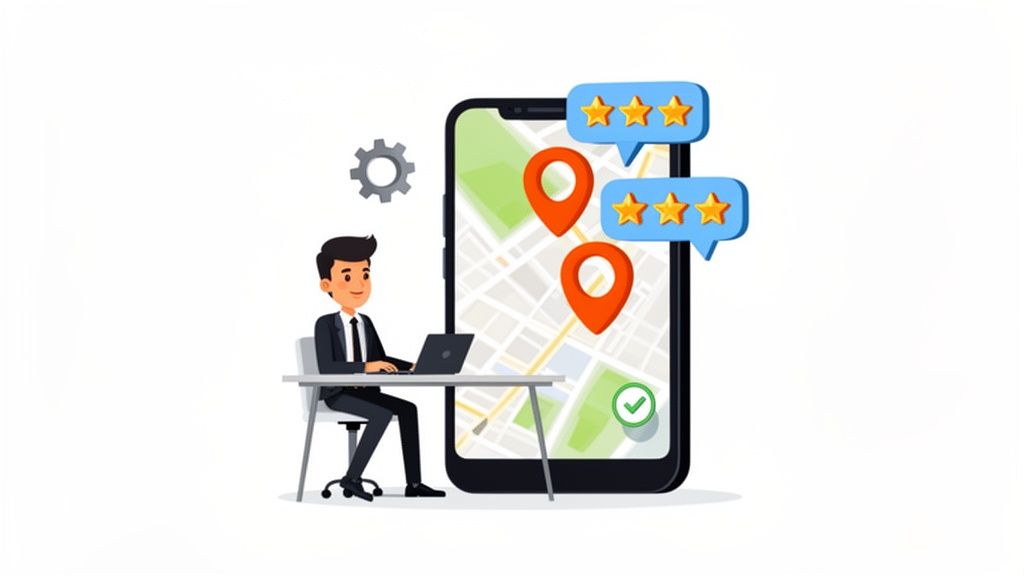
Google Maps reviews are the new word-of-mouth for any local business in the UK. They’re far more than just a star rating; they are a direct line to your customers and a massive signal to Google about your quality and relevance. A strong, active review profile is one of the most powerful and cost-effective marketing assets you can have.
Why Google Maps Reviews Are Your Strongest Local Marketing Tool
Let’s be honest. When you’re looking for a new coffee shop, a reliable garage, or a decent local takeaway, what’s the first thing you do? You check the reviews. We all do it. That simple, universal habit is exactly why Google Maps reviews have become the foundation of modern local marketing.
Think about it from a customer’s perspective. They search on their phone and two local businesses pop up. One has 50 recent, positive reviews and the owner has clearly taken the time to reply. The other has five old reviews and zero interaction. Which one inspires confidence? Which one gets the visit? It's a no-brainer.
Building Trust and Driving Clicks
Positive reviews work as powerful social proof, instantly reassuring potential customers they’re making a smart choice. But it’s not just a gut feeling; it translates into real, measurable actions. For UK businesses, Google Maps reviews are one of the most critical local ranking factors because they tell customers where to spend their money.
A business with a 4.5-star rating and a collection of great customer stories will always get more clicks than a competitor with no reviews or a poor rating. This is why collecting reviews isn’t just a "reputation management" task—it’s a core local SEO activity.

Fuelling Your Local SEO Engine
Google’s job is to give its users the best, most trustworthy answers. A steady flow of positive reviews is a huge green flag, signalling that your business is active, valued by the community, and a reliable choice. These signals have a direct impact on your visibility in the coveted Google Local Pack—that all-important box of three map results at the top of local searches.
The specific review signals that Google pays close attention to include:
- Review Quantity: Simply, the total number of reviews you have.
- Review Velocity: How frequently you’re getting new reviews. A steady stream is better than a sudden burst.
- Review Rating: Your overall average star rating.
- Owner Responses: Replying to reviews shows Google (and customers) that you’re engaged and you care.
Below is a quick summary of how these specific metrics directly translate into tangible business outcomes and improved visibility on Google Maps.
How Review Signals Impact Customer Actions and Local SEO
| Metric | Impact on Business | LocalHQ Feature to Leverage |
|---|---|---|
| Review Quantity | Builds social proof and trust; a higher volume often correlates with higher rankings. | Review Generation campaigns via SMS and email to consistently build your review count. |
| Review Velocity | Signals to Google that your business is currently popular and relevant, boosting search visibility. | Automated review request scheduling to maintain a steady flow of new feedback. |
| Star Rating | Directly influences click-through rates. A higher rating (e.g., 4.0+) dramatically increases clicks. | Review monitoring to track sentiment and identify areas for operational improvement. |
| Owner Responses | Increases customer engagement and shows Google you’re an active, attentive business owner. | Customisable response templates and AI-assisted replies to answer every review quickly. |
These metrics work together to paint a picture of your business's health and credibility, both for search engines and for the real people looking to make a purchase.
A business with an active, well-managed review profile doesn't just earn trust; it earns visibility. Every positive review is another vote telling Google’s algorithm to show your business to more people.
Ultimately, this is about more than just managing your online image. When you focus on a deliberate strategy for Google Maps reviews, you’re actively improving your chances of being found, clicked on, and visited. That consistent, positive feedback loop drives higher rankings, boosts clicks, and brings real customers through your door. It’s an investment that pays for itself in actual growth.
Creating Your Proactive Review Machine
If you’re just sitting back and hoping for good reviews to trickle in, you’re already losing ground. To really stand out on Google Maps, you can't be passive. You need a consistent, thoughtful process for encouraging feedback—one that turns review collection into an active part of your operations.
The whole system hinges on a single, powerful idea: catch customers when they are happiest and make it dead simple for them to share their experience. No more hoping they’ll remember to look you up later. It’s all about removing every last bit of friction from the process.

It all starts with creating a direct, one-click path to your review page. This simple step prevents a happy customer from getting sidetracked or just giving up.
Get Your Direct Review Link
Your most valuable tool in this process is your unique Google review link. This isn't just a link to your profile; it's a special URL that takes customers straight to the review pop-up, ready for their feedback. Understanding how to get your Google review link is the first practical step.
You'll find this link inside your Google Business Profile dashboard. Google makes it pretty straightforward to find and copy this URL, which is the key to unlocking a steady flow of new reviews.
Once you have that link in hand, you can start weaving it into every customer touchpoint, turning everyday interactions into valuable opportunities for feedback.
Weave Your Review Request into Everything
The trick is to put your review link in places customers will naturally encounter it right after a great experience. This isn't about being pushy; it’s about being timely and helpful. The more channels you use, the more consistent your stream of Google Maps reviews will become.
Here are a few of the most effective places I’ve seen work time and time again:
- Email Signatures: A simple, "Enjoyed our service? Leave us a review on Google!" in every staff member's email signature is a set-and-forget tactic that works wonders.
- SMS Follow-ups: After a service is completed or a product is delivered, a quick and friendly text message has an incredibly high open rate and can get great results.
- Till Receipts: For any brick-and-mortar business, adding a QR code on the receipt is a brilliant move. The customer has it right in their hand.
- In-Store Signage: Small signs with QR codes near the till, on the exit door, or in waiting areas are subtle but effective reminders.
- Post-Purchase Emails: Your order confirmation or "thank you for your purchase" email is the perfect place to include the request.
If you’re managing multiple locations, standardising this is non-negotiable for efficiency. A tool like LocalHQ can help you build and deploy these review campaigns across all your profiles from one place, ensuring brand consistency while still letting local managers add their own touch. For a deeper dive, check out our full guide on how to get more Google reviews.
Crafting the Perfect, On-Brand Ask
How you ask is just as important as where you ask. Your request needs to feel genuine and personal, not like a cold, automated demand. A great request is polite, brief, and quickly explains why their feedback matters so much.
A word of caution: Never, ever offer freebies or discounts for reviews. This is a direct violation of Google's policies and can get your reviews wiped and your profile penalised. The goal is to encourage genuine feedback, not to buy it.
Here are a couple of customisable templates you can adapt for your brand voice:
Email/SMS Template:
"Hi [Customer Name], thanks for choosing [Your Business Name] today. We hope you had a great experience! If you have a spare moment, we’d be so grateful if you could share your feedback on Google. It really helps other people in our community find us. Here’s a direct link: [Your Review Link]"
In-Person Script for Staff:
"It was a pleasure helping you today. If you were happy with everything, we'd really appreciate you taking a moment to leave us a quick review on Google. It makes a huge difference for a local business like ours."
By combining a direct link with perfect timing and a polite, on-brand request, you build a powerful engine that generates a steady stream of positive Google Maps reviews. This proactive strategy puts your online reputation to work, actively attracting new customers and fuelling your growth.
Mastering Your Replies to Every Single Review
Think of every Google Maps review as a public conversation happening right on your digital doorstep. How you engage says everything about your business. Ignoring feedback is like turning your back on a customer in your own shop—it’s a massive missed opportunity and, frankly, a risk to your reputation.
Responding to every comment isn't just about being polite; it's smart marketing. Each reply is a chance to let your brand’s personality shine, show you’re grateful for the feedback, and prove there’s a real, caring person on the other end. This is where you show potential customers that you listen to what people are saying, good or bad.
Turning Positive Reviews Into Marketing Gold
When a customer leaves you a fantastic 5-star review, your work isn't over. A quick, personalised thank you does more than just make that one person feel appreciated; it amplifies their positive message for everyone else who comes across your profile.
Don't just post a generic "Thanks for your review." Get specific. If they mentioned your friendly staff, give your team a shout-out. If they raved about a particular dish or service, highlight it. This turns a simple compliment into a powerful testimonial, reinforcing exactly what makes you great.
A little tip from experience: Responding to positive reviews is one of the easiest wins for building loyalty. A customer who feels heard is far more likely to come back and tell their friends about you. It turns a one-off purchase into a real relationship.
Here’s what that looks like in practice:
- Customer writes: "The flat white was the best I've had in Manchester, and the barista was so cheerful!"
- Your reply: "We're so glad you enjoyed the flat white! Our team takes real pride in their coffee craft, and we'll be sure to pass your kind words on to our cheerful barista. Hope to see you again soon!"
See the difference? This simple exchange shows you’re paying attention and reinforces your strengths. For a much deeper dive into the art of the reply, we've put together a detailed guide on how to respond to a Google review.
Handling Negative Feedback with Grace
A negative review can feel like a punch to the gut. I get it. But your immediate reaction is what truly matters. The worst thing you can do is panic or get defensive. Instead, see this as an opportunity to put your exceptional customer service on full display for everyone to see.
The key is to act quickly and professionally, always leading with empathy. When you're staring down a bad review, knowing some proven strategies for handling customer complaints is absolutely vital for protecting your reputation and maybe even winning that customer back.
First, always acknowledge their frustration and apologise that their experience wasn’t up to scratch. This alone can de-escalate things instantly.
Next, you want to take the conversation offline. Don't get drawn into a public debate. Provide a direct contact, like an email or a phone number, and invite them to reach out so you can get the details and sort it out privately.
Finally, show that you're taking action. A simple "We take feedback like this seriously and will be looking into what happened" reassures the original poster—and anyone else reading—that you're committed to getting things right. This approach often impresses potential customers far more than a perfect, unbroken string of 5-star reviews.
What About Fake Reviews?
Sometimes, a negative review isn't from a genuine customer at all. Dealing with fake or malicious reviews is a frustrating part of doing business online, but it's important to know that Google is cracking down—hard.
In fact, Google's efforts to maintain the integrity of reviews on Google Maps are stronger than ever. In 2023 alone, the platform removed or blocked over 170 million policy-violating reviews, which is a massive 45% increase from 2022. The moderation didn't stop there; they also took down 14 million fraudulent videos and over 12 million fake business profiles. The system is getting smarter. If you get a review you're certain is fake, report it to Google straight away through your Business Profile dashboard.
Using Automation, But with a Human Touch
Maintaining a 100% response rate is crucial, but it can also be incredibly time-consuming, especially if you're managing multiple locations. This is where smart tools can make a world of difference.
Platforms like LocalHQ's Review Autoresponder can draft on-brand, personalised replies in seconds. The AI analyses the review’s sentiment and content to suggest a fitting response, which you can then approve or tweak before it goes live. This can save you countless hours every week and ensures no customer ever feels ignored, helping you truly master your Google Maps reviews strategy at scale.
Turning Review Insights Into Business Improvements
Your Google Maps reviews are far more than just a public scorecard. Think of them as a direct, unfiltered line to your customers—a treasure trove of business intelligence just waiting to be unpacked.
Every single piece of feedback, whether it’s five stars of glowing praise or a one-star rant, holds a clue. The real skill is learning how to analyse this feedback to uncover actionable insights that can drive genuine improvements across your business. This isn't just about reading comments; it's about spotting the patterns that guide your next strategic move.
From Feedback to Actionable Intelligence
The first step is to zoom out from individual comments and start thinking in categories. As reviews roll in, you'll quickly realise that most feedback—good and bad—tends to cluster around specific parts of your business. Your job is to spot these clusters.
You’ll see common themes pop up again and again:
- Customer Service: Maybe there's consistent praise for a particular team member, or recurring complaints about staff attitude.
- Product/Service Quality: People might comment on a specific dish, the quality of a product, or how effective a service was.
- Operational Efficiency: Are there mentions of long wait times, issues with cleanliness, or a clunky booking process?
- Pricing and Value: You'll see feedback on whether your prices are seen as fair for the value customers feel they received.
When you start looking for these patterns, you can quantify what’s working and what isn’t. Ten separate reviews all complaining about slow service aren't just ten unhappy customers. That’s a clear signal you have an operational bottleneck that needs fixing, fast.
Channelling Insights to the Right Departments
Once you’ve identified these themes, the crucial next step is getting that information to the people who can actually do something about it. It sounds simple, but this is where many businesses fall down.
A review praising an employee's brilliant service should be shared with their manager and celebrated with the whole team. Feedback about a faulty product needs to go straight to your quality control or supply chain team.
Create a simple, consistent process for this. It could be a weekly review summary sent via email or a dedicated channel in Slack or Microsoft Teams. The goal is to build a solid feedback loop where customer comments directly trigger departmental action.
For example:
- Insight: Several reviews mention confusion over your opening hours.
- Action: Your marketing team immediately jumps in to update your Google Business Profile and all other online listings for accuracy.
- Insight: Customers are repeatedly raving about a seasonal coffee blend.
- Action: The operations team gets the data and starts a conversation about making it a permanent menu item.
This systematic approach means valuable feedback doesn't just die on your Google Maps profile. It actively fuels positive change within the business. For a deeper dive into what your profile can tell you, it's worth exploring the full range of Google Business Profile insights available.
Your collection of Google Maps reviews is one of the most powerful, free market research tools you have. When you treat it that way, you can make smarter, customer-focused decisions that lead to better experiences and—you guessed it—even more positive reviews.
Measuring the Impact of Your Changes
The final piece of the puzzle is tracking whether your improvements are actually working. This is how you close the loop and prove the value of actively managing your reputation.
If you've retrained staff on customer service, are you seeing fewer negative comments on that topic? If you finally fixed that broken booking system, has the sentiment in your reviews shifted?
This is where a tool with a solid reporting suite, like LocalHQ, becomes indispensable. It lets you track review sentiment over time and filter feedback by specific keywords (e.g., "wait times," "friendly staff," "cleanliness"). You get hard data to measure the real-world impact of your operational changes, giving you concrete proof that listening to your customers pays off.
Winning the Local Pack With a Superior Review Strategy
Securing one of those top spots in the Google Maps Local Pack is the holy grail of local SEO. It's where all your hard work in gathering, responding to, and learning from your reviews pays off, pushing you right up the local rankings. It isn't just about having reviews; it's about having a smart, consistent review strategy that Google's algorithm notices and rewards.
For any UK business, you can't really overstate how important this is. Google Maps is the go-to discovery tool for most people, and its sway over where customers spend their money is massive. Think about this: 42% of people searching locally click on one of the top three businesses in the Map Pack. That's a huge number, especially when you compare it to the first traditional organic result, which gets around 27.6% of clicks. If you're not in that top three, you’re missing out on a significant slice of potential local customers.
The algorithm deciding who gets those coveted spots is sophisticated. It doesn't just glance at your star rating; it digs deeper, weighing several specific signals that tell the full story of your business's reputation.
What Google Actually Cares About in Your Reviews
To climb the local search ladder, you need to play Google's game. That means focusing on a mix of quantity, quality, and, most importantly, engagement. These signals tell Google which businesses are not just good, but are also active and trusted by the local community right now.
Here’s what you should be zeroing in on:
- Review Quantity: This one's simple – it’s the total number of reviews you have. More reviews build social proof and signal to Google that you're an established, legitimate business.
- Review Velocity: This is all about the frequency of your reviews. A steady stream of new feedback is far more powerful than a sudden burst of reviews from six months ago. It shows Google that your business is currently popular and relevant.
- Rating Diversity: It might sound odd, but a profile with a healthy mix of 4- and 5-star reviews can look more authentic than one with nothing but perfect scores. It shows real-world experiences, which builds trust with savvy customers.
- Owner Responses: This is a massive signal of engagement. When you reply to reviews, you’re showing both Google and potential customers that you are an attentive business owner who genuinely cares about feedback.
A business with 50 fresh, 4.5-star reviews and consistent owner replies will often outrank a competitor with 100 older, 5-star reviews and zero engagement. Recency and interaction matter immensely.
Think of it as a continuous loop: you collect feedback, you analyse what people are saying, and you use those insights to improve your business.

This process makes it clear that managing your google maps reviews isn't a one-and-done job. It's an ongoing cycle that fuels business improvements and, in turn, boosts your ranking potential.
Seeing Your Progress and Owning the Map
So, as you build a stronger review profile, how do you know if it's actually working? Your rank won't jump overnight, but a consistent strategy will bring tangible gains in your local visibility. This is where having the right tools becomes non-negotiable.
Using a feature like a Geo-Grid Rank Tracker is a game-changer. It lets you see your performance across your entire service area, not just from your office computer. You get a visual map showing how your business ranks to customers in different neighbourhoods. You can literally watch your visibility expand as your review velocity and engagement go up.
This gives you a direct line of sight between your review efforts and your presence on the map. You can spot where you’re dominating and, just as importantly, find the weak spots where your visibility needs a boost. It turns your review strategy from a guessing game into a measurable, data-driven campaign. You can get into the nitty-gritty of this in our guide on how to rank higher on Google Maps.
By putting a proactive review system in place, mastering your responses, and analysing the feedback, you're building a powerful engine for growth. This is your roadmap to dominating your local search results and turning your google maps reviews into your best marketing asset.
Your Google Maps Review Questions, Answered
When it comes to Google Maps reviews, a few questions pop up time and time again. Let's tackle the most common ones we hear from businesses, clearing up the confusion with some straight-talking advice.
How Do I Remove a Fake Review From My Google Business Profile?
This is a frustrating one, and the short answer is: you can't delete it yourself. Only Google can. What you can do is flag it for their team to review.
Find the review on your profile, click the three-dot menu icon, and choose 'Report review'. You'll be asked to specify why it violates Google's policies—common reasons include spam, a conflict of interest, or hate speech. Be as accurate as you can.
While Google's automated systems catch a lot, your report brings it to a human's attention. If the review stays up and you're certain it’s a fake that breaks the rules, you can escalate the issue by contacting Google Business Profile support directly. Having screenshots or any other evidence ready will strengthen your case.
Just remember, a review that's simply negative but doesn't violate any specific policy won't be taken down. In those situations, your best move is always a calm, professional public response.
Can I Offer Customers an Incentive for a Google Review?
A firm no on this one. Offering discounts, gift vouchers, or any kind of reward for a review is a major red flag for Google and goes directly against their policies.
This practice, sometimes called review gating, is seen as a way to manipulate your ratings. Getting caught can lead to some serious consequences, from having your reviews wiped to getting your entire business profile suspended.
The goal is to get authentic, voluntary feedback from people who've actually used your services. The best strategy is always to deliver a fantastic customer experience, then simply make it easy for happy people to share their thoughts. Don't try to buy good ratings.
How Long Does It Take for a New Review to Appear?
Most of the time, a new review will show up almost instantly. You or your customer will see it published within moments of them hitting 'post'.
However, you might occasionally notice a delay. Google runs every single review through powerful spam filters to check its authenticity before it goes live.
If something seems a bit off—maybe the review is from a brand-new account or contains unusual language—the system might hold it for a manual check. This can take a few days. If a customer insists they've left a review but you can't see it, a good tip is to ask them to check their "Contributions" section in their own Google account. They'll be able to see if it was successfully published on their end.
It’s time to stop treating your Google Maps reviews as something that just happens to your business. When you get a handle on them, they become one of your most powerful assets for building trust and climbing the local search rankings.
Think of it this way: every review is a direct line to your customers. Your five-star raves are social proof in action, while even the occasional negative comment is a goldmine of feedback for improving your operations. It’s all valuable data.
Managing this effectively isn't about simply reacting anymore. It's about building a proactive system that consistently earns positive feedback, smartly handles criticism, and shows potential customers you're a business that genuinely cares. This is how you build a reputation that not only looks good but actively drives growth.
LocalHQ is designed to bring all your local marketing efforts together, right into one dashboard. If you're ready to turn your Google Maps reviews into a reliable growth engine, see what our Review Manager can do for you.