Google Maps Marketing: Building Your Local Presence Beyond Rankings

Google Maps marketing is all about optimising your online presence so your business is the first thing local customers see when they search for what you offer. It’s about taking your Google Business Profile (GBP) from a simple pin on a map and turning it into an interactive space that pulls customers in and gets them to take action.
Why Google Maps Marketing Is More Than Just Rankings
Let’s be honest, seeing your business in the top three map results—the “Local Pack”—feels fantastic. And for good reason. It’s prime digital real estate.
For UK businesses, getting into that pack can completely change the game. A huge 42% of people searching locally click on one of those top three results. Compare that to the 27.6% who click the first traditional organic result just below it. If you’re not in the pack, you’re missing out on a massive slice of the pie.
But here’s the thing: chasing rankings alone is old news. Modern Google Maps marketing is about what happens after someone finds you. It’s about engagement.
The Evolution: From Static Pin to Interactive Hub
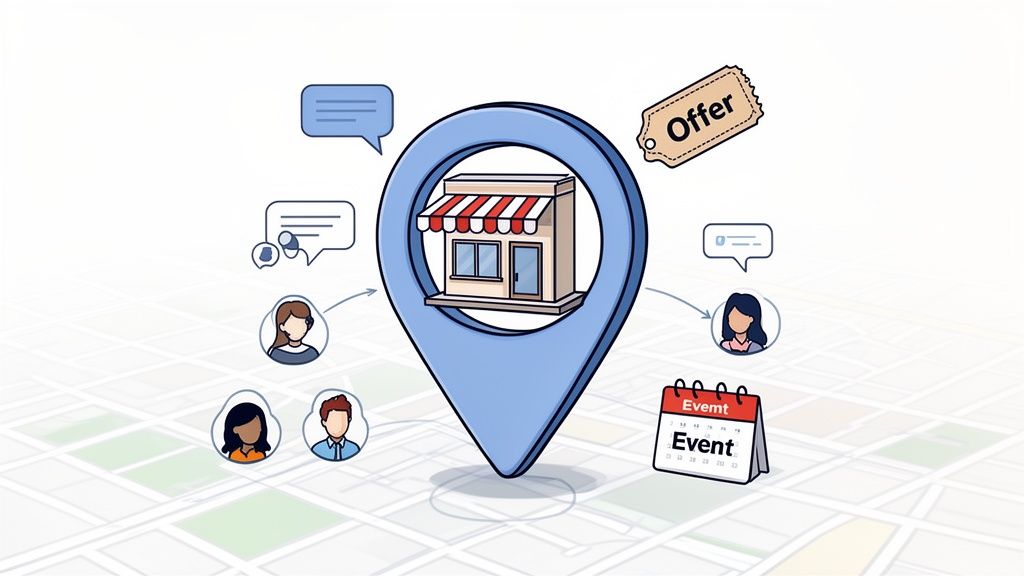
Thinking of your Google Business Profile as a static, digital phone book entry is a huge missed opportunity. Today, your profile is a living, breathing part of your business that needs constant attention. Customers don’t just find you on Maps anymore; they interact with you right there.
This shift means focusing on a few key activities that show both Google and your customers that you’re active and engaged.
- Google Posts: Think of these as your business’s social media feed directly on Google. Share updates, news, and behind-the-scenes content to keep things fresh.
- Offers & Promotions: Post special deals directly to your profile. It’s a powerful way to give customers a direct reason to choose you over a competitor down the road.
- Events: Got an in-store sale, a workshop, or a community event? Promote it on your profile to drive immediate interest and get people through the door.
- Customer Engagement: This is non-negotiable. You have to actively manage your Q&A section and respond to every single review. It builds trust and shows you care.
A well-managed profile isn’t just about getting seen; it’s about building a relationship before a customer even walks in. This active approach directly influences their decision, turning a casual searcher into a loyal customer.
For a UK business, this could be a café in Bristol using an ‘Offer’ post to get more customers on a typically quiet Tuesday afternoon. Or maybe it’s a plumber in Glasgow using the Q&A feature to proactively answer common questions about emergency call-out fees.
This is all part of a bigger picture. It touches on all the key aspects of what is local SEO marketing and builds genuine trust. You’re not just a business; you’re an active, helpful, and reliable part of the local community, right where customers are looking.
Making Your Google Business Profile a Customer Magnet
Your Google Business Profile (GBP) is the absolute bedrock of your Google Maps marketing. We’ve touched on why it matters, but now it’s time to get our hands dirty and turn that profile from a basic listing into a powerhouse for attracting and engaging customers. Think of your GBP as your digital front door; getting it right is the first, most crucial step before you do anything else.
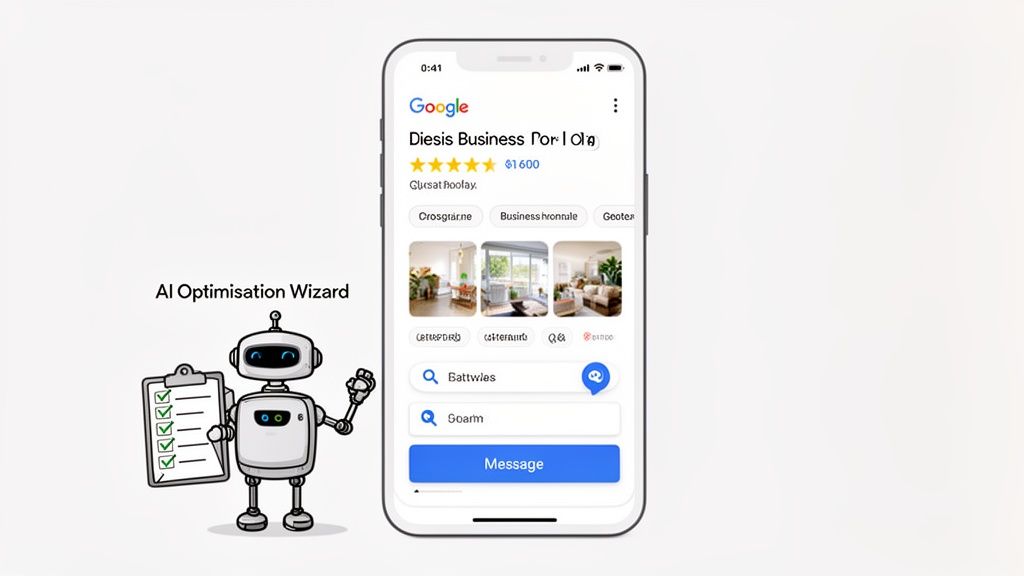
Here’s a simple way to look at it: a profile with just a name and address is a locked shop with the lights off. A fully optimised profile is a brightly lit, welcoming storefront with a big ‘Open’ sign, showing off everything you have to offer before a customer even thinks about stepping inside. It’s no surprise that verified and complete profiles are far more likely to show up in local searches.
This is why we need to move beyond just the basics. It’s all about using every feature at your disposal to spark real interactions and send strong signals to Google that your business is relevant, active, and authoritative.
Nailing Your Core Information
First impressions are everything, and for your GBP, that starts with your core business information. A detailed, accurate, and keyword-rich profile is a signpost for both potential customers and Google’s algorithm.
Your business description is prime real estate. Don’t waste it by just listing your services. Tell your story. Weave in your target keywords naturally, but focus on what makes you unique and how you solve your customers’ problems. For instance, instead of just “Plumber in Manchester,” you could write something like, “Your trusted, family-run Manchester plumber for 24/7 emergency call-outs and boiler repairs.” See the difference?
Business categories are also massively important. Your primary category has the biggest impact on your ranking, so choose the one that perfectly represents your main offering.
From there, get granular with secondary categories. A restaurant isn’t just a “restaurant.” It might also be a “brasserie,” “bar,” “venue for hire,” or “brunch spot.” Adding these helps you show up for a much wider variety of searches, casting a bigger net and maximising your visibility. If you need a hand with this, our guide offers detailed steps on how to optimise your Google Business Profile for the best results.
Bringing Your Business to Life with Visuals
Let’s face it, people shop with their eyes. Profiles loaded with high-quality photos and videos get way more clicks and calls because they help customers visualise the experience they’re going to get.
A good mix of visuals is key to telling a compelling story:
- Storefront & Interior: Show people what to expect when they walk in. Is your space cosy, modern, or professional? Let them see it.
- Products & Services: Show off your best work. If you’re a baker, we want to see mouth-watering photos of your pastries. If you’re a landscaper, showcase your most stunning garden transformations.
- Your Team: Putting faces to a name builds a huge amount of trust and makes your business feel more human.
- Behind the Scenes: Give people a little glimpse of your business in action. It’s authentic and engaging.
Pro Tip: Before you upload any photos, make sure you geotag them. This adds location data directly to the image file, giving Google another powerful signal about where your business operates and strengthening your local relevance.
Get Proactive with Customer Interaction
An optimised profile isn’t a static brochure; it’s a two-way communication channel. Two of the most underused—and most powerful—features for this are Q&A and Messaging.
Don’t just sit back and wait for customers to ask questions. Use the Q&A feature to get ahead of the game. Think about what people always ask you on the phone: “Do you have parking?”, “Are you dog-friendly?”, “What are your call-out fees?”. Seed your profile with these common questions and provide clear, helpful answers. Not only does this save everyone time, but it also naturally fills your profile with valuable, relevant keywords.
Enabling the Messaging feature instantly turns your GBP into a direct line for customer service. In a world where everyone wants an instant answer, offering a quick chat option can be the difference between getting a booking and losing that customer to a competitor down the road. It removes friction and shows you’re accessible and ready to help.
Right, you’ve got your Google Business Profile set up and all the core details are filled in. Job done? Not even close.
A profile that just sits there, gathering digital dust, is almost as bad as not having one at all. To really make an impact on Google Maps, you need to show that your business is alive and kicking. This is where you start using your profile as a real-time marketing channel, pushing out timely content like Posts, Offers, and Events.
Imagine you’re searching for a local café. You find two. The first has its address and opening hours. The second has those too, but it also has photos from this morning of a fresh batch of pastries, a post about a new seasonal latte, and a special offer for “£5 Coffee & Cake on Tuesdays”. Which one are you heading to? It’s a no-brainer.
That constant flow of fresh content does more than just entice customers. It sends a strong signal to Google’s algorithm that you’re active, open, and actively looking for business. That’s a huge factor in how you rank and how often you’re shown to potential customers.
Map Out Your Content
The only way to keep up a steady stream of content is to have a plan. Just posting whenever you remember is a recipe for an inconsistent, and ultimately ineffective, profile. A simple content calendar is your best friend here.
Don’t overthink it. A basic spreadsheet mapping out the next few weeks is all you need. The goal is to create a rhythm and a good mix of content that keeps your profile feeling fresh.
For a UK-based retail boutique, a week might look something like this:
- Monday (Update): Post a “Meet the Team” photo. A quick shot of a staff member with a sentence about their favourite item in the shop. It puts a human face to the business.
- Wednesday (Offer): Create a time-sensitive deal to get people through the door mid-week. Something like, “15% off all knitwear, this week only!”.
- Friday (Event): Announce your “New Collection Launch Weekend”. Mention you’ll have extended hours. This builds a bit of buzz heading into the weekend.
When you plan like this, creating content stops being a last-minute chore and becomes a proper part of your marketing. If you want to get really organised, a dedicated Google Business Scheduler can be a massive help, letting you queue up your posts in advance.
Pick the Right Tool for the Job
Google gives you a few different post types, and knowing which one to use makes a big difference.
- Updates: Think of these as your day-to-day announcements. They’re perfect for sharing general news, linking to a new blog post, or just posting a nice behind-the-scenes photo. Use them to keep a consistent heartbeat on your profile.
- Offers: These are your sales drivers. They get their own spot on your profile and are designed to grab attention. You can set start and end dates, add voucher codes, and send people straight to a checkout page. A pub in Leeds, for example, could use an Offer post for a “Two-for-One Burger Night” to pack the place on a typically quiet Tuesday.
- Events: Got something happening on a specific date? Use an Event post. This could be anything from a weekend sale or a live music night to a free workshop. The great thing is that these posts stick around on your profile right up until the event is over, giving you maximum visibility.
A good Google Post doesn’t just inform – it creates a sense of urgency. It gives a customer who’s on the fence a real reason to pick you, right now, over your competition.
Making Your Content Stand Out
Just firing posts out into the void won’t cut it. You need to make people stop scrolling. That comes down to two things: great visuals and a clear instruction.
- Use Good Photos and Videos: A post with a picture or a short video will always get more eyeballs than one without. Make sure your images are bright, in focus, and actually show what you’re talking about. If it’s an offer on a product, show the product. If it’s an event, use a photo from last time to show people what they’re missing.
- Nail the First Sentence: People will only see the first 100 characters or so before the text gets cut off. You have to start strong. Hook them in immediately.
- Have a Clear Call-to-Action (CTA): Tell people exactly what you want them to do next. Google makes this easy with buttons like “Book,” “Order Online,” “Learn More,” “Call,” or “Visit.” Always pick the one that matches what you’re trying to achieve with that specific post.
By making this kind of content a regular habit, you’re constantly feeding Google positive signals, getting more people to interact with your profile, and cementing your place as a top local choice. For a deeper dive and more creative examples, our comprehensive guide on mastering Google Business Profile Posts has you covered.
How Customer Reviews Build Trust and Local Prominence
Let’s be honest, customer reviews are the lifeblood of any local business. They’re far more than just a star rating; they’re public conversations that give potential customers a real-world glimpse into what it’s like to work with you. A steady flow of positive reviews is one of the most powerful signals you can send, not just to Google’s algorithm, but to your future customers.
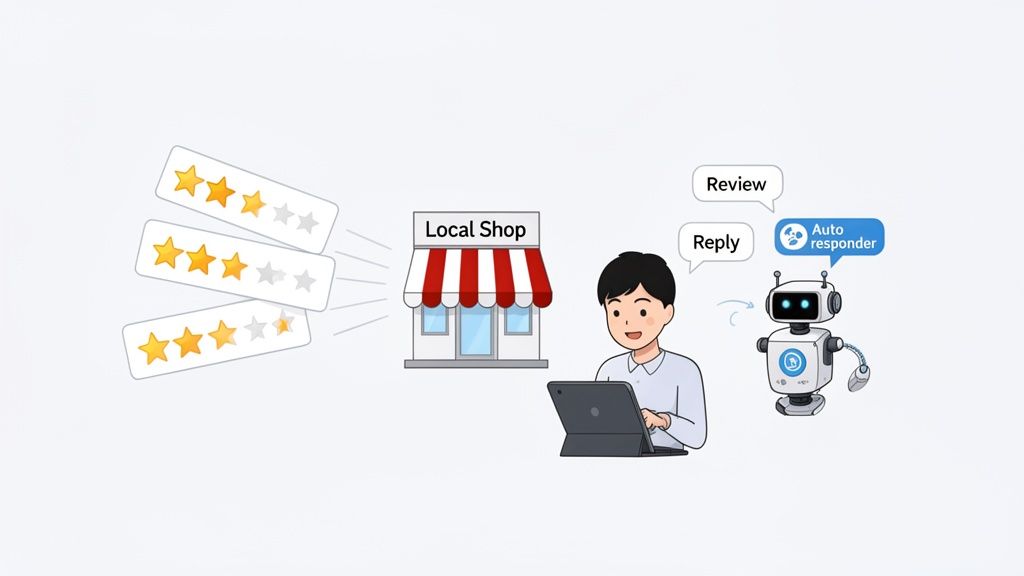
Think about your own behaviour. When you’re searching for a new cafe or a trustworthy plumber, do you just click the first result? Probably not. You scroll straight to the reviews. You want to see what others have experienced, and that social proof is often the final nudge that helps you make a choice. This is exactly why a solid review generation strategy is a non-negotiable part of any serious Google Maps marketing plan.
Generating a Consistent Flow of Reviews
The simplest way to get more reviews is often the most overlooked: you just have to ask. But how and when you ask can make all the difference. The real trick is to make it incredibly simple for happy customers to leave feedback right when they’re feeling most positive about their experience.
A few methods I’ve seen work time and time again include:
- Email or SMS Follow-ups: After a sale or service, send a short, personalised message. Thank them for their business and include a direct link to your Google review page.
- In-Store Prompts: A small sign with a QR code at your checkout counter can be surprisingly effective. A friendly “we’d love your feedback” from your staff can also go a long way.
- Receipts or Invoices: Pop a quick note and a QR code onto the bottom of your receipts. It gives customers an easy way to leave a review later on.
It’s not just about the total number of reviews, either. Google pays close attention to what we call review velocity—how frequently you get new feedback. A business that gets a few reviews every week looks far more current and relevant than one that gets a sudden burst of 50 and then goes silent for six months. Our dedicated guide has even more creative tips on how to get more Google reviews and maintain that momentum.
The Art of Responding to Every Review
Getting reviews is only half the job. Responding to them—and I mean all of them—is where you really start to shape your brand’s reputation. A thoughtful reply shows you’re listening, you care, and you’re an engaged business owner.
Think of review responses not as a chore, but as a public relations opportunity. Every single reply reinforces your brand’s values and shows every potential customer reading that you take feedback seriously.
Your response strategy needs to cover every kind of feedback:
- Positive Reviews: Don’t just copy and paste “Thanks!”. Personalise your reply by referencing something specific they mentioned. It shows you’ve actually read their comment and makes them feel genuinely appreciated.
- Neutral Reviews: Those tricky 3-star reviews often contain the most valuable feedback. Thank them for their business, acknowledge their point, and briefly explain what you’ll do about it.
- Negative Reviews: This is your chance to turn a negative into a positive. Respond quickly, apologise for their bad experience (even if you disagree with their story), and offer to take the conversation offline to resolve it.
Automating Your Responses for Efficiency and Consistency
For most business owners, keeping up with every review is a huge time sink. This is where automation can be a real lifesaver. A Review Autoresponder ensures every customer gets a timely, on-brand reply, 24/7. It keeps your engagement signals strong for Google and makes sure no customer feels ignored, all without adding to your daily to-do list.
This becomes especially important when you look at the wider UK marketing picture. With 25% of marketers reporting Google Ads as their highest-performing platform, it’s clear that Google is central to success. Yet, a recent survey found that only 53% of businesses are satisfied with their SEO performance. This points to a massive opportunity for platforms like LocalHQ to help businesses close that gap and truly master their local presence.
Measuring What Matters in Your Maps Marketing
There’s an old saying that’s gospel in local marketing: if you can’t measure it, you can’t improve it. All the time you spend perfecting your profile, posting updates, and replying to reviews is wasted if you can’t see how it actually affects your business. We need to move past simple vanity metrics and get to the heart of what’s driving real-world results.
Tracking your performance isn’t just for a pat on the back. It’s about making smarter decisions that lead to more phone calls, more people walking through your door, and ultimately, more revenue. It all starts by digging into your Google Business Profile Insights and connecting those numbers to your bottom line.
Decoding Your Google Business Profile Insights
Your GBP dashboard is a treasure trove of data, but it’s easy to get lost if you don’t know what you’re looking for. The trick is to zero in on the metrics that show genuine customer intent and action.
Here are the key performance indicators (KPIs) I always tell my clients to watch:
- Searches: This tells you how customers find you. It’s split into ‘Direct’ searches (people who typed in your business name) and ‘Discovery’ searches (people who searched for a category, like “plumber near me”). A high number of discovery searches is a fantastic sign that your Google Maps marketing is pulling in brand new customers.
- Views: This tracks how many times your profile was seen on Search and Maps. It’s a decent indicator of general visibility, but the actions people take after seeing your profile are what really count.
- Customer Actions: This is where the magic happens. These are your most important metrics because they represent a direct, tangible interaction. They include Website Clicks, Direction Requests, and Calls. A steady climb in these numbers is the clearest signal that your strategy is paying off.
By checking these numbers regularly, you’ll start to spot patterns. Did phone calls spike right after you published that ‘Offer’ post? Did you see more direction requests when you added those new photos of your shopfront? Answering these questions is how you prove the real return on your efforts. For a deeper dive, check out our guide on how to interpret your Google Business Profile Insights.
Going Beyond Basic Analytics
While GBP Insights are essential, they only tell you part of the story. They show you how many people took action, but they don’t always show you where you’re actually visible. This is a massive blind spot, especially for businesses in dense urban areas like London or Manchester, where your visibility can change dramatically from one street to the next.
This is where more advanced tools become non-negotiable. The reality is that Google Maps drives an incredible amount of consumer activity in the UK. With 94% of people aged 16 and over owning a smartphone and Google’s platform on 30-50% of active devices, finding local businesses is a daily habit for millions. To truly understand your reach in this active environment, as detailed in this government roadmap on the UK’s mobile ecosystem, you need to see what your customers see.
The biggest mistake you can make is assuming your ranking is the same everywhere. A business could rank #1 when searched from its own front door, but be completely invisible just half a mile away in a neighbouring postcode.
Visualising Your True Local Visibility
This is precisely the problem that geo-grid rank trackers were built to solve. Instead of spitting out a single, often misleading ranking number, these tools run searches from dozens of different points across your service area, then plot the results on a map.
Imagine you’re a plumber based in Birmingham. A geo-grid report could show you that you rank in the top three for “emergency plumber” across the Jewellery Quarter but don’t even appear on the first page of results in Edgbaston.
This kind of visual data is incredibly powerful. It lets you:
- Identify Weak Spots: Pinpoint exactly where your visibility drops off and where your competitors are beating you.
- Target Your Efforts: Use this knowledge to create location-specific content, run geo-targeted ads, or build local citations focused on the areas where you need to improve.
- Track Progress Over Time: See how your rankings change across different neighbourhoods as you roll out your marketing strategies.
When you combine the “what” from your GBP Insights with the “where” from a geo-grid tracker, you get a complete, 360-degree view of your performance on Google Maps. This approach turns measurement from a passive report into an active, strategic tool for growth.
Your Google Maps Marketing Questions Answered
Getting started with Google Maps marketing always brings up a few questions. It’s completely normal. To help clear things up, I’ve pulled together some of the most common queries I hear from business owners and laid out clear, practical answers based on years of experience.
A big one is always about time. How much effort does this actually take? The initial deep-dive to properly set up and optimise your profile can take a couple of hours. But after that? You’d be surprised what 20-30 minutes a week can do. That’s enough time to publish a fresh post, reply to new reviews, and take a quick look at your performance insights.
How Do I Manage Maps When My Business Moves?
Relocating can be stressful, and the last thing you want is for customers to get lost or think you’ve closed down. Getting your Google Maps presence updated correctly is critical. As soon as you have your new address locked in, it’s time to act.
Here’s the game plan:
- Edit, don’t create. Log in to your Google Business Profile and simply change the address. It’s tempting to start fresh, but you’ll lose all your hard-earned reviews and ranking history. Just update the existing profile.
- Get re-verified. Google will almost certainly ask you to verify the new location. This usually means waiting for a postcard with a PIN to arrive at your new address, so factor that into your timing.
- Scrub your online footprint. Consistency is everything. Update your address on your website, your social media accounts, and all the major business directories. This reinforces your new location to Google and avoids confusing potential customers.
- Shout about the move! Use Google Posts to tell everyone what’s happening. Share photos of the new place, announce the official moving date, and build some excitement.
How Can I Handle a Sudden Rush of Negative Reviews?
It happens. A sudden wave of one-star reviews hits your profile. Your first instinct might be to panic or get defensive. Don’t. How you react in this moment says more about your business than the negative reviews themselves.
Your response to a negative review is not just for the person who wrote it; it’s for every potential customer who reads it afterwards. A calm, professional, and helpful reply can often win more trust than a dozen positive reviews.
First, take a breath and analyse the situation. Are these reviews from real customers, or do they look suspicious and spammy? If you suspect they’re fake, you can flag them to Google. For genuine feedback, even when it’s harsh, here’s how to handle it:
- Respond quickly and publicly. Acknowledge their complaint and sincerely apologise that they had a bad experience.
- Take the conversation offline. Offer a direct line—a phone number or email address—to resolve the issue personally. This shows you’re serious about fixing it without starting a public back-and-forth.
- Treat it as a lesson. This feedback is a gift, even if it doesn’t feel like it. Use it to find and fix the root cause of the problem in your operations.
Do I Need to Pay to Appear on Google Maps?
Nope, not at all. Getting your business on Google Maps is completely free. Your Google Business Profile is a free tool, and it’s the heart of your entire Maps marketing strategy. You can build incredible visibility and drive real business from it without spending a single pound.
That said, if you’re in a really crowded or competitive market, paid Google Maps ads can give you a serious edge. These ads pin your business right at the top of the search results for relevant local searches. Think of them as an optional turbo-boost for your organic efforts, not a ticket you have to buy just to get in the door.
Time to Put Your Google Maps Strategy to Work
We’ve covered a lot of ground, from the fundamentals of setting up your Google Business Profile to the finer points of customer engagement and local ads. Think of this guide as your roadmap – you now have the proven strategies to make your business the go-to choice in your local area.
The real magic happens when you consistently apply these tactics. Remember, your online presence on Google Maps is just one part of the equation. It’s what gets people to your door. From there, your physical location needs to seal the deal. This is where things like effective outdoor business signs that drive traffic come into play, connecting your digital efforts to real-world results.
A huge part of managing your profile is handling customer questions. Don’t see them as a chore, but as an opportunity. This simple process shows you how to turn any query into a positive interaction.
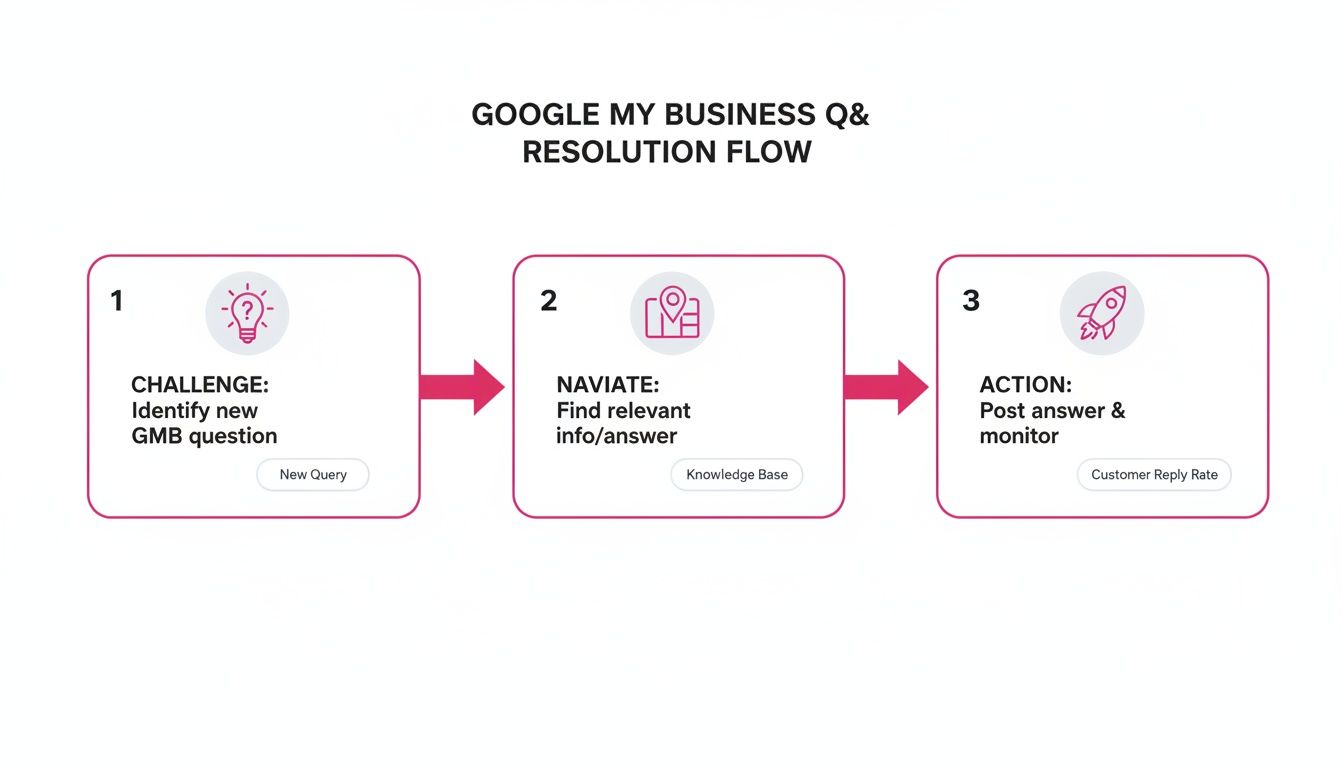
When you nail this kind of engagement, you’re not just boosting your visibility. You’re building a brand that locals know, like, and trust.
Ready to get a handle on all those customer interactions? Start turning your reviews into a real revenue driver with LocalHQ’s powerful Review Manager.
Learn more about How to Rank in Google Maps.