How to Post on Google My Business to Win Local Customers
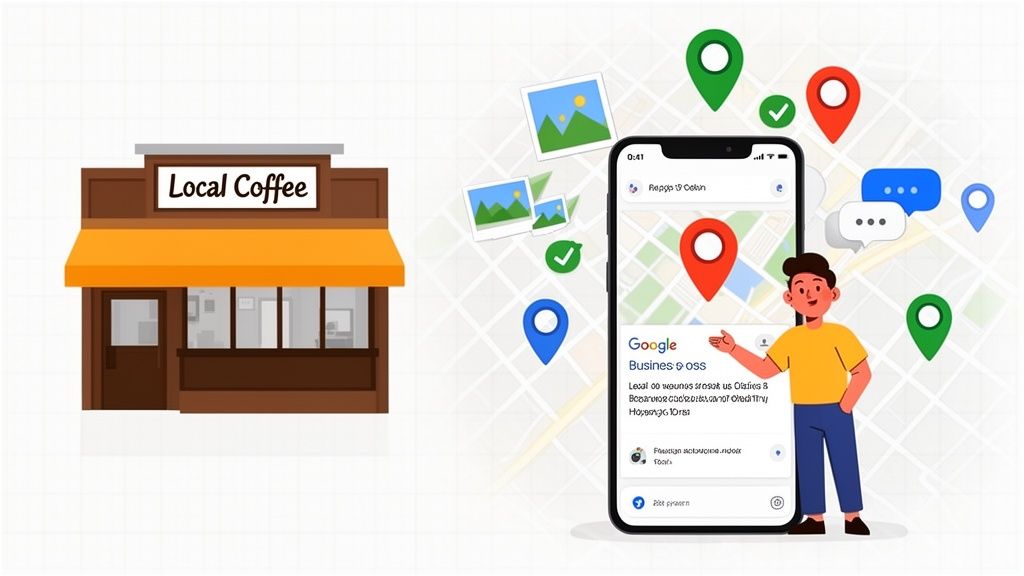
Think of posting on your Google Business Profile as a direct line to local customers, right at the moment they’re searching for you. It’s like having a live bulletin board on the world's biggest search engine, perfect for sharing timely updates, special offers, and news.
Why Posting on Your Google Business Profile Matters
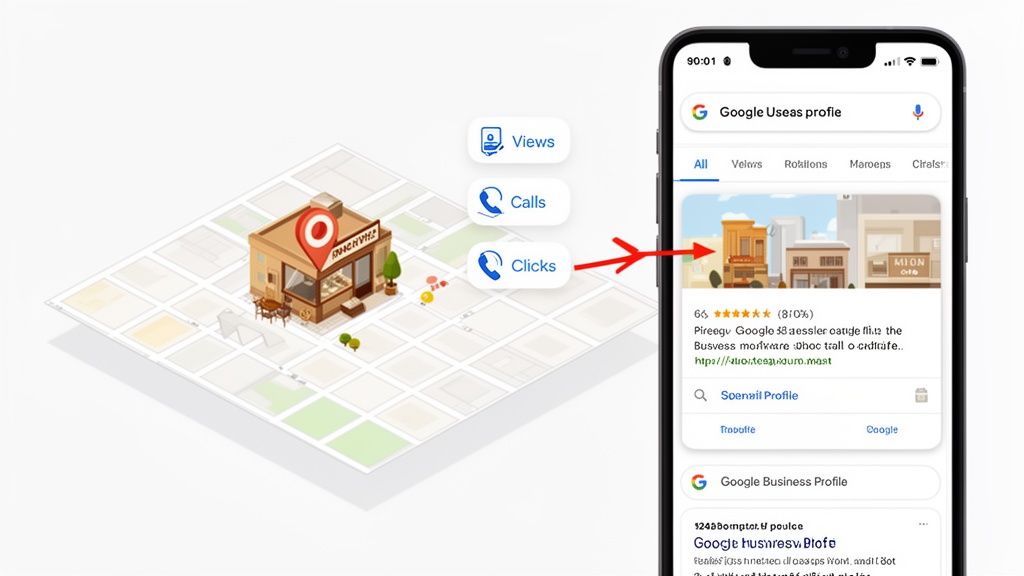
As you can see, an active profile acts as a magnet, pulling local searchers toward your business through Maps and Search. If you let your profile sit idle, it starts to look static and less relevant—not just to potential customers, but to Google's algorithm as well.
Every post you publish sends a small but powerful signal to Google. You're telling the search engine that you're open, engaged, and providing up-to-date information. This consistent activity is a well-known factor in boosting your visibility in the local pack and on Google Maps.
Turn Browsers into Customers with Timely Posts
Let’s get practical. Imagine you run a café in Manchester, and it’s a quiet Tuesday afternoon. You could create a quick 'Offer' post advertising "2-for-1 on all coffees until 4 pm today!" and instantly catch the eye of local office workers looking for a mid-afternoon break.
Or, say you're a London-based contractor who just finished a stunning kitchen renovation. You could share it with an 'Update' post, uploading high-quality photos and a short description. This provides immediate social proof and visual inspiration for homeowners searching for exactly those services.
Even these simple actions accomplish a few crucial things:
- Freshness: They keep your profile content from going stale.
- Engagement: Posts drive direct actions, whether it’s a phone call, a website click, or a request for directions.
- Trust: Showing real-time business activity builds credibility and makes you look more reliable.
The Tangible Impact of Consistent Posting
Here in the UK, this isn't just a nice-to-have tactic; it's a vital part of staying visible locally. Consider this: industry insights show that over 46% of all Google searches now have local intent.
What’s more, our data shows that businesses committing to weekly posts can see up to 42% more calls within just the first couple of months. Why? Because their active profile signals relevance to Google, which in turn shows it to more people.
The bottom line? A consistent posting schedule turns your Google Business Profile from a static directory listing into a dynamic marketing channel. It's one of the most effective, low-cost ways to convert online searchers into real-world customers. For businesses looking to make this process seamless, effective Google Business Profile management can be a game-changer.
Choosing the Right Google Post Type for Any Goal
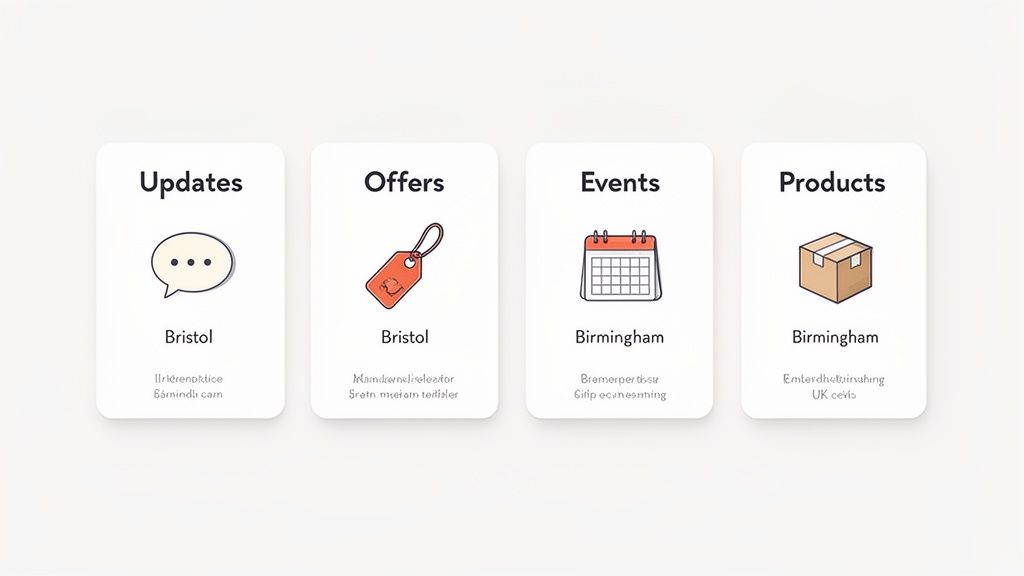
Not all Google posts are created equal. Far from it. The secret to getting real results from your Google Business Profile is matching your post format to what you’re trying to achieve.
Think of each post type as a specialised tool. You wouldn't use a sledgehammer to hang a picture, right? The same logic applies here. Using the right post for the job makes your message hit home and nudges customers towards the exact action you want them to take.
When you go to create a post on your Business Profile, you'll see a few distinct options. Each one is built for a different purpose, so let’s break down which one to use and when.
Updates: The Versatile All-Rounder
The 'Update' post is your bread and butter. It's the most flexible format by a mile, making it perfect for general news, sharing a link to your latest blog post, or showing off a recently completed project.
While they don't have a specific expiry date, these posts typically stay visible on your main profile for six months. A tradesperson in Edinburgh, for example, could use an 'Update' to announce they’re now covering a new part of the city, complete with photos of their team on a job there. It’s a simple, effective way to keep your audience in the loop and feed Google fresh content.
Offers: Driving Immediate Sales
Ready to drive some sales? The 'Offer' post is your best friend. It’s designed specifically for clear, time-sensitive promotions that create a sense of urgency.
You can set a start and end date, pop in a coupon code, and add a direct link for customers to redeem the offer. Imagine a Bristol salon wanting to fill some empty slots during a quiet week. They could run an 'Offer' post for “20% off all colour services this week only!” It’s a direct, compelling reason for someone browsing to book now instead of putting it off.
Key Takeaway: Choosing the right post type is about more than just the format; it's about matching your message to the customer's mindset. An 'Offer' grabs the attention of bargain hunters, while an 'Event' post engages those looking for an experience.
Events: Building Community Buzz
The 'Event' post is purpose-built for promoting specific happenings, whether it's an in-store workshop, a webinar, a special sale weekend, or a live music night.
Just like 'Offer' posts, you must give it a start and end date (you can add a time, too). This format is brilliant for getting people through the door or signed up for an online activity. A pub in Birmingham, for instance, could use an 'Event' post to promote its weekly quiz night. By including the date, time, and a "Book a Table" call-to-action, they’ve turned a simple announcement into an interactive invitation that boosts attendance.
Products: Showcasing Your Stock
Although not a traditional "post" in the same way, adding 'Products' to your profile is incredibly powerful for featuring what you sell. Each product gets its own slot with a photo, price (or price range), and a detailed description.
This effectively turns your profile into a mini-catalogue, letting potential customers browse your wares directly in Google Search and Maps. It’s a must for retail shops, bakeries, or any business with physical items to sell.
Choosing the Right Google Post Type for Your Goal
To make it even simpler, here's a quick-reference table. Think about what you want to achieve, and then find the post type that fits the bill.
| Post Type | Best For | UK Business Example | Key Feature |
|---|---|---|---|
| Update | Sharing general news, blogs, or company updates. | A Manchester-based law firm sharing an article on "New Tenancy Deposit Rules". | Maximum flexibility; no set expiry. |
| Offer | Driving immediate sales with a promotion. | A Cardiff coffee shop promoting a "Free Croissant with any Large Latte" offer. | Start/end dates create urgency; optional coupon code. |
| Event | Promoting a specific timed occasion. | A Glasgow bookshop announcing an author signing event next Saturday at 2 PM. | Has a specific date and time for the event. |
| Product | Highlighting specific items you sell. | A Leeds-based bike shop showcasing its new range of electric mountain bikes. | Creates a shoppable catalogue on your profile. |
Ultimately, a smart GBP strategy uses a mix of these post types. By understanding the strengths of each one, you can keep your profile dynamic, engaging, and, most importantly, effective at bringing in more business.
Creating Google Posts That Actually Convert
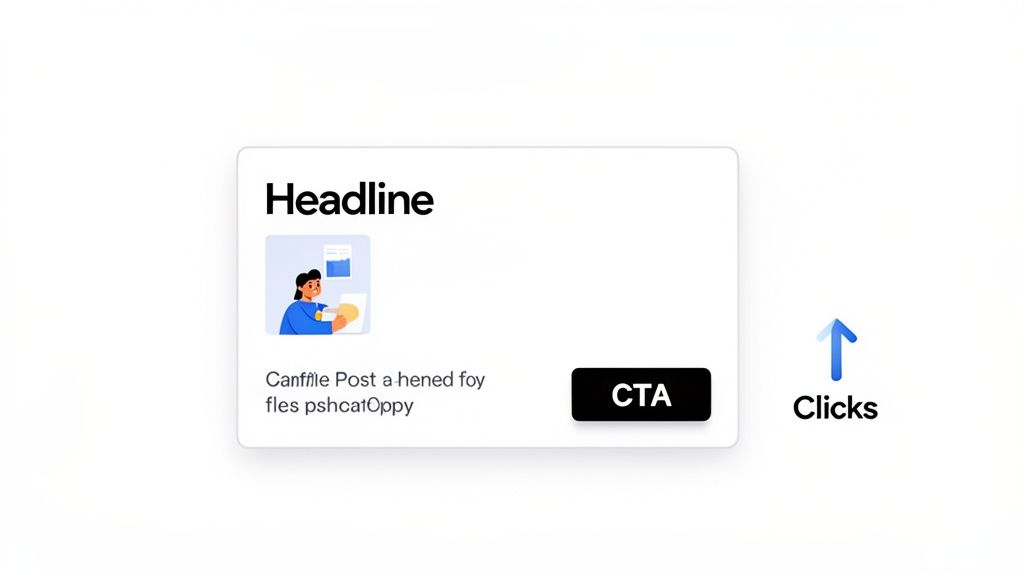
Alright, let's get real. Throwing up a quick post on your Google Business Profile is one thing, but crafting one that gets people to actually do something? That’s a different game entirely. It requires a shift in thinking. You’re not just filling empty space; you’re creating a tiny, powerful advert designed to stop the scroll and nudge a potential customer over the line.
The trick is to treat every single element—the headline, the picture, the text, and that all-important button—as a crucial piece of the puzzle. Each one has a job to do.
Nail the Copywriting Fundamentals
Your post copy needs to land with a punch. You've got literally seconds to grab someone's attention, so forget the fluff. Get straight to the point and show them what's in it for them.
A great post always kicks off with a headline that speaks directly to a local customer's needs. For instance, a York-based restaurant could ditch a bland "New Menu Items" for something like, "Warm Up This Week in York with Our New Winter Menu!" See the difference? It’s specific, local, and much more enticing.
Your posts will be far more effective if they align with your core business identity. A solid business description is the foundation for this. If you need a hand with that, take a look at our complete guide on crafting the perfect Google Business Profile description.
Weave in Local Keywords Naturally
While you're writing for people, you also need to give Google the right signals. Sprinkling in local keywords is a simple way to stamp your authority on your geographic area.
This isn’t about keyword-stuffing like it’s 2005. It's about naturally mentioning your town, city, or service area.
- A plumber might say, "Emergency call-outs available across Greater Manchester."
- A boutique could post, "Find the perfect gift right here in Brighton's North Laine."
This small detail reinforces where you operate to both searchers and the algorithm, giving your local search performance a quiet boost without sounding like a robot.
Create an Irresistible Call-to-Action
Your Call-to-Action (CTA) is the clincher. It’s where you tell people exactly what you want them to do next. A vague CTA just creates confusion and inaction, so be direct and use the specific button options Google gives you.
Don't just post—persuade. Every element of your post, from the image to the final word of your CTA, should guide the customer toward a single, clear action.
Steer clear of generic phrases like "Click Here." Instead, use action-focused language that perfectly matches your post's goal:
- "Book Now" for an appointment or reservation.
- "Order Online" for a takeaway special.
- "Learn More" to direct them to a new blog or service page.
- "Call Now" for any urgent service needs.
The right CTA is what turns a passive scroller into an active customer.
Master Your Visuals for Maximum Impact
An eye-catching image or video isn't just nice to have; it's essential. It's the very first thing people notice and is often the decider on whether they bother to read your post at all.
For visuals that really work, keep these guidelines in mind:
- Ideal Image Dimensions: Stick to a 4:3 aspect ratio. A size of 1200 x 900 pixels is perfect.
- File Size: Keep your images under 10 MB to make sure they load quickly and don't frustrate users.
- Video Specs: Videos can be up to 30 seconds long and 75 MB in size. Think short, snappy behind-the-scenes clips or quick product demos. They work brilliantly.
The proof is in the numbers. Fully fleshed-out profiles that include regular posts with photos and updates convert at an impressive 4.5%, completely overshadowing the 1.8% from bare-bones listings. In fact, Google’s own data shows that 90% of people are more likely to visit a business that has photos on its profile—a huge win for a pub showing off its cosy fireplace or a restaurant with a sizzling steak.
Alright, we've covered the theory. Now, let’s get our hands dirty and actually publish your first post. This is where the rubber meets the road. I'll guide you through the exact steps right from your Google Business Profile dashboard, so there's no confusion and you can get it right the first time.
First thing’s first: head over to your Google Business Profile manager. Once you’re logged in and staring at your profile's main dashboard, you'll see a few options for creating content.
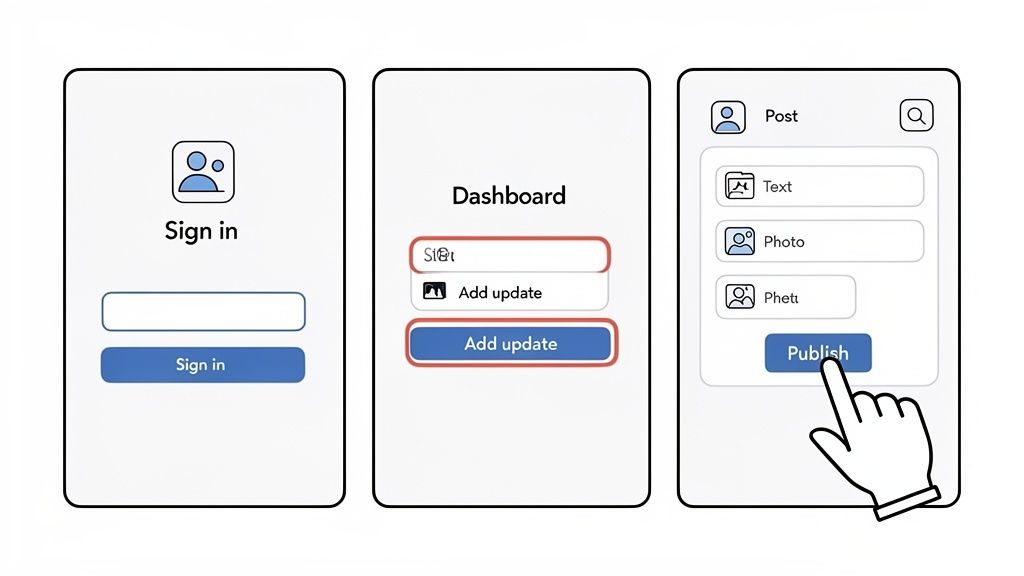
Look for a button that says “Add update”—it's usually pretty prominent. This is your starting point for any new post, whether you’re announcing news, launching an offer, or promoting an event. Give it a click.
Filling Out Your Post Details
Clicking that button will open up a new window. This is your creative canvas. It might look like a lot of boxes to fill, but each one has a specific job to do. Let's break it down:
- Choose Post Type: Are you sharing a general 'Update', a special 'Offer', or a specific 'Event'? Pick the one that fits.
- Add Photos or Videos: This is your visual hook. Click to upload a high-quality image or video that grabs attention and complements your message.
- Write Your Description: This is where your message goes. You've got up to 1,500 characters to play with, so make them count. Be direct, clear, and try to weave in some local keywords if they fit naturally.
- Add a Button (CTA): This is non-negotiable if you want results. A call-to-action tells people what to do next. Choose from options like "Learn more," "Book," or "Call now" and then add the relevant URL or phone number.
Pro Tip: I can’t stress this enough—always double-check your link before you publish. A broken link is a dead end for potential customers and a completely wasted opportunity.
Once everything is filled in, give it a quick once-over using the preview function. Does it look compelling? Is the message crystal clear?
Common Pitfalls to Sidestep
Hold on. Before you smash that "Post" button, let’s talk about a couple of rookie mistakes. Avoiding these common traps will save you from getting a post rejected or, worse, ignored.
First, never put your phone number directly in the post description. Google can and will flag this as spam. That's what the dedicated "Call now" CTA button is for—use it. It’s cleaner, it works better, and it keeps you in Google's good books.
Second, resist the urge to use 'salesy' or overly promotional language. No one likes being shouted at, so avoid ALL CAPS and a dozen exclamation marks!!! Keep your tone professional and genuinely helpful. The goal is to offer value, not just to sell.
If everything looks good, go ahead and click "Post." Your update is now live and visible to anyone searching for you locally.
How to Automate and Scale Your Posting Strategy
Keeping up with a weekly Google Business Profile post is a fantastic habit, but let's be honest—it’s a real time-sink. Manually logging in, writing fresh copy, and finding the right visuals every single week can quickly become a drain, especially if you're juggling multiple business locations or a full roster of agency clients.
This is the point where automation shifts from being a "nice-to-have" to a genuine strategic advantage. Instead of scrambling to get a post out each week, you can build out your content calendar weeks or even months ahead. It’s the key to keeping your profile active and visible without the constant pressure.
Putting Your Google Posting on Autopilot
This is where a dedicated platform like LocalHQ completely changes the game. It turns what was a repetitive chore into a streamlined, scalable system. The ability to schedule a whole calendar of posts in one go is massive. Just imagine blocking out a single afternoon to map out an entire quarter’s worth of promotions, updates, and events, then letting the software handle the rest.
Here’s a look at the kind of dashboard that lets you schedule posts, manage reviews, and track performance all from one spot.
Bringing all your key local marketing tasks under one roof means you can stop jumping between different tools and get that time back.
This approach doesn't just save you hours; it almost always improves the quality of your content. When you aren't rushing to meet a deadline, you have the space to be more strategic and align your posts with seasonal trends, bigger marketing campaigns, and your actual business goals.
Scaling Up for Multi-Location Businesses and Agencies
The true power of this kind of automation really clicks when you start to scale. If you're a business with several locations, you know the headache of trying to keep the brand message consistent across every single profile. Automation tools solve this beautifully.
With LocalHQ, for instance, you can build a single post template—with your approved copy and branding—and then roll it out across dozens or even hundreds of profiles in one go.
- A national retail chain can launch a UK-wide sale instantly.
- A franchise can push out a new product announcement consistently.
- A restaurant group can promote a seasonal menu across all its sites.
This one-to-many workflow ensures your brand message is unified and gets rid of the soul-destroying (and error-prone) task of updating each profile one by one. It also opens up new avenues for creativity, like using AI to brainstorm post ideas. In fact, our guide on how to use AI for local SEO dives much deeper into that very topic.
For marketing agencies, this level of efficiency is a game-changer. You’re no longer buried in the weeds of client execution. Instead, you can manage entire portfolios from a single dashboard. Features like white-label reporting and client management workflows make your life easier, freeing you up to focus on strategy and growth.
At the end of the day, smart automation is about more than just clawing back a few hours. It gives you the power to run a more sophisticated, consistent, and effective local marketing strategy. By turning your posting process into a scalable engine, you free up your team to focus on what really moves the needle: growing the business.
Measuring Performance to Refine Your Strategy
So you’ve published a Google Business post. Great. But that’s only half the job done. If you're not tracking how it performs, you're basically just throwing content into the void and hoping something sticks.
The good news is that your Google Business Profile has all the data you need to see what’s working and what’s not. It’s time to stop guessing what your local audience wants to see.
Don't get bogged down by vanity metrics. Inside your profile’s performance reports, you’ll see numbers for Views and Clicks. Honestly, views are nice, but clicks are what really matter. A click is a tangible action—someone saw your post and was compelled to do something.
This is where you can start connecting your posting efforts to actual business results.
Tying Post Clicks to Business Goals
Think about it: a click on a "Call now" button is a lead landing right in your lap. Someone tapping "Directions" is very likely on their way to your door. Each click is a measurable interaction that pulls a potential customer one step closer to buying from you.
The real goal here is to figure out which types of content are driving these high-value actions.
For instance, you might run a few different posts and notice your 'Offer' posts are getting 50% more clicks on the "Redeem" button compared to your standard 'Update' posts. That’s a golden nugget of information. It tells you exactly what to do next: create more compelling, time-sensitive offers to drive immediate foot traffic or sales.
By consistently tracking which posts generate calls, bookings, or direction requests, you can stop wasting time on content that falls flat and pour your energy into what delivers a real return.
Using Reports to Sharpen Your Strategy
This is where a tool like LocalHQ can make life a lot easier. Instead of manually pulling numbers and trying to make sense of them in a spreadsheet, you can get clear, simple reports. You’ll be able to see at a glance which content is your top performer, helping you spot trends and fine-tune your approach over time.
This feedback loop is crucial for boosting your overall local visibility, too. When you see which topics and keywords are sparking engagement, you can use that knowledge to inform your entire content strategy. If you want to get even more granular, understanding rank tracking for local keywords can show you how your posts are directly influencing your search rankings.
Ultimately, measuring performance empowers you to be more strategic with every post on your Google Business Profile. It’s the difference between just being busy and actually growing your business.
Common Questions About Google Business Posts
When it comes to Google Business Posts, I hear a lot of the same questions from business owners across the UK. Let's get you some quick, no-nonsense answers so you can start posting with confidence.
How Often Should I Post on My Google Business Profile?
For most businesses, a good rule of thumb is to post at least once a week. Think of it as a signal to Google that your profile is active and well-maintained, which is always a good thing. It also keeps your audience in the loop.
Now, if you're in a faster-moving sector, like a restaurant with daily specials or a shop with new stock arriving, you'll want to ramp that up. Posting 2-3 times a week to shout about new offers, products, or events can really move the needle and keep you top-of-mind.
Do Google Business Posts Expire?
Yes, they do, and it's something you need to be aware of. Your standard 'Update' posts will stick around on your profile for six months before Google archives them.
'Offer' and 'Event' posts work a bit differently. They're time-sensitive by nature, so they'll disappear once the end date you’ve set has passed. This is exactly why having a consistent posting schedule is so important – you need to keep feeding the machine.
Ready to put your posting strategy on autopilot and drive more local traffic? See how LocalHQ can help you schedule, manage, and measure your Google Business Posts across all your locations. Get started with LocalHQ today.