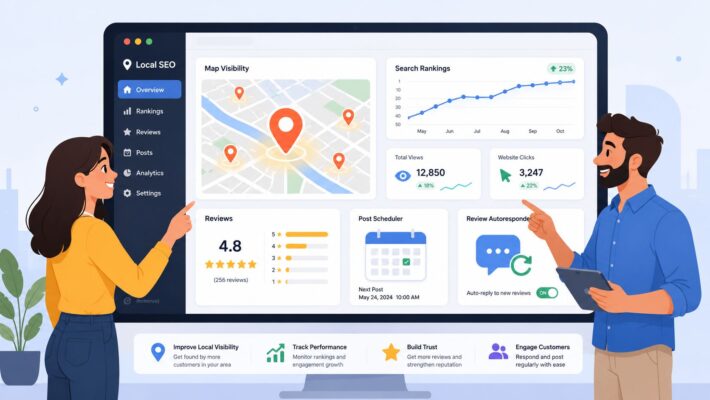
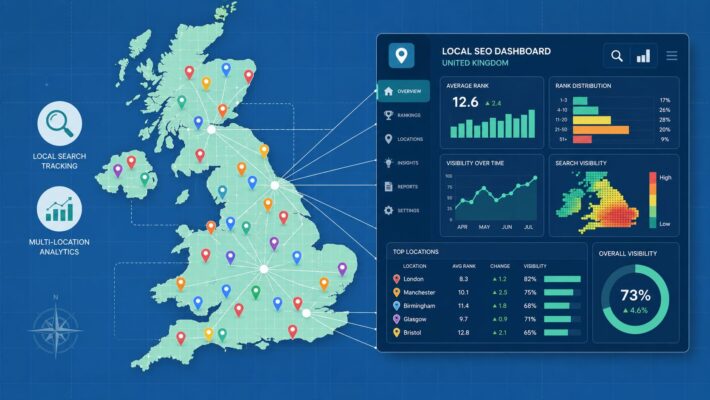
Local Landing Pages SEO: The Template for ‘Near Me’ Rankings

Local landing page SEO is all about creating and optimising specific web pages for each of your business's physical locations. Think of it this way: each page acts as a digital storefront for its community, designed to show up when someone nearby searches for something like "mechanic near me" or "solicitor in Manchester." The entire goal is to serve up hyper-relevant content that perfectly matches what local searchers are looking for.
The Blueprint for Dominating Local Search
So, why are dedicated local pages your secret weapon for owning those 'near me' searches? It’s about much more than just dropping an address on a page. You're essentially crafting a unique digital presence for each community you serve, which helps you cut through the noise and connect directly with customers who are ready to buy.
In the UK, this has become a complete game-changer. An incredible 46% of all Google searches have local intent, which translates directly into foot traffic and revenue. The numbers speak for themselves: 76% of people who make a local search on their phone visit a business within 24 hours. Even better, 28% of those searches lead to a purchase. This is exactly why it's so vital for restaurants, shops, and service businesses in competitive cities like Bristol or Glasgow to get this right.
Building Your Local Foundation
The core elements of a high-performing local page are pretty straightforward, but you absolutely have to nail them. It all starts with creating unique, geo-specific content that speaks the language of the local audience. Getting a handle on creating location-specific landing pages that convert is a massive piece of this puzzle.
Next up is ensuring your NAP (Name, Address, Phone number) information is perfectly consistent everywhere online. When your business details are identical across the board, it sends a powerful trust signal to search engines. These pages don't work in a vacuum, either; they need to sync up with your Google Business Profile to build the authority and credibility that search engines reward.
This simple flow chart shows how these key pieces fit together.
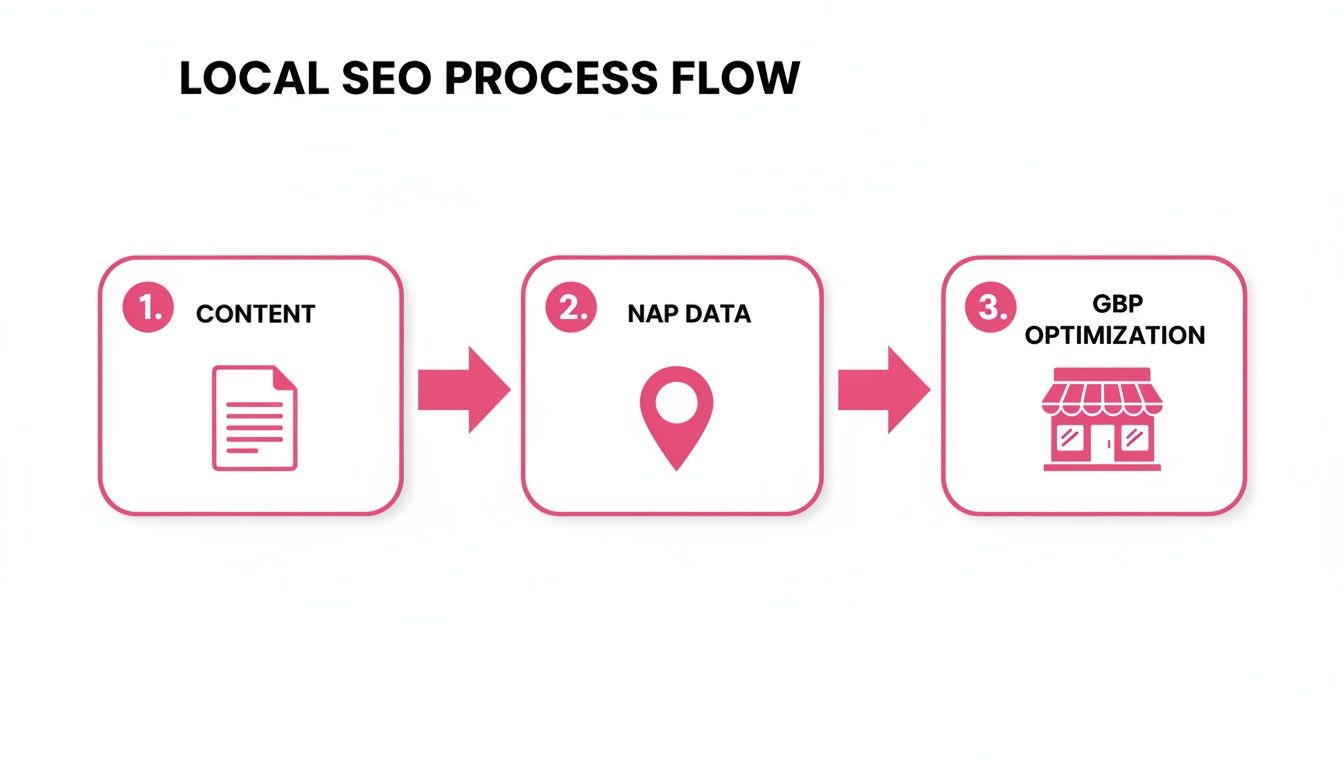
As you can see, it's a cycle. Strong content is the starting point, consistent business data verifies your legitimacy, and a well-managed Google Business Profile amplifies your reach.
To make this even clearer, here’s a quick-reference table that breaks down the non-negotiable components every successful local landing page needs.
Core Elements of a High-Ranking Local Landing Page
| Element | Description | Why It Matters for SEO |
|---|---|---|
| Unique Local Content | Text that goes beyond generic service descriptions to include local landmarks, team members, case studies, or neighbourhood-specific offers. | Signals to Google that this page is uniquely relevant to a specific geographic area, not just a duplicate of another page. |
| Consistent NAP+H | Your exact Name, Address, Phone number, and Hours of operation displayed clearly and matching your Google Business Profile. | Builds trust and authority with search engines, helping them confidently recommend your business for local queries. |
| Embedded Google Map | An interactive map showing your physical business location. | Provides a strong geographical signal and improves user experience by helping visitors find you. |
| Local Schema Markup | Code added to your page that explicitly tells search engines you are a local business, including your location, hours, and services. | Helps search engines understand your page's context, which can lead to rich results like map packs and knowledge panels. |
| Local Reviews/Testimonials | Genuine reviews from customers in that specific area, mentioning the location. | Social proof builds trust with both potential customers and search engines, showing you're a reputable local choice. |
Getting these elements right is what separates a page that just exists from one that actively brings in customers.
A strong local landing page is your foundation for capturing high-intent customers who are searching right now, ready to visit a physical location or make a purchase. It proves you’re not just in a community but an active part of it.
Ultimately, this entire blueprint is designed to make your business the most relevant, trustworthy answer for local searches. When you master these elements, you put yourself in the perfect position to attract customers at the exact moment they need you.
Weaving Your Business into the Local Fabric
If you want your local landing pages to actually work, you need to ditch the copy-paste mentality. A generic page simply won't cut it for "near me" searches. This is about more than just being a business in a town; it's about becoming part of that town's community and proving it to both customers and Google.
Think about it from the customer's perspective. Someone in Islington with a burst pipe isn't just searching for "plumber in London". They're frantically typing "emergency plumber in Islington" or "Islington boiler repair" into their phone. That level of specificity is what gets you the click, the call, and the job.
Finding How Locals Actually Search
Your keyword research needs to be built around this local intent. The goal is to uncover the exact phrases people use when they need what you offer, right where they are.
Start with your main services and then layer on the local identifiers. Don't just stop at the city name—dig deeper. I’ve seen the best results when businesses get really granular:
- Boroughs and Districts: Think ‘solicitor in Camden’ or ‘estate agent in Kensington’.
- Specific Neighbourhoods: Get even closer with terms like ‘personal trainer in Notting Hill’.
- Postcodes: These are often used in high-intent searches, like ‘N1 emergency electrician’.
- Nearby Landmarks: Tourists and locals alike search this way, e.g., ‘cafe near the British Museum’.
Focusing on these geo-modifiers is the bedrock of a solid local content marketing strategy. You're simply matching the language on your page to the language your potential customer is using. When that alignment happens, Google takes notice.
Creating Genuinely Unique, Localised Content
With your keywords in hand, the real work starts. Each location page must have unique content. If you don't, Google might see your pages as low-effort duplicates, and all your hard work will be for nothing. This is your chance to add authentic local flavour that a national competitor can't possibly fake.
Let's imagine you run a multi-location physiotherapy clinic. The page for your Manchester branch has to feel completely different from your Birmingham one.
-
For the Manchester Page: You could feature testimonials from a couple of Manchester United academy players you've helped. Mention your clinic's proximity to the Arndale Centre, making it easy for people to pop in. You could even write a short case study about an office worker from Spinningfields you treated for back pain.
-
For the Birmingham Page: Here, you might highlight your work with tennis players from the Edgbaston Priory Club. You could pull in reviews from happy customers living in the Jewellery Quarter and mention how convenient your location is to New Street Station.
The aim is to prove you are an authentic, embedded part of that specific community. This builds incredible trust with both users and search engines, positioning your page as the most relevant and authoritative result.
This is also a fantastic spot to explore how to use AI for local SEO. You can use it to brainstorm initial ideas for local content angles, but always remember to refine them with your own authentic, human details.
Tailoring Your Services and Proof
Your service descriptions need a local touch, too. Does a certain neighbourhood have a lot of older homes that require a specific type of wiring or plumbing? Mention that you specialise in it. If you’re a coffee shop near a university, talk about your student discounts, quiet study areas, and late hours during exam season.
Then, you need to seal the deal with localised proof. Embedding location-specific Google reviews is one of the most powerful things you can do. A potential customer in Bristol seeing a five-star review from their neighbour is infinitely more persuasive than a generic testimonial from an unknown city.
By weaving together geo-specific keywords, unique local details, and tailored social proof, you’re not just building a webpage. You’re creating a powerful local marketing asset that becomes the undeniable best answer for both Google and your next customer.
Nailing the On-Page SEO and Schema for Your Local Pages
You've crafted some brilliant, hyper-local content. That's a huge win. But for search engines to really get it—to understand it, categorise it, and rank it—you need to handle the technical details. This is where on-page SEO comes in, and honestly, it's what separates the pages that rank from those that don't.
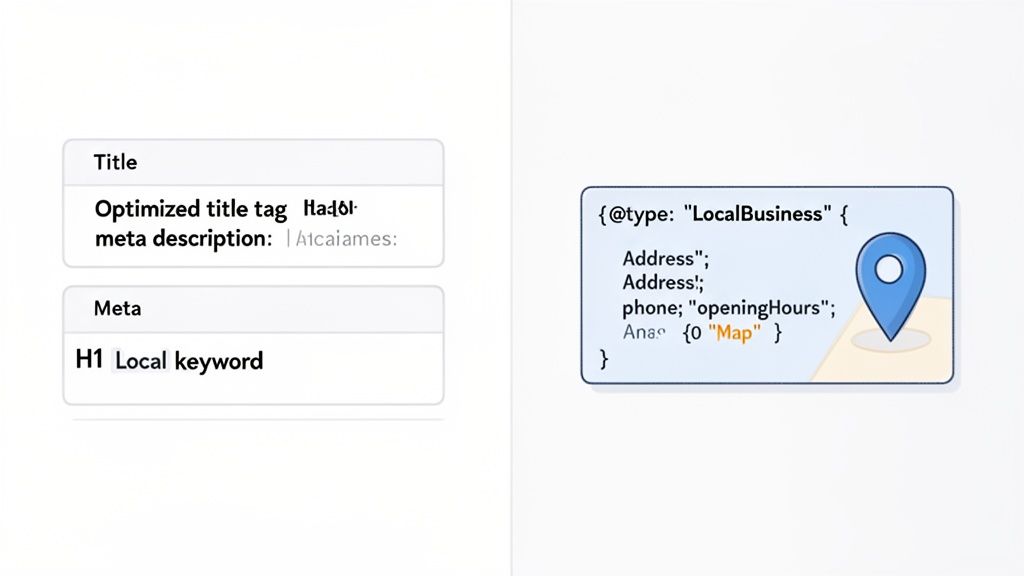
Think of this part as drawing a crystal-clear map for Google. You’re telling it exactly who you are, what service you offer, and precisely where you offer it. By tweaking a few key page elements and using a special code called Schema markup, you remove all the guesswork. This precision is your ticket to showing up in the local map pack and for those all-important 'near me' searches.
Optimising the On-Page Fundamentals
First things first, let's cover the classic on-page SEO signals that still pack a serious punch. For local pages, you can't be generic. Every element needs to scream local relevance. Your goal is to perfectly match what someone is searching for, starting from the moment they see your page in the search results.
- Title Tag: This is your headline act and probably the most important signal. I've found a simple formula works wonders: Primary Service + City/Neighbourhood + Brand Name. Something like, "Bespoke Kitchen Fitting in Leeds | Yorkshire Interiors" instantly tells both users and Google what's on offer.
- Meta Description: This doesn't directly affect your ranking, but it's your sales pitch in the search results. A good one convinces people to click. Reinforce the location, highlight a key benefit, and weave in your main keyword phrase. It’s your 160-character advert.
- Header Tags (H1, H2s): Your page needs one, and only one, H1 tag. It should closely match your title's intent, like "Expert Bespoke Kitchen Fitting for Leeds Homes." Then, use H2s to break up your content and target related long-tail keywords. Think "Our Kitchen Design Process in West Yorkshire" or "Why Choose Our Leeds-Based Team."
When these elements work in harmony, they create a powerful, unified signal about your page's purpose and its geographic focus. Consistency is everything here.
By getting these fundamentals right, you’re not just ticking an SEO box. You're giving both people and search engines a clear, compelling reason to choose your page before they’ve even clicked on it.
Unlocking a Superpower: LocalBusiness Schema Markup
Now for the technique that can give you a serious edge in local SEO: Schema markup. It's a bit of code you add to your page that’s invisible to visitors but speaks volumes to search engines. It’s the most direct way to tell them, in their own language, exactly who you are, what you do, and where you are.
For any local business, the most critical type is LocalBusiness Schema. This structured data lets you spoon-feed Google all the vital details it needs to trust your information.
Think of it this way: without Schema, Google sees the text "Our shop is at 123 High Street, London, and we're open 9-5" and has to interpret it. With Schema, you’re explicitly stating: address is 123 High Street, London, and openingHours are Mo-Fr 09:00-17:00. There's no room for error, which builds tremendous trust with the search engine.
If you're not a coder, don't worry. You can use a tool to generate the markup for you. Our free LocalBusiness Schema markup generator handles the heavy lifting, giving you clean, error-free code to pop onto your site.
Essential Local Business Schema Properties
While there are hundreds of properties you could use, a handful are non-negotiable if you want to see a real impact on your local rankings. Focusing on these properties gives you the biggest bang for your buck.
Here’s a breakdown of the essentials I recommend for every local page.
| Schema Property | Example Value | Impact on Local SEO |
|---|---|---|
@type |
Plumber, Restaurant, HairSalon |
Specifies your exact business type, helping you rank for more precise queries like "italian restaurant near me". |
name |
Acme Plumbing & Heating |
Your official business name, which must be consistent with your Google Business Profile. |
address |
"streetAddress": "123 Queen St", "addressLocality": "Edinburgh" |
Explicitly confirms your physical location, a critical signal for map-based results and geo-targeting. |
telephone |
+441311234567 |
Provides a crawlable, official contact number, encouraging calls directly from search results. |
openingHours |
Mo-Fr 09:00-17:00, Sa 10:00-15:00 |
Informs Google and users of your operational hours, which can appear directly in search listings. |
geo |
"latitude": "55.9533", "longitude": "-3.1883" |
Pinpoints your exact geographic coordinates, leaving no doubt about your location for proximity-based rankings. |
Implementing this kind of structured data effectively turns your page into a rich, machine-readable business card. It’s this level of clarity that gives you a major advantage, helping search engines confidently recommend your business to customers right in their neighbourhood.
Optimising for Conversions and User Experience
Getting someone to your local landing page is a great start, but it’s a wasted click if they don’t take the next step. The real prize is turning that visitor into a customer, and that’s where user experience (UX) and conversion rate optimisation (CRO) come in. For local pages, this isn’t just a best practice; it’s everything.

Put yourself in the searcher’s shoes. They’ve just typed “plumber near me” into their phone because a pipe has burst. They’re stressed, in a hurry, and need help now. If your page is slow, confusing, or makes them work to find your phone number, they’re gone. They’ll simply tap the back button and give your competitor a call.
Good local SEO gets them to the page; great local UX gets them on the phone.
Make It Effortless for Mobile Users
It’s 2026, and a “mobile-first” approach is the only approach for local SEO. The overwhelming majority of local searches happen on a smartphone, so your page needs to be designed for the small screen from the ground up. This is about more than just a responsive layout that scales down.
It’s about designing for speed and simplicity. A user on the move has zero patience for a page that takes more than a few seconds to load. Here’s how you get faster:
- Compress every image: Big, unoptimised images are the most common culprit for slow-loading pages. Don’t skip this.
- Keep the layout clean: Ditch the clutter. The page should be scannable, letting the user find what they need in a heartbeat.
- Use “thumb-friendly” buttons: Make sure every button and link is big enough to be easily and accurately tapped on a mobile screen.
Every second you can shave off your load time directly impacts your conversion rate. When urgency is high, speed wins.
Guide Users with Clear Calls to Action
So, they’ve landed on your page. What now? Don’t make them think. Your calls to action (CTAs) need to be impossible to miss and crystal clear. For local pages, the best CTAs are the ones that create an immediate connection.
Think of it this way: a local searcher wants to solve a problem right now. Your CTAs should be the quickest route to that solution, whether it’s getting directions, making a call, or booking a slot.
Forget generic “Contact Us” buttons. Get specific and match the high-intent nature of the search. I’ve seen these work wonders:
- Click-to-Call Phone Numbers: An absolute must-have. Place your number right at the top, and make sure it’s a clickable link (
tel:) that opens the phone’s dialler. - “Get Directions” Buttons: Link this straight to your business on Google Maps. This is pure gold for driving foot traffic.
- “Book an Appointment Now”: For any service-based business, this sends users directly into your booking flow, capturing them at peak interest.
- “Request a Free Quote”: Perfect for services with variable pricing, like building or landscaping work.
Scatter these CTAs logically throughout the page—have one right at the top, another after you describe your services, and one more near your customer reviews. To really get this right, you’ll want to dig into what makes people click in the first place; our guide on improving your Google Business Profile CTR is a great companion piece to these on-page tactics.
Build Instant Trust with Social Proof
Nothing gives a potential customer more confidence than seeing that their neighbours have already used and loved your service. When it comes to local landing pages, social proof is your most powerful tool for persuasion.
Embedding an interactive Google Map is a solid starting point, giving a strong visual confirmation of your physical address. But to truly win them over, you need to show, not just tell.
Integrate a live feed of recent, positive Google reviews that are specific to that very location. Seeing a five-star review from someone just a few streets away instantly builds a connection and removes doubt. It proves you’re not just some faceless company but a trusted, active part of their local community.
Scaling Pages for Multi-Location Businesses
So, you’ve nailed your SEO for a handful of local landing pages. They’re ranking, they’re converting, and business is good. But what happens when you need to grow from five locations to fifty, or even five hundred?
This is where many businesses stumble. It’s one thing to craft a few brilliant pages, but it’s a whole different ball game to do it at scale. The principles of creating unique, valuable, and genuinely localised content don’t change, but your process has to. You need a system.
The biggest trap I see businesses fall into is the temptation to just copy and paste, swapping out the city name and calling it a day. This is a fast track to creating “doorway pages”—thin, near-duplicate pages that Google actively penalises. It’s not a shortcut; it’s a mistake.
The goal isn’t to find a way to cheat the system. It’s to build a repeatable, efficient framework that keeps your brand consistent while allowing for deep, authentic customisation for each community you serve.
Developing Your Scalable Template
The cornerstone of any successful multi-location strategy is a master page template. And I’m not just talking about design here. This is a content structure that clearly separates what’s consistent across your brand from what absolutely must be unique to each location.
This approach does two things brilliantly. First, it protects your brand identity. Second, it signals to both people and search engines that each page is purpose-built for a specific local market. Think of it as creating a ‘fill-in-the-blanks’ system, where launching a new location page means gathering unique local details, not starting from a blank slate.
Here’s how I advise clients to break down their templates:
-
Static Elements (Consistent across all pages):
- Your brand logo and core mission statement.
- The main website navigation and footer.
- Standard descriptions of your services (the ‘what’ you do).
- Company-wide trust signals, like national awards or industry accreditations.
-
Dynamic Elements (Unique to each location):
- The page’s Title Tag, Meta Description, and H1, all featuring the specific location.
- A unique opening paragraph that mentions a local landmark or neighbourhood vibe.
- Case studies or service examples specific to that town (the ‘how’ you do it there).
- The correct local NAP (Name, Address, Phone Number) and an embedded Google Map.
- Real photos of the local team, the actual shopfront, or jobs you’ve done in that area.
- Testimonials and reviews from customers in that city or even that specific postcode.
- A local FAQ section answering questions you get from that community.
By separating what’s static from what’s dynamic, you create a system that’s both efficient to manage and incredibly effective for local SEO. You’re giving Google a clear site structure combined with the rich, unique content it loves to see for each location.
Establishing a Repeatable Workflow
Once you’ve got your template locked down, the next move is to build a clear, repeatable workflow for launching a new location page. This turns what feels like a massive task into a simple checklist, ensuring nothing critical gets missed.
For businesses managing dozens or hundreds of locations, this isn’t just a nice-to-have; it’s essential. This kind of structured process is a fundamental part of an effective strategy for local SEO for multiple locations. A solid workflow should cover everything from the initial research right through to publishing and keeping the page optimised over time.
The New Location Launch Process
Let’s walk through what that checklist should look like.
1. Dig into Local Keywords
First, find the primary and secondary keywords for the new location. This means combining your service terms with the city name, specific neighbourhoods, and even relevant postcodes.
2. Scope Out the Local Competition
Take a quick look at who’s already ranking on page one in that specific area. What are they doing right? Do they feature local case studies? Are their photos genuine? Look for gaps you can fill.
3. Assemble Your Unique Content
This is the most important step. It’s where you gather the dynamic elements we talked about. Source those local photos, pull out the best customer reviews from that town, and write fresh copy that speaks directly to that community.
4. Nail the On-Page SEO
Now, populate your template. Weave the keywords you found into the page title, headers, and body copy. This is also when you’ll generate and add the unique LocalBusiness schema for that specific address.
5. Final Checks and Launch
Before you hit publish, do a thorough quality check. Is the NAP 100% accurate? Do all the links work? Does the map point to the right place? Check it on a mobile, too. Once you’re happy, set it live.
This methodical approach ensures that every new page you launch is a powerful asset from day one, built to rank and convert in its own right. It’s how you prove the value of a granular local SEO approach, no matter how much you scale.
Tracking Success and Refining Your Strategy
If you think the hard work is over once your local pages go live, I’ve got some news for you. Getting your pages published is a huge step, but it’s really just the starting point. The real wins come from paying close attention to what happens next, figuring out what’s working, and tweaking your approach based on cold, hard data.
This isn’t about chasing ‘vanity metrics’ like page views. What really matters is whether the phone is ringing, the contact forms are filling up, or if people are actually asking for directions to your doorstep. These are the actions that tell you whether your local pages are turning searchers into paying customers.
Measuring What Truly Matters
You can’t improve what you don’t measure, so the first job is to make sure you can connect every lead back to the specific page that generated it. This is the only way you’ll ever know if your Manchester page is outperforming your Leeds one, proving the value of your work and showing you where to focus your energy next.
Your two best friends here are Google Analytics 4 (GA4) and your Google Business Profile insights.
- Configure Goal Tracking in GA4: You need to tell GA4 what a ‘win’ looks like for you. Set up custom conversion events for the most important actions. For instance, you can track clicks on your
tel:links as ‘phone_calls’ or form submissions as ‘lead_form_submissions’. This gives you a clear view of which specific landing pages are driving real business. - Dig into GBP Insights: Your Google Business Profile is a goldmine of information, showing you how people interact with your business directly on Google Search and Maps. Keep a close eye on phone calls, website clicks, and requests for directions coming from your profile – the quality of your landing page has a direct impact on these numbers.
By putting these two sources together, you get the full story. You might find that your Birmingham page pulls in loads of traffic but very few leads, while your much smaller Sheffield page is a conversion machine. That’s the kind of insight that tells you exactly where your attention is needed.
A great local SEO campaign isn’t about getting the most traffic; it’s about getting the most valuable traffic. Tracking conversions at the location level is the only way to know the difference and make your strategy truly effective.
Continuous Improvement Through Testing
Once your tracking is solid, the fun part begins: making things better. This is where A/B testing comes in – comparing one version of an element against another to see what resonates most with your local audience. It’s amazing how small, gradual changes can lead to a big lift in conversions over time.
The key is to be methodical. Test one thing at a time, otherwise you’ll never know what actually made the difference. Here are a few ideas you could try right away:
- Headlines: Pit a benefit-driven headline (“Same-Day Boiler Repair in Leeds”) against a straightforward service-based one (“Boiler Repair Services in Leeds”).
- Calls-to-Action (CTAs): See what happens when you change your button text. Does “Get a Free Quote” work better than “Request Your Estimate”?
- Local Imagery: How does a photo of your local team stack up against a slick shot of a recently finished job in that exact town? One might build more trust than the other.
- Social Proof: Try moving your testimonials around. Do they have more impact near the top of the page, or are they more powerful just before the final call-to-action?
Finally, to bring it all together, look into a geo-grid rank tracker. These tools are fantastic for seeing how you rank for key terms across different postcodes in a city. It paints a clear picture of where you’re dominant and, more importantly, where you’re completely off the map. When you combine these location-specific ranking insights with your conversion data, you can fine-tune your local landing pages with real precision.
The strategies we’ve just covered for tracking and testing are fundamental, but they demand constant attention. LocalHQ makes this entire process much simpler. Its built-in geo-grid rank tracker helps you visualise your ‘near me’ search visibility in specific neighbourhoods, showing you exactly where you’re ranking and where competitors have the edge. This allows you to refine your local landing page strategy for maximum impact.
Discover your true local visibility today with LocalHQ’s Geo-Grid Rank Tracker.
For more information on multi-location SEO, read our Multi-Location SEO Blueprint!