Marketing Automation for Agencies: Scale SEO Profitably
You’re probably feeling the same pressure most agency owners feel once local SEO starts selling well. The first few clients are manageable. Then ten locations become fifty. Review replies pile up, Google Business Profile updates get missed, monthly reporting turns into a spreadsheet marathon, and onboarding another client feels less like growth and more like adding operational debt.
That’s where marketing automation for agencies stops being a nice idea and starts becoming an operating requirement.
Used properly, automation protects margin. It standardises delivery. It gives account managers room to think instead of chase admin. Used badly, it creates brittle workflows, poor client communication, and a mess of disconnected tools that nobody trusts. The difference usually isn’t the software. It’s the process discipline behind it.
Agencies that get this right don’t automate everything. They automate the repetitive parts of service delivery that clients rarely value paying for manually, then keep strategy, judgement, escalation, and commercial decisions firmly in human hands. That’s the model that scales local SEO profitably.
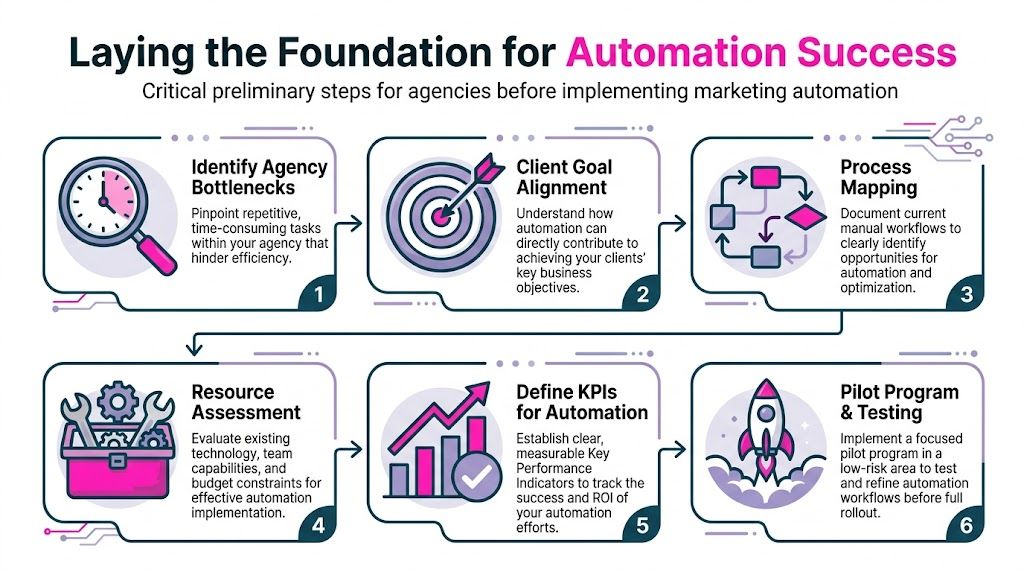
Laying the Foundation for Automation Success
The most common mistake is buying software before defining the problem. A team sees a slick workflow builder, signs up, connects a few apps, and assumes efficiency will follow. Usually it doesn’t. Instead, they automate a flawed process and make it harder to fix later.
That’s one reason automation projects stall. Poor integration leads to 40% of automation campaigns failing due to data silos, and 60% of UK agencies fail with automation due to undefined goals, which can also spike unsubscribe rates by 15%, according to IO Digital’s marketing automation errors analysis. The lesson is simple. Don’t start with the tool. Start with the workflow, the data, and the commercial objective.
Audit the work that steals margin
Before touching any platform, list the tasks your team repeats every week across every client. In local SEO agencies, that usually includes onboarding admin, asset chasing, review monitoring, Google Business Profile post scheduling, rank checks, report assembly, internal follow-ups, and client reminder emails.
Most of these tasks aren’t hard. They’re expensive because they interrupt people all day.
A practical audit should answer three things:
What repeats often
Weekly and daily tasks usually offer the fastest automation payoff.What breaks when a person forgets
If a missed task causes delays, client frustration, or poor reporting, it belongs near the top of the list.What requires judgement versus coordination
Coordination can often be automated. Judgement usually shouldn’t be.
Practical rule: If a task follows the same trigger, needs the same data, and ends in the same outcome most of the time, it’s a strong candidate for automation.
For example, “send a review request after a completed job” is an automation candidate. “Decide how to respond to a reputational crisis after a one-star review alleging unsafe conduct” is not.
Map the client journey, not just internal tasks
Agencies often map what their staff do, but not what the client experiences. That’s a mistake because the best automation improves both delivery efficiency and perceived service quality.
A simple local SEO client journey might look like this:
| Stage | Client need | Agency risk | Automation opportunity |
|---|---|---|---|
| Sale closes | Fast, confident handover | Delayed kickoff | Welcome sequence, asset request forms, internal task creation |
| Onboarding | Clear next steps | Missing logins, inconsistent setup | Automated checklists, reminders, document collection |
| First 30 days | Early confidence | Slow visible progress | Scheduled updates, approval requests, publishing workflows |
| Ongoing delivery | Consistency across locations | Manual bottlenecks | Review routing, listing updates, report generation |
| Renewal or upsell | Proof of value | Weak reporting narrative | White-label KPI summaries, trend alerts, ROI commentary |
When you map the journey this way, weak points become obvious. Many agencies don’t have a delivery problem. They have a handoff problem, a data problem, or a reporting problem.
Set KPIs before building anything
Good automation needs a scorecard. If you don’t define success upfront, your team will judge workflows by whether they run, not whether they help the business.
For agencies, useful KPI groups usually include:
- Awareness KPIs such as profile visibility trends and post publication consistency
- Lead generation KPIs such as inbound enquiries, form completions, or booked calls
- Conversion KPIs such as review request completion, lead response time, or qualified lead handoff
- Engagement KPIs such as review response coverage, client report open rates, or location update completion
The KPI choice should match the service model. A restaurant group cares about direction requests, bookings, and reputation consistency across locations. A home services client usually cares more about calls, booked jobs, and review velocity.
Start small enough that your team can inspect every result manually during the early phase. That’s how you catch bad triggers, duplicate sends, and broken field mapping before they hit every client account.
Build around your future client mix
Many agencies design workflows around current volume, then rebuild everything once they land multi-location work. That’s avoidable. If your ambition is to manage franchises, chains, or regional operators, your setup needs location-level logic from day one.
That means naming conventions, folder structures, user permissions, and reporting templates must support one location or hundreds without becoming a maintenance nightmare. Agencies planning for that level of complexity should think in terms of repeatable systems for enterprise local SEO operations, not one-off account hacks.
The foundation isn’t glamorous. It rarely feels like progress because you’re documenting before launching. But this is the work that decides whether automation becomes an asset or another layer of agency chaos.
Choosing Your Agency's Automation Toolkit
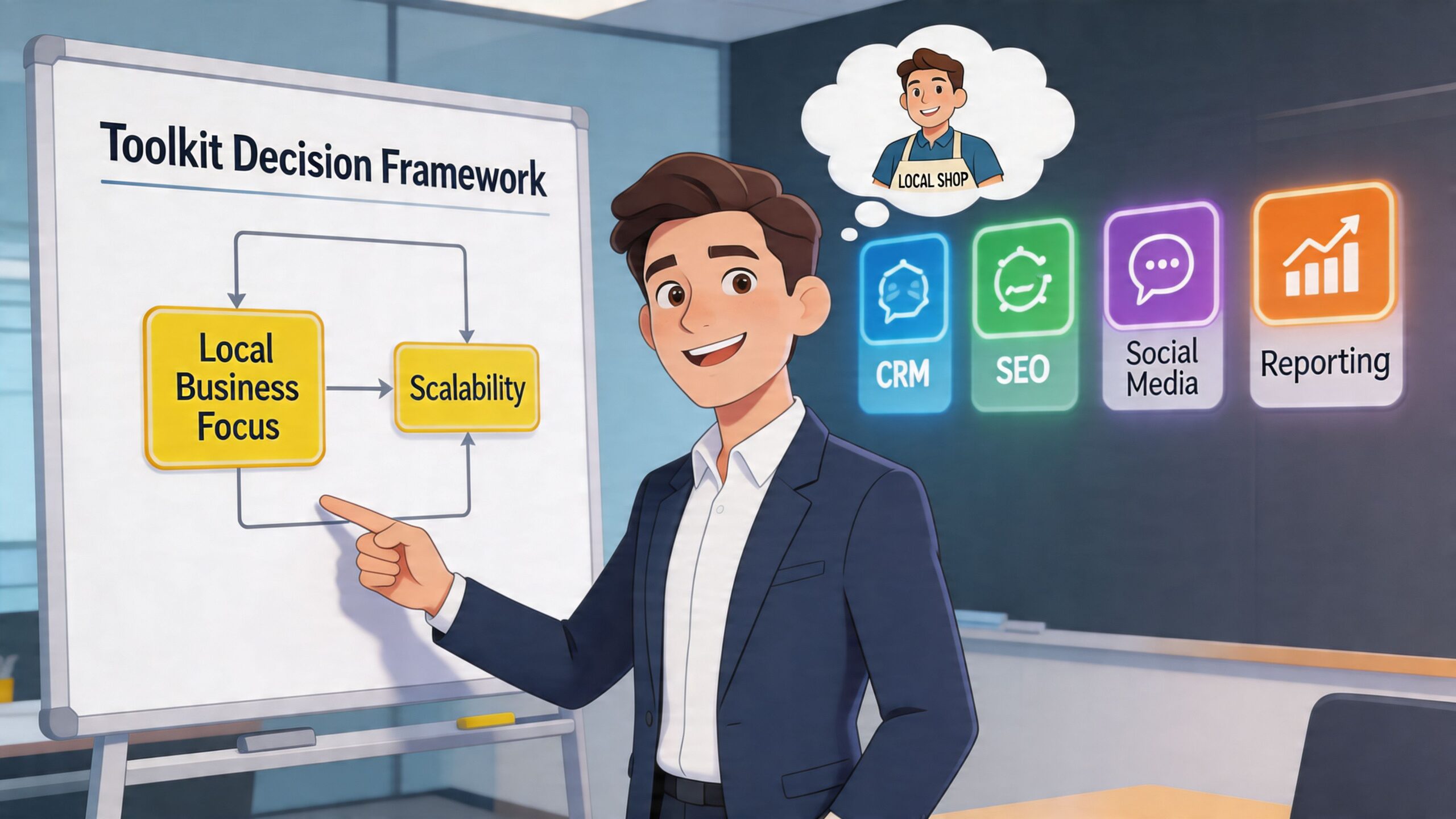
Most agencies end up choosing between two models. They either buy an all-in-one platform and accept some compromises, or they build a bespoke stack of specialist tools and accept more complexity. Neither route is automatically better.
The right choice depends on your service mix, the number of client locations you manage, your team’s technical confidence, and how important white-label delivery is to your positioning.
All-in-one versus specialist stack
Here’s the practical trade-off.
| Option | Best for | Strength | Weakness |
|---|---|---|---|
| All-in-one platform | Smaller teams, simpler operations | Fewer moving parts, easier training | Shallower local SEO depth in some areas |
| Specialist stack | Agencies with complex delivery needs | Better fit for niche workflows | More integration management |
| Hybrid setup | Most established agencies | Core system plus specialist tools | Requires clear ownership and documentation |
An all-in-one setup can work well if your agency mainly needs CRM automation, basic email sequences, pipeline visibility, and standard reports. It gives junior staff fewer systems to learn and reduces the risk of data ending up in five places.
A specialist stack often performs better for local SEO delivery because local work has unusual requirements. Google Business Profile workflows, multi-location content approvals, geo-level tracking, review routing, and location-specific reporting don’t always fit neatly inside a general marketing automation platform.
The criteria that actually matter
Software demos usually sell flexibility. Agencies need to buy for operational fit. When I assess a platform, I’m looking for boring things first.
Integration depth
If the platform can’t pass data cleanly between your CRM, reporting layer, lead sources, and local SEO tools, problems will show up fast. Missed fields create duplicate contacts. Incorrect location mapping breaks reporting. Review triggers fire from the wrong branch.
Integration quality matters more than feature count.
White-label capability
Clients don’t pay a premium to feel like they’re logging into your vendor’s software. They want branded reports, consistent presentation, and a service experience that feels owned by your agency.
That includes branded dashboards, branded exports, clean permission controls, and the ability to present outcomes rather than raw tool data.
Local SEO compatibility
Many agency stacks fall short. A platform might have excellent email automation and poor local operational support. If you serve restaurants, clinics, estate agents, or home services firms with multiple branches, your toolkit needs to support location-level execution without forcing the team into endless manual work.
Agencies comparing systems for that kind of delivery should prioritise products built for multi-location SEO workflows, not just generic campaign automation.
Don’t treat AI features as decoration
AI has moved from novelty to buying criterion. That doesn’t mean every AI feature is useful. Most aren’t. The valuable ones help with prediction, categorisation, drafting, and workflow triage.
That matters commercially. A 2023 report by the UK Direct Marketing Association found that 65% of UK marketing agencies using automation reported a 35% average increase in client retention rates, and AI integrations can boost ROI by 25-30% through predictive analytics, as summarised in Statista’s marketing automation overview.
The retention point matters more than many agencies realise. Clients stay longer when delivery feels reliable, communication feels proactive, and reporting is easier to understand. Good automation improves all three.
Buy software for the workflow you need to run every week, not the feature you might use twice a year.
What works and what doesn’t
A few patterns consistently work.
Works well
A central system of record for contacts, tasks, and status. Then specialist tools where local SEO demands them.Works well
Clear ownership. One person should own workflow logic, naming standards, and QA.Fails often
Letting each account manager build automations their own way. That creates key-person risk and impossible maintenance.Fails often
Chasing low subscription fees while ignoring labour cost. Cheap tools become expensive when staff spend hours patching gaps.
The best toolkit is rarely the most impressive on paper. It’s the one your team can run consistently, your clients can understand, and your margins can support.
Building Your Core Automation Workflows
Once the foundation is in place, the next job is building workflows that remove repetitive delivery work without flattening the client experience. Too often, agencies overcomplicate things. They create giant multi-branch automations before proving the basics.
A better approach is to build a small set of core workflows that touch revenue, retention, and operational consistency.
A 2024 B2B Marketing UK survey found that 80% of agencies reported increased leads after implementing automation, with an average 45% uplift in qualified prospects and 77% higher conversion rates through personalised outreach, according to Salesgenie’s marketing automation statistics summary. The important phrase there is personalised outreach. Generic automation underperforms. Triggered, relevant automation works.
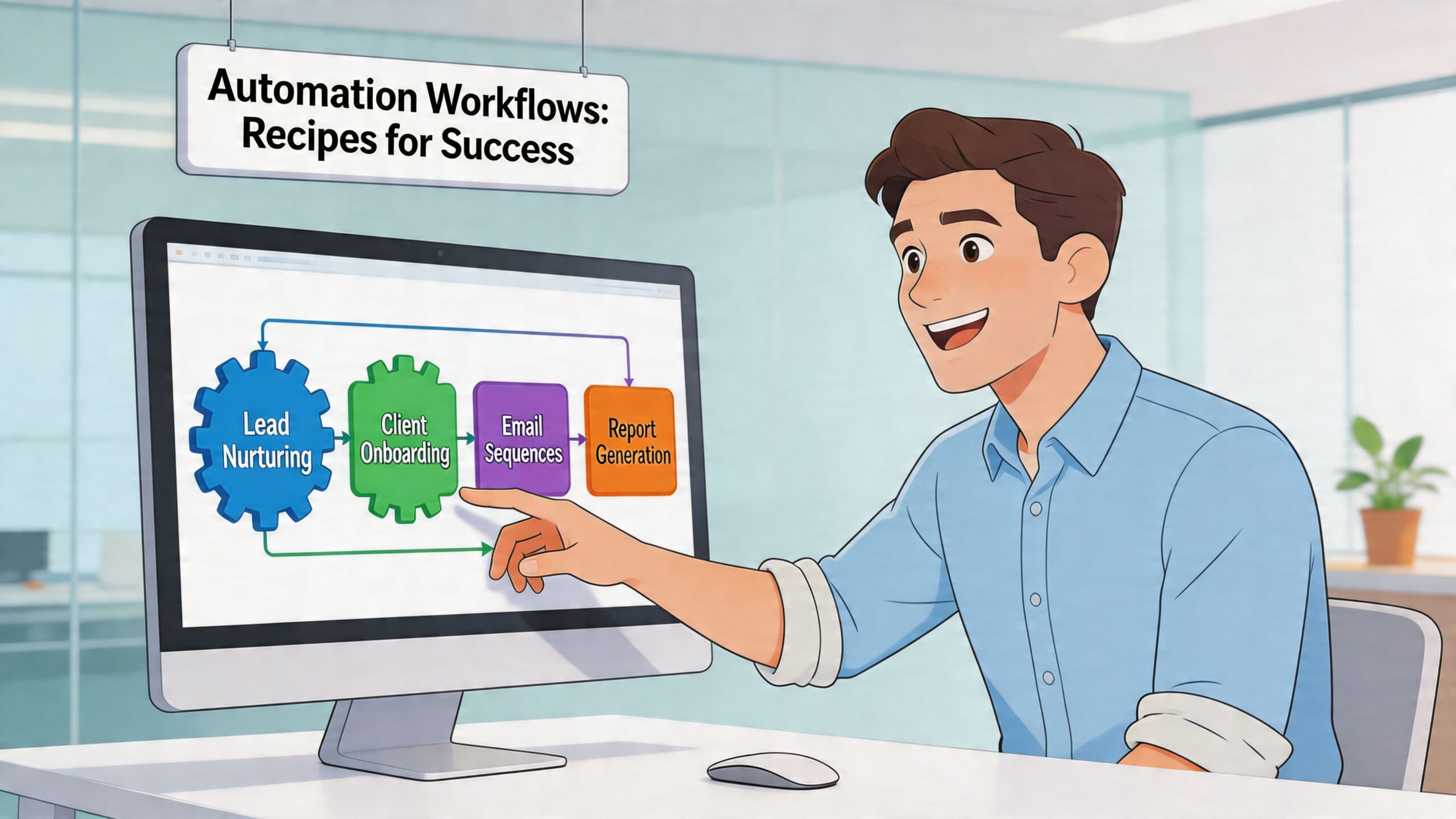
Workflow one for client onboarding
This one protects margin immediately because onboarding is where agencies waste time chasing the same missing items again and again.
Trigger
Contract signed or deal marked closed-won in your CRM.
Actions
- Send a welcome email from the account lead
- Trigger an intake form for brand assets, logins, location details, and review response preferences
- Create internal tasks for profile audits, competitor benchmarking, tracking setup, and reporting setup
- Notify the delivery team in your project management system
- Schedule a kickoff call only after required assets are submitted
Goal
Reduce kickoff delays and stop senior staff from manually chasing admin.
The key detail is conditional logic. Don’t ask every client for everything in one giant form. A single-location trades business doesn’t need the same intake path as a ten-site restaurant group. Branch the process based on client type, number of locations, and required platforms.
Workflow two for review request campaigns
This is one of the most commercially useful local SEO workflows because it affects both visibility and conversion trust. It also suits automation because the trigger is usually predictable.
For a home services client such as a plumber or electrician:
Trigger
Job marked complete in the client’s booking system or CRM.
Actions
- Wait briefly so the customer isn’t contacted before the service has concluded.
- Send a personalised review request by the approved channel.
- If there’s no action, send a second reminder only if the first wasn’t completed.
- Tag successful reviewers for future customer retention campaigns.
- Route negative service feedback into an internal alert instead of pushing it straight into a public review ask.
Goal
Generate a steady review pipeline while reducing the risk of inviting unhappy customers to post publicly.
For a multi-location restaurant brand, the same logic changes slightly. The location field becomes essential. The request must point to the correct venue, and the messaging should match the visit type, such as dine-in, takeaway, or event booking.
The strongest review workflows don’t just ask for feedback. They separate service recovery from reputation generation.
Workflow three for lead nurturing by local intent
Most agencies still treat nurture sequences as broad email drips. That’s not enough for local clients because local buying intent is often immediate and service-specific.
For a home services provider:
| Trigger | Action | Why it works |
|---|---|---|
| Contact form for emergency service | Fast acknowledgement, internal alert, follow-up reminder | High-intent leads need speed |
| Contact form for quote request | Send service-specific follow-up and booking prompt | Keeps relevance tight |
| No response after first contact | Internal task for manual call | Some leads need human intervention |
For a restaurant group:
- A loyalty sign-up can trigger a welcome series tied to the customer’s chosen location.
- An event enquiry can route to the correct branch manager.
- A booking abandon can trigger a reminder with branch-specific contact details.
The point isn’t volume. It’s relevance. If the workflow can’t reflect location, service type, and urgency, it will feel automated in the worst possible way.
Workflow four for recurring reporting and task escalation
Reporting automation should do more than compile numbers into a PDF. It should also tell your team when a client account needs intervention.
Trigger
Monthly reporting date or threshold event, such as a sudden drop in engagement trend.
Actions
- Pull performance metrics into a white-label report template
- Flag missing data before the report sends
- Create an internal review task for the account lead
- Add commentary prompts so reports don’t go out as raw dashboards
- Escalate unusual patterns to a strategist for interpretation
Goal
Turn reporting into client retention infrastructure, not admin.
This is especially useful for franchise and multi-location work where one weak branch can hide inside an overall positive account trend. Teams building delivery around that structure often benefit from standardised location playbooks like a franchise SEO checklist, because it keeps automation tied to repeatable operational standards.
What to avoid when building workflows
The worst workflow mistakes are usually predictable:
Too many branches too early
Keep version one simple enough to debug quickly.No fallback path
Every automation needs a point where a human can step in.Bad field hygiene
If location names, customer tags, or service types aren’t standardised, the workflow logic will fail.No owner
Someone must be responsible for testing, updating, and documenting each workflow.
A good workflow feels invisible to the client. It feels organised to your team. And it protects margin every month without turning your service into a robot.
Automating Local Presence and Reputation Management
Account managers know the pattern. A ten-location client emails at half nine asking whether trading hours were updated for a bank holiday. Three reviews came in overnight across different branches. One location has duplicate profile data. Another needs fresh posts scheduled. Someone on the team is already pulling screenshots for a report due that afternoon.
That’s the manual version of local SEO delivery. It’s busy, reactive, and full of context switching.
Then the workflow changes. Hours updates move through one approval path. Review alerts arrive with location tagging. Draft replies are prepared in the right tone. Scheduled posts are queued by branch. Rank movements are visible without opening multiple tabs. The account manager still reviews and approves. They just aren’t doing all the assembly work themselves.
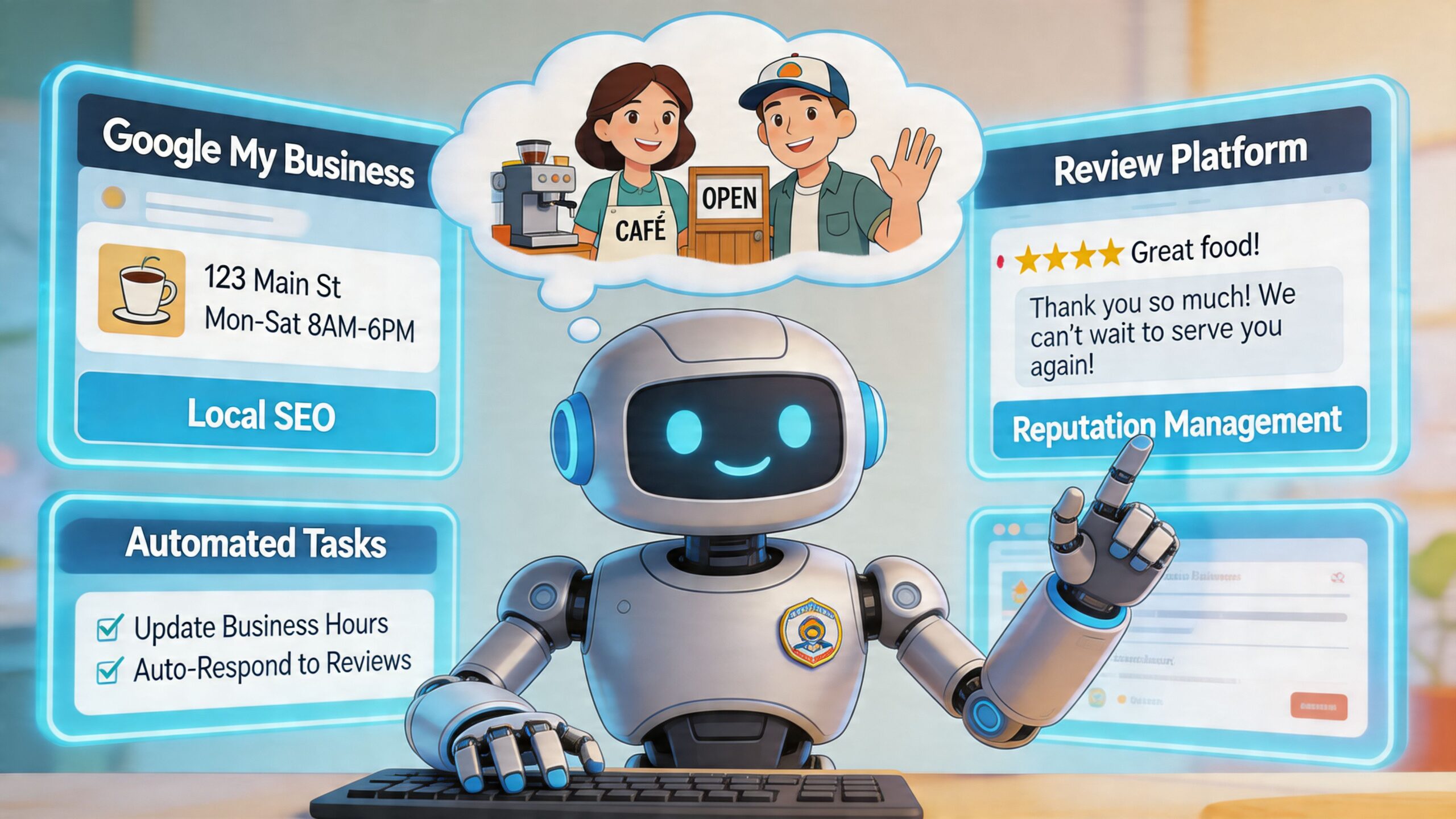
What changes in practice
For a multi-location hospitality client, local presence automation usually centres on three operational areas.
Profile updates and sync
Opening hours, seasonal offers, service attributes, and local posts need to stay consistent while still reflecting branch-level differences. Manual updates break down fast once account volume grows.
A sensible setup uses structured location data, approval rules, and publishing schedules. The agency controls what can be bulk-updated and what must be reviewed locally. That reduces avoidable errors without removing oversight.
Review monitoring and response drafting
This is usually the fastest win. Reviews arrive continuously, but not every review needs the same handling. Good automation triages them.
A straightforward workflow can:
- detect new reviews by location
- classify sentiment or urgency
- draft a response using approved brand guidance
- route sensitive cases for manual handling
- log completion for reporting
That keeps response coverage high without forcing account managers to write every reply from scratch. If review operations are a major service line, agencies should look closely at systems designed for Google review autoresponder workflows.
Rank tracking and local visibility checks
This isn’t just about dashboards. It’s about identifying where action is needed. If one branch loses visibility for a core category while others remain stable, the agency should be alerted before the client spots it.
Automation helps by turning passive data into tasks. A ranking change on its own isn’t useful. A ranking change attached to a branch, a keyword group, and a follow-up action is.
Agencies don’t need more notifications. They need fewer, better ones tied to clear action.
The compliance issue agencies keep underestimating
This part gets glossed over in most conversations about AI and local automation. It shouldn’t.
Half of UK businesses are integrating AI into marketing, yet only 23% feel fully prepared for GDPR in AI tools, leaving a 32% ROI uplift potential unrealised due to compliance fears, according to Hello Bonsai’s overview of marketing automation for agencies. For local SEO agencies, that gap matters because location data, customer feedback, and review content can all touch regulated territory.
The practical implication is straightforward. Don’t bolt AI on top of a messy data environment and hope for the best.
Your agency needs rules for:
- what customer data enters automation tools
- which review content gets processed automatically
- how long data is retained
- who approves generated responses
- what gets logged for auditability
If you want a broader operational view of where local automation fits, this ultimate guide to local SEO automation is a useful companion resource because it frames the wider local workflow picture clearly.
Before and after the switch
Before automation, the account manager spends the day checking platforms, pasting responses, asking colleagues for status updates, and trying not to miss branch-specific details.
After automation, the account manager reviews exceptions, approves nuanced replies, handles escalations, and spends more time advising the client on what to do next.
That’s the main gain. Not just speed. Better use of human attention.
Reporting KPIs and Proving Automation ROI
Most clients don’t care that your team saved time. They care that the business improved. That’s why agencies struggle when they try to prove the value of automation using internal efficiency language.
The commercial problem is getting harder. Agencies struggle to prove ROI from automation to sceptical SMB clients, and that challenge sits inside a market where UK digital ad spend is projected to hit £32B in 2025, as noted in Swydo’s review of marketing automation tools. When ad costs rise, clients want cleaner attribution. They won’t accept “the workflow ran successfully” as evidence of value.
Stop leading with vanity metrics
Open rates, send counts, task completion totals, and dashboard screenshots belong in internal reviews. They rarely close the ROI argument with a local business owner.
A useful automation report for local SEO should connect activity to business outcomes such as:
- calls from Google visibility
- direction requests
- booking or enquiry trends
- review response coverage
- branch-level conversion signals
- trend changes after specific workflow launches
The structure matters as much as the data. Clients need a short causal story. What changed, what happened next, and what that means commercially.
A simple reporting structure that works
Section one with business outcome first
Start the report with the result the client values most. If it’s a restaurant group, lead with direction requests, calls, or booking intent signals. If it’s a home services account, lead with calls and qualified enquiries.
Don’t bury that under a software activity summary.
Section two with automation activity second
Now show what the automation did. For example:
- review response workflow launched across all locations
- profile update process standardised
- customer follow-up sequence introduced after completed jobs
- report delivery and escalation alerts automated
This gives context without confusing action with outcome.
Section three with interpretation
Clients need a human read on the numbers. If calls improved after review response coverage became more consistent, say so carefully. If the trend is promising but not conclusive, say that too. Strong agencies sound measured, not overconfident.
Good reporting doesn’t claim certainty where none exists. It shows the most plausible relationship between actions and outcomes and keeps testing.
Use comparisons clients can understand
One of the easiest ways to make automation ROI clearer is to compare periods before and after a workflow change, or compare locations using the workflow properly versus locations with delays or gaps.
You don’t need to force complicated attribution models onto every SMB. Simpler reporting often wins:
- what changed operationally
- what changed in local performance indicators
- what still needs human optimisation
For prospects that want a commercial forecast before signing, a tool like this SEO ROI calculator can help frame the discussion around outcomes rather than hours. It won’t replace real reporting, but it helps move conversations away from line-item labour debates.
White-label reporting needs commentary, not just branding
A branded dashboard isn’t enough. White-label reporting only works when the report reflects your agency’s thinking.
That usually means every report should include:
- an executive summary in plain English
- the primary KPI movement
- branch or service-level exceptions
- actions completed through automation
- actions recommended next month
Agencies handling this well usually centralise reports so clients can view trends without waiting for spreadsheet exports. That’s where systems for SEO reports for customers become operationally useful, because they turn reporting into an ongoing client communication asset rather than a monthly scramble.
What weak ROI reporting looks like
It tends to follow the same pattern:
- too much platform data
- no client-specific KPI hierarchy
- no distinction between automated activity and business effect
- no commentary on branch-level variation
- no next-step recommendation
That kind of report makes automation look like a backend convenience rather than a strategic service.
Strong ROI reporting does the opposite. It shows that automation improves consistency, speed, and local market responsiveness, then ties those gains to the outcomes a client buys.
Pricing and Onboarding Clients to Your Automated Services
Once your workflows are reliable, charging by the hour stops making sense. Hourly pricing punishes efficiency. If your agency has invested in systems, templates, approvals, and reporting automation, your margin should improve. You shouldn’t erase that advantage by billing less because the work is now better organised.
Value-based packaging is the better model. Clients aren’t buying your time. They’re buying consistency, faster execution, cleaner reporting, and stronger local visibility management.
Package the outcome, not the mechanism
A good service package doesn’t advertise “we use automation”. Most clients won’t care. They care about what that automation enables.
A simple tier structure might look like this:
| Tier | Best fit | What’s included |
|---|---|---|
| Starter | Single-location SMBs | Review monitoring, basic reporting, scheduled profile updates |
| Growth | Established local businesses | Review workflows, location content scheduling, KPI reporting with commentary |
| Pro | Multi-location and franchise brands | Advanced approvals, multi-location reporting, reputation workflow management, white-label delivery |
| Enterprise | Complex regional or national groups | Custom workflows, governance controls, location segmentation, tailored reporting layers |
The commercial logic is important. As the package moves up, the promise shifts from task completion to operational control and decision support.
Onboarding should demonstrate competence immediately
Clients decide quickly whether your operation feels organised. If onboarding is messy, they’ll assume delivery will be too.
A strong onboarding process usually includes:
- one clear kickoff path
- one central place for assets and approvals
- one named point of contact
- early visibility into what happens first
- a reporting expectation set from day one
Automation helps your sales process as much as delivery. It shows that your agency has a system, not a collection of ad hoc habits.
Clients don’t mind process. They mind confusion. Good automation removes confusion.
Sell the trade-off honestly
Some prospects worry that automation means generic service. Address that directly. Explain what’s automated and what remains manual.
For example:
- admin handoffs are automated
- review drafting can be automated with approval controls
- reporting assembly is automated
- strategic decisions, escalation handling, and commercial recommendations stay with your team
That framing matters because it positions automation as quality control, not as cost-cutting at the client’s expense.
Use white-label delivery to protect perceived value
If your agency is scaling local SEO across multiple clients, your packaging should reflect that maturity. White-label reports, approval flows, and branded client outputs all help support premium pricing because they make the service feel deliberate and proprietary.
For agencies building around that model, white-label local SEO systems fit naturally into the commercial offer because they support consistent presentation while reducing delivery friction behind the scenes.
The agencies that price automation well don’t sell software access. They sell reliable outcomes, clearer accountability, and a local SEO service that doesn’t become slower or sloppier as client volume grows.
If review management is where your agency feels the most operational drag, start there. LocalHQ helps agencies automate Google Business Profile updates, streamline review responses, and deliver white-label local SEO reporting from one dashboard, so you can scale service delivery without sacrificing margin or control.