Local SEO Automation: The Complete Workflow Guide
If you're managing local marketing by hand, the work tends to sprawl. One person updates Christmas opening hours on Google. Someone else fixes an old phone number on a directory weeks later. Reviews pile up because nobody wants to write the same polite reply twenty times. Then reporting day arrives and you're still pulling screenshots, exports and spreadsheets together just to explain what changed.
That mess is common. It's even more painful when you run several locations, work across franchises, or serve clients as an agency. Manual local SEO breaks first in the same places every time: consistency, speed and follow-through.
Local seo automation is the practical fix. Not because software replaces judgement, but because repetitive local tasks shouldn't depend on memory, inboxes and spare time. The right workflow keeps core business data aligned, publishes content on schedule, flags ranking changes early and turns routine customer interactions into a managed process.
For UK businesses, that workflow needs to do more than save time. It needs to reflect UK postcodes, UK directories, UK compliance expectations and the way local demand changes across locations and seasons. Generic advice built around US tools and assumptions usually misses that.
Introduction From Manual Chaos to Automated Clarity
Most local SEO problems don't start with rankings. They start with admin.
A restaurant group changes festive hours across several branches. A dental practice adds a new service but only updates the website, not the profile people see in Maps. A marketing team schedules posts for one location and forgets the other six. None of that feels dramatic on the day, but it adds up to missed calls, fewer direction requests and a patchy brand presence.
Automation works when you treat it as workflow design, not as a shortcut. You're building a system that decides what should happen automatically, what should be reviewed by a person, and what should trigger an alert when something changes. That shift matters because local SEO isn't one task. It's dozens of small tasks repeated every week.
The businesses that get this right usually automate the boring parts first:
- Profile maintenance: opening hours, service updates, attributes and recurring checks
- Publishing routines: posts, offers, events, photos and location updates
- Monitoring: rank changes, listing inconsistencies, review trends and call patterns
- Reporting: turning Google Business Profile activity into something a manager can act on
Practical rule: Automate repetition, not judgement.
That distinction keeps expectations realistic. A system can push consistent data, schedule content and draft responses quickly. It can't decide whether a complaint needs escalation, whether a location page sounds generic, or whether your local offer makes sense in Leeds versus Bristol.
For UK businesses, the payoff is straightforward. You reclaim time, reduce preventable errors and create a cleaner local presence that can scale. The rest of this guide focuses on how to build that system properly, where automation helps most, and where a human still needs to stay in the loop.
What Is Local SEO Automation Really
Think of local seo automation as a digital manager for every location you operate. Its job isn't creativity. Its job is operational discipline.
That manager makes sure your business details stay aligned across the places customers and search engines check. It keeps publishing moving without someone having to remember every deadline. It helps your team respond faster to routine feedback and questions. When it works well, the system is quiet. Things stay accurate, visible and organised.
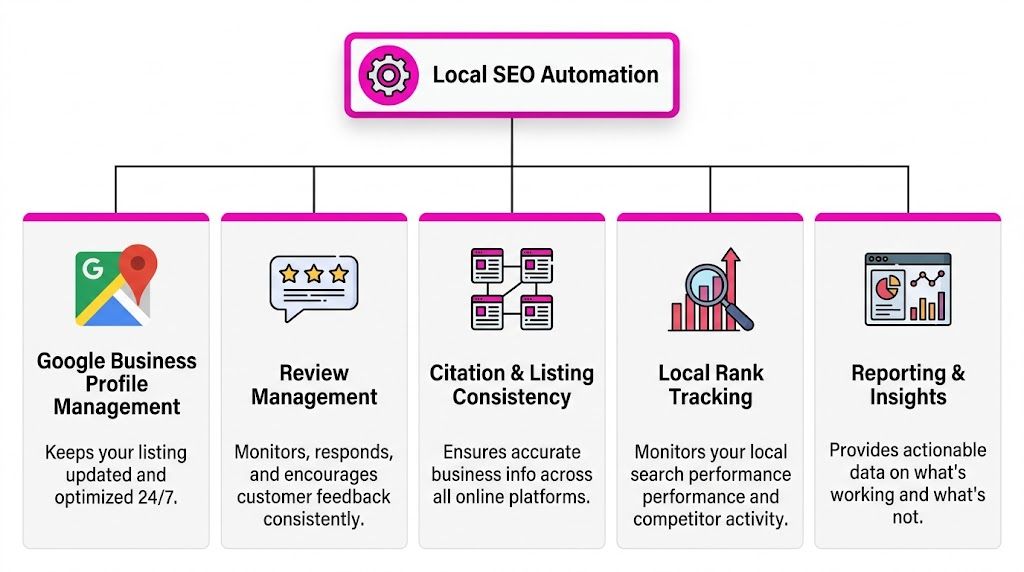
The first pillar is data synchronisation
Local SEO depends on consistency. Your business name, address, phone number, hours and service details need to match across Google Business Profile, your website and the directories that feed trust signals back into local search.
For that reason, automation often starts with a single source of truth. One record feeds your locations, listings and reporting. If your Saturday hours change, the update shouldn't rely on a member of staff remembering five different platforms.
This also includes structured data on your website. If your profile says one thing and your schema says another, you've created conflict for search engines and confusion for customers.
The second pillar is scheduled actions
A lot of local visibility is lost through inconsistency rather than bad strategy. Teams mean to post regularly, upload new imagery and promote offers, but everyday work gets in the way.
Scheduling solves that. It lets you queue Google Business Profile posts, image refreshes, offers and event updates by location. For franchises and multi-site operators, this is usually the first place where scale becomes manageable. The content still needs oversight, but the publishing process no longer depends on someone doing each action manually.
The third pillar is intelligent responses
Review management is where many businesses either under-automate or over-automate.
Used properly, AI can draft responses, sort feedback by intent, flag sensitive complaints and speed up routine replies. Used badly, it creates bland, repetitive responses that make a business sound detached. The right setup doesn't remove people. It routes low-risk replies quickly and sends higher-risk ones to a human.
Automation should reduce delays and inconsistency. It shouldn't flatten your brand voice.
It isn't set and forget
This is the part many guides get wrong. Automation isn't a switch you turn on once. It's an operating model.
A solid local seo automation setup usually includes:
- Rules: what gets published, synced or drafted automatically
- Approvals: what needs sign-off before going live
- Alerts: what should trigger review, such as ranking drops or conflicting location data
- Reviews: a regular check to refine templates, schedules and local relevance
When businesses struggle with automation, it usually isn't because the tools are weak. It's because the workflow was never defined clearly enough.
Key Local SEO Tasks You Can Automate
A branch manager changes Saturday hours. Head office updates the website but forgets the Google Business Profile. Two directories still show the old phone number. A customer arrives to a locked shop and leaves a one-star review. That is the kind of avoidable mess automation should prevent.
The right tasks to automate are the ones driven by structured data, repeatable rules and clear approval paths. The wrong tasks are the ones where a poor decision creates legal, reputational or customer service risk. For UK businesses, that distinction matters more because review outreach, customer data use and promotional messaging can drift into GDPR or DMCC Act problems if nobody sets rules at the start.
Google Business Profile updates and publishing
Google Business Profile is usually the first workflow to automate because it changes often and errors show up fast.
Opening hours, bank holiday hours, service edits, attributes, photos, offers and routine posts can all be scheduled or synced from a central source. For a single-site business, that saves admin time. For a multi-location brand or agency, it prevents location-by-location drift, which is where local search performance and customer trust usually start to slip.
The trade-off is content quality. Central scheduling works well for operational updates. It works less well if every branch gets the same generic offer copy and the same stock image. A better setup uses shared templates with local fields, then limits full automation to low-risk updates.
If the basics are still inconsistent, fix that first. This guide to listing your business on Google Maps is useful background because automation only improves an accurate profile.
Review responses and Q&A handling
Review management is one of the easiest places to save time, and one of the easiest places to get lazy.
Automated drafting works for common positive reviews, simple thank-you replies and first-pass categorisation. It also helps with routing. Negative reviews that mention discrimination, injury, refunds, missed appointments or legal threats should go straight to a person. In regulated sectors such as healthcare, legal services and finance, that rule should be hard-coded.
Q&A can be handled in the same workflow. Repeated questions about parking, wheelchair access, emergency appointments or pricing usually point to missing details on the profile or location page. Good automation flags the pattern. A person still decides how to answer it.
For teams refining this process, using AI for local SEO is most useful for deciding where AI should draft, where staff should approve, and where no automation should be allowed at all.
Citation syncing and listing consistency
Citation management is repetitive, which makes it a good candidate for automation. It also causes outsized damage when handled badly.
A sync tool can push approved NAP data, opening hours and category information across major directories, map apps and data aggregators. That is especially helpful after a rebrand, office move or phone system change. Agencies and franchisors get the biggest gain because one approved update can correct dozens or hundreds of listings.
Use one master dataset. If the website, GBP and directory feed all pull from different spreadsheets, automation only spreads the confusion faster.
For UK businesses, this is also a compliance issue in some cases. If location data includes trackable staff numbers, named practitioner details or messaging links tied to personal devices, check what is being syndicated and who controls consent.
Schema generation and maintenance
Schema is a strong automation candidate because manual upkeep breaks down as soon as locations change.
Analysts at Abstrakt's local SEO tools overview note that automating LocalBusiness schema can improve rich result visibility, while inconsistent NAP data can weaken local prominence. The practical takeaway is straightforward. Generate schema from the same trusted location database used for your profiles, store pages and listings, then update it automatically whenever a branch changes address, hours or contact details.
For UK businesses, postcode formatting, regional detail and department-level information need extra care. Multi-location businesses often need separate markup for each branch, not one catch-all block on the homepage. After site migrations or template changes, validate the markup manually. Automation handles scale well. It does not catch every implementation mistake.
Geo-grid rank tracking and reporting
Manual rank checks from one postcode are close to useless for local SEO.
Geo-grid tracking shows how visibility changes across the actual catchment area, not just from the office Wi-Fi or a single browser session. That matters for trades, clinics, estate agents, hospitality groups and any business competing across town boundaries. In London, Manchester or Birmingham, results can shift sharply within a few miles. A national reporting template will miss that.
Automation helps collect the data, compare locations and flag drops worth investigating. Human input is still needed to interpret the cause. A ranking dip might come from weaker reviews, poor local page relevance, a competitor's proximity advantage or a profile issue that needs fixing.
| Task | Automation Potential | Recommended Human Oversight | Example Tool/Feature |
|---|---|---|---|
| GBP opening hours and attributes | High | Check exceptions, temporary closures and seasonal changes | GBP sync dashboard |
| GBP posts and offers | Medium to high | Approve copy, claims and imagery by location | Post scheduler |
| Review responses | Medium | Escalate complaints, legal risk and sensitive topics | AI reply drafts |
| Citation updates | High | Verify master location data before sync | Listing management |
| LocalBusiness schema | High | Test markup after site changes | Schema generator |
| Geo-grid tracking | High | Interpret gaps and choose actions | Local rank tracker |
| Monthly reporting | High | Add commercial context and next steps | Automated reporting suite |
Operator's view: Automate the task when the rule is clear and the source data is clean. Keep a person involved when the output affects trust, compliance or local nuance.
The Tangible Benefits and ROI of Automation
The obvious benefit of automation is time. The more important benefit is consistency at scale.
In local search, consistency compounds. Accurate listings support trust. Fresh profile activity supports visibility. Faster review handling supports reputation. Better visibility creates more engagement, which gives you more signals to work with. That's why the return often shows up in several places at once rather than one neat metric.
What the measurable gains look like
For UK businesses, the strongest case for local seo automation usually comes from call and direction activity, not from vanity reporting.
According to Moz's analysis and reporting guidance for local SEO, UK businesses using geo-grid rank tracking and NAP consistency tools see an average of 35% more direction requests and calls from Google Business Profiles. The same source notes that profiles with automated posts and images can outrank competitors by as many as 18 positions in the local pack for key service queries.
Those are meaningful operational outcomes. More direction requests matter for retail and hospitality. More calls matter for legal, healthcare and home services. Better local pack positions matter everywhere because they influence whether a customer even notices your brand.
For review-heavy businesses, stronger response workflows also improve how quickly you protect reputation. If you're building a process around replies, triage and brand-safe drafting, a dedicated tool such as the Google Review Autoresponder fits naturally into the automation layer.
How to think about ROI without overcomplicating it
You don't need a complex model to decide whether automation is paying off. Start with two buckets.
Operational return
- Staff time saved on repetitive updates
- Fewer listing errors and fewer customer service issues
- Faster monthly reporting and fewer manual checks
Commercial return
- More calls from profiles
- More direction requests
- Better local visibility in the areas you serve
- More consistent lead handling from reviews and profile activity
A simple working example is enough. If your team saves hours each month by no longer updating listings and compiling reports manually, that time has a cost value. If stronger profile visibility also brings in new enquiries, that has a revenue value. Add both together and compare them with the platform and management cost.
Where businesses misread the return
The mistake is focusing only on labour saved. That's too narrow.
The real return comes when saved time turns into better execution. More accurate profiles, more frequent publishing, faster responses and cleaner reporting usually produce a stronger local presence than a busy team working manually ever could.
If your automation isn't affecting visibility, engagement or operational reliability, you haven't built a workflow. You've just installed software.
Your Implementation Roadmap for Local SEO Automation
Most businesses try to automate too much too early. They connect tools, switch on templates and assume the system will sort itself out. It won't. The order matters.
Start with the workflows that protect accuracy and reduce obvious manual waste. Then add the layers that improve visibility and reporting. The exact roadmap should reflect how many locations you run and how much variation exists between them.
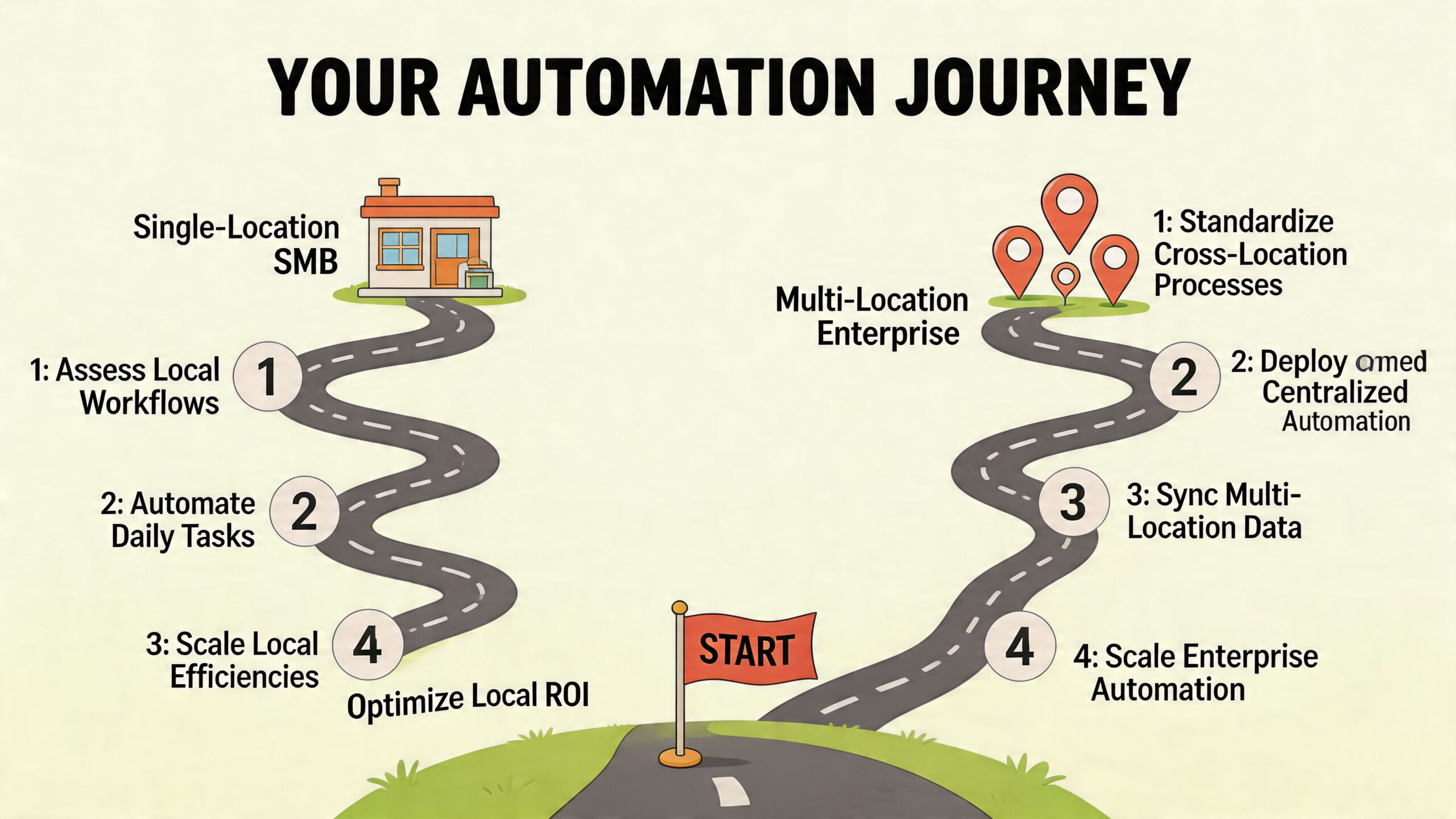
Single-location SMBs
A small business doesn't need a sprawling stack. It needs control over the few tasks that slip most often.
Phase 1. Foundational audit and setup
- Choose one master record for business name, address, phone number and opening hours.
- Check your Google Business Profile, website and main directory listings for mismatches.
- Set approval rules for who can change hours, services and categories.
Phase 2. Core task automation
- Schedule regular GBP posts rather than publishing ad hoc.
- Set up review response drafting for common positive reviews.
- Use alerts for new reviews and profile edits so nothing important sits unseen.
Phase 3. Advanced optimisation and reporting
- Add simple rank tracking for your most valuable keywords.
- Review which posts, photos and review themes correlate with calls or visits.
- Refine templates so they sound like your business, not like software.
For hospitality businesses, seasonal change is the test. According to Soci's article on AI for local SEO, UK restaurants using dynamic, AI-powered geo-grid trackers and schedulers that adapt to local events saw a 28% call uplift, compared with 12% for businesses using basic set-and-forget tools during seasonal peaks. In practice, that means festive trading hours, local events and branch-specific offers shouldn't be handled by one static schedule.
Multi-location businesses and franchises
Scale creates a different problem. You're not trying to save one owner's time. You're trying to stop inconsistency spreading across locations.
A useful sequence for multi-site operators is:
Centralise source data
Create one approved location dataset covering NAP, categories, hours, services and attributes.Set brand rules before automation rules
Define what every branch must share, then define what branches can customise.Automate bulk updates carefully
Holiday hours, brand campaigns and service changes should push from the centre. Local exceptions should still require branch review.Track visibility by geography, not just by branch
A location may look healthy overall while underperforming badly in nearby postcodes.Standardise reporting for managers
Branch managers don't need every metric. They need the signals that affect footfall, calls and reputation.
When the operational side grows, a purpose-built multi-location dashboard becomes useful. That's where something like managing multiple Google Business Profiles fits, because the challenge is no longer publishing one update. It's controlling dozens without losing local relevance.
Agencies and consultants
Agencies should treat local seo automation as a delivery system, not just a service add-on.
The sequence usually works best like this:
| Phase | Agency priority | What to standardise |
|---|---|---|
| Phase 1 | Onboarding | Client data collection, profile access, location records |
| Phase 2 | Delivery | Review workflows, post scheduling, citation checks, reports |
| Phase 3 | Scale | White-label reporting, alerting, account review cadence |
Agencies become more efficient when they stop rebuilding the same workflow for each client. The account strategy should differ. The operational spine shouldn't.
A scalable agency doesn't automate everything. It automates the repeatable parts of delivery so account managers can spend time on diagnosis, recommendations and client decisions.
Common Pitfalls and How to Avoid Them
Automation fails in predictable ways. The problem usually isn't that teams automate. It's that they automate the wrong thing, or automate a useful thing without guardrails.
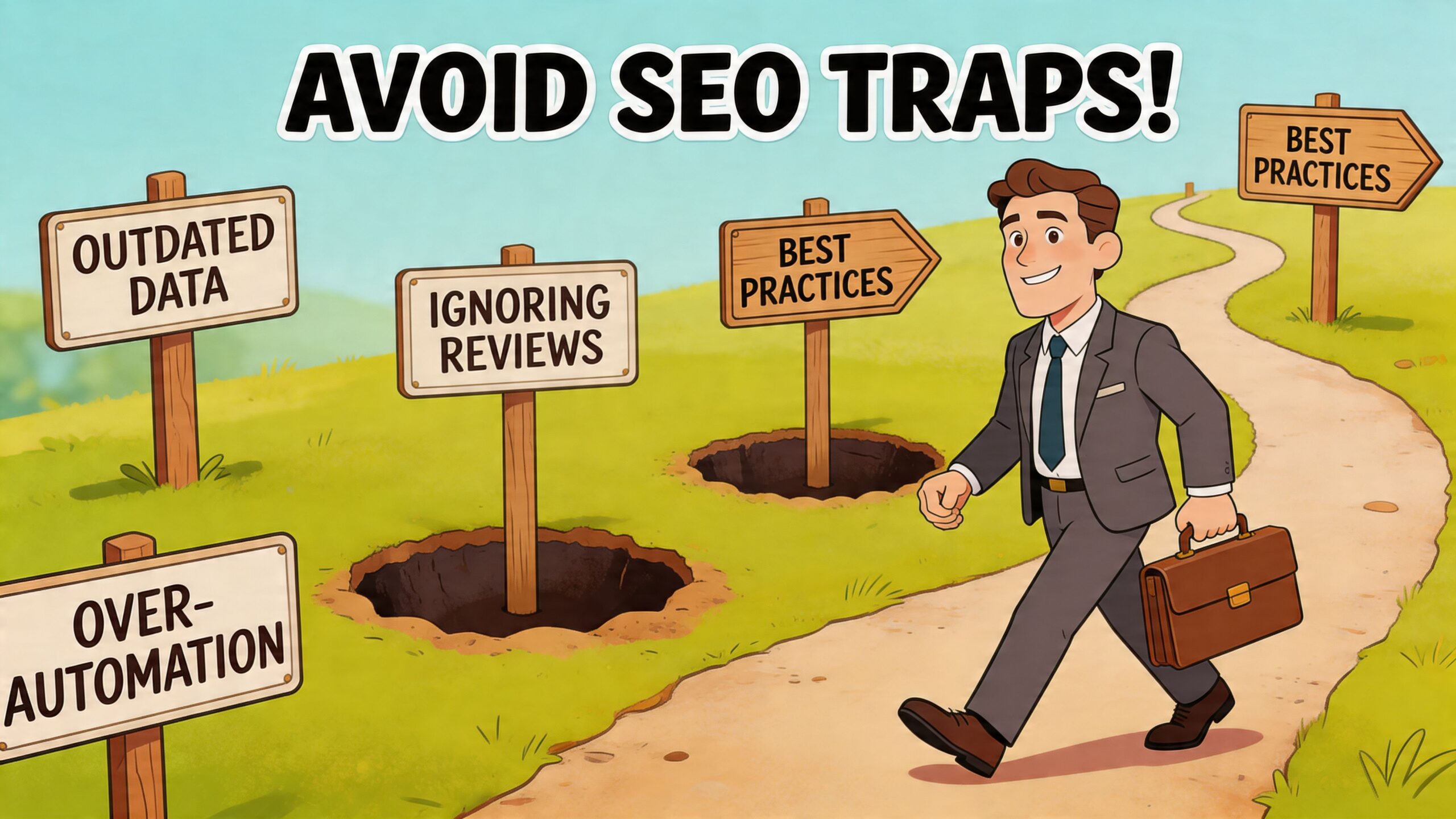
Generic content at scale
The fastest way to make a profile feel lifeless is to push the same copy to every location. This happens constantly with GBP posts, service descriptions and review replies.
Customers notice when every branch sounds identical. So do local teams. Automation should help you publish more reliably, but it still needs location detail, service context and a tone that sounds like a business people visit.
Over-automated review handling
Review automation is useful, but it's also where brand damage can creep in subtly. A cheerful template used on a serious complaint can make a business look careless.
Use three lanes instead of one:
- Low risk: positive reviews and simple thanks
- Medium risk: mixed reviews that need a specific draft
- High risk: complaints, legal threats, safeguarding concerns or anything involving personal detail
That structure matters even more in the UK because compliance isn't optional. According to Seomatic's guidance on automating local SEO, many guides overlook UK-specific risks. Under the UK GDPR and the 2024 DMCC Act, automated review responders processing personal data without proper consent mechanisms can lead to significant fines. The same source says Google's UK algorithm updates penalise profiles that fail to use localised schema, such as correct UK postcodes, causing ranking drops of up to 23% in geo-grid visibility.
Weak source data
Automation multiplies whatever you feed into it. If the wrong number, postcode or opening hours sit in your master record, the system will spread that error efficiently.
That's why every automation setup needs a data owner. Someone has to control who can edit core location information, who approves exceptions and how corrections are logged.
Ignoring enterprise risk
Bigger businesses often think automation risk sits only in technical setup. In reality, governance becomes the issue first.
For larger organisations, enterprise controls matter more than clever templates. Workflows need role permissions, audit trails and approval layers, especially when several teams can change local data. If that's your environment, enterprise local SEO is the right lens because the challenge is operational control as much as marketing output.
The safest automation setup is boring. Clear ownership, approved templates, localised schema and review escalation rules beat clever hacks every time.
Example Workflows and Choosing Your Platform
The easiest way to judge a platform is to see whether it fits the way your team already works. Don't start with feature lists. Start with the workflow you need to run every week.
Workflow one for a restaurant chain
A regional restaurant group has multiple locations, frequent menu changes, seasonal trading hours and a steady stream of reviews.
Their practical workflow looks like this:
- Head office maintains the master location data
- Branch managers submit local events, offers and temporary hour changes
- Scheduled GBP posts go live by location, not as one duplicated message
- New reviews are drafted automatically, with complaints routed to an operations lead
- Geo-grid tracking highlights which areas around each branch are slipping
Platforms differ in their capabilities. Some handle listings well but are weak on scheduling. Others report neatly but don't help much with review workflow or visibility mapping. Businesses comparing options often look at wider toolsets like Surnex's Local SEO Suite to understand how different platforms package listings, tracking and reporting together.
Workflow two for a home services agency
An agency serving plumbers, electricians and roofers needs a different operating model. It isn't managing one brand. It's running repeatable delivery across several client accounts.
A sensible workflow often includes:
- client onboarding forms for NAP, services and target areas
- recurring citation checks
- postcode-level rank tracking for service terms
- monthly reports with commentary added by the account manager
- review alerts that route directly to the client or agency team
For this use case, the platform should reduce admin rather than add another dashboard to maintain. A tool such as multi-location SEO tools becomes relevant when you need one place to monitor visibility, updates and reporting across many entities rather than one business.
What to look for in a platform
The shortlist should come down to fit, not hype.
| Requirement | Why it matters |
|---|---|
| Central location data | Stops conflicting edits across profiles and listings |
| Post scheduling by location | Prevents generic publishing across every branch |
| Review workflow controls | Helps you separate low-risk automation from escalation |
| Geo-grid tracking | Shows where visibility is strong or weak across service areas |
| Reporting | Turns activity into decisions instead of exports |
LocalHQ is one example of this type of platform. It combines profile updates, post scheduling, review drafting, geo-grid rank tracking and reporting in one dashboard, which makes it easier to run the workflows above without stitching together separate tools.
The key question isn't whether a platform has AI. It's whether it helps your team do the same local work more consistently, with fewer missed actions and better oversight.
Frequently Asked Questions
How much human oversight does an AI review responder need
More than vendors sometimes imply. Positive reviews and routine thank-you messages can be handled with light oversight once your tone and rules are set. Complaints, refund requests, sensitive personal details and anything legally risky should always be routed to a person.
Is local seo automation useful for a brand-new business
Yes, especially because new businesses often struggle with consistency. Automation helps you keep profile data accurate, publish updates regularly and build a habit of responding to reviews from day one. It won't replace the need for strong setup, but it does stop basic tasks from being missed.
Can automation damage authenticity
It can if you use it lazily. The risk isn't automation itself. The risk is generic content, identical branch messaging and robotic review replies. Businesses keep authenticity by using automation for speed and consistency while keeping local language, local offers and final judgement in human hands.
What should a small business automate first
Start with the jobs that are repetitive and easy to standardise:
- opening hours and profile updates
- post scheduling
- review alerts and simple draft replies
- monthly reporting
Those changes usually create the fastest operational improvement.
Do agencies need a different setup from local businesses
Yes. A local business needs straightforward control over its own profiles and reputation. An agency needs repeatable onboarding, client-by-client permissions, reporting workflows and a way to standardise delivery without making every client look the same.
Is local seo automation enough on its own
No. It improves execution. It doesn't fix poor positioning, weak offers, bad service or thin local relevance. The businesses that get the most from automation already know what they want each location to say and who they want it to reach.
Conclusion Get Started with Smarter Local SEO
Local seo automation works best when it's treated as an operating system for local marketing. It keeps business data aligned, reduces repetitive work, improves response times and gives teams a cleaner view of what needs attention. For UK businesses, it also needs to respect postcode-level relevance, seasonal trading realities and compliance risk.
The goal isn't to remove people from local SEO. It's to stop people wasting time on tasks software can handle reliably.
Ready to see what automation can do for your rankings? Try LocalHQ to analyse your Google Business Profile against nearby competitors and get a practical action plan for updates, content and visibility improvements.