Master Small Business Website SEO for Growth
A lot of small business owners end up in the same frustrating spot. The website looks good, the logo is sharp, the contact form works, and everything feels finished. Then the week goes by, and nothing much happens. No steady flow of calls. No clear lift in walk-ins. No sense that Google is sending the right local customers your way.
That gap is where small business website seo matters. Not as a marketing buzzword, but as the work that turns a website from an online brochure into a lead source. For a local business in the UK, that usually means one thing above all else. Being visible when someone nearby needs what you sell right now.
Your Website Is Live But Is Anyone Local Finding It
A bakery in York, a plumber in Leeds, a salon in Bristol, a solicitor in Manchester. Different trades, same problem. The site is live, but local people aren't finding it when they search.
That matters because 46% of all Google searches show local intent and 78% of mobile local searches lead to an offline purchase within 24 hours, according to Page Optimizer's small business SEO statistics. If your business isn't visible in those moments, a competitor gets the call instead.

What usually goes wrong
Most underperforming local sites don't fail because they're ugly. They fail because Google can't clearly match the site to a place, a service, and a buying intent.
Common examples include:
- The homepage tries to do everything. It mentions ten services, five towns, and says nothing clearly enough to rank for any one job.
- Service pages are too thin. A page called “Services” won't compete with a proper page for boiler repairs, dental implants, Sunday lunch, or emergency call-outs.
- The site isn't tied to local search behaviour. People don't search the way business owners describe themselves. They search for what they need and where they need it.
- No ongoing local signals. The site sits unchanged for months while competitors keep adding reviews, updating profiles, and publishing useful local content.
Practical rule: If a stranger lands on your page, they should know within seconds what you do, where you do it, and how to contact you.
A proper SEO setup starts with the basics. Clear site architecture, crawlable pages, sensible internal links, and a technically sound website. If you want a useful outside perspective on that first layer, this SEO foundation and technical health check is worth reading before you start changing pages at random.
What a local owner should expect instead
A good local SEO setup doesn't just chase traffic. It creates visibility for searches that produce real business outcomes. Calls. Booking enquiries. Direction requests. Table bookings. Appointment requests.
For many owners, the fastest shift comes when they stop thinking “I need more website visits” and start thinking “I need to appear for local intent searches tied to my core services”. That mindset changes the whole build.
If you're trying to understand the bigger picture before making changes, LocalHQ's local SEO guide gives a helpful overview of how local visibility fits together.
Laying the Foundations with Keyword Research and Site Structure
Most SEO problems start before any writing begins. They start with guesswork.
Owners often choose phrases they like, not phrases customers use. A heating engineer might prefer “domestic heating solutions”. The customer types “boiler repair Nottingham”. A restaurant might describe itself as “contemporary dining”. The customer searches “best Sunday roast near me”.
Start with buying intent, not broad terms
For small business website seo, broad keywords are usually too vague to win local business. You need terms that combine service and place.
A useful way to sort keywords is by intent:
| Search type | Example | What it usually means |
|---|---|---|
| Service plus location | emergency electrician in Leeds | High intent, often ready to enquire |
| Service plus qualifier | same day locksmith Bristol | Specific need, likely urgent |
| Problem-based | blocked drain help Sheffield | Customer knows the issue, needs a provider |
| Comparison or trust | best family solicitor in Derby | Customer is evaluating options |
| Navigational local | café near York station | Ready to visit soon |
Build your list from what customers ask, what appears in Google autosuggest, what competitors title their service pages around, and what your own staff hear on the phone.
Match each keyword to a page
One of the most common mistakes is trying to target every phrase on one page. That creates muddled relevance.
A cleaner structure usually looks like this:
- Homepage for the brand and primary location
- One page per core service such as boiler servicing, kitchen fitting, dental hygiene, or private dining
- One page per location if you serve multiple towns or boroughs
- Support pages for FAQs, pricing guidance, process, and contact details
Many multi-area businesses stumble at this point. They build doorway pages using duplicated content and swapped-out town names. Google generally detects that tactic. A location page requires authentic local relevance rather than a template with different postcodes.
If you're dealing with several branches or service areas, this guide to ranking multi-location business pages is useful because it focuses on how to separate pages by intent without creating thin duplicates.
The page should answer one clear question. What service do you offer in this place, and why should the customer choose you?
A structure that helps both Google and customers
Think of your site as a filing system. If every service and location has a logical place, Google can crawl it more easily and customers can move through it without friction.
A practical setup often looks like this:
- Keep navigation tight. Don't hide important pages in dropdowns five levels deep.
- Link related pages together. Your boiler repair page should link naturally to boiler servicing, emergency call-outs, and your relevant location pages.
- Use plain page names. “Bathroom Renovations in Sheffield” is stronger than “What We Do”.
- Avoid combining unrelated services. A single page for plumbing, heating, bathrooms, kitchens, and electrics rarely performs well.
What works and what doesn't
What works is specificity. A page for “Emergency Plumber in Newcastle” supported by real service information, local references, trust signals, and internal links.
What doesn't work is padding a homepage with a list of every town in the county and hoping Google will figure it out.
Good foundations feel almost boring when you build them. That's normal. The owners who skip this part often end up rewriting half the site later.
Optimising Your Digital Shopfront with Content and On-Page SEO
Once the structure is right, the next job is making every important page clear, persuasive, and locally relevant. Here, a lot of businesses either overdo SEO language or forget the human being reading the page.
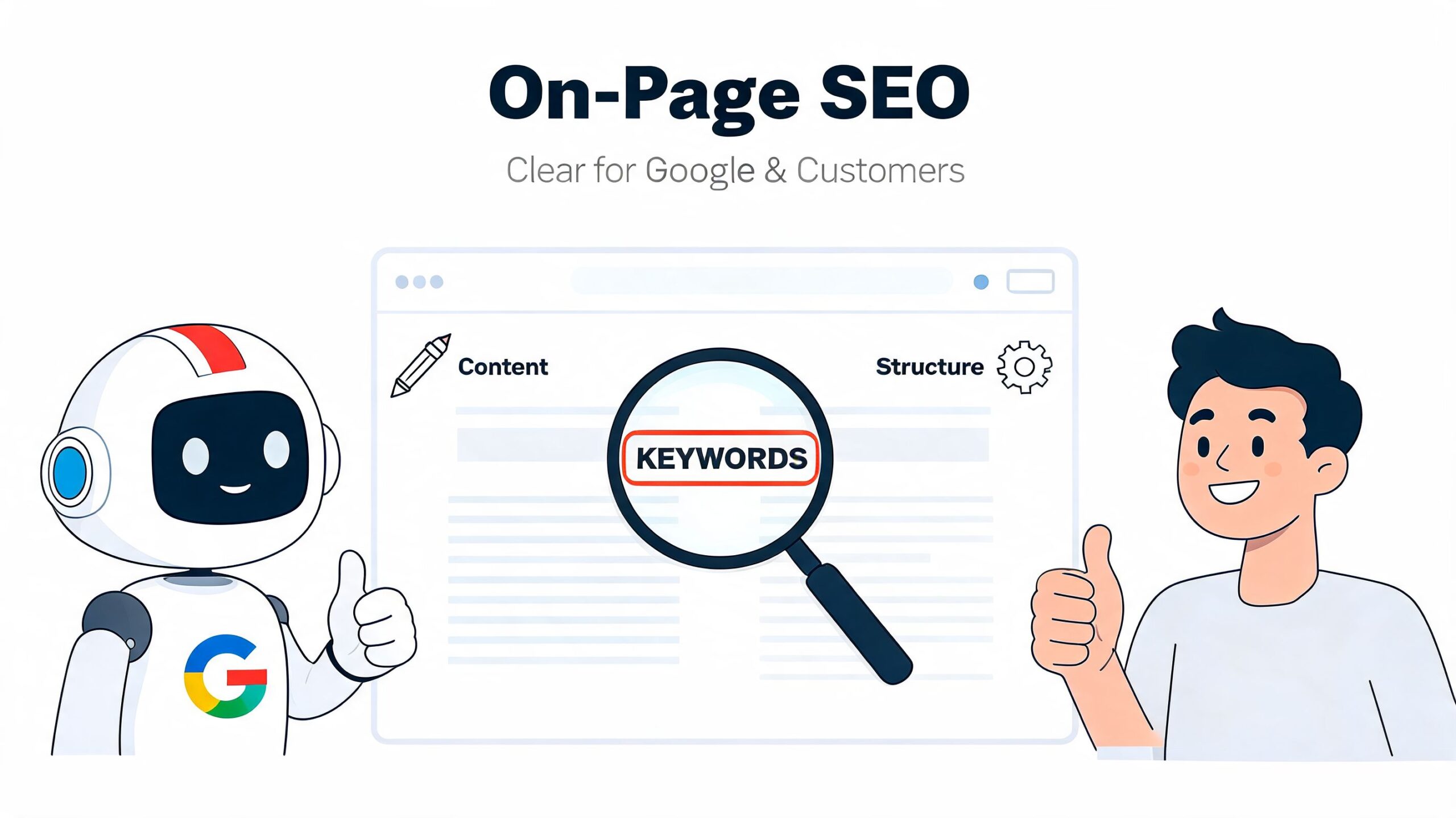
On-page SEO should help two audiences at once. Google needs clear signals. The customer needs confidence.
Write pages that say exactly what you do
Every core page needs a clean job.
Your title tag should identify the service and the place. Your meta description should give a reason to click. Your H1 should match the main intent of the page. The opening paragraph should confirm the service area and make next steps obvious.
A simple approach:
- Title tag: Boiler Repair in Leeds | Same-Day Local Engineer
- Meta description: Fast boiler repair across Leeds with clear advice and easy booking. Call now for local help.
- H1: Boiler Repair in Leeds
You don't need to cram variations into every line. In fact, that usually weakens the page. The better move is to cover the topic properly with natural supporting terms such as common problems, service areas, response times, brands handled, and what the visit includes.
Content that brings in the right customer
Helpful content isn't just for blogs. It belongs on service pages, FAQ sections, and supporting articles that answer the questions people ask before they contact you.
Useful local content often includes:
- Buying guidance such as how to choose a family dentist in your area
- Expectation-setting pages covering timelines, what happens on a first visit, or what to bring
- Local problem-solving content such as winter boiler checks, damp advice, patio care, or wedding venue planning
- Trust-building pages with team experience, service process, and genuine customer questions
Field note: The best local content usually sounds like a good member of staff on a phone call. Clear, specific, and free of waffle.
This is also where many businesses miss a conversion step. A page can rank and still underperform if it doesn't guide the visitor towards action. If you want a practical framework for improving enquiry flow after the click, this lead conversion framework is a useful companion to your SEO work.
Make pages easier to act on
A strong page doesn't hide its contact options. It puts them where a busy customer can use them without hunting.
Try this checklist on each high-value page:
- Lead with the service. The visitor shouldn't need to scroll to confirm they've landed in the right place.
- Show the area served. Mention the town, borough, or neighbourhood naturally.
- Add proof close to the action. Reviews, accreditations, years of experience, and examples matter most near the enquiry point.
- Use one primary call to action. “Call now”, “Book an appointment”, or “Request a quote” is better than five competing buttons.
- Include FAQs where they remove hesitation. Pricing style, response windows, parking, availability, and service boundaries all help.
For businesses that rely heavily on local visibility, page content should also support your wider local presence. If you're already posting updates and offers, scheduling content for Google Business Profiles helps keep messaging aligned between your site and your business listing.
Technical SEO Fixing What's Under the Bonnet
Technical SEO gets overcomplicated far too often. For a small local business, most of the payoff comes from fixing a short list of issues well. Speed. Mobile usability. Clear indexing. Structured business information.
This is not optional. 72.59% of Google searches in the UK come from mobile devices, 61% of visitors abandon a site if they can't find content in five seconds, and optimising for Core Web Vitals can produce a 25 to 40% uplift in organic traffic, according to Network Solutions' small business website statistics.
Speed problems cost you twice
A slow site hurts before the customer even reads a word. First, it creates friction. Second, it weakens the technical quality signals that support visibility.
The most common causes are usually straightforward:
- Oversized images uploaded straight from a phone or camera
- Bloated themes and page builders trying to do too much
- Too many scripts for chat widgets, sliders, tracking tools, maps, pop-ups, and social embeds
- Poor mobile layout choices that bury content below large banners
If you're only going to check a few pages, start with the homepage, top service pages, and contact page. Those usually carry the most business value.
Mobile-first means customer-first
A lot of owners still review their site mainly on a laptop. Their customers don't.
On a phone, the page needs to answer four things quickly:
- What do you do?
- Where do you do it?
- Can I trust you?
- How do I contact you now?
If a mobile visitor has to pinch, zoom, hunt for the phone number, close a giant pop-up, or scroll through a decorative hero image before finding anything useful, the site is working against you.
A good mobile page tends to be simple. Clear heading. Short opening copy. Tap-to-call button. Key service details near the top. Relevant proof. Straightforward form.
A mobile user isn't browsing leisurely. They're often trying to make a decision between you and two competitors within minutes.
The technical fixes that usually move the needle
You don't need an enterprise SEO stack to improve a small business site. Start with the practical fixes below.
| Area | What to check | Why it matters |
|---|---|---|
| Images | Compress large files and use sensible dimensions | Faster loads, especially on mobile |
| Layout | Keep text readable and buttons easy to tap | Better usability and lower drop-off |
| Navigation | Make key pages reachable quickly | Easier crawling and simpler journeys |
| Indexing | Ensure important pages can be crawled | Google can't rank pages it can't access |
| Internal links | Link related services and locations clearly | Reinforces relevance and page relationships |
Schema helps Google read your business details
Schema markup gives search engines clearer information about your business. For local firms, that usually means your name, address, phone number, opening hours, service area, and related business details.
It won't rescue a weak site on its own. But it does remove ambiguity, which matters in local search.
If you haven't added it yet, a free local business schema generator can save time and help you create the right markup without guessing the format manually.
What not to obsess over
Don't waste days chasing tiny technical scores while your service pages are vague and your location signals are weak. A technically tidy site supports SEO. It doesn't replace the commercial basics.
What works is a site that loads well, reads clearly on a phone, and gives both Google and users clean, structured information. What doesn't work is treating technical SEO like a one-off checkbox and then ignoring broken journeys, slow templates, or pages that never convert.
Dominating the Map with Google Business Profile and Local Signals
For most local businesses, your Google Business Profile is the front door people see before they ever visit your website. In many searches, it gets judged before your homepage does.
That is why it often deserves more operational discipline than the website itself. A weak profile loses trust fast. A complete, active, well-managed one can drive calls, bookings, and direction requests even when the searcher never clicks through to your site.
Treat your profile like a revenue asset
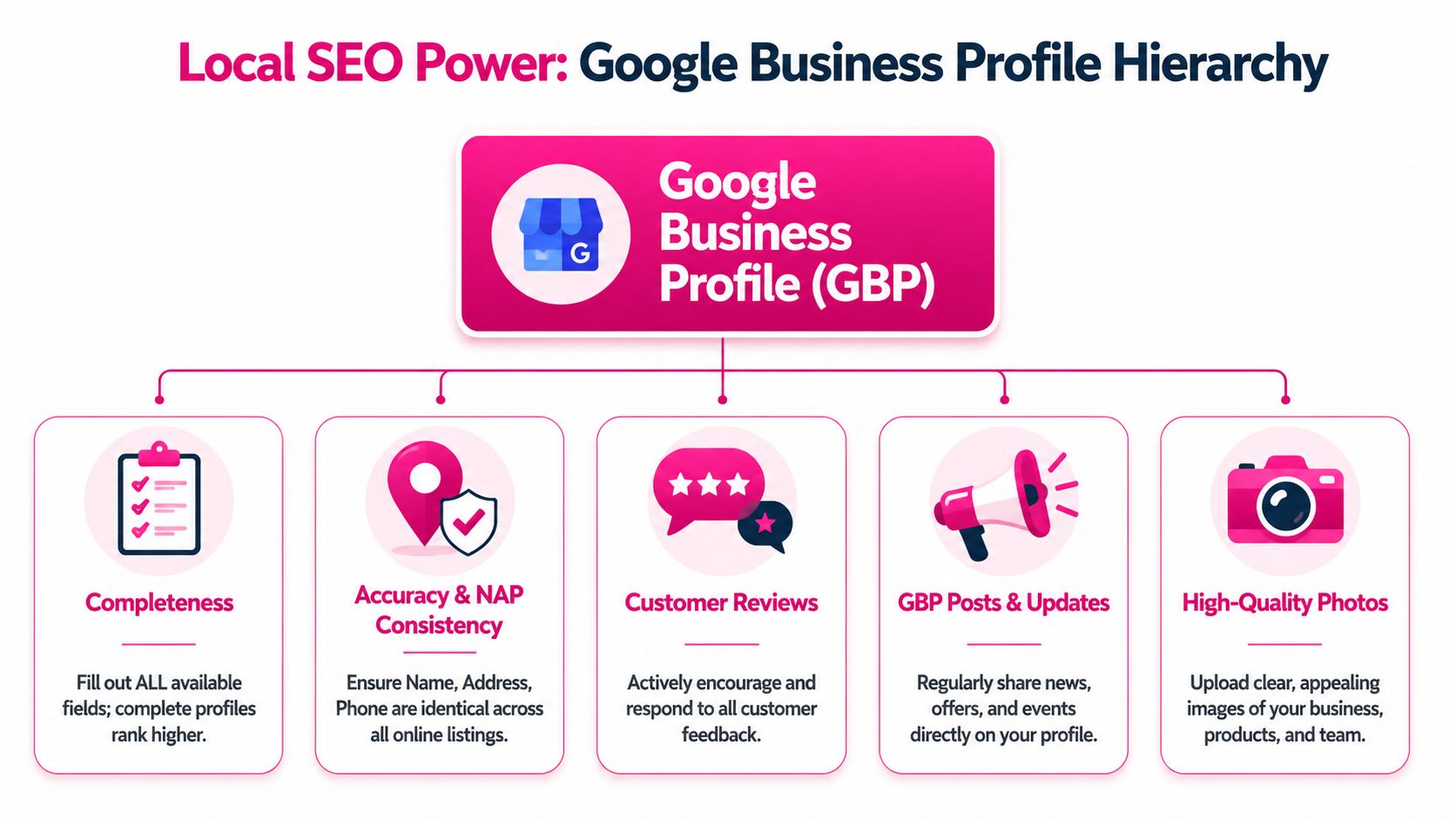
A basic setup isn't enough. The businesses that consistently win local visibility usually keep five areas in good shape:
- Primary and secondary categories that match real services
- Accurate business details including phone, address, opening hours, and website links
- Fresh photos that show the premises, team, products, or completed work
- Review management with prompt, thoughtful replies
- Regular updates through posts, offers, event notices, and service changes
This isn't busywork. It affects how convincing your business looks at the exact moment someone is deciding who to contact.
Reviews need a process, not good intentions
Plenty of owners say they “mean to ask for more reviews”. That usually means review gathering happens only when someone remembers.
A better approach is operational. Decide when you ask, who asks, and how the customer receives the request. Then decide who replies, how quickly, and what tone fits the business.
That matters because 62% of UK consumers trust Google Business Profile reviews as much as personal recommendations, and AI-driven automation sustains 25% higher engagement, according to Boulder SEO Marketing's local SEO best practices.
Good review management isn't about sounding robotic and polished. It's about responding consistently, quickly, and like a business that takes customers seriously.
Where AI helps and where it doesn't
This is one area where automation is useful.
For single-location businesses, AI can help keep response times tight and reduce the admin burden of review replies and profile updates. For multi-location businesses, it becomes far more important because consistency breaks down quickly when different branches update things manually.
AI is useful for:
- Drafting review responses in a consistent brand tone
- Spotting incomplete profile fields
- Suggesting category and keyword improvements
- Scheduling regular updates without a spreadsheet
- Flagging locations that have gone stale
AI is not useful when the underlying business information is wrong, the branch manager ignores customer complaints, or every location uses the same generic messaging with no local relevance. Automation amplifies good operations. It doesn't replace them.
Local signals outside Google Business Profile
Your profile doesn't exist in isolation. Google also looks for consistency across the web.
Check that your business name, address, and phone details match on your site and on the main directories or association listings you're using. If one listing shows an old phone number, another uses a different address format, and your site lists different opening hours, you create avoidable confusion.
A practical routine is to review these items every time something changes:
| Local signal | What to verify |
|---|---|
| Website contact page | Name, address, phone, hours |
| Key directories | Same details as the website |
| Social profiles | Matching phone and website link |
| Branch pages | Correct local details per location |
| Google profile | Categories, services, hours, photos |
If you want a stronger process for managing your listing and local visibility, this local search optimisation guide is a useful reference point.
Building Local Authority and Trust with Link Building
Link building sounds bigger and messier than it needs to be. For a local business, you don't need press coverage from national newspapers to make progress. You need relevant mentions from places that make sense in your town, city, or trade.
A useful local link does two things. It sends trust signals to Google, and it places your business in the local web ecosystem where real people might find you.
Start with links you can realistically win
The most effective local links are usually the least glamorous.
Good places to look include:
- Chambers of Commerce and trade bodies where member profiles often include a website link
- Local sponsorships such as school events, sports clubs, charity fundraisers, or community fairs
- Supplier and partner pages if you work with recognised brands or complementary businesses
- Local blogs and publications that feature business round-ups, guides, or interviews
- Industry associations relevant to your sector and region
These links carry context. A local restaurant sponsoring a neighbourhood event, a solicitor listed by a regional business network, or a roofer featured by a builders' merchant all make sense.
The easiest outreach is often already in your diary
Owners often imagine link building as cold outreach to strangers. In practice, many link opportunities come from relationships you already have.
Think about:
- Businesses you refer work to
- Businesses that refer work to you
- Organisations you belong to
- Events you support
- Local causes you already help
Those existing ties make outreach simpler because the connection is real.
Ask for the link when the collaboration is live, not six months later when everyone has forgotten the details.
What a good local link request sounds like
Keep it direct and specific. Don't send a generic SEO email.
A better message is closer to this in tone: you've enjoyed supporting the event, your team was glad to be involved, and if they're listing supporters or partners, you'd appreciate a link to the relevant page on your website. Short, polite, and tied to something real.
What to avoid
Local link building goes wrong when businesses chase quantity over relevance.
Avoid:
- Buying random links from unrelated sites
- Mass directory submissions to low-quality platforms
- Guest posts on irrelevant blogs just to place a keyword anchor
- Repetitive anchor text that looks forced
- Creating fake partnerships purely for SEO
A small number of solid local links usually beats a large number of weak ones. The point isn't to trick Google. It's to prove your business is embedded in a local market and trusted by other real organisations.
Measuring What Matters and Your 90-Day SEO Roadmap
The biggest reporting mistake in small business website seo is focusing on rankings in isolation. Ranking changes matter, but they aren't the end goal. The end goal is more profitable local action.
For most local businesses, the metrics that matter most are simple. Phone calls. Contact form submissions. Booking requests. Direction requests. Sales conversations. In-store visits that can be traced back to search visibility.
Track business outcomes first
A local campaign is working when the right people start contacting you more often and with better intent.
Use your reporting to answer questions like these:
- Are calls increasing from organic search and map visibility?
- Are more people requesting directions or visiting location pages?
- Which service pages generate actual enquiries, not just traffic?
- Which towns or postcodes produce leads?
- Are enquiries becoming more relevant and easier to close?
Some pages attract plenty of visits and very little business. Others bring modest traffic but generate strong leads. The second type is usually worth more.
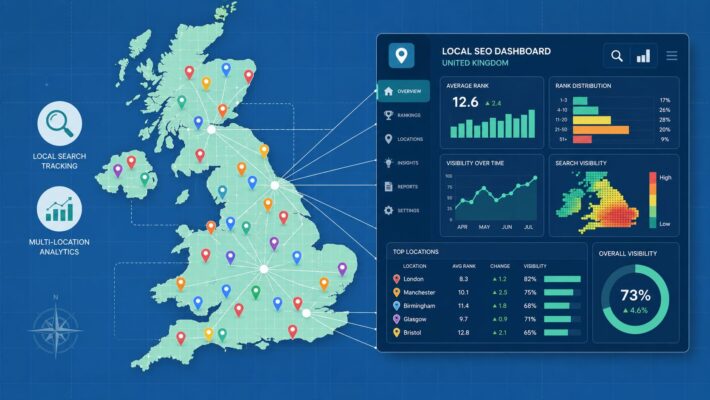
Why geo-grid tracking changes local decision-making
Traditional rank tracking gives you one average position from one location. That can hide what is really happening across your service area.
Geo-grid rank tracking reveals hyper-local keyword gaps, and UK data shows multi-location franchises see a 35% ROI uplift by visualising impressions across 1km grids, according to GoVa Creative's article on local SEO visibility. That matters for high-conversion searches such as local service plus postcode, where visibility can vary sharply from one part of a town to another.
For a small business owner, this is useful because it answers practical questions. Are you visible near your premises but weak three miles away? Does one branch dominate in one district but disappear in another? Are competitors stronger in specific postcode pockets?
Those insights shape better actions than generic rank reports. You can improve the right location pages, refine service-area content, update your Google profile strategy, or strengthen local signals where the map shows a gap.
If you're only measuring one ranking from one point on the map, you're not measuring local visibility properly.
Your First 90-Day Local SEO Roadmap
| Phase | Focus Area | Key Actions | Tool to Use |
|---|---|---|---|
| Days 1 to 30 | Research and foundations | Audit the current site, define priority services, map one keyword theme to each core page, fix navigation issues, and review contact details for consistency | Google Search Console, Google Analytics, PageSpeed Insights |
| Days 31 to 60 | Page improvements and technical fixes | Rewrite priority service pages, improve titles and headings, tighten mobile layouts, compress large images, and add structured business details | CMS editor, Lighthouse, schema generator |
| Days 61 to 90 | Local authority and performance tracking | Improve Google Business Profile activity, build local links, publish helpful support content, track calls and enquiries, and review visibility across service areas | Google Business Profile tools, outreach tracker, geo-grid rank tracker |
The main thing is to sequence the work properly. Don't spend the first month chasing backlinks to weak pages. Don't obsess over blog content before your core service pages make sense. And don't celebrate extra traffic if the phone still isn't ringing.
A sensible local SEO campaign feels connected. The site is structured clearly. The pages target the right searches. The technical setup doesn't get in the way. The Google profile is active. The reporting shows whether real local customers are taking action.
If you want to manage those moving parts without juggling spreadsheets, disconnected tools, and manual profile updates, LocalHQ is built for exactly that. It helps small businesses and multi-location teams handle Google Business Profile optimisation, review responses, content scheduling, geo-grid tracking, and local reporting in one place, so you can spend less time on admin and more time winning calls, visits, and bookings.