UK Review Generation Strategy: Boost Your Business
If you're looking at a competitor with a stronger star rating, fresher reviews, and a fuller Google Business Profile, you're not imagining the gap. Customers see it too. In local search, a better review profile often wins the click before your team ever gets a chance to sell.
That’s why a review generation strategy can’t sit on someone’s mental to-do list. It needs a process. For most local businesses, the problem isn’t that customers refuse to leave reviews. It’s that nobody built a reliable system for asking, following up, responding, and learning from what comes back.
A scalable review system works like a reputation machine. It catches happy customers at the right moment, routes them to the right platform, alerts the team when feedback lands, and keeps activity steady enough to support local visibility over time.
Why Your Business Needs a Review Generation Machine
A lot of businesses still treat reviews as a bonus. They ask when they remember, stop when the team gets busy, then wonder why a competitor keeps showing up stronger in search and maps.
That approach costs visibility. It also costs trust.
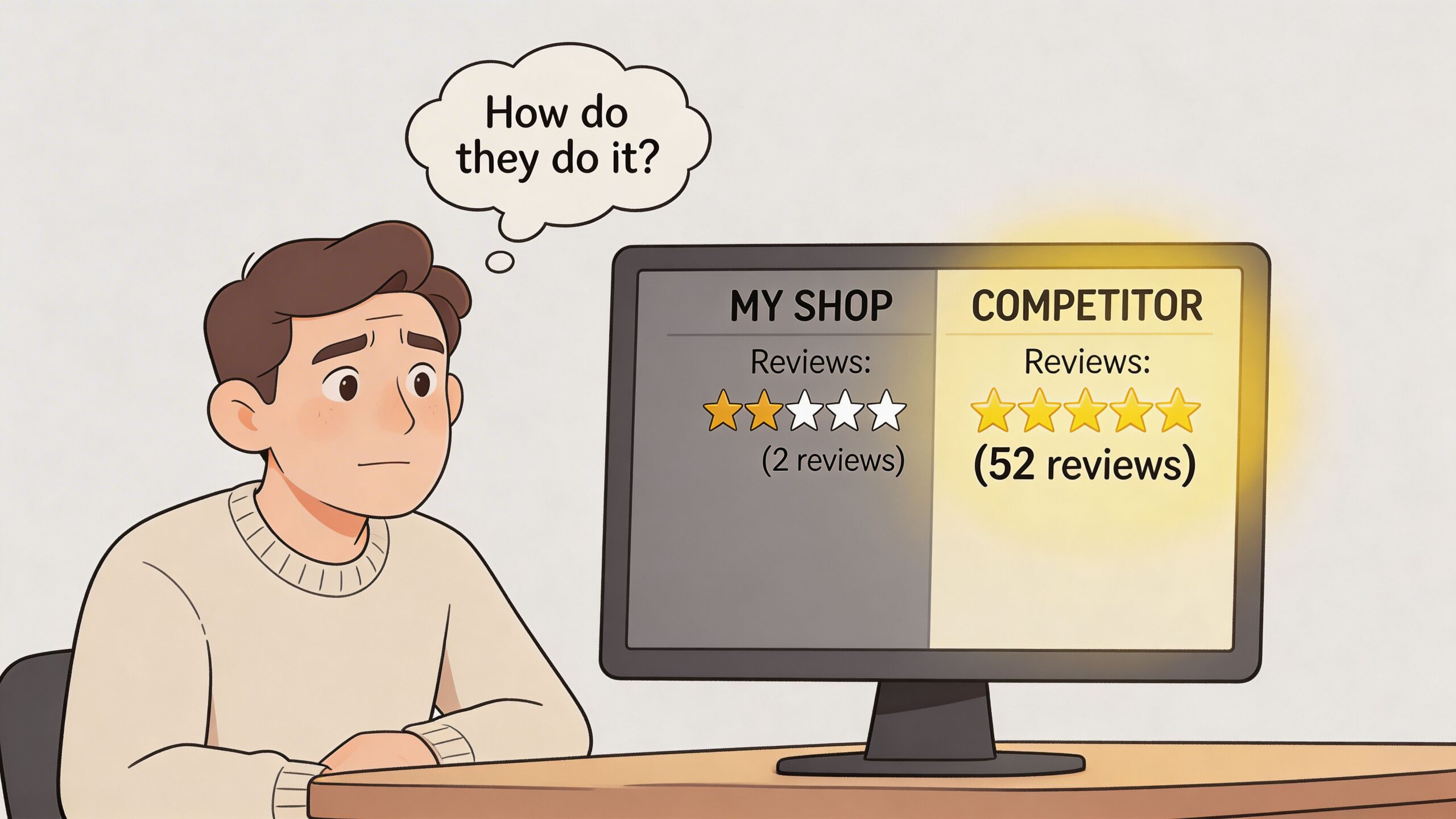
In the UK, 93% of consumers read reviews before choosing a local business according to Marqiz's review statistics roundup. If your review profile looks stale, thin, or inconsistent, many buyers will leave before they visit your website or call your team.
Reviews shape the first decision
For a restaurant, that decision happens when someone compares ratings on Google Maps. For a plumber, it happens when a homeowner checks whether recent reviewers mention speed, politeness, or tidy work. For a retailer, it happens when a shopper decides whether your location feels more reliable than the one two streets away.
What matters is consistency. One burst of review requests after a busy month won't build durable authority.
A review generation machine means:
- Requests happen on schedule after the right customer moments
- Staff know their roles instead of assuming somebody else is handling it
- Responses are part of the workflow rather than an afterthought
- Performance is measured against calls, visits, and search visibility
Practical rule: If review asking depends on memory, it will fail during your busiest weeks.
Manual effort breaks first
Many teams begin with good intentions. The front desk asks sometimes. The store manager replies when they have time. The owner checks Google on a Friday evening. Nothing is joined up.
That’s why the shift matters. You’re not trying to “get more reviews” in a vague sense. You’re building an operating system for reputation.
If local search is part of your growth plan, reviews need to sit inside the broader work of profile quality, visibility, and conversion. That’s the context behind local SEO marketing. Reviews don’t live on their own. They influence how often people find you and whether they trust you enough to act.
Laying the Foundation for Your Strategy
Most review programmes fail before the first message goes out. Not because the software is wrong, but because the business skipped the groundwork.
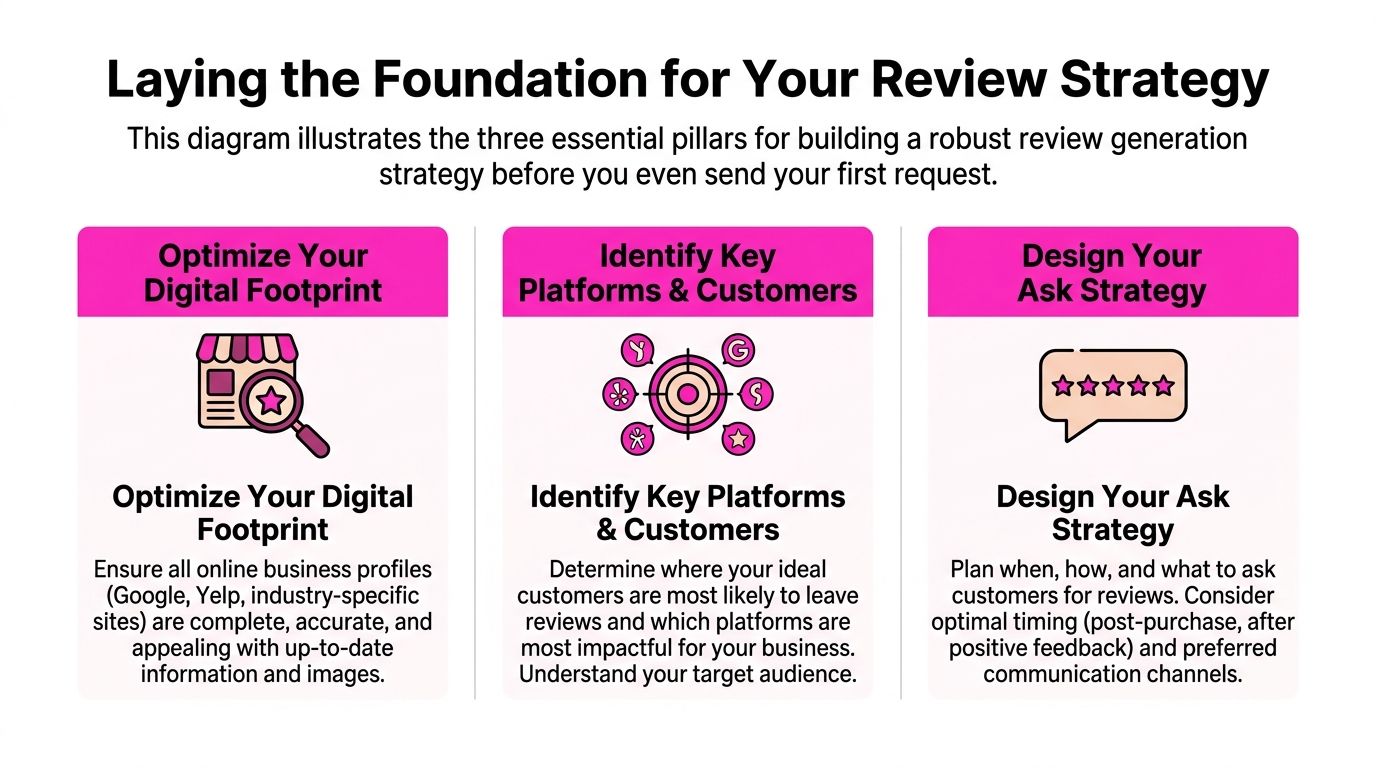
A solid review generation strategy starts with three decisions. What you want to improve, where in the customer journey you’ll ask, and who owns each part of the process.
Set goals that change behaviour
“Get more reviews” is too loose. Teams ignore loose goals because they don’t know what good looks like.
Use goals that force operational choices:
- Quality goal. Improve review freshness and message relevance, not just total count.
- Location goal. Decide whether every branch needs its own target or whether one flagship site needs attention first.
- Response goal. Set an expectation for how quickly the team will answer new reviews.
- Platform goal. Prioritise Google Business Profile first if local discovery is the main commercial driver.
The point isn’t to create a pretty dashboard. It’s to give managers a standard they can coach against.
A useful planning question is simple. Which problem hurts you most right now?
- Too few reviews
- Too many old reviews and not enough recent ones
- Good volume, but weak responses
- Big differences between locations
- No visibility into who’s asking and who isn’t
Once you know the bottleneck, the strategy gets sharper.
Map the customer journey properly
The best review requests are sent when the customer has just felt the value of what you do.
That moment differs by business:
- Restaurant. Shortly after the meal, when the experience is still fresh
- Retail. After purchase confirmation or collection, once the customer has the item
- Home services. After the job is complete and the customer has seen the result
- Healthcare or legal. After an appropriate service milestone, handled with extra care and sensitivity
- Hospitality. After check-out, not in the middle of the stay unless there’s a clear reason
If you ask too early, the customer hasn’t formed a view yet. Ask too late and life gets in the way.
The strongest teams draw the journey. Enquiry. Booking. Service. Follow-up. Then they mark the highest-satisfaction point and the channel available at that moment.
If you're tightening that process, it helps to review how you collect customer feedback effectively before you turn every interaction into a review ask. Feedback and reviews aren't identical, but the underlying timing and friction issues are closely related.
A review request works best when it feels like the natural next step, not a marketing interruption.
Assign roles before launch
Review generation falls apart when ownership is vague.
Keep it simple:
| Role | Responsibility | What to avoid |
|---|---|---|
| Owner or senior manager | Approves policy, tone, escalation rules | Micromanaging every single reply |
| Location manager | Checks request flow is running, spots service issues | Assuming head office handles everything |
| Front-line staff | Flags happy customers and captures consent where needed | Making ad hoc promises about incentives |
| Marketing or agency lead | Monitors performance and templates | Chasing volume without quality control |
This is also the point where your Google presence needs to be clean. If your profile details are wrong, photos are poor, or categories are misaligned, extra reviews won’t fix the underlying conversion problem. Sort the basics first with a proper guide to optimise your Google Business Profile.
Build a policy, not just a playbook
Your team needs short written rules they can follow.
Include:
- Who can send requests
- When requests are triggered
- Which channels are approved
- How negative feedback is escalated
- What staff can and can’t say about incentives
- Who monitors incoming reviews each day
That document doesn’t need to be long. It needs to remove doubt.
Choosing Channels and Crafting the Perfect Ask
The channel matters, but the wording matters just as much. A weak message sent through the “right” channel still underperforms. A strong, well-timed message in the wrong context feels awkward.
The best review generation strategy uses a channel mix based on customer behaviour, team workflow, and how quickly the business can act after the service moment.
Review Request Channel Comparison
| Channel | Best For | Typical Cost | Potential Conversion Rate | Implementation Difficulty |
|---|---|---|---|---|
| Retail, hospitality, bookings, aftercare journeys | Low | Moderate when the customer relationship is established | Low | |
| SMS | Home services, appointments, restaurants, urgent post-visit follow-up | Moderate | High when timing is tight and the message is short | Moderate |
| In-person ask | Counter service, in-store retail, front desk teams | Low | High if the customer is clearly delighted and the ask is natural | Moderate |
| QR code or NFC tag | Venues, reception desks, takeaway counters, printed materials | Low | Variable, depends heavily on context and prompt quality | Low |
Pick channels by buying context
Email works when customers expect follow-up communication. It gives you space for tone and detail, but it can get buried.
SMS is stronger when speed matters. A trades business finishing a job at 3 pm can send a request while the customer is still looking at the result. That immediacy is hard to beat.
In-person asks are powerful when staff know how to read the room. They fail when teams sound scripted or ask every single person regardless of experience.
QR codes are useful, but they rarely carry the system by themselves. They work best as a supporting option in physical locations, not as the whole strategy.
Timing and personalisation beat generic volume
Personalised requests using the customer’s name and service details can generate 144% more reviews, and response rates can rise 30% to 50% when sent within 24 to 48 hours post-service, according to Scope Design’s review generation guide.
That’s why generic templates underperform. They sound like automation because they are obvious automation.
Compare these two versions.
Weak email
Hi, please leave us a review if you have time. Thanks.
Stronger email
Hi Sarah, thanks for visiting our Manchester shop on Saturday. If you’ve got a minute, we’d really appreciate your feedback on your experience. You can leave a Google review here: [link]
The second one sounds like a real business talking to a real customer.
Message templates you can adapt
Email template for retail or hospitality
Subject: Thanks for visiting us
Hi [First Name],
Thanks for choosing [Business Name] at our [Location] site. We hope everything was spot on.
If you’d be happy to share your experience, we’d really appreciate a Google review. It helps other local customers decide with confidence.
[Direct Review Link]
Thanks again,
[Team or Manager Name]
SMS template for home services
Hi [First Name], thanks for choosing [Business Name] today for your [service type]. If you’re happy with the work, would you mind leaving us a quick Google review? It helps local customers find us. [Direct Review Link]
In-person staff script
“Glad everything went well today. If you’ve got a moment later, we’d really appreciate a Google review. I can show you the QR code.”
That works because it’s soft, brief, and easy to decline.
QR card prompt
Keep printed prompts short:
- Headline. Loved your visit?
- Body. Scan to leave a quick Google review
- Footer. Thank you from the [Business Name] team
What doesn’t work
A few common mistakes show up across almost every sector:
- Generic wording that could have been sent to anyone
- Long explanations that bury the ask
- Multiple links that create decision friction
- Pushy language that makes the customer feel cornered
- Poor timing after the emotional value of the service has faded
If your team needs a practical channel-by-channel starting point, this guide on how to get more Google reviews is a useful companion.
The best request sounds like a thank-you with a clear next step.
Automating Your Review Engine with Workflows
Manual review asking usually starts strong and collapses under pressure. Staff forget. Managers get pulled into operations. Follow-ups slip. One location remembers, another doesn’t.
Automation fixes the inconsistency, not the thinking. The strategy still has to be sound. The workflow makes sure it happens every time.
Start with a trigger, not a campaign
The most reliable systems don’t rely on someone remembering to send a batch on Friday. They use triggers.
Examples include:
- POS completed sale
- Booking marked attended
- CRM ticket marked closed
- Job marked complete by technician
- Guest checked out
Once that trigger fires, the workflow handles the rest.
A straightforward automation might look like this:
- Customer interaction is completed
- System waits for the planned delay
- Customer receives a personalised request
- If there’s no action, the system sends one reminder
- Review lands and the team is alerted to respond
- Reporting tracks review flow by location and channel
That’s much closer to a machine than a reminder note in the staff room.
Build workflows around customer type
Not every customer should receive the same sequence.
A first-time diner may need a simple thank-you and one request. A repeat customer might respond better to warmer wording that acknowledges loyalty. A high-consideration service customer may need more careful timing because the relationship is more sensitive.
Useful segments include:
- New vs returning customers
- Single location vs multi-location journeys
- High-touch services vs fast transactions
- Customers with direct consent for SMS vs email-only follow-up
Many businesses over-automate at this stage. They write one message, apply it to everyone, and call it scale. What they’ve built is a fast way to sound impersonal.
Why velocity matters now
According to FSM Agency’s piece on reputation building through review generation campaigns, post-March 2025 Google's algorithm update prioritises review velocity, and UK SMBs using automated, geo-targeted requests have seen a 40% review uplift. The same source notes that many guides still fail to address UK GDPR compliance in these funnels.
That matters for multi-location businesses in particular. One branch with regular fresh reviews can outperform another branch with a stronger historic average but no recent activity.
Operational view: Automation isn't there to replace judgement. It's there to protect consistency when your team is busy.
Keep a human approval layer
Automation should handle dispatch, routing, and reminders. Humans should still own tone, edge cases, and escalation.
A practical setup looks like this:
| Workflow step | Automated | Human-led |
|---|---|---|
| Trigger after purchase or visit | Yes | No |
| Message timing | Yes | No |
| Personal data merge | Yes | No |
| Template writing | Partly | Yes |
| Review response for unusual or sensitive feedback | No | Yes |
| Compliance oversight | No | Yes |
If you're comparing approaches, this piece on automating review collection is a useful outside perspective on where automation helps and where oversight still matters.
For businesses that want help with response drafting after the review lands, a tool such as a Google review autoresponder can reduce admin time while still keeping final approval in the hands of the team.
Responding to and Amplifying Your Reviews
A customer leaves a strong five-star review on Friday afternoon. By Monday, there is still no reply, nobody has shared it with the team, and the branch manager has not seen the compliment about a staff member by name. That happens a lot. At this stage, good review generation systems also lose value after the hard part is done.
The review request gets the feedback in. The response process turns that feedback into trust, operational insight, and extra visibility. For UK businesses running review workflows through a platform such as LocalHQ, the goal is simple: every new review should trigger a clear next action, not sit in a queue until someone remembers.
Respond while the review is still fresh
Speed matters because customers notice it, and prospects do too.
A reply within a day or two shows the business is active and paying attention. It also gives location managers a tighter feedback loop. If one branch starts picking up the same complaint three times in a week, that needs action while the issue is still easy to trace. A practical target for teams is straightforward:
- Positive reviews: reply within 48 hours
- Negative reviews: review the context the same day, then respond once the facts are clear
- Sensitive cases: route to a manager before anything is posted publicly
That balance works. It keeps momentum without pushing staff into rushed, defensive replies.
Build templates, then force specificity
Templates save time. Generic replies waste the opportunity.
A strong setup in LocalHQ or a similar local SEO platform uses approved response frameworks by review type, location, and service line. The team then adds one real detail before publishing. That might be the service provided, the team member mentioned, or the part of the experience the customer highlighted.
Positive review response structure
Use a short pattern that stays human:
- Thank the customer
- Mention a specific detail from their review
- Reflect your brand tone
- Invite them back if it fits the service
Example:
Thanks, James. We’re pleased the installation was completed quickly and that the team kept everything tidy. We appreciate you taking the time to share that.
Negative review response structure
Public replies need control. They also need empathy.
Use this structure:
- Acknowledge the issue
- Apologise for the experience
- Offer a clear offline route to resolve it
- Review the case internally
- Follow up once the issue has been checked
Example:
Thank you for the feedback. We’re sorry the visit fell short of expectations. Please contact our team at [email address] so we can look into the details and work towards a resolution.
If your team needs a clear model for tone, wording, and edge cases, keep this guide on how to respond to a Google review close to hand.
Set rules for what gets escalated
This part matters more than many businesses expect.
A one-star review about slow service can usually be handled by the branch or account manager. A review mentioning discrimination, safety, billing disputes, or a legal threat needs a different route. Without that line, junior staff end up guessing in public.
Set the rules once and document them:
- Branch-level replies for standard praise and routine complaints
- Manager approval for refund disputes or repeated service failures
- Central escalation for legal, regulatory, safeguarding, or reputational risk
That gives automation a proper boundary. The platform can assign and notify. People still make the judgement call.
Turn your best reviews into local proof
Strong reviews should not live only on Google.
Use them where buying decisions happen:
- Location pages to support local relevance and trust
- Service pages to back up claims with customer wording
- Sales decks and proposal documents for multi-site or higher-ticket services
- Social content that highlights real customer experiences by area
Keep the wording honest. Trim for length if needed, but do not rewrite a customer quote until it sounds like ad copy.
I usually advise teams to tag reviews by service, sentiment, and location as they come in. That makes it much easier to pull the right proof for a page, campaign, or branch report later.
Feed review themes back into the business
The strongest review systems do more than collect praise and contain complaints. They help the business spot patterns early.
Look for themes such as:
- Repeated praise for one staff member or branch process
- Recurring complaints about wait times, stock, or follow-up
- Differences between locations that explain why one branch converts better
- Language customers use that can improve service page copy and FAQs
If LocalHQ is already centralising reviews, tagging by location, and routing tasks to the right person, the marketing team and operations team can work from the same evidence instead of separate spreadsheets and inboxes. An automation-first setup proves its value here.
Handled properly, review responses are not admin. They are part of the local growth system.
Measuring Success and Staying Compliant
A review system earns its place when it does two jobs at once. It brings in a steady flow of fresh feedback, and it does it in a way that won’t cause problems with Google, review platforms, or UK data rules.
That matters more once you move past manual asks. As soon as requests are triggered automatically across several locations, small mistakes get repeated at scale. One weak SMS template, one branch offering the wrong incentive, or one team forgetting consent rules can create a mess fast.
Measure the system, not just the volume
Review count is the first number businesses look at. It is rarely the most useful one.
A better reporting view looks at whether the system is healthy by branch, by channel, and over time. For a single-site business, that shows whether review requests are landing well. For a multi-location brand or agency account, it helps spot which branches have a process problem and which need better trigger coverage.
Track these indicators consistently:
- Review velocity to see whether requests are producing a steady flow each week or month
- Average rating trend by location, so one strong branch does not hide weaker ones
- Response rate to confirm new reviews are being managed
- Response quality to check whether replies are specific, useful, and on-brand
- Business impact such as calls, direction requests, bookings, or profile engagement
Those numbers need context. A branch that adds reviews quickly but slips on rating may have a service issue. A location with fewer reviews but stronger recency and reply quality may be in better shape for local visibility and conversion.
Keep incentives and consent clean
UK businesses often encounter issues in this area. The problem is usually not deliberate manipulation. It is messy execution.
Front-line staff say, "Leave us a five-star review and get entered into a draw." A franchisee edits the email copy. A location manager starts filtering who gets asked. None of that scales safely.
Set clear rules:
- Ask all eligible customers, not just happy ones
- If you run an incentive, make it for leaving a review, not for leaving a positive review
- State the offer clearly in the message or campaign terms
- Keep a record of the wording, dates, and audience
- Check that your contact method and customer data use meet UK GDPR requirements
That last point matters in an automation-first setup. If LocalHQ or another platform is triggering emails or SMS after a job, appointment, or purchase, the consent basis and contact rules need to be agreed before the workflow goes live, not after complaints start coming in.
Build a reporting rhythm your team will follow
Monthly reporting works for most local businesses and agencies. Weekly checks help when a campaign is new, a branch has service issues, or review flow has dropped sharply.
Use the report to answer operational questions, not just fill a dashboard:
| KPI | What it tells you | Action if weak |
|---|---|---|
| Review velocity | Whether requests are generating consistent new feedback | Check trigger coverage, send timing, and branch adoption |
| Response rate | Whether incoming reviews are being handled on time | Assign ownership and add reminders or task routing |
| Rating trend | Whether customer experience is improving or slipping | Review service issues, staff handoffs, and location-specific patterns |
| Calls and directions requests | Whether stronger trust is supporting local conversion | Check profile completeness, review recency, and reply standards |
I usually recommend one owner for reporting and one owner for compliance, even in a small team. Sometimes that is the same person. What matters is that somebody is responsible for spotting a drop in review flow, checking message templates, and fixing process drift before it spreads across every location.
If you need one place to monitor review flow, manage replies, and keep location-level reporting organised, LocalHQ’s Review Manager is a practical way to run that process without relying on spreadsheets.
Frequently Asked Questions about Review Generation
What should I do if I suspect a fake review
Start by checking whether the reviewer appears in your records. Look at date, branch, staff involved, and the details mentioned.
If the review looks false, document why. Keep screenshots, service logs, and any relevant correspondence. Then report it through the platform and post a calm public reply that states you can’t verify the experience and invite the reviewer to contact you directly.
Can I ask a customer to update their review after I fix the issue
Yes, if the request is handled carefully.
You shouldn’t pressure them or suggest what they must say. But if you’ve resolved the problem, it’s reasonable to let them know they’re free to update their review if they feel the outcome reflects their full experience.
A simple version works best:
Thanks for giving us the chance to sort this. If you feel the resolution changed your view of the experience, you’re welcome to update your review.
Is review gating acceptable
No. Don’t filter customers so only happy ones get sent to a public review platform while unhappy ones are diverted elsewhere.
That creates a distorted picture and can put you at odds with platform expectations. A better approach is to ask broadly, monitor closely, and fix service issues quickly when negative feedback appears.
How many review platforms should I focus on
For most local businesses, Google comes first because that’s where local discovery and map visibility are often strongest. After that, choose based on your sector.
Hospitality teams may care about travel and dining platforms. Legal, healthcare, or trades businesses may focus on the places customers already use to compare providers. Don’t spread effort too widely at the start.
Should staff ask in person as well as through automation
Usually, yes. The combination works well.
In-person asking helps when a customer is clearly pleased. Automation provides consistency later, especially if the customer says they’ll do it “when they get a minute”. The trick is coordination. Don’t make the customer feel chased by three separate prompts from the same business.
If your team wants to turn ad hoc review asking into a proper system, LocalHQ gives you the tools to manage the process in one place. You can monitor reviews across locations, streamline responses, and keep your reputation work tied to the local metrics that matter.