Google Review Automation: Compliant Methods That Work

If you run a local business, you already know the pattern. A job gets finished, a customer leaves happy, and someone on the team says, “We should ask for a review.” Then the phone rings, a delivery turns up, a staff member calls in sick, and that review request never gets sent.
A few days later, a glowing customer has gone cold, while a frustrated one has already posted publicly.
That’s why Google review automation matters. Not because it replaces customer service, and not because it gives you a shortcut around trust. It matters because it puts routine review tasks on rails so your team can stay consistent, reply faster, and stop losing opportunities because everyone’s busy.
Used properly, it’s one of the most practical systems you can add to local SEO. Used badly, it can create compliance problems, profile suspensions, and a review footprint that looks fake from a mile off.
The Daily Grind of Manual Review Management
Most businesses don’t ignore reviews on purpose. They fall behind because the work is repetitive, fiddly, and easy to push down the list.
A restaurant manager might try to send follow-up messages after the evening rush. A plumbing company might ask engineers to remind customers at the end of each job. A dental practice might mean to reply to every review between appointments. In reality, it becomes patchy.
Where the process usually breaks
Manual review management tends to fail in the same places:
- Requests go out too late: By the time someone remembers, the customer has moved on.
- Only the keen staff ask: One team member asks consistently, another never does.
- Replies pile up: Positive reviews sit there unanswered, while awkward negative ones get avoided.
- No one owns the system: Marketing thinks operations is handling it. Operations thinks reception is doing it.
That inconsistency is expensive, even before you think about rankings.
For a single site, it creates gaps. For brands with several branches, it turns into chaos. One location replies warmly and promptly. Another uses stiff copy-and-paste wording. A third doesn’t respond at all. If you’re juggling several listings, this guide to managing multiple Google Business Profiles gives a clearer view of why the workload quickly gets out of hand.
Manual effort feels personal, but often performs worse
Owners sometimes resist automation because they think manual always means more authentic. In practice, manual often means forgotten.
The issue isn’t effort. It’s timing and consistency.
Practical rule: The best moment to ask for a review is usually right after a good experience, not whenever someone finally gets five spare minutes.
There’s also the reply problem. Writing every response from scratch sounds admirable until you’re ten reviews behind and using the same tired phrases anyway. At that point, you’re spending time without getting the benefit of a thoughtful response.
A lot of businesses sit in this uncomfortable middle ground. They know reviews matter. They know they should ask more often and reply more quickly. They just don’t have a process that survives a normal working week.
That’s the case for Google review automation. It solves an operational bottleneck first. The SEO gains come after.
What Google Review Automation Means
Google review automation isn’t a machine that magically produces glowing feedback. It’s a structured system that automates the repetitive parts of requesting, tracking, and responding to reviews while keeping the customer opinion real.
The simplest way to think about it is this. It’s a digital reputation assistant.
It handles the triggers, reminders, routing, and drafting. Your customer still decides whether to leave a review and what to say.
What it usually includes
In practice, Google review automation often means:
- Sending a review request automatically after a purchase, booking, visit, or completed job
- Using a direct review link so the customer doesn’t have to search for your business
- Routing new reviews into one inbox for monitoring
- Drafting review responses based on rating, sentiment, or branch
- Flagging risky reviews for a person to handle manually
That’s very different from trying to manipulate outcomes.
If you want a broader view of how review management fits into local visibility, this page on Google Maps reviews is a useful companion.
The line between smart and risky
A lot of confusion comes from the fact that “automation” covers both sensible workflow tools and policy-breaking shortcuts. Those are not the same thing.
Here’s the distinction that matters.
| Activity | Permitted Automation ✅ | Prohibited & Risky ❌ |
|---|---|---|
| Review requests | Automatically send a neutral request to all eligible customers after a real interaction | Send requests only to customers you think will leave positive feedback |
| Messaging | Personalise timing, channel, and wording without steering the rating | Ask specifically for 5-star reviews |
| Follow-ups | Send a polite reminder if no review is left | Pressure customers repeatedly until they review |
| Review collection | Use a direct Google review link | Post reviews on a customer’s behalf |
| Responses | Use templates or AI drafts, then publish according to rules | Auto-publish careless, generic replies that ignore context |
| Feedback handling | Escalate low-star reviews to a human | Hide unhappy customers from the public review flow |
| Reputation building | Ask real customers consistently | Buy fake reviews, use staff accounts, or incentivise reviews improperly |
What businesses get wrong
The biggest mistake isn’t using software. It’s trying to control the outcome.
If your setup is designed to increase honest participation, you’re in much safer territory. If it’s designed to screen out unhappy customers, manufacture volume, or create unnatural bursts, you’re asking for trouble.
Automation should remove admin, not remove honesty.
That’s the test I use when evaluating any Google review automation process. If the customer still has a free choice, the request is neutral, and a human can step in where needed, the workflow is usually sound. If the system tries to game trust signals, it’s the wrong system.
The Business Case for Automating Google Reviews
A common pattern in multi-location businesses is simple. Head office wants stronger local visibility, branch managers are meant to ask for reviews, and after a few busy weeks the process falls apart. One site asks every customer. Another forgets for a month. A third sends requests in bursts that look unnatural. Automation fixes the consistency problem, and that has direct commercial value.
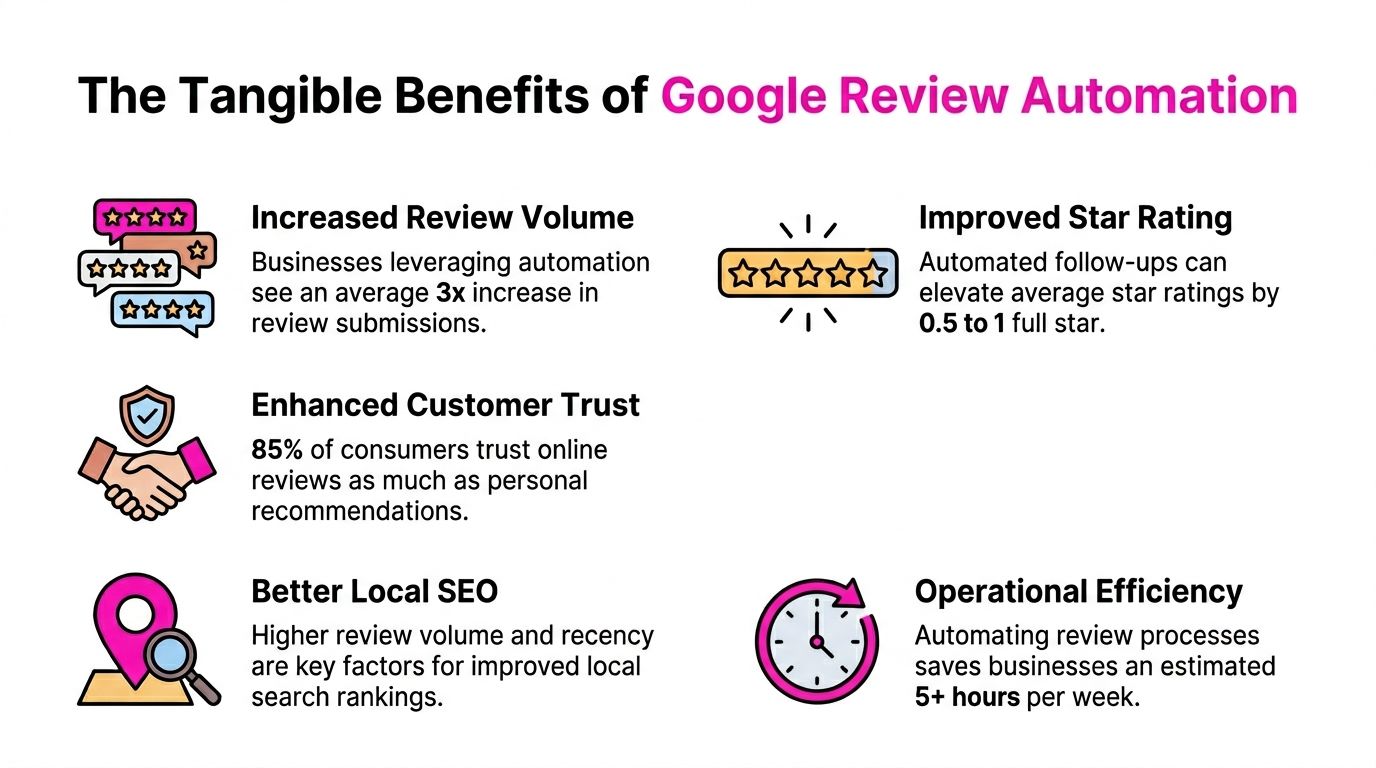
In local search, review activity affects two parts of performance at once. It influences whether a business looks active and trustworthy in Google, and it affects whether a potential customer chooses you once they see the listing.
In the UK, businesses that put a proper review request process in place often see a sharp rise in review volume within the first couple of months, as noted in MapLift’s Google review automation analysis. The exact uplift varies by sector, location count, and customer journey, but the commercial logic is straightforward. If more genuine customers are asked at the right moment, more genuine customers leave reviews.
Why this matters commercially
Fresh reviews reduce hesitation. They show that the business is active now, not that it was good once six months ago.
That matters even more for high-consideration local services such as dental clinics, trades, legal firms, care providers, and estate agents. People compare businesses quickly. A profile with recent, believable feedback usually gets more trust than a profile with an older review base and long gaps between responses.
For franchises and agencies, the case is stronger again. Automation gives each location a repeatable process instead of relying on whoever remembers to ask. That protects weaker branches from being left behind and makes reporting more useful at group level.
The return is operational as well as marketing-led
Manual review generation usually breaks at the same points: staff forget, timing slips, customer details never make it into the follow-up, and no one spots underperforming locations until the quarter is gone.
Automation reduces that waste. It sends requests after real jobs, appointments, or purchases. It keeps cadence steady. It also gives central teams a clearer view of which branches are collecting feedback and which ones may be drifting into risky behaviour. If you have not checked for those warning signs recently, review patterns linked to fake reviews on Google are worth auditing before you scale any workflow.
The strongest commercial gains usually come from three improvements working together:
- More coverage: more real customers receive a review request
- Better timing: the ask goes out while the experience is still fresh
- Stronger conversion: prospects see current social proof at the moment they compare options
That is why automated review programmes usually outperform ad hoc chasing. The advantage is not magic software. It is consistent execution.
There is a trade-off, though. More automation can create more risk if the process is poorly configured across multiple locations, especially when agencies, franchisees, and front-line teams all touch the customer journey. A good system increases participation without creating pressure, filtering unhappy customers, or generating odd review spikes that attract scrutiny.
If you are improving the process as well as the tooling, these proven strategies for getting more reviews are useful alongside an automation plan.
Used properly, Google review automation is not just an admin shortcut. It is a controlled way to generate more timely proof that real customers trust your business, across one location or fifty.
Navigating Google’s Rules and UK Compliance
A lot of software demos make review automation look frictionless. Connect a tool, switch on requests, publish replies, job done. That’s the fantasy version.
The version that exists has rules, and those rules matter more in the UK now than many businesses realise.
The shortcut mindset is the dangerous one
The biggest risk isn’t automation itself. It’s the belief that because something can be automated, it should be.
Google’s review policies are built around authenticity. If your process creates fake reviews, incentivised reviews, filtered review flows, or suspicious spikes, you’re not building a reputation system. You’re building evidence against yourself.
That includes practices such as:
- Review gating: Sending public review prompts only to happy customers while diverting unhappy customers elsewhere
- Fake review generation: Using staff, friends, bought accounts, or fabricated customer identities
- Incentivisation without care: Offering rewards in a way that undermines the honesty of the review
- Unnatural velocity: Triggering a sudden flood of reviews that doesn’t match normal customer activity
If you’ve never audited your current setup, it’s worth reviewing common warning signs around fake reviews on Google, especially if different branches or agencies have been using different methods.
UK enforcement is no longer theoretical
The compliance piece has become harder to ignore. The UK’s Digital Markets, Competition and Consumers Act 2024 carries fines of up to 10% of global turnover for fake consumer reviews, and UK agencies have reported a 25% rise in Google Business Profile suspensions for automated review spikes in early 2026, according to LocalZen’s review management analysis.
That doesn’t mean every automated workflow is risky. It means businesses need to separate process automation from trust manipulation.
The safest review system asks every genuine customer fairly, spaces requests naturally, and leaves low-star handling to humans.
What compliant automation looks like
A compliant setup usually has these features:
- Neutral invitations: The message asks for honest feedback, not a positive rating.
- Consistent audience selection: Requests go to all real customers in a given workflow, not just likely promoters.
- Human oversight for edge cases: Complaints, disputes, and legal issues don’t get pushed through the same automation as routine praise.
- Pacing controls: Review requests follow actual customer volume rather than artificial campaign bursts.
- Clear records: You can explain how the request was triggered if your process is ever questioned.
If you’re comparing wider governance tools, these compliance automation software solutions offer a helpful lens for thinking about workflow controls, approvals, and auditability beyond reviews alone.
The basic rule is straightforward. Automate the admin. Don’t automate deception.
Policy-Compliant Automation Workflows
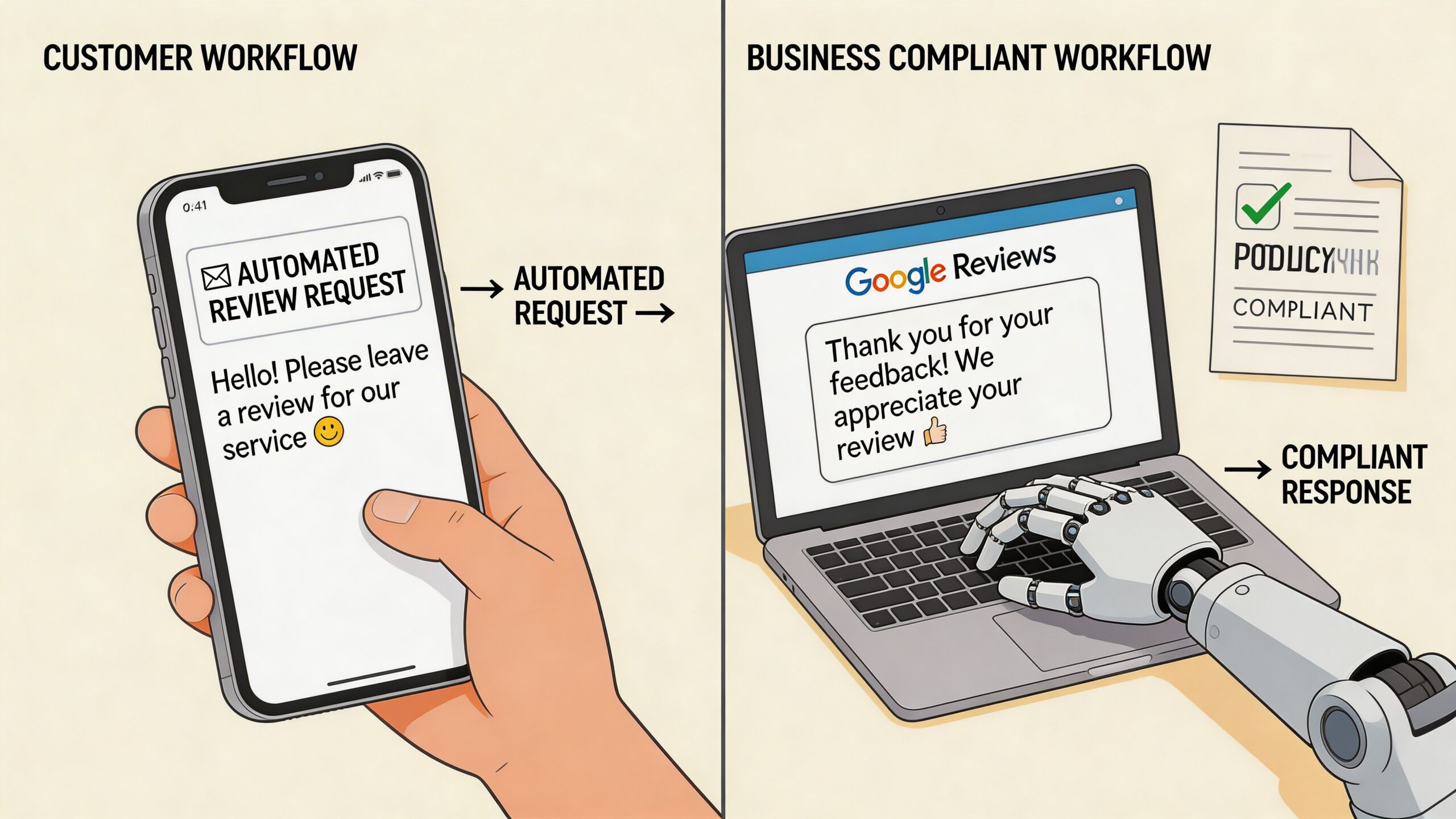
A good Google review automation setup has two separate workflows. One asks for reviews. The other handles replies. Mixing them together usually creates sloppy rules.
Workflow one for requesting reviews
This workflow should begin with a real operational trigger. Not a marketing whim.
Good triggers include a completed appointment, paid invoice, delivered order, closed support ticket, or checked-out guest. The point is to tie the request to a genuine customer interaction.
A practical workflow looks like this:
- Choose the trigger carefully
Pull the request from your CRM, booking system, POS, or job management platform. If the service isn’t complete, it’s too early. - Send the request promptly
Timing matters most when the customer still remembers the experience clearly. A short delay can work, but long delays usually reduce response rates. - Keep the wording neutral
Ask for an honest review, not a positive one. Don’t mention stars. Don’t imply that only satisfied customers should respond. - Use a direct Google link
Remove friction. If the customer has to search for your profile manually, you’ll lose reviews. - Limit reminders
One polite follow-up is usually enough. More than that starts to feel pushy.
A useful companion to this setup is a practical guide on how to get more Google reviews, especially if you’re choosing the right customer touchpoint for each branch or service line.
Workflow two for responding to reviews
Responses are where many teams over-automate.
AI-driven review responses can cut reply times by 40%, bringing them to under 2 hours rather than 8+ manually, and some UK businesses have seen a 25% lift in ‘near me’ search visibility after implementing consistent automated response workflows, according to Orderry’s review automation analysis.
That speed is useful, but only if the logic is sound.
Here’s the framework that works.
Auto-reply only where the risk is low
For straightforward positive reviews, automation is usually fine if templates are varied and brand-safe.
For example:
- 4 to 5-star reviews: Send a warm thank-you with light personalisation
- Short praise with no issue raised: Publish automatically if the wording is natural
- Location-specific mentions: Reference the branch, service, or team where possible
Route difficult reviews to a person
Negative or mixed reviews need judgement.
Use automation to classify and assign, not to bluff empathy. A complaint about delayed service, billing, or staff conduct shouldn’t get a breezy template response posted instantly.
A fast bad reply is worse than a slightly slower human one.
Build guardrails into the system
If you’re choosing tools, focus on controls more than flashy AI copy.
Look for:
- Approval flows: Low-star reviews should go into manual review.
- Branch-level context: Multi-location businesses need responses that reflect the actual site.
- Template variation: Repetitive wording looks lazy and can make the whole profile feel managed by script.
- Audit trails: You should be able to see what was sent, when, and why.
Tools such as ActivePieces, Zapier, and CRM-linked messaging platforms can handle the trigger layer. For response management, some businesses use dedicated review platforms. LocalHQ, for example, includes a Review Autoresponder that drafts on-brand replies and can be configured to route negative reviews for human approval instead of auto-publishing everything.
That balance is the key. Automate speed, routing, and consistency. Keep judgement where judgement belongs.
Automation in Action for UK Businesses
The mechanics of Google review automation look different depending on the business. The principles stay the same, but the setup should match the customer journey.
A coffee shop using timing properly
A single-site café has one clear advantage. The owner usually knows what a good customer moment looks like.
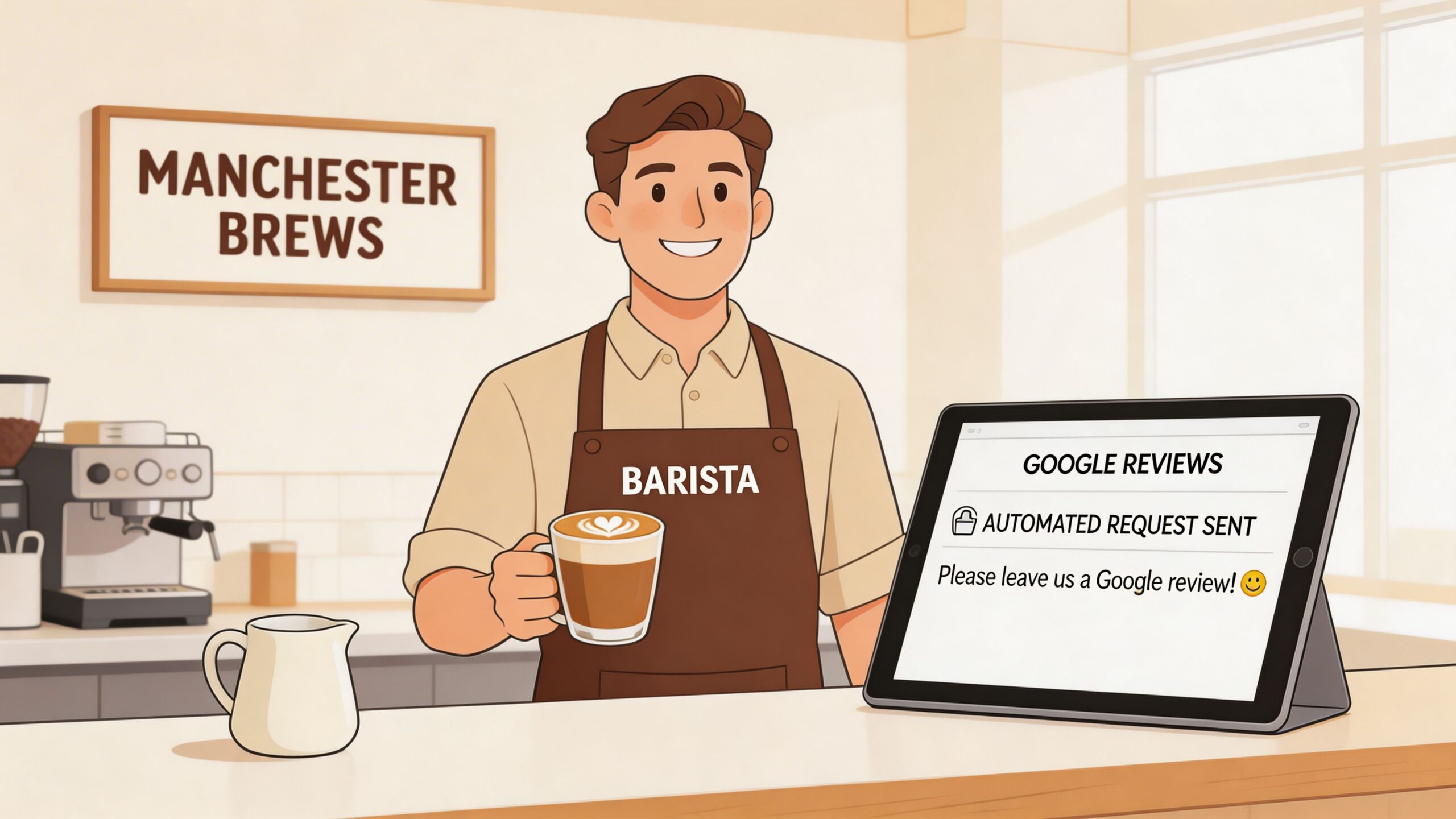
The simplest workflow is often enough. After a loyalty sign-up, completed order, or Wi-Fi follow-up, the customer gets a short message with a direct review link. Positive reviews receive a quick thank-you. Anything mentioning poor service or delays gets flagged for the manager.
The mistake cafés often make is trying to ask everyone in-store, verbally, every time. That creates inconsistency and puts pressure on staff. A tidy automated follow-up usually feels less awkward and gets done more reliably.
A plumbing franchise fixing branch inconsistency
Multi-location businesses have a tougher problem. They’re not just collecting reviews. They’re trying to maintain brand consistency without sounding generic.
That matters because for UK multi-location businesses, inconsistent review responses can drop local pack rankings by 15-20%, and Google is putting more weight on location-specific sentiment, penalising generic automation that ignores branch-level context, according to GBPPromote’s review automation analysis.
For a plumbing franchise across the South East, that means the Croydon branch shouldn’t sound identical to the Reading branch if customers are talking about different engineers, appointment windows, or job types.
A workable model looks like this:
- Central rules: Head office controls templates, tone, and escalation policy
- Local context: Each branch can reference actual staff, service types, or area details
- Manual handling for complaints: Especially where the issue could affect bookings, refunds, or service recovery
An agency managing review operations at scale
Agencies face another version of the same challenge. One client is a restaurant. Another is a solicitor. Another is a dental group. Each needs different trigger points, different tone, and different approval rules.
The agencies that do this well don’t offer “automated reviews” as a black box. They build a controlled workflow for each client category.
Generic automation tends to fail in exactly the places where reputation matters most. Local nuance, service context, and complaint handling.
That’s why a portfolio-wide process should start with segmentation. Which clients can safely auto-reply to routine praise? Which need strict approvals? Which have enough branches that location-specific wording is mandatory?
When businesses say automation doesn’t work, the problem usually isn’t automation. It’s that they applied one rigid workflow to several very different review environments.
Measuring Your Automation Success What KPIs Matter
A franchise can automate review requests perfectly and still get poor results if it measures the wrong things.
I see this regularly with multi-location businesses. Head office celebrates a rise in review count, then misses the fact that one branch is sending requests in bursts, another is ignoring negative feedback for days, and a third is collecting fresh reviews that all mention the same scheduling problem. Star rating on its own will not catch that.
The KPIs worth watching
Use a short list that maps directly to how the workflow performs in practice:
- Review volume growth: More genuine reviews coming through from completed jobs, visits, or transactions
- Review velocity: A steady flow over time, rather than suspicious spikes after one campaign or branch push
- Response time: How quickly your team acknowledges feedback, especially where local managers are involved
- Sentiment themes: Repeated complaints or praise by topic, such as waiting times, engineer quality, staff attitude, or billing
- Business actions: Calls, website clicks, booking intent, and direction requests that rise alongside stronger review activity
Taken together, these show whether automation is improving customer signals or just increasing output.
Recency deserves its own KPI
Recent reviews carry more weight with prospective customers because they answer a simple question. What is this business like now?
That matters even more for UK service businesses with several locations. A dental group, estate agency, or trades franchise can look stable at group level while one branch has gone quiet for six weeks. In practice, that branch often sees weaker click-through rates and lower trust before anyone notices internally.
Track review recency by location, not just across the account.
What a useful dashboard should show
The dashboard should help you spot operational problems quickly, especially if you are managing several branches or client accounts.
| KPI | What you’re looking for | Why it matters |
|---|---|---|
| Review volume | Steady growth tied to real customer activity | Confirms requests are being sent after genuine service events |
| Review velocity | Even spread over weeks and months | Reduces the risk of unnatural patterns that attract scrutiny |
| Response time | Faster replies with human checks where needed | Keeps standards consistent without careless automation |
| Sentiment trends | Repeated themes by service line or branch | Surfaces delivery issues that need fixing offline |
| Branch comparison | Clear outliers in rating, recency, or complaint volume | Stops one location weakening the wider brand |
| Search action signals | Calls, clicks, and direction requests moving with review performance | Connects reputation work to actual commercial intent |
For the last row, Google Business Profile insights give useful context on whether stronger review performance is translating into customer actions.
One final point. In the UK, the best KPI setup is not only about marketing performance. It is also a compliance check. If one branch suddenly produces a flood of five-star reviews, identical reply patterns, or a sharp gap between private complaints and public ratings, that deserves investigation. Under tighter Google enforcement and stricter consumer protection rules such as the DMCC Act, those patterns are not just messy reporting. They can become a reputation and compliance problem.
Frequently Asked Questions About Google Review Automation
Can Google penalise my business just for using an automation tool
No. The risk isn’t the tool by itself. The risk is how you use it.
If the software sends neutral requests to real customers, spaces activity naturally, and helps your team respond consistently, that’s very different from fake reviews, review gating, or sudden suspicious spikes. Google review automation becomes risky when the workflow tries to manipulate trust instead of support it.
Should I automate replies to negative reviews
Usually, no. Use automation to detect, route, and prioritise them.
A low-star review often needs context, judgement, and a response that reflects the actual issue. The safer setup is to auto-reply only to straightforward positive feedback and send critical reviews into a human approval queue.
What should a compliant review request say
Keep it simple and neutral. Ask for honest feedback. Include the review link. Don’t mention a desired rating, a reward, or a condition.
A good message sounds like a normal follow-up from a real business. A bad one sounds engineered to extract praise.
If the wording would make you uncomfortable in a regulator’s inbox, don’t automate it.
How do I choose a safe Google review automation tool
Look at controls before copy quality.
Choose a tool that lets you:
- Trigger requests from real customer events
- Avoid review gating
- Route low-star reviews for manual handling
- Vary responses by location or service
- Keep a record of what was sent and published
If you run multiple locations, branch-level nuance matters. If you’re an agency, client-level approvals matter. If a tool can’t handle those realities, it’s not mature enough for reputation management.
Is full automation a good idea
For most businesses, no.
The strongest systems are semi-automated. They automate sending, sorting, monitoring, and first-draft replies where the risk is low. They keep human judgement for anything sensitive, disputed, or clearly unhappy. That balance gives you efficiency without turning your public reputation into a script.
If you want a simpler way to keep review requests consistent, route risky feedback for manual handling, and manage Google presence across one or many locations, take a look at LocalHQ. Its review and profile management tools are built for businesses that need automation with control, not shortcuts.